This document describes how to quickly create an SSL VPN connection, and configure routing and forwarding policies with a route table to ensure the secure communication between the VPC and client.
Directions
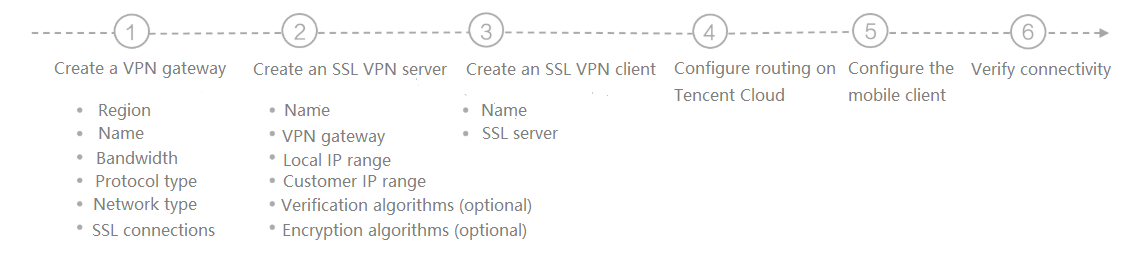
See below for the flowchart of activating an SSL VPN connection:
Example
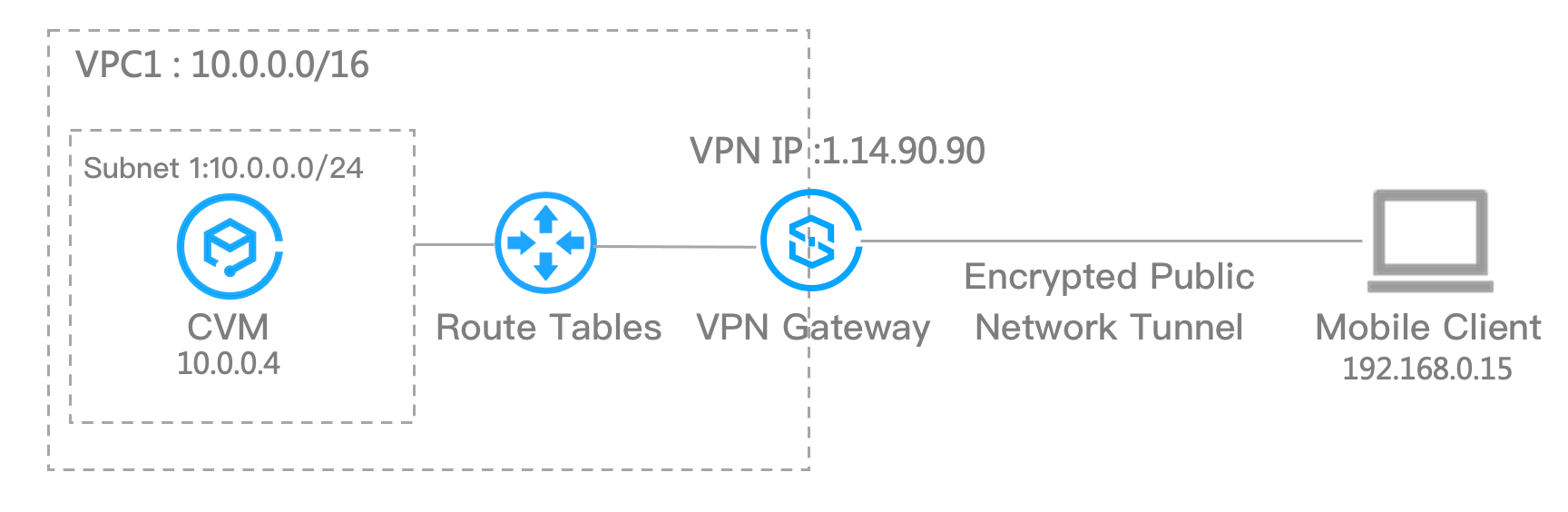
Let’s assume that you need to establish an SSL VPN connection to connect the subnet 1: 10.0.0.0/16 in your VPC in Guangdong Region 2 to the subnet: 192.168.0.0/16 in your mobile terminal.