Refunding Resource Packs
Refund policies
We may reject a refund request if we suspect refund abuse.
If you request a refund for a resource pack, the refund amount will be calculated based on the remaining value of the resource pack and returned to your Tencent Cloud account.
Attention:
Discounts and vouchers will not be returned.
The credits will be returned to the account that made the purchase.
Directions
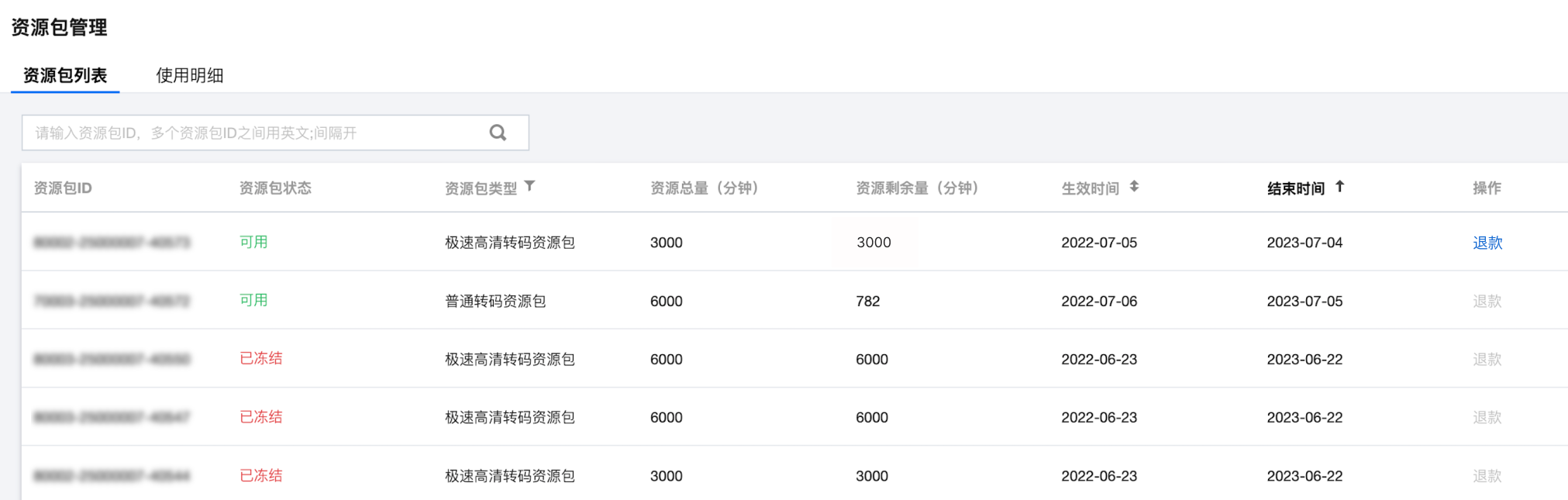
2. Find the resource pack you want to return and click Refund on the right.
Other Refunds
1. Select the Product Related to the Issue
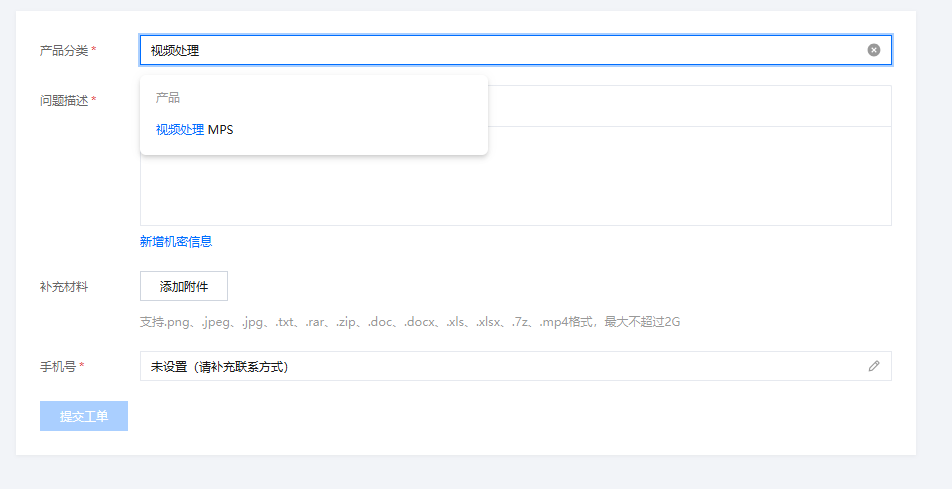
Log in to the MPS console and choose Tickets > Submit Ticket. Then, search for "Media Processing" and click MPS. 2. Select the Issue Type
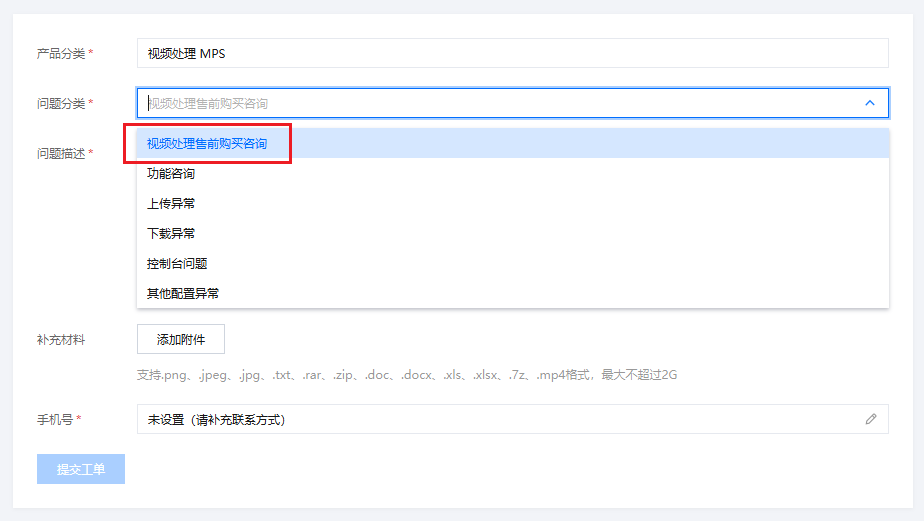
Select purchase enquiry.
3. Submit a Ticket
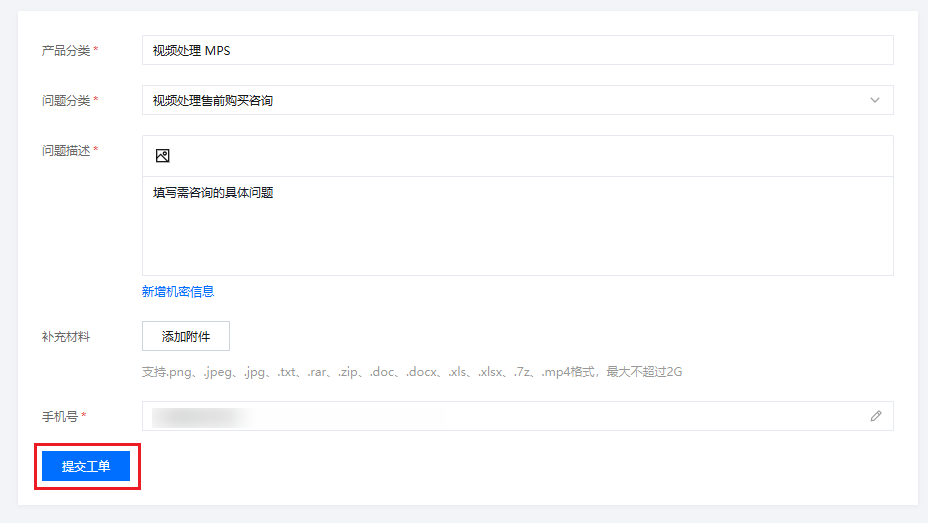
Fill in the information and click Submit Ticket.
Note:
We will process your refund request as soon as possible.