How do I mute or unmute group members in a group chat?
Muting is a way to control how group members send messages. The muted member cannot send messages during the muting period. For more information on how to mute members, see the following SDK documents:
How do I view group messages from before I joined the group?
To view historical group messages sent before you joined the group, historical messages for the type of this group must support cloud storage. Based on group types and set use cases, the following configurations apply:
Audio-and-video chat rooms (AVChatRoom) and broadcasting chat rooms (BChatRoom) in early versions do not support historical message storage. Therefore, you cannot view messages from before you joined these two types of groups.
For non-live streaming groups, work groups (Work) and public groups (Public) by default do not allow members to view historical messages from before they joined the groups, whereas meeting groups (Meeting) by default allow members to view historical messages from before they joined the groups. To modify the default configuration, you can submit a ticket to apply for modification.
The default retention period of historical messages of non-live streaming groups is 7 days (30 days for Ultimate edition). To extend this period, log in to the console and choose Feature Configuration. Extending the message retention period is a paid value-added service. For more information on billing, see Pricing.
What are the differences between AVChatRoom and Meeting (ChatRoom in early versions)?
These two types of groups are designed for different scenarios. Specifically, Meeting is suitable for medium-sized groups (with less than 6,000 members), whereas AVChatRoom is suitable for large-scale live-streaming scenarios with unlimited members. The following table lists the major differences between their features:
Group Feature
Meeting
AVChatRoom
Maximum group members
6,000
Unlimited
Group member information
All group member information is saved
No member information is saved
Group owner can set group admins
Yes
No
Delete group members
The group admin, group owner, and app admin can delete group members.
Not supported
Message roaming
Supported
Not supported
Members can view historical messages from before they joined the group
Yes. Messages within the retention period of historical messages can be viewed by default.
No
Notification on member changes
Not supported
Supported
App admin can import groups
Yes
No
How to know whether a group chat has been dissolved in the group chat interface?
Call getGroupMemberList to only get the group owner's material. If an error occurs, it means the user is not in the group or the group has been dissolved. The error codes for not being in the group and group dissolution are different.
Not in the group: 10007.
Group dissolved: 10010 or 10015.
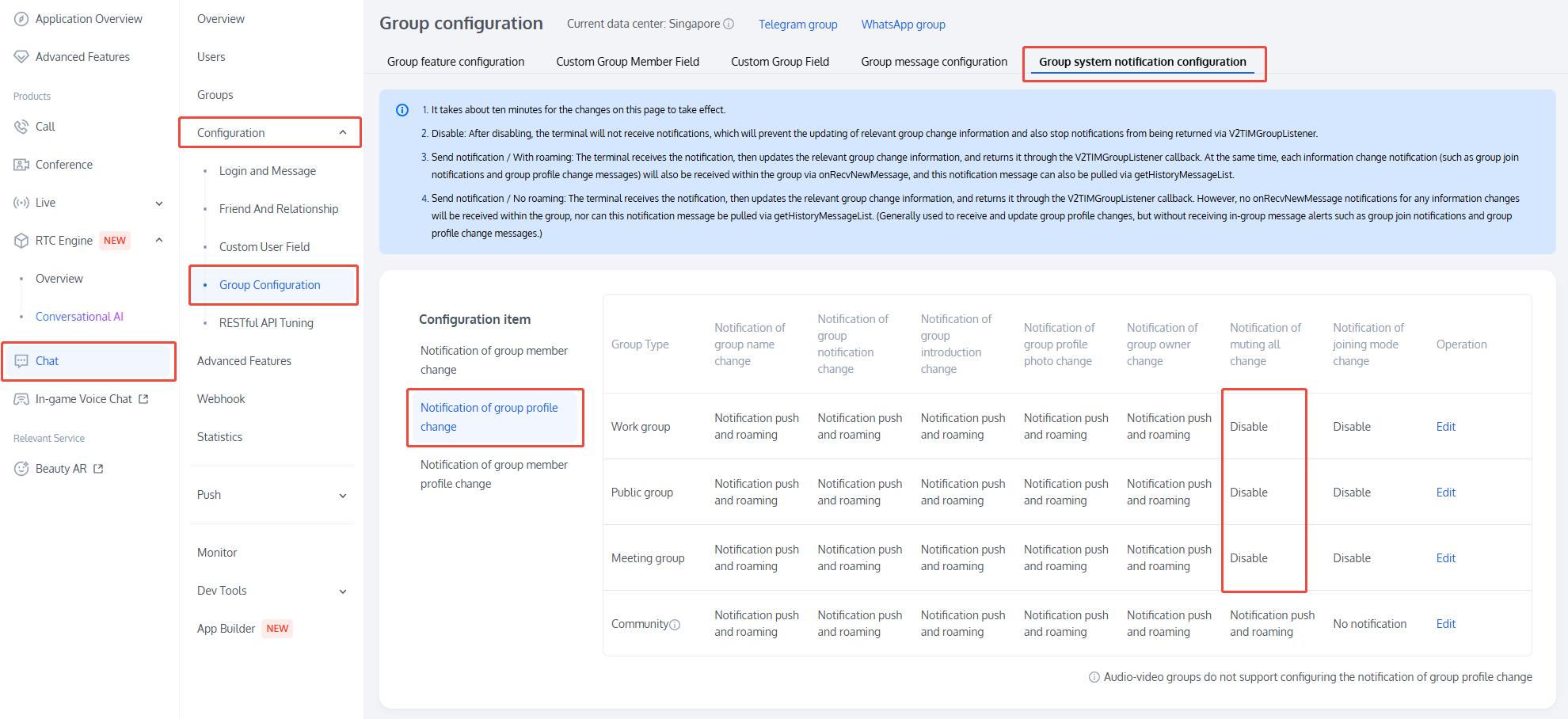
Group owner enables "room-wide mute" after it takes effect, other members get "room-wide mute status" not updated?
Notification for room-wide mute is off by default. It needs to be enabled in the Console, corresponding to the following screenshot position:
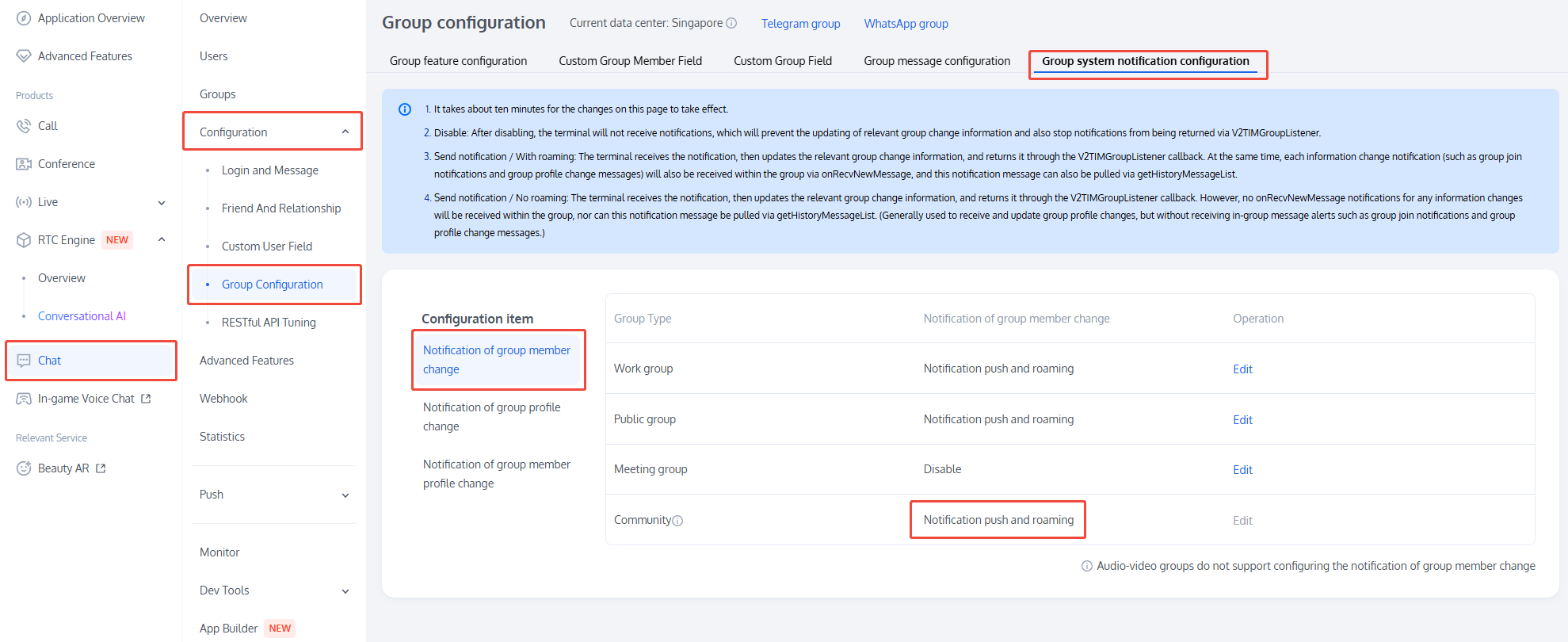
Inviting people to group or members proactively leaving group generate a notification message and add an unread count. How to hide such notification messages and prevent unread count occurrence?
The Console can be used to configure group member change notification, changing deliver/store on roaming server to deliver/not stored on the roaming server.
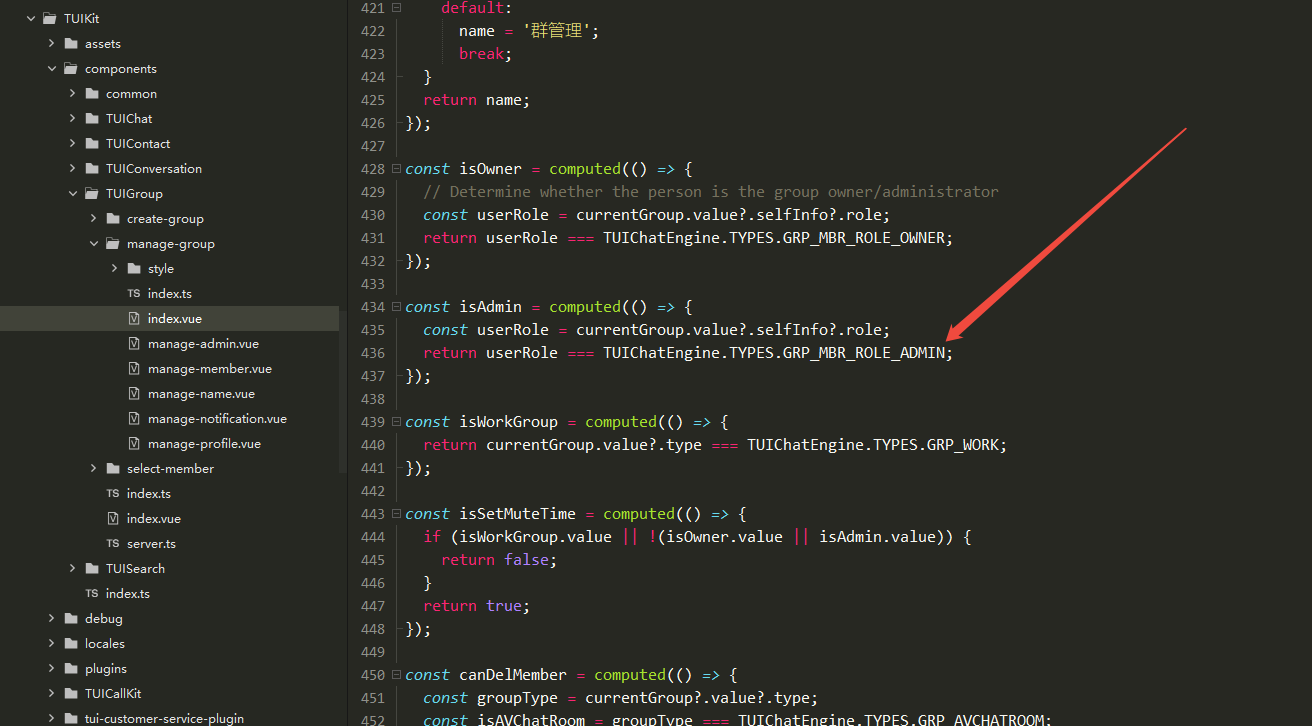
Why group admin unable to display admin page to perform actions such as muting?
The legacy logic defaults to group owner control only. The source code can be modified to display admin.
AVChatRoom user kills or exits App, will there be onMemberLeave webhook?
AVChatRoom users must log out normally for other group members to receive the onMemberLeave Webhook. If the App is force-closed or exited directly, other group members will fail to receive the onMemberLeave Webhook.
In such cases, other group members can get the group member online list, see pull group member list.