tencent cloud

Chat

製品の説明
製品の概要
Basic Concepts
ユースケース
機能概要
アカウントシステム
ユーザープロフィールとリレーションシップチェーン
メッセージ管理
グループシステム
Official Account
Audio/Video Call
使用制限
購入ガイド
課金概要
価格説明
Purchase Instructions
Renewal Guide
支払い延滞説明
Refund Policy
ダウンロードセンター
SDK & Demo ソースコード
更新ログ
シナリオプラン
Live Streaming Setup Guide
AI Chatbot
極めて大規模なエンターテインメントコラボレーションコミュニティ
Discord実装ガイド
ゲーム内IM統合ガイド
WhatsApp Channel-style Official Account Integration Solution
Send Red Packet
Firewall Restrictions
クライアントAPIs
SDK API(Web)
Android
iOS & macOS
Swift
Flutter
SDK API(Electron)
SDK APIs (Unity)
SDK API(React Native)
C APIs
C++
サービス側 APIs
UserSigの生成
RESTful APIs
Webhooks
コンソールガイド
New Console Introduction
アプリケーションの作成とアップグレード
基本設定
機能設定
アカウント管理
グループ管理
Official Channel Management
コールバック設定
監視ダッシュボード
Viewing Guide for Resource Packages
Real-Time Monitor
補助ツールの開発
アクセス管理
Advanced Features
よくあるご質問
uni-app FAQs
 購入に関する質問
SDKに関する質問
アカウント認証に関する質問
ユーザープロファイルとリレーションシップチェーンに関する質問
メッセージに関する質問
グループに関する質問
ライブ配信グループに関する質問
ニックネームプロフィール画像に関連した問題
一般的なリファレンス
Service Level Agreement
セキュリティコンプライアンス認証
IM ポリシー
プライバシーポリシー
データプライバシーとセキュリティ契約
エラーコード
お問い合わせ

Online and Login

フォーカスモード
フォントサイズ
最終更新日: 2024-09-04 10:41:40

Guidelines for Account and Password

Login Account (Email): Your account is the email address you provided to the administrator or the one assigned to you by the administrator.
Password: Once the administrator has successfully created your account, the system will send an email with a random password to that email address. Please use this random password to log in for the first time.

First Time Login and Phone Number Binding

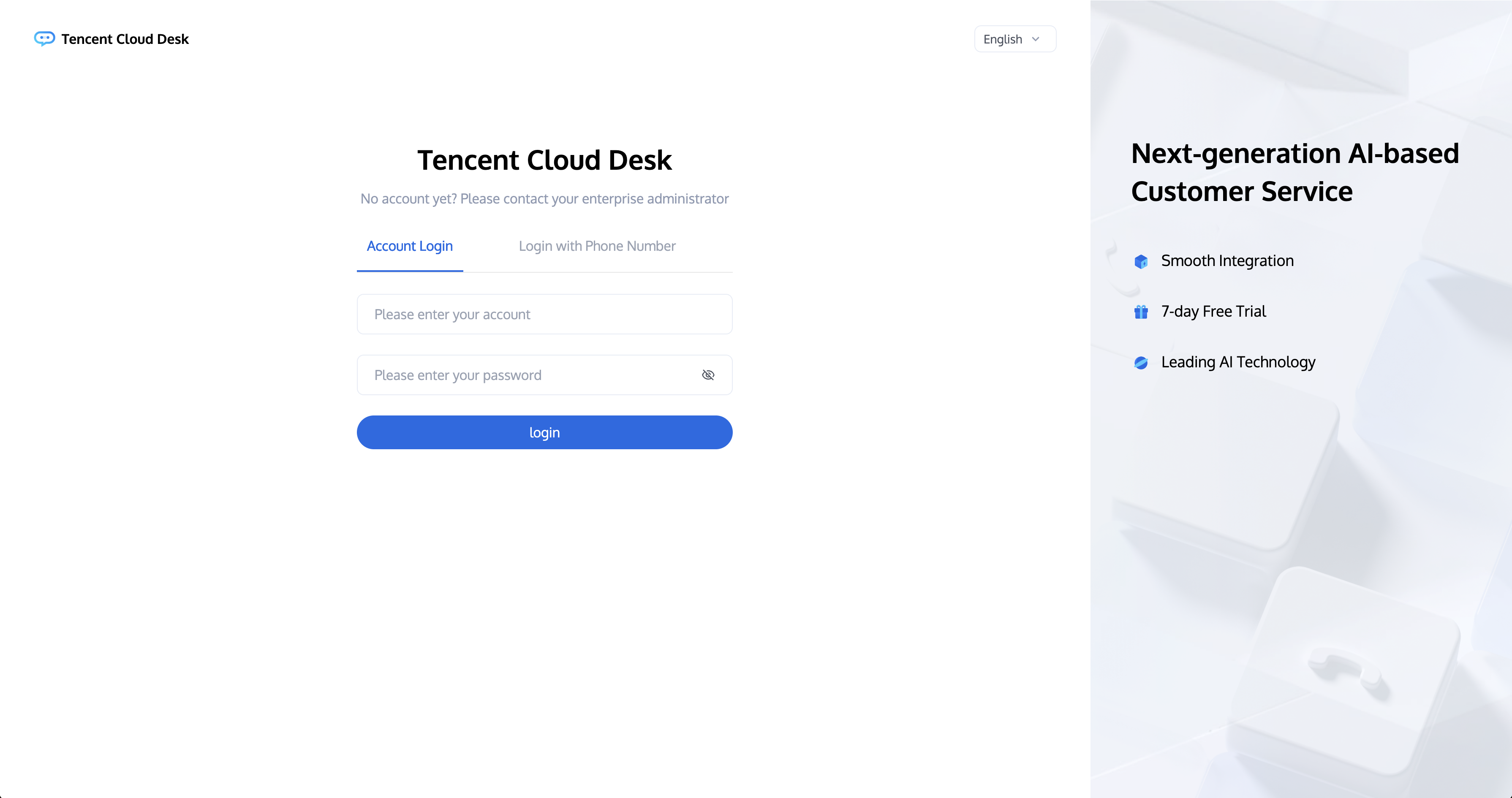
Step 1: Log in to the workstation

Directly access the workstation by entering your email address and password as shown below:
Direct access link: https://desk.tencentcloud.com
Email address: The email address you provided to the administrator.
Login password: Use the random password sent to your email after the administrator has successfully created your account.


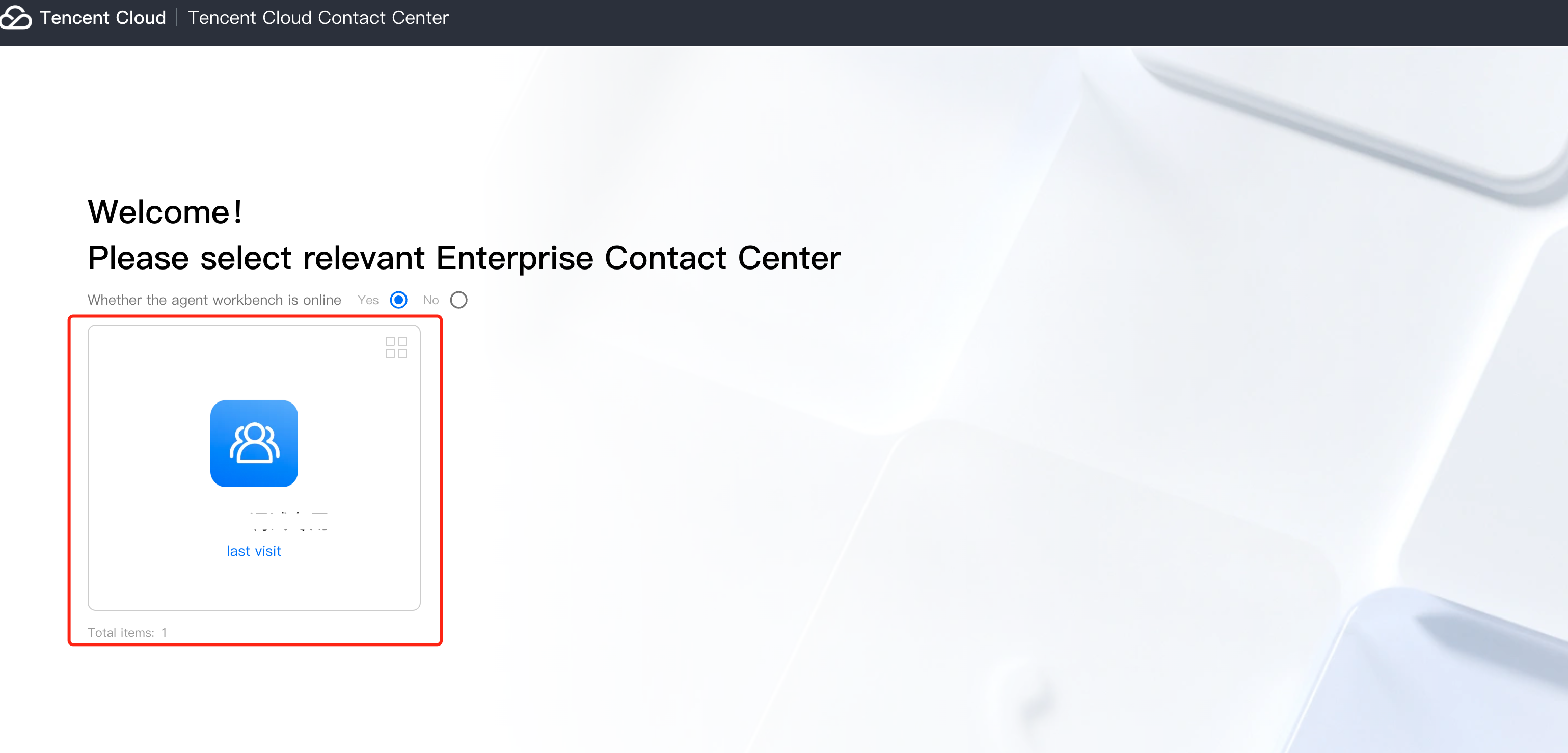
Step 2: Enter the Application

You need to authorize your microphone before going online for the first time.


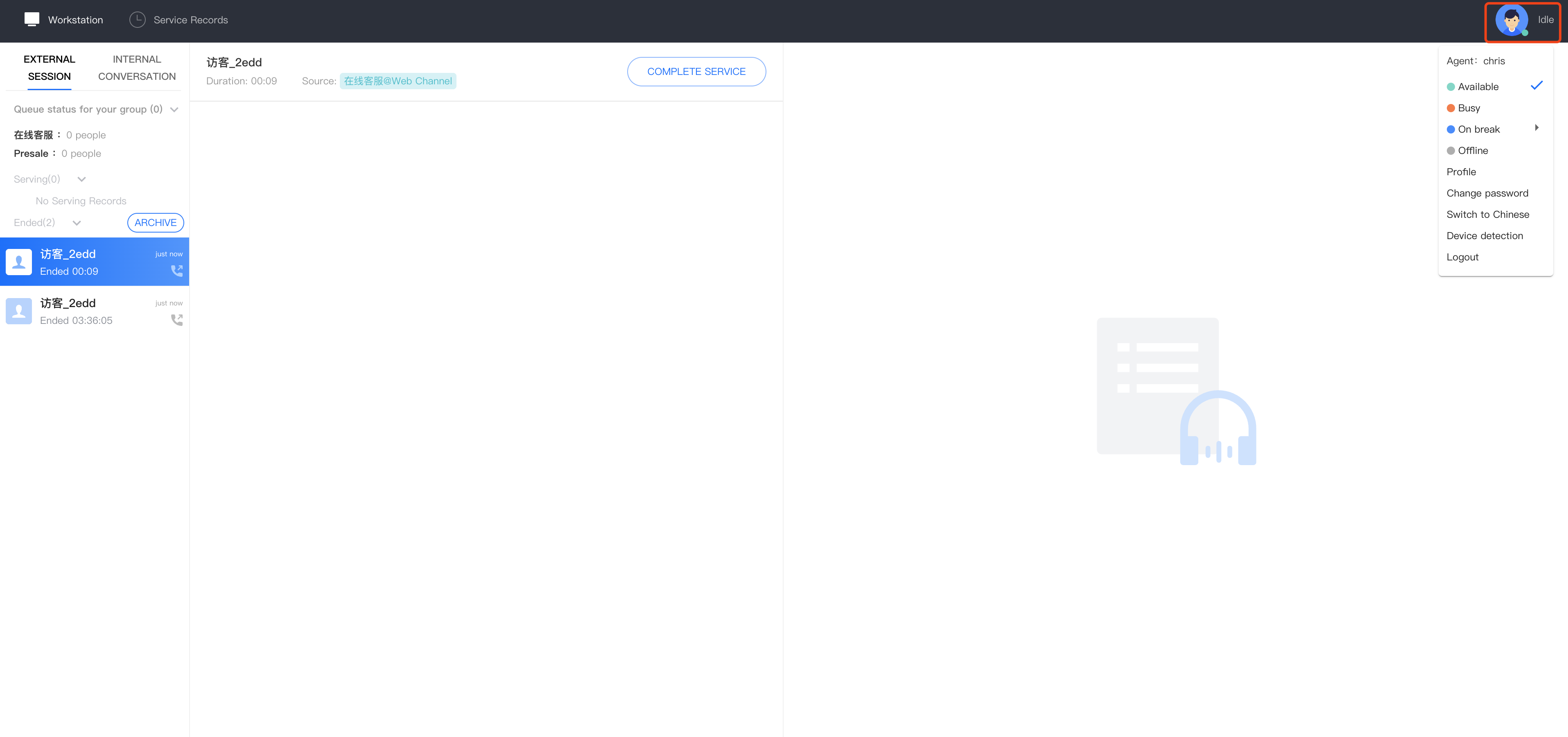
Step 3: Official Launch

You can confirm that you are online if the agent status in the upper right corner is a green dot, indicating that the agent is available and ready to assist.


SMS Verification Code Login

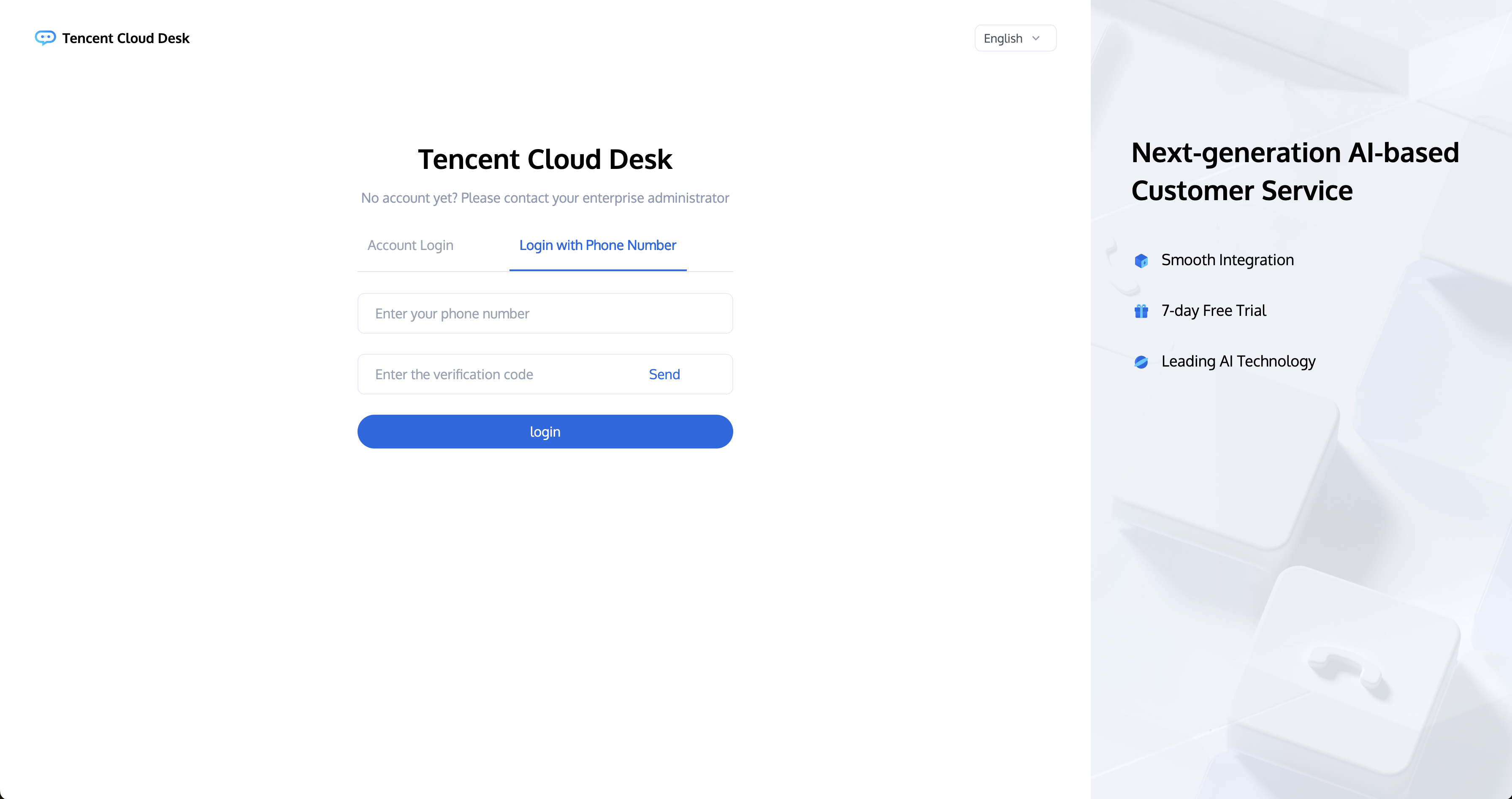
Access the Workstation, click on 'Login With Phone Number,' enter your phone number, and click Send' as shown below.
Direct access link: https://desk.tencentcloud.com 
Phone Number: The Phone number you bound when you first logged into the workstation.
Verification code: The SMS verification code sent to your Phone number.


ヘルプとサポート

この記事はお役に立ちましたか?

フィードバック