This feature is currently available to whitelisted users only.
General Scenario and Strategy Configuration
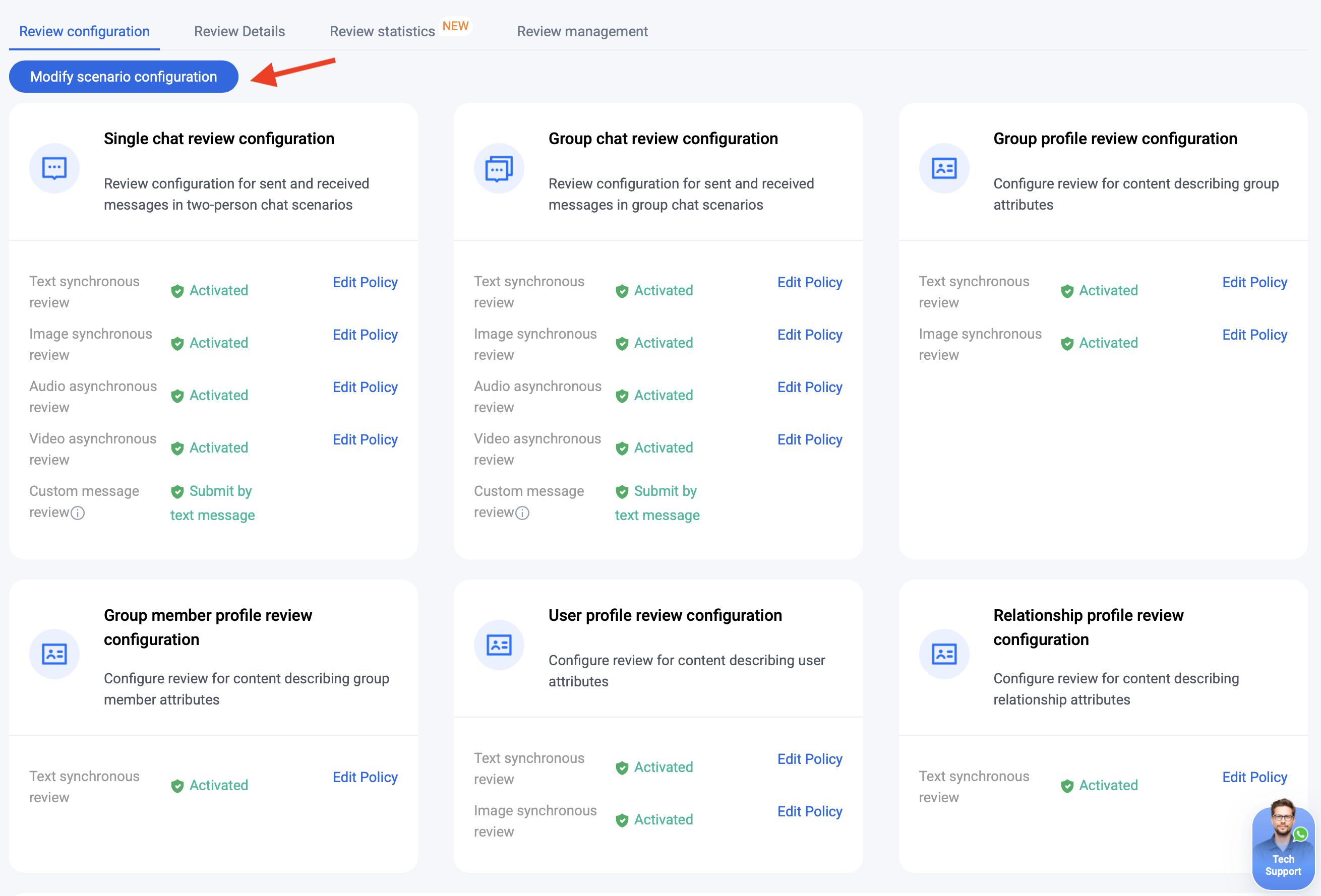
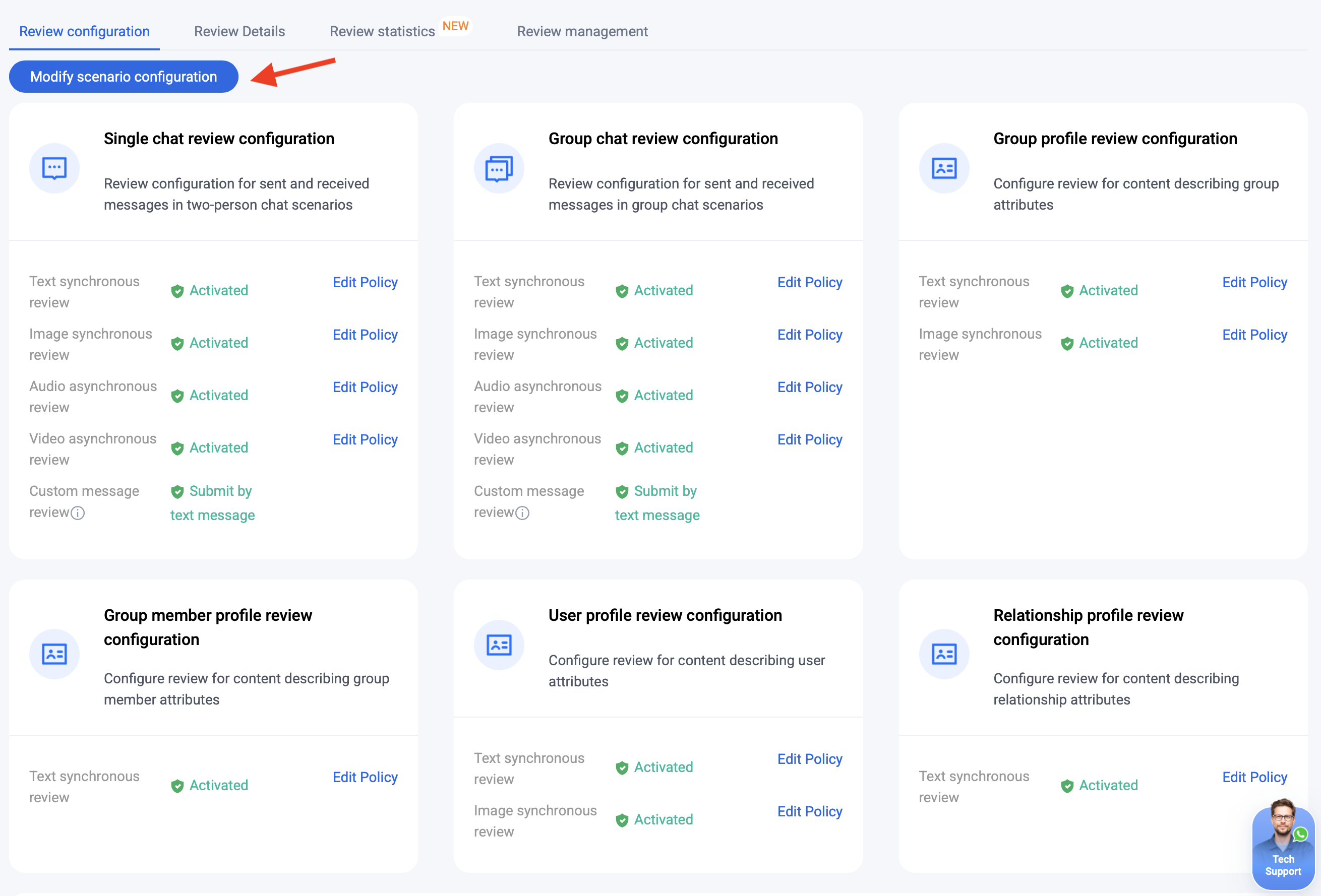
Once you enable the Cloud Review service, detection for audio, video, image, and text messages is automatically activated across six common scenarios. To customize or disable detection for specific message types within a scenario, click Modify Scenario Configuration.
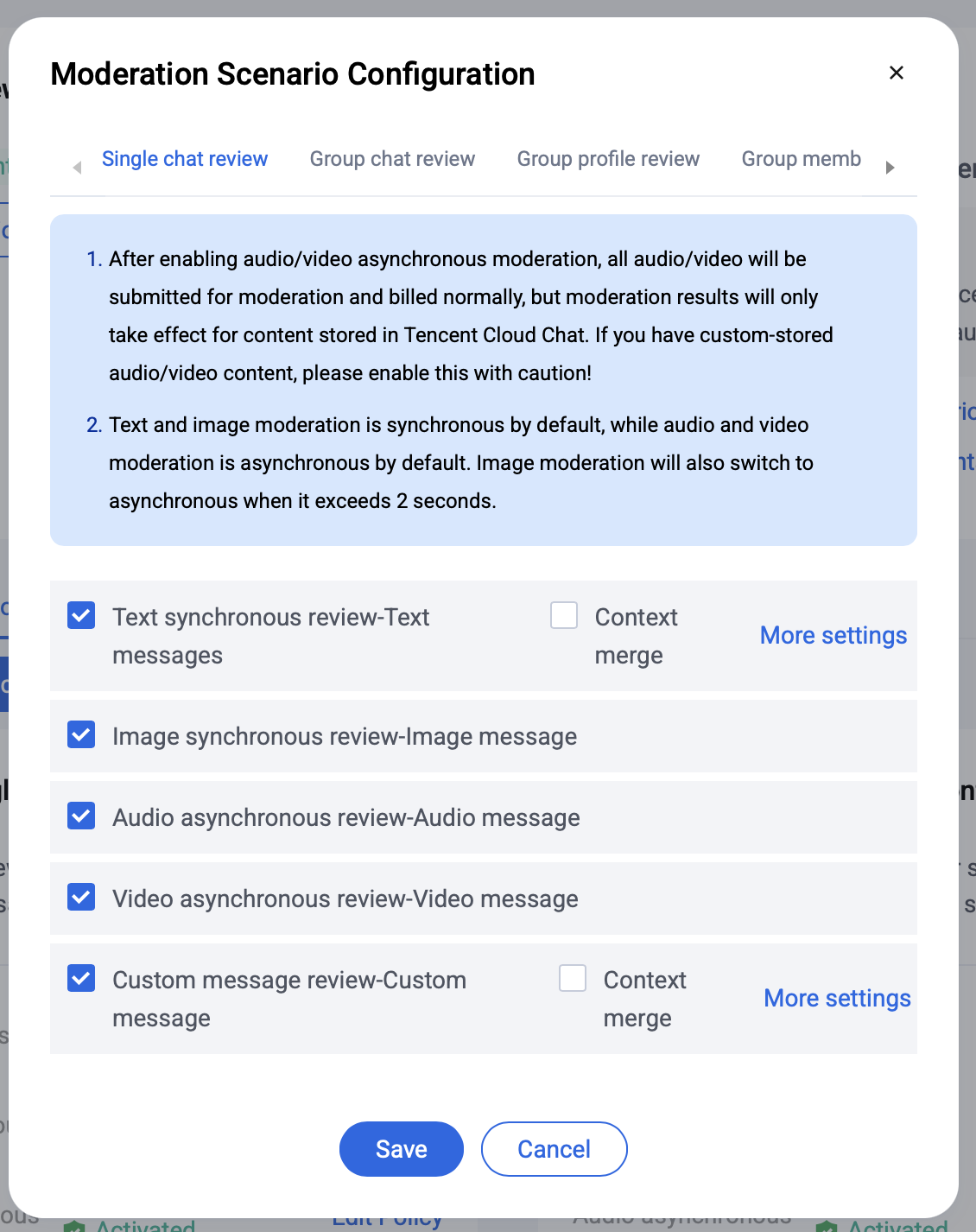
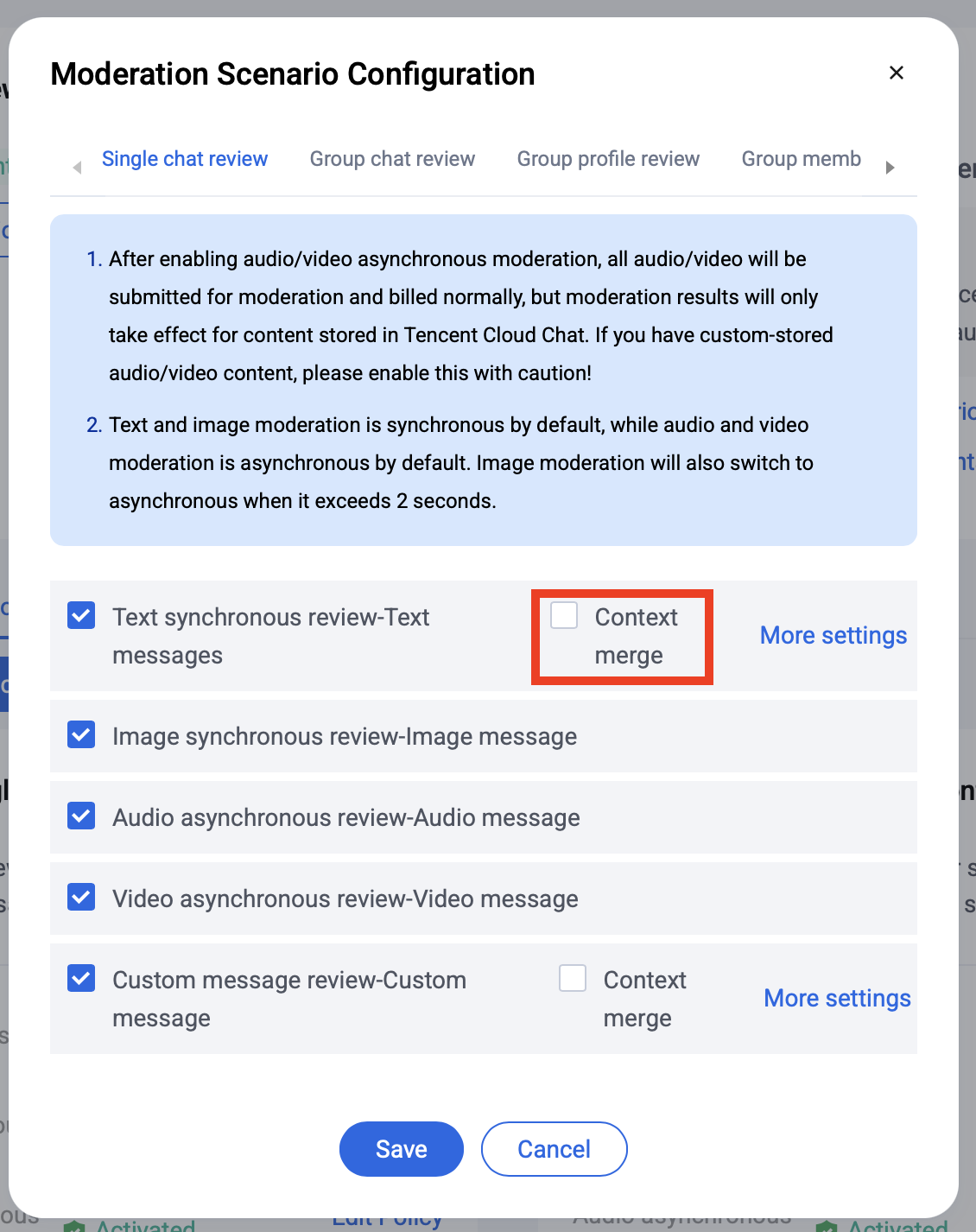
In the pop-up dialog, simply check or uncheck the relevant options, then click Save to save your changes.
Audio, Video, Image, and Text Message Detection
Select the content types (text, image, audio, video) you want to enable or disable for each scenario by checking or unchecking the boxes according to your requirements.
Note:
In C2C Chat and Group Chat scenarios, enabling asynchronous review for audio/video means all audio/video files will be processed and billed, and files stored in Tencent Cloud Chat will be intercepted. If you use custom storage for audio/video files, enable this feature carefully. To handle audio/video files stored in custom locations, listen for audio/video message terminal violation Webhooks in your UI logic.
Custom Message Detection
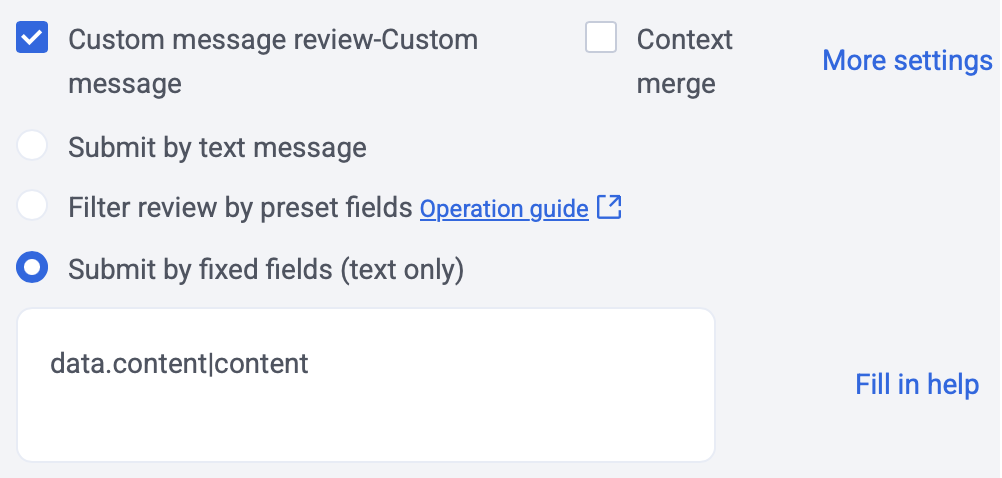
After Cloud Review is enabled, custom messages in C2C Chat and Group Chat are treated as text by default. If your custom message uses a JSON structure and you want to scan only specific fields, use one of the following methods:
Specifies the content type to detect: Text/Image/Audio/Video/JSONText.
IMAuditContent
String
Specifies the content to detect.
For types Image/Audio/Video, use the file URL.
For JSONText, use the custom message JSON structure with keys concatenated by . (string.string) format (up to two levels). See the fixed field example.
Discreption:
Place the specified fields in the top-level key-value pairs of your custom message JSON structure. This method supports review for audio, video, image, and text messages. For audio/video files, see Terminal Violation Webhook for violation handling. If a custom message contains multiple elements to scan, you can extract and detect up to 10 elements using the following configuration:
For each custom message JSON structure, use keys concatenated by . (string.string) format (up to two levels). You can specify multiple JSON structures separated by | (string|string.string) (up to three types). Each string must be no longer than 60 characters.
Enter the fixed fields as data.content|content. The data.content configuration filters the following two custom message JSON structures:
Each scenario and content type has a default detection strategy that automatically identifies and blocks content containing high-risk pornography/abuse. To adjust the sensitivity of review, follow the steps below.
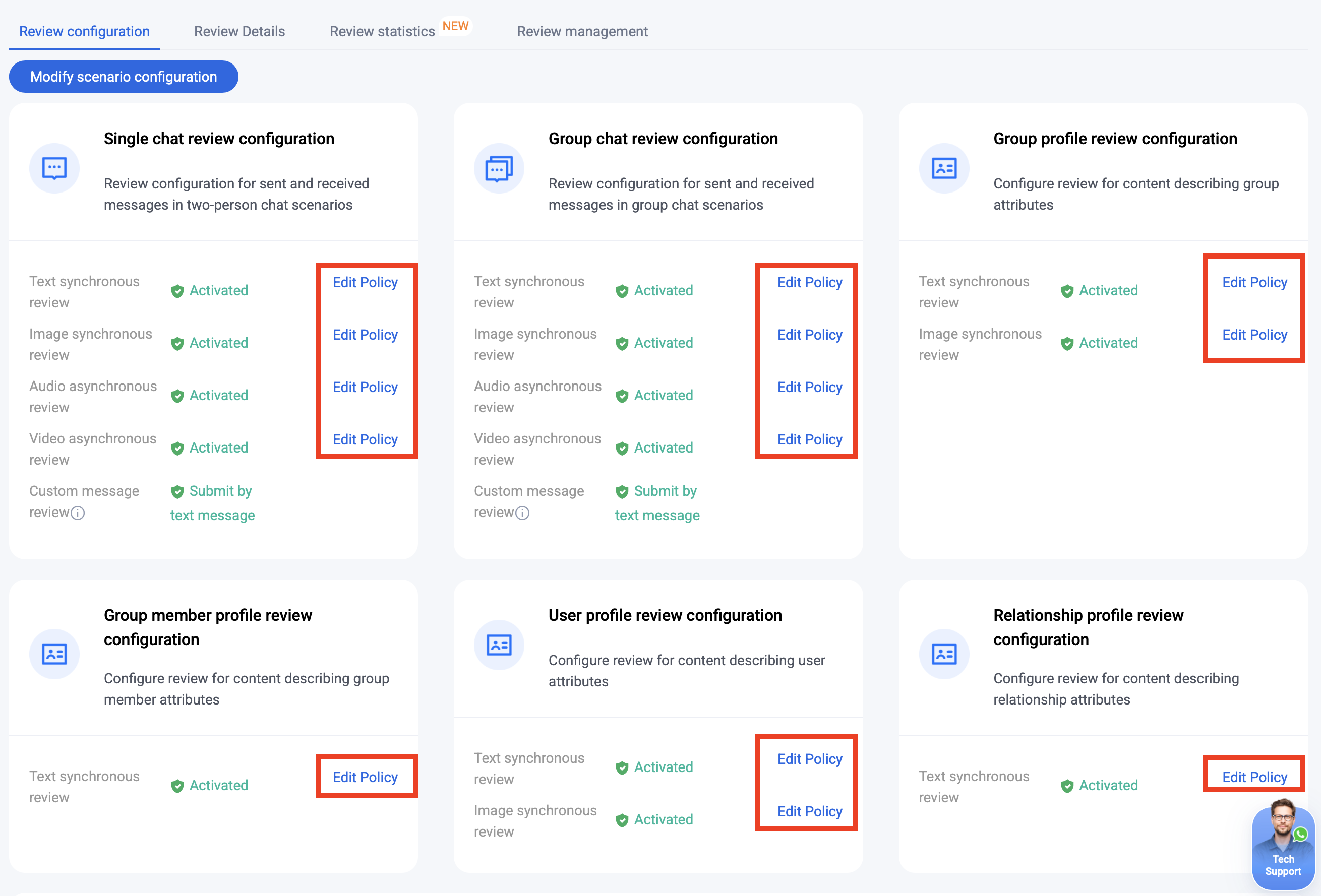
To edit a detection strategy, click Edit Policy next to the relevant scenario and content type.
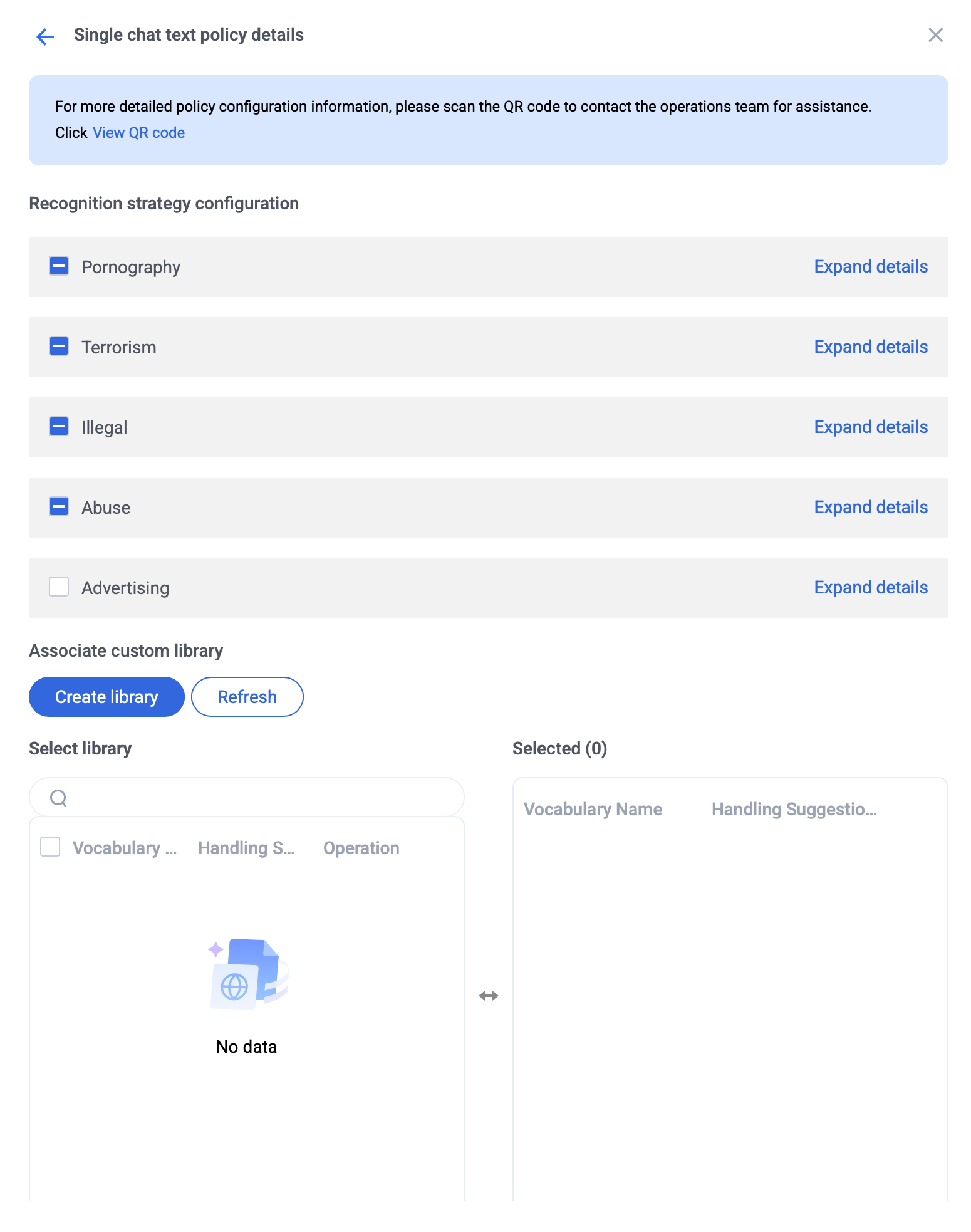
Text/Image Strategy Configuration: You can update the general detection strategy and manage Custom Word libraries.
Recognition strategy configuration: Select the risk types you want to detect.
Custom Word library information: Select up to 5 Custom Word libraries to associate.
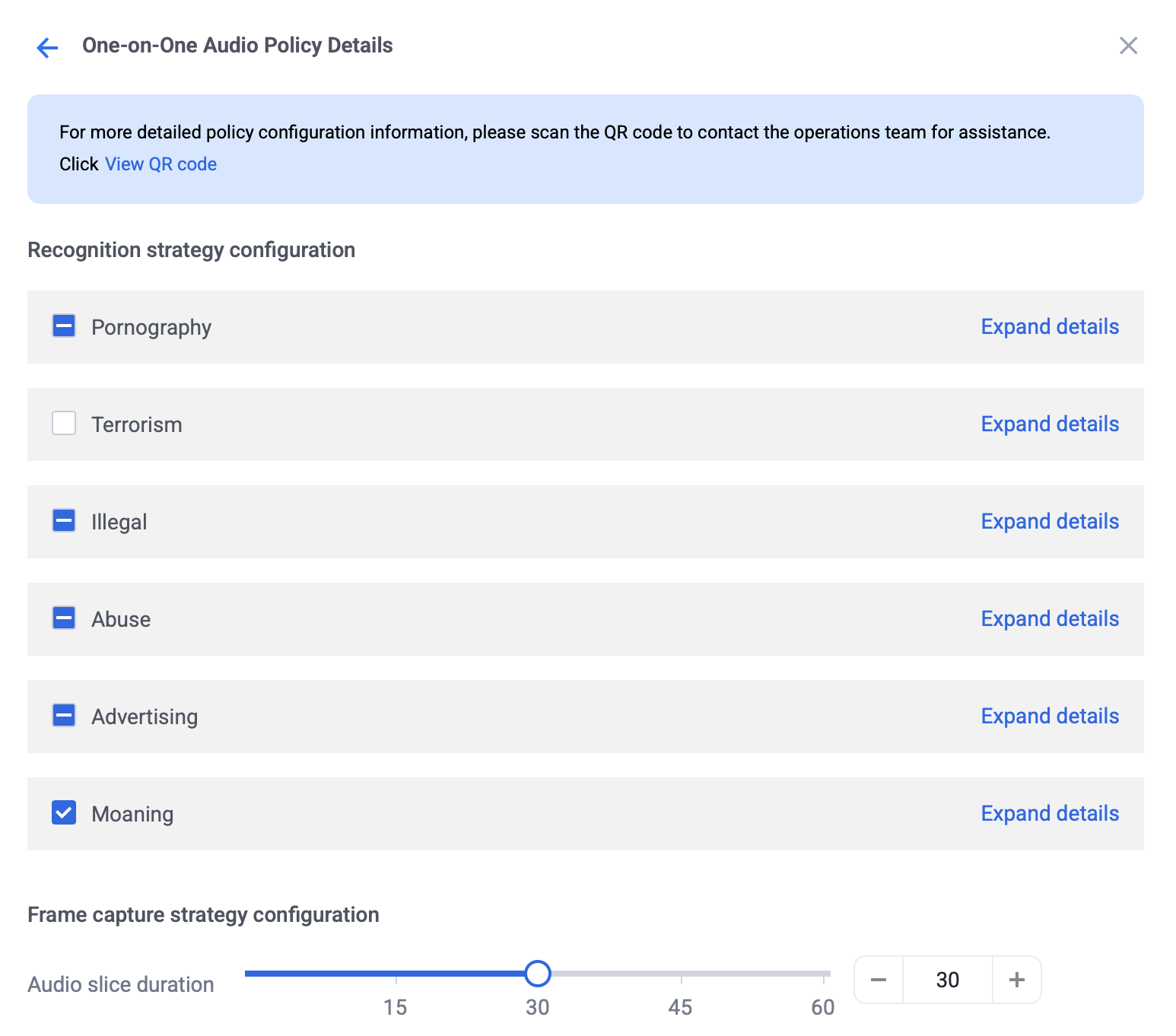
Audio Strategy Configuration: You can adjust the general detection strategy, frame extraction settings, and Custom Word libraries.
Recognition strategy configuration: Select the risk types you want to detect.
Frame capture strategy: Set the audio slice duration using the slider or enter an integer value (range: 1–60).
Custom Word library information: Select up to 5 Custom Word libraries to associate.
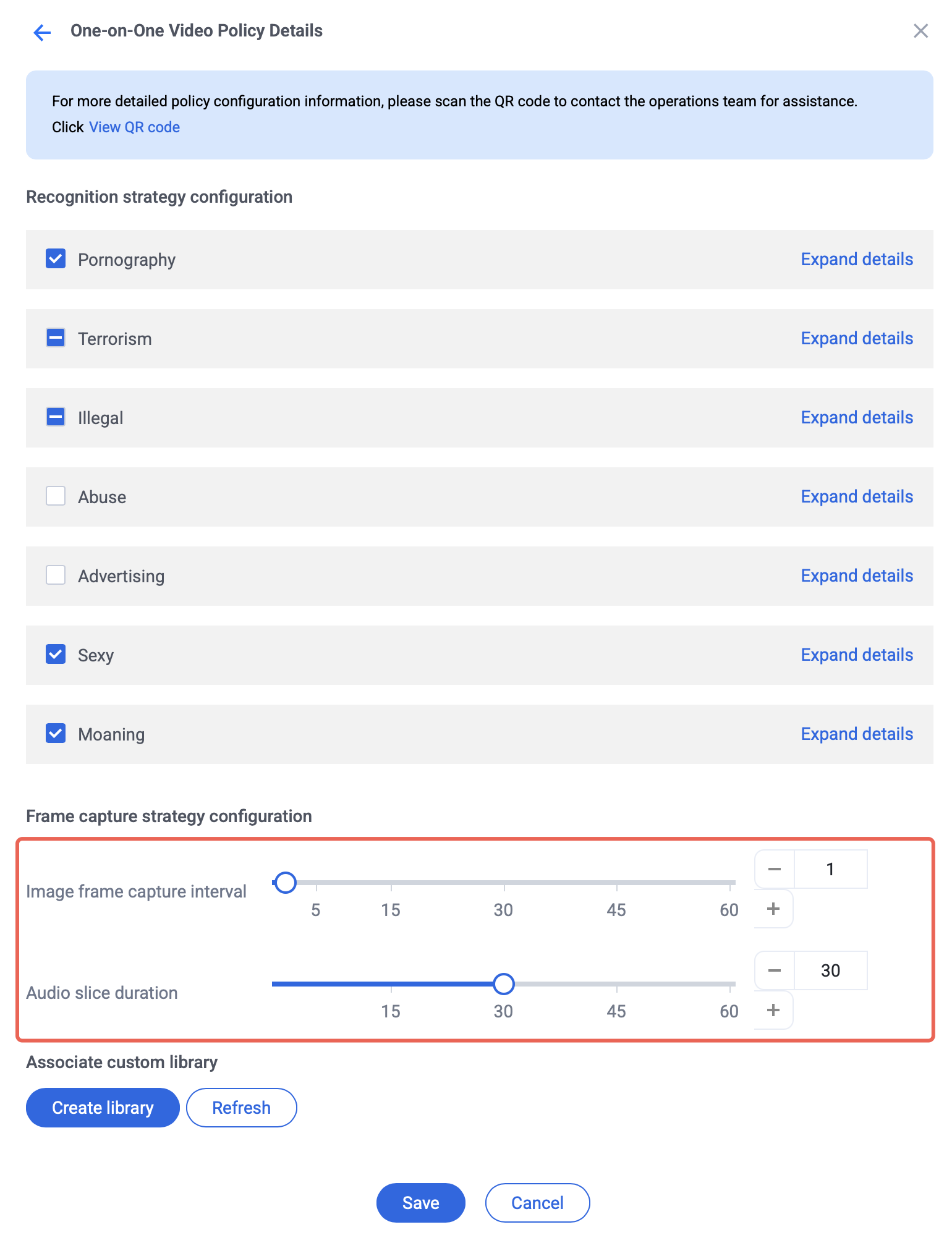
Video Strategy Configuration: You can modify the general detection strategy, frame extraction settings, and Custom Word libraries.
Recognition strategy configuration: Select the risk types you want to detect, including image and audio detection.
Frame extraction strategy: Configure detection for video frames only, audio only, or both. Set the image frame interval and audio slice duration using the slider or enter an integer (range: 1–60).
Custom Word library information: Select up to 5 Custom Word libraries to associate.
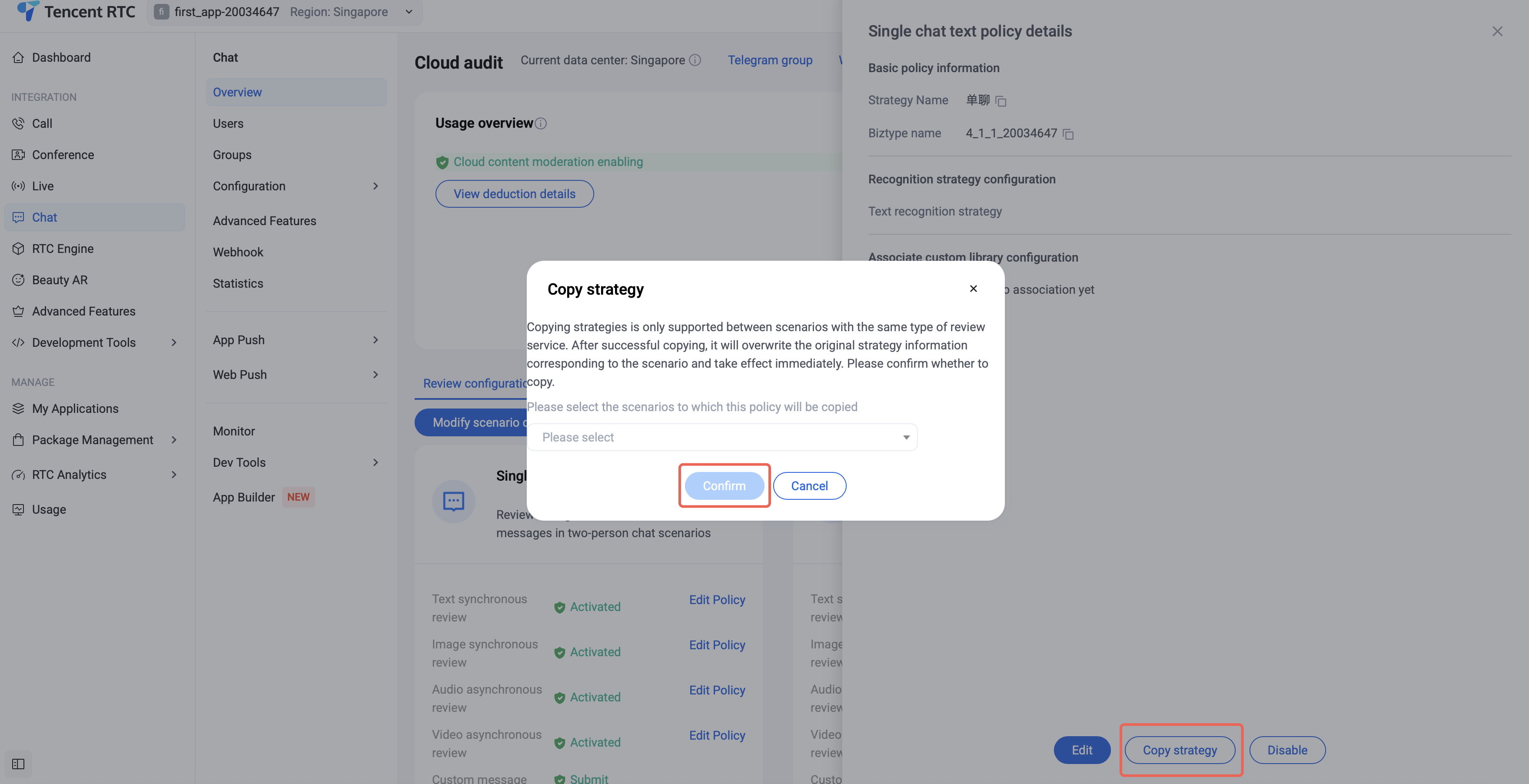
Copy Strategy: When editing text/image/audio/video strategies, click Copy Strategy to apply the current settings to other scenarios selected from the dropdown.
Configuring Contextual Merge Detection
Contextual merge detection is primarily used in C2C Chat and Group Chat scenarios. Malicious users may split violating content across multiple messages to evade detection. Contextual merge detection helps identify issues such as illegal phone number promotion and traffic diversion.
After enabling Cloud Review, to activate contextual merge detection for chat text, click Modify Scenario Configuration.
In the pop-up dialog, check or uncheck the contextual merge option for the relevant scenario, then click Save.
Custom Audit Configuration
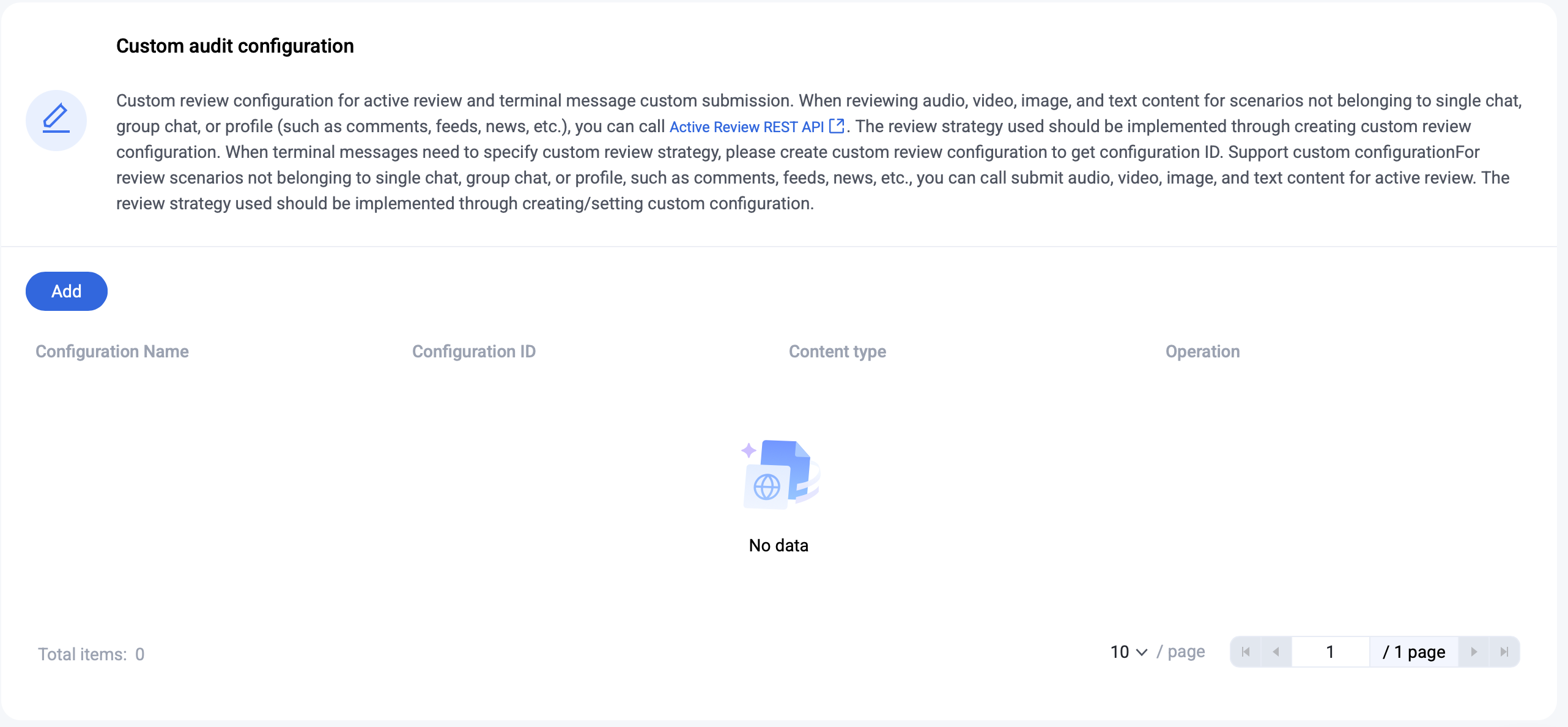
Custom detection configuration supports both Active Detection and Terminal Message Custom Detection. Set this up in the Chat Console under the custom detection configuration module:
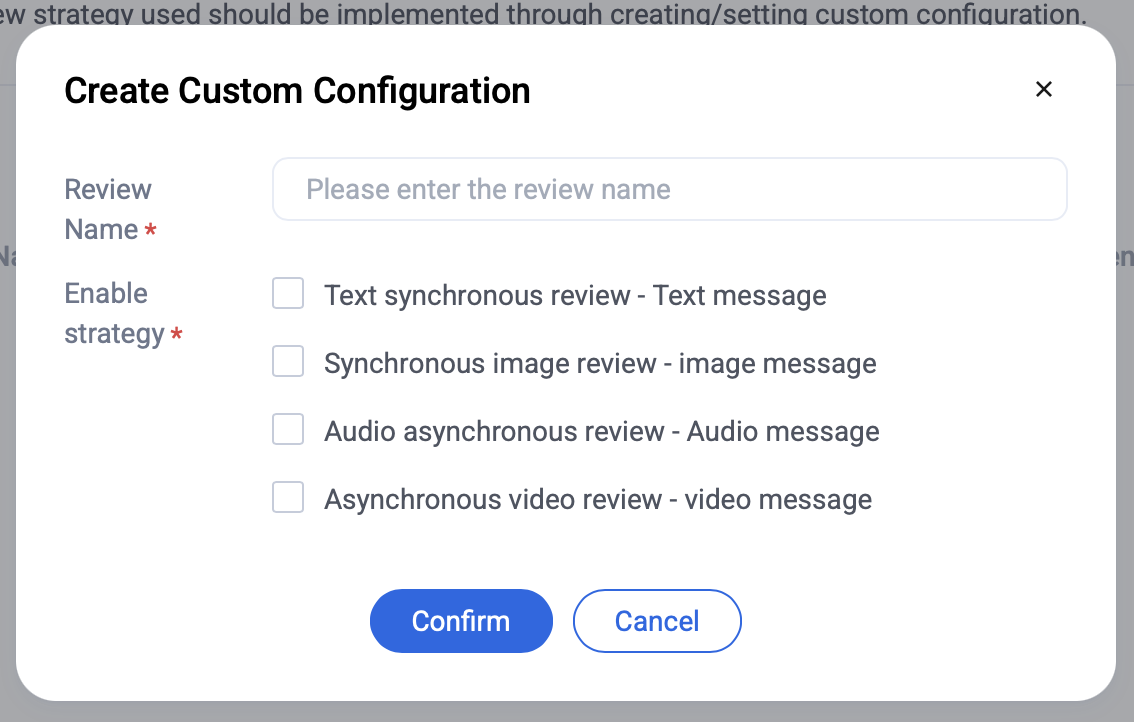
Click Add, enter a Name, check Enable Strategy, and click Confirm to create a custom configuration.
After creation, the new configuration appears in the list. Click the Copy icon to obtain the configuration ID.
When terminal messages require a specific custom detection strategy, use Create Custom Detection Configuration to get the configuration ID and assign it in the terminal message sending API. For scenarios outside C2C Chat, Group Chat, and profile (such as comments, posts, news, etc.), call the Active Audit REST API. The detection strategy used by the API should be specified via Create Custom Detection Configuration to obtain the configuration ID and assign it to AuditName.