This document describes how to create a permission rule. A permission group contains various permission rules for management of CHDFS permissions. Before using CHDFS, you need to create a permission rule in a created permission group first.
Prerequisites
You have created a permission group. For more information on how to create one, please see Creating Permission Group.
Directions
1. Log in to the CHDFS console, click Permission Groups on the left sidebar, and select the target region, such as Guangzhou.
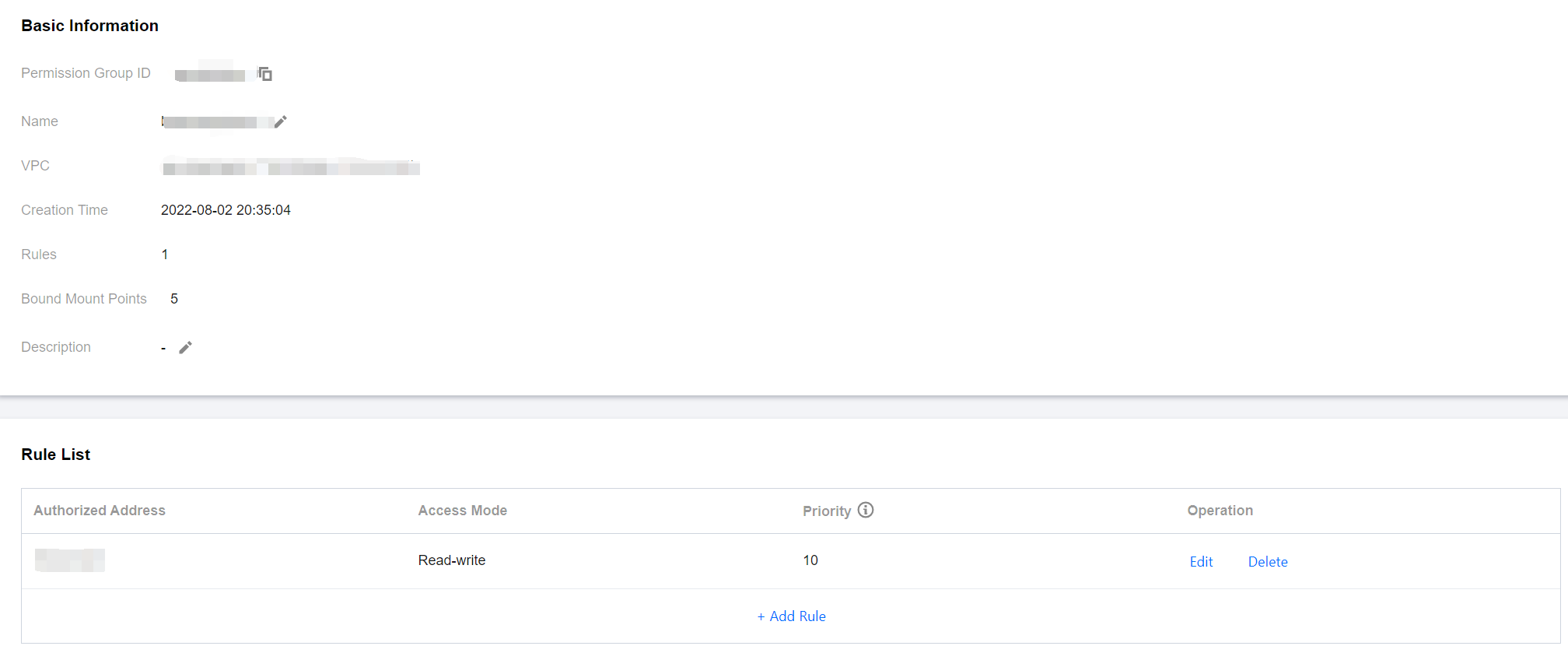
2. Find the target permission group and click Add Rule to enter the rule configuration page, where you can view the basic information of the permission group and the permission rule list. In the rule list, enter Authorized Address, Access Mode, and Priority.
Authorized Address: IP address or IP range, which is authorized to access CHDFS, such as 10.10.1.2 or 10.10.1.2/20.
Access Mode: "Read-write" or "Read-only" access to CHDFS.
Priority: 1–100, where "1" represents the highest priority. When a CHDFS instance matches multiple permission rules, high-priority rules override low-priority ones.