The Virtual Private Cloud (VPC) access points provided by TDMQ for Apache Pulsar only support client access from VPC networks within the same region. Clients using Direct Connect (DC) or located in a different region cannot access the service directly through the VPC access points.
In such cases, users need to configure the domain name resolution for the access point themselves to enable access.
Note:
This is supported only by pro clusters.
DC Access
Step 1: Obtaining the VIP Address of the Cluster Access Point
This feature is not yet productized. To use it, contact after-sales architects or submit a ticket.
Step 2: Configuring Domain Name Resolution
Configure domain name resolution through Private DNS to point to the VIP provided by the product side.
1. Creating a Private Domain
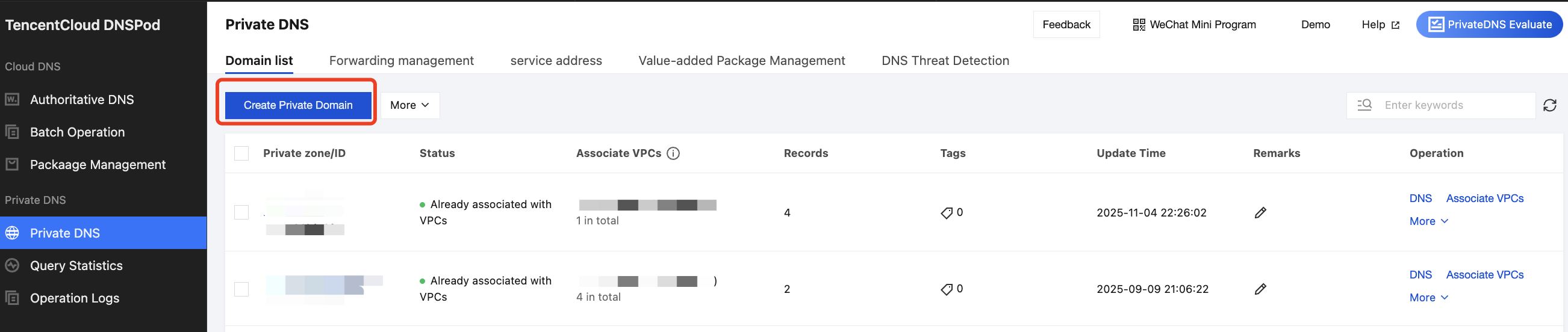
Click to go to the Private DNS console, and then click Create Private Domain.
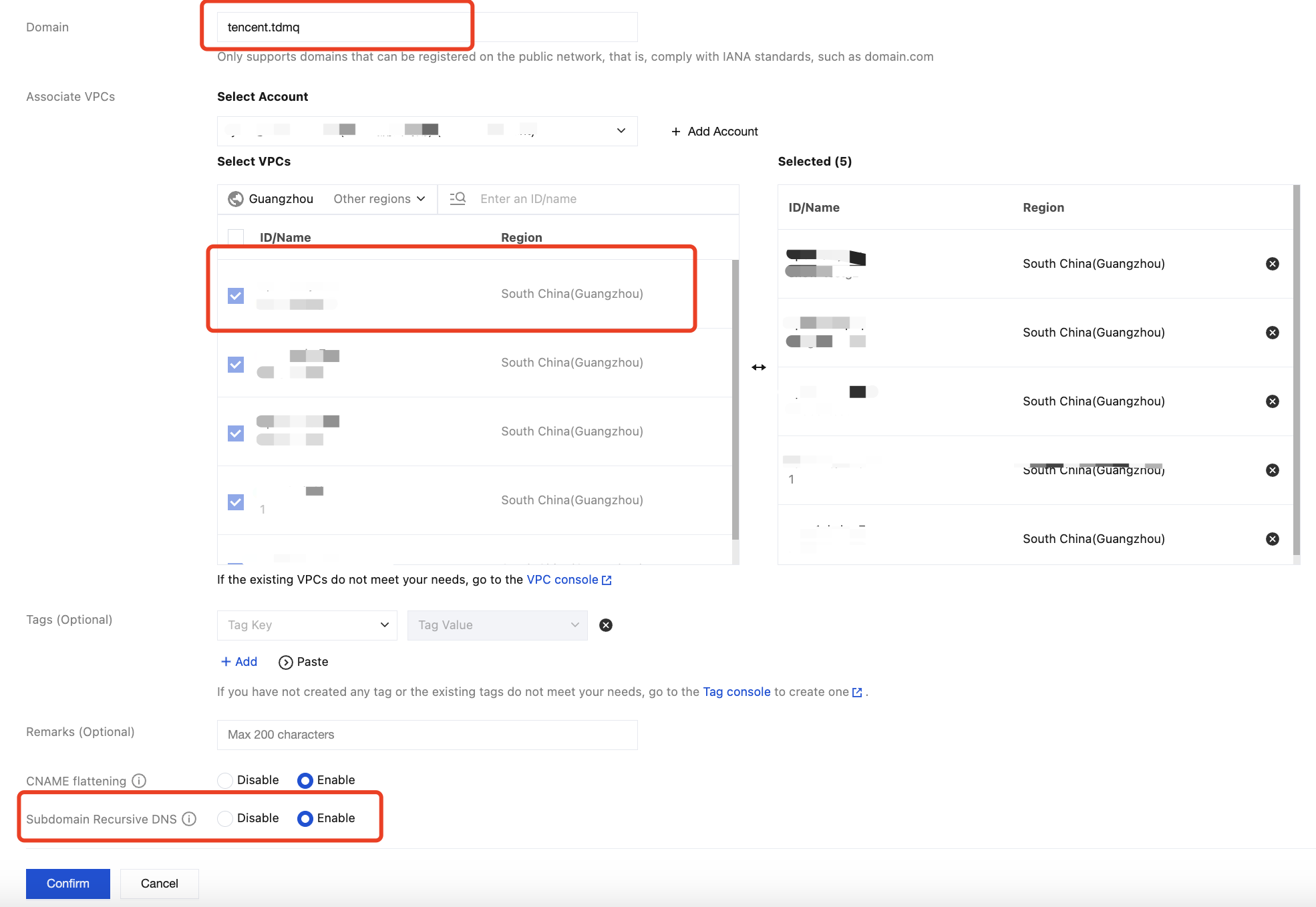
Go to the creation page.
At location ①, fill in the access point domain name for TDMQ for Apache Pulsar.
At location ②, configure the region and VPC network where the client resides.
At location ③, enable Subdomain Recursive Resolution.
2. Adding a Domain Name Resolution Record
After creation is completed, click to go to the newly created private domain and configure domain name resolution records.
At location ①, fill in the domain prefix. The suggested field is: cluster id.vpcid.pulsar.ap-region.qcloud.
At location ②, fill in the VIP provided by the product side.
After filling in, save and submit it. Then, the client requests the verification.
Cross-Region Access
Cross-region access requires the use of the Cloud Connect Network (CCN) product to establish a network access channel.
For more information about the configuration, see Operation Guide of CCN. Then, perform the following operations: