When you use TDMQ for Apache Pulsar, you may need to access other cloud product resources such as Virtual Private Cloud (VPC) and Cloud Virtual Machine (CVM) in specific scenarios, such as viewing the availability zone (AZ) information of user subnets. Therefore, the root account needs to grant sub-accounts appropriate call permissions for other cloud products based on actual requirements.
Prerequisites
Sub-accounts have been created for employees by using the Tencent Cloud root account. For detailed operations, see Creating a Sub-account.
Operation Steps
Creating a Custom Policy for Accessing Other Cloud Products
2. In the left sidebar, choose Policies, and click Create a custom policy. In the pop-up window for selecting the policy creation method, select Create according to the policy syntax to go to the Create by Policy Syntax page.
3. On the Create by Policy Syntax page, select Blank Template and click Next.
4. Refer to the following API call table and policy syntax to grant sub-accounts appropriate permissions to call other cloud products based on actual requirements, and generate a custom policy. After you fill in all information, click Completed.
When you use TDMQ for Apache Pulsar, the following cloud products need to be called. The root account needs to grant sub-accounts related permissions separately to ensure that the corresponding features of TDMQ for Apache Pulsar work properly. The following table lists the cloud products called during the use of Pulsar in a custom policy.
Cloud Product
API Name
API Feature
Feature in TDMQ for Apache Pulsar
CVM
DescribeZones
Queries AZs.
Allows users to view the AZs of the subnet during the creation of an instance.
VPC
DescribeVpcs
Queries a list of VPCs.
Allows users to select the VPC to which the instance access address belongs during the creation of an instance.
VPC
DescribeSubnets
Queries a list of VPCs.
Allows users to select the subnet to which the instance access address belongs during the creation of an instance.
Tencent Cloud Observability Platform (TCOP)
(Monitor)
GetMonitorData
Pulls metric monitoring data.
Allows users to view monitoring data in TDMQ for Apache Pulsar.
TCOP
(Monitor)
DescribeDashboardMetricData
Pulls metric monitoring data.
Allows users to view monitoring data in TDMQ for Apache Pulsar.
TCOP
(Monitor)
DescribeBaseMetrics
Pulls a metric monitoring list.
Allows users to view the monitoring list of TDMQ for Apache Pulsar.
TCOP
(Monitor)
DescribeDashboardMetrics
Pulls metric monitoring dimensions.
Allows users to view the monitoring dimensions in TDMQ for Apache Pulsar.
TCOP
(Monitor)
DescribeMonitorProductByIds
Pulls the monitoring configuration.
Queries a list of monitoring products by ID.
Tags
DescribeResourceTagsByResourceIds
Queries resource tags.
Allows users to view the resource tags of a cluster.
Policy syntax example:
{
"version":"2.0",
"statement":[
{
"effect":"allow",
"action":[
"cvm:DescribeZones",
"vpc:DescribeVpcs",
"vpc:DescribeSubnets",
"monitor:GetMonitorData",
"monitor:DescribeDashboardMetricData",
"monitor:DescribeBaseMetrics",
"monitor:DescribeDashboardMetrics",
"monitor:DescribeMonitorProductByIds",
"monitor:DescribeOneClickAlarmConfigs",
"tag:DescribeResourceTagsByResourceIds",
],
"resource":[
"*"
]
}
]
}
Associating a Custom Policy with a Sub-account
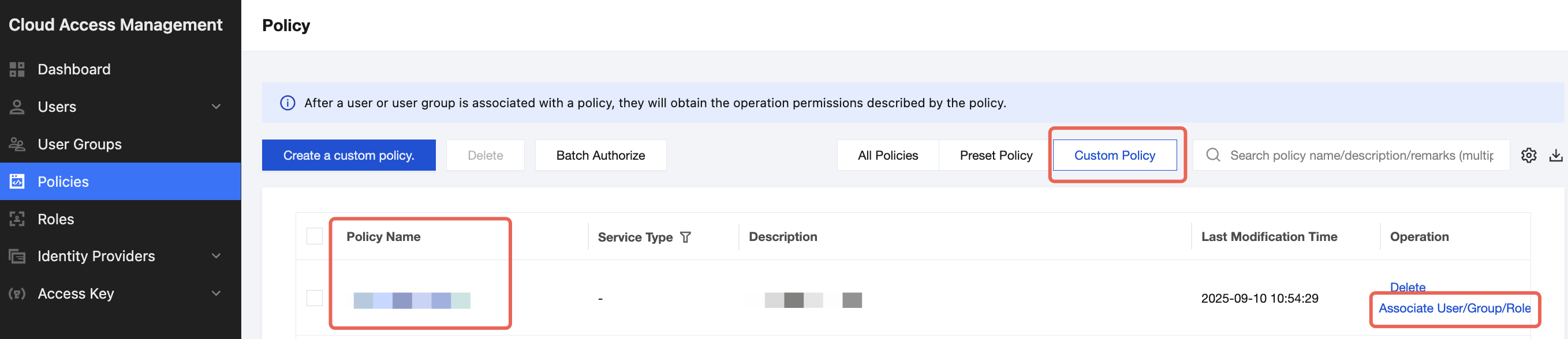
1. On the Policy Management list page, click Custom Policy for filtering, find the created custom policy, and then click Associate User/Group/Role in the operation column.
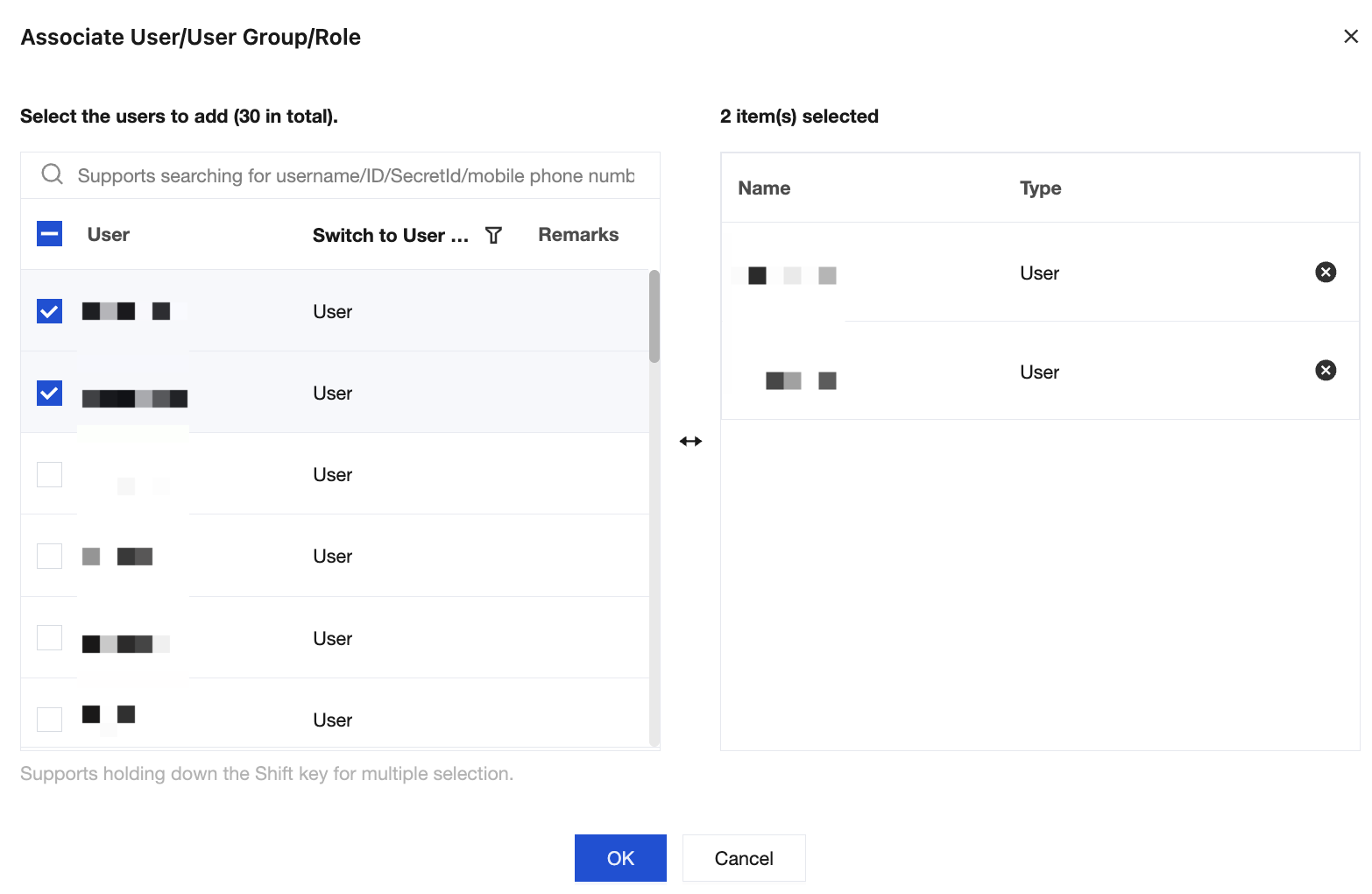
2. Select the sub-account to which you want to grant this permission, and click OK to complete authorization.
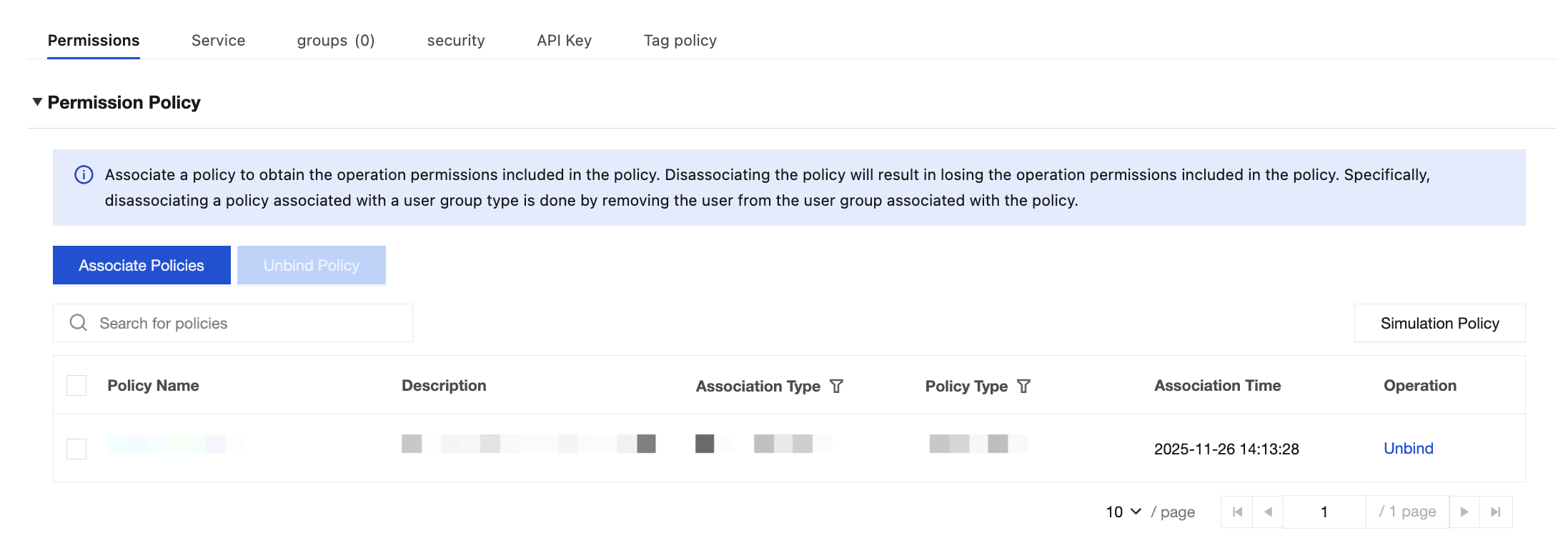
3. On the User List page, click the name of the sub-account to go to the User Details page. The policy will be displayed in the policy list of the user.