Viewing Queue Details
Download
Focus Mode
Font Size
Overview
This document describes how to view the details of a created queue in the TDMQ for CMQ console.
Directions
1. Log in to the TDMQ for CMQ console.
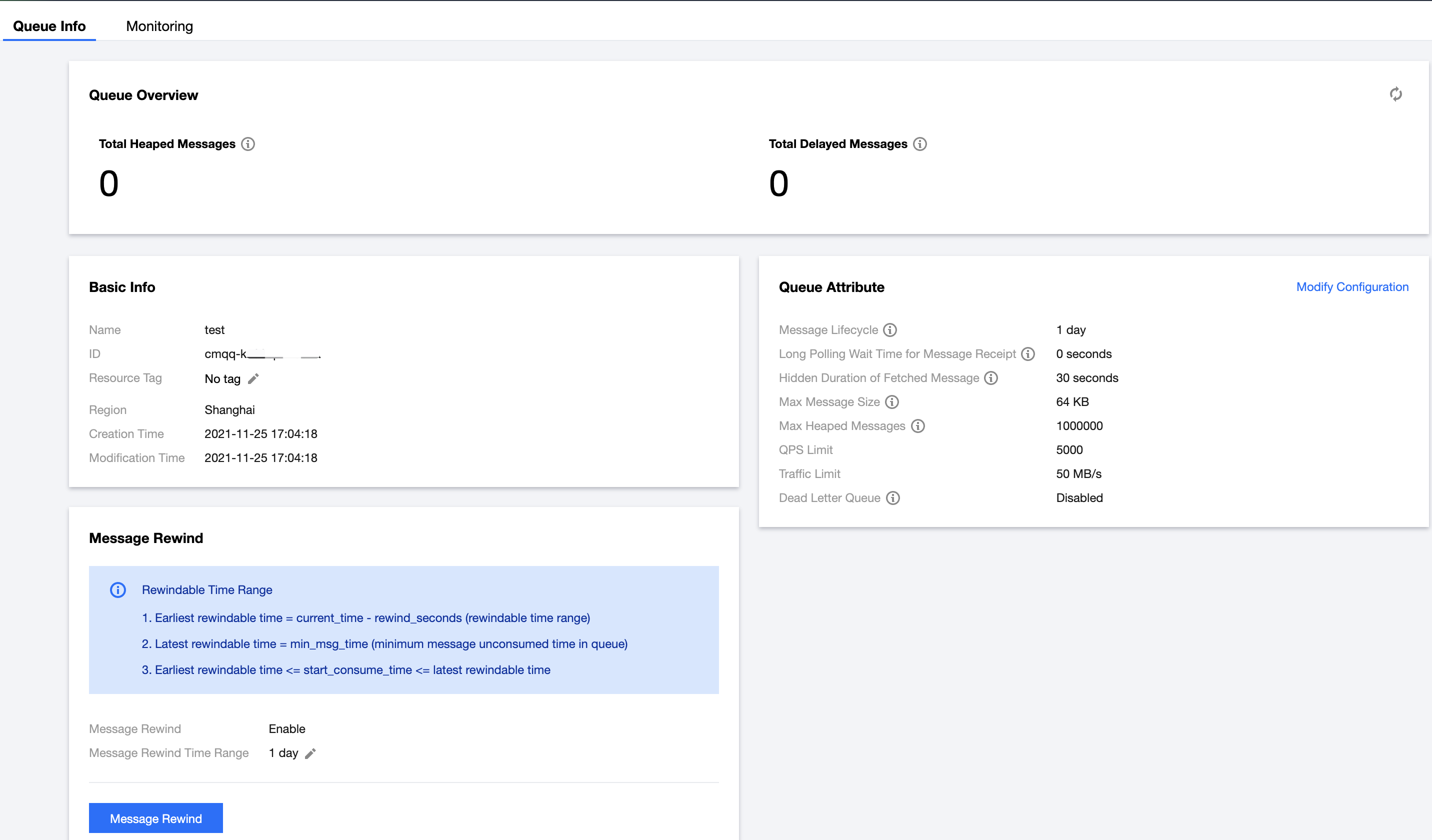
2. On the queue list page, click the ID of the target queue to enter the queue details page, where you can query:
Queue overview (shared cluster)
Visible Messages: A message is visible (in "Active" status) at first when it is sent to a queue, and it can be consumed by the consumer in this status.
Invisible Messages: A message is made invisible ("Inactive") after being fetched by the consumer, but it will become visible ("Active") again if it remains unconsumed after the
VisibilityTimeout.Capacity for Invisible Messages: Messages become invisible because they have not been acknowledged by the client timely. As invisible messages occupy certain memory space, each queue has a limit on the storage capacity for them. To increase the capacity, submit a ticket.
Delayed Messages: If there is no consumer online, the total number of delayed messages will be displayed as 0. After the consumer goes online, the real statistics will be displayed.
Capacity for Heaped Messages: Messages will be heaped if they are produced faster than consumed or if their consumption is blocked. Heaped messages occupy certain disk space, each queue has a limit on the storage capacity for them. To increase the capacity, submit a ticket.
API Calls in Last 24 Hours
Basic Information: Queue name, ID, resource tag, region, creation time, and modification time.
Queue Attributes: You can click Modify Configuration in the top-right corner to modify the queue attributes.
Parameter | Description |
Max Message Unack Time | It ranges from 30 seconds to 12 hours. If the consumer client fails to acknowledge a received message within this time period, the server will automatically acknowledge the message. Note: If you use delayed messages, make sure the delay time of the messages is shorter than the max message unack time. For example, if the max message unack time is set to one hour while the message is set to be sent two hours later, the message will be deleted one hour later. |
Long Polling Wait Time for Message Receipt | During the long polling wait time, a message consumption request will return a response only after a valid message is fetched or the long polling times out, which is similar to the long polling in Ajax requests. Value range: 0-30 seconds. A value lower than 3 seconds is recommended, as a high value may cause more duplicated messages. |
Hidden Duration of Fetched Messages | During the long polling wait time, a message consumption request will return a response only after a valid message is fetched or the long polling times out, which is similar to the long polling in Ajax requests. Value range: 0-30 seconds. A value lower than 3 seconds is recommended, as a high value may cause more duplicated messages. |
Max Message Length | A queue's MaxMsgSize attribute, which specifies the max size of the message body that can be sent to the queue. Unit: KB. |
Max Size of Heaped Messages | Messages will be heaped if they are produced faster than consumed or if their consumption is blocked. Heaped messages occupy certain disk space, and the storage capacity for them is subject to that of the entire exclusive cluster. To increase the capacity, submit a ticket. |
Max Message TPS | The frequency limit of calling the same API |
Traffic Limit | The maximum throughput bandwidth of message production. If this limit is exceeded, the traffic will be throttled (the response time of production requests will increase). |
Dead Letter Queue | A dead letter queue is used to process messages that cannot be consumed normally. After retry limit is reached, if the messages still cannot be consumed, it indicates that the consumer cannot properly consume the messages under normal circumstances. At this time, instead of immediately discarding the messages, MQ will send them to the special queue corresponding to the consumer. |
Message Rewind: You can use this feature to consume a message again after it is successfully consumed and deleted by your business. For more information, see Message Rewind.
Help and Support
Was this page helpful?
You can also Contact sales or Submit a Ticket for help.
Help us improve! Rate your documentation experience in 5 mins.
Feedback