Step 3: Querying Messages
Download
Focus Mode
Font Size
After completing message sending and receiving, you can use the message query feature in the console to view the message content and trace records for a specified topic.
Operation Steps
1. Log in to the TDMQ for RocketMQ console. In the left sidebar, choose Message Query > General Query.
2. On the Comprehensive Query page, select a region and enter the query conditions according to the prompts.
Cluster: Select the cluster where the topic to be queried is located.
Topic: Select the topic to be queried.
Time Range: Select the time range of the query. Available options: last 100 messages (displayed in chronological order by default), last 30 minutes, last 1 hour, last 6 hours, last 24 hours, last 3 days, and a custom time range.
Query Methods: The message query feature supports the following query methods:
Query all: This method is suitable for querying all messages.
By message ID: This is a precise query method, with quick speed and accurate matching.
By message key: This is a fuzzy query method suitable for scenarios where you have not recorded the message ID but have set a message key. The query results display up to 64 messages. You can narrow down the query time range to pinpoint the desired messages.
Query by message tag: This is a fuzzy query method suitable for scenarios where you have not recorded the message ID but have set a message tag. The query results display up to 64 messages. You can narrow down the query time range to pinpoint the desired messages.
3. Click Query. The list at the bottom of the page displays all query results with pagination.
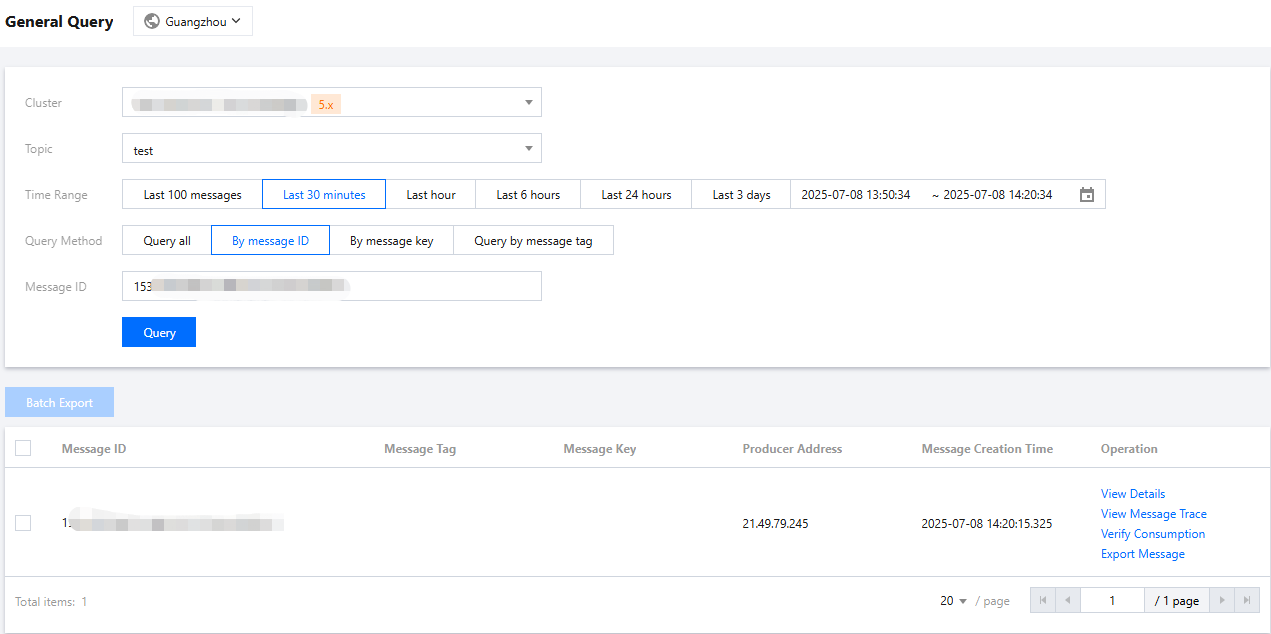
4. Find the message whose content or parameters you want to view, and click View Details in the operation column to view the basic information, content (message body), detailed parameters, and consumption status of the message.
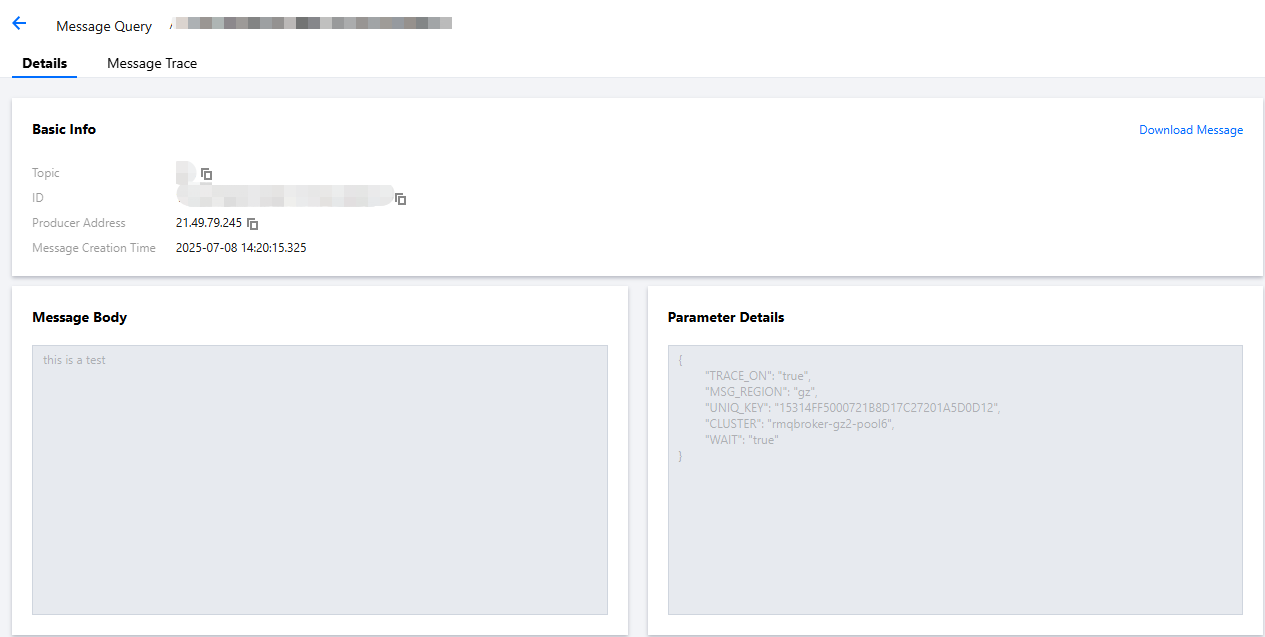
5. Click View Message Trace in the operation column, or click the Message Trace tab on the details page to view the message trace. For detailed description, see Message Trace and Description.
Help and Support
Was this page helpful?
You can also Contact sales or Submit a Ticket for help.
Help us improve! Rate your documentation experience in 5 mins.
Feedback