tencent cloud
プロモーション
製品
ソリューション
価格
パートナー
マーケットプレイス
詳しく知る
Prev
Next
TencentCloud Managed Service for Prometheus
TMP ポリシー
プライバシーポリシー
データ処理とセキュリティ契約
ドキュメント
TencentCloud Managed Service for Prometheus
Viewing Instance's Basic Information
ダウンロード
フォーカスモード
フォントサイズ
最終更新日: 2024-07-24 18:10:07
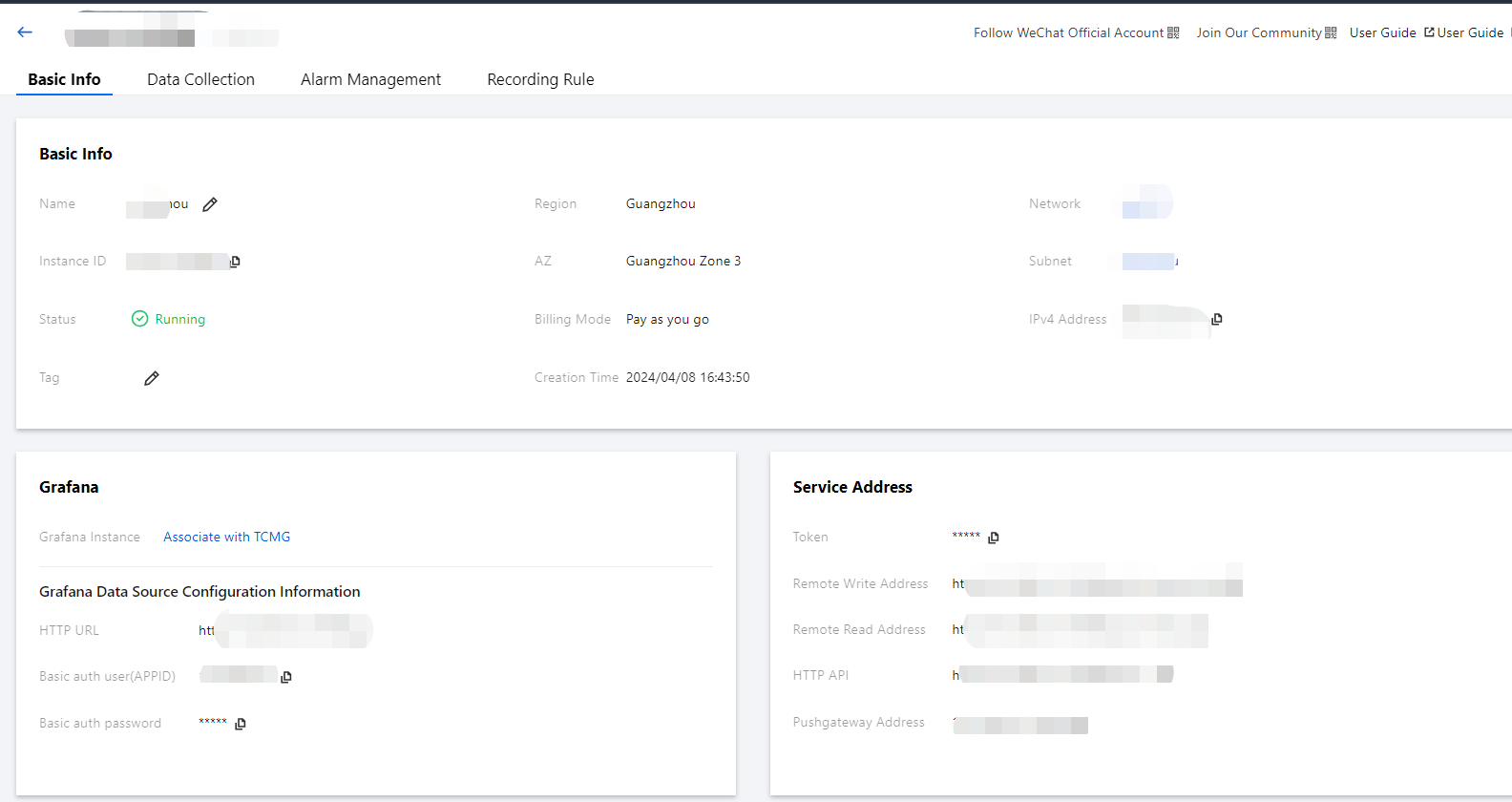
To help you view the basic information of TMP instances, TMP allows you to select a desired instance on the instance list page to enter its management page and view its basic information.
Directions
1.
Log in to the
TMP console
.
2.
In the instance list, select the TMP instance to be viewed and click its
instance ID
or
Manage
on the right.
3.
You can perform the following operations on the basic information page:
Rename the instance.
Edit instance tags.
Change the Grafana Admin password.
Upgrade preset Grafana dashboards.
次の記事へ: プライバシーポリシー
ヘルプとサポート
この記事はお役に立ちましたか?
はい
いいえ
営業担当者に
お問い合わせ
いただくか
チケットを提出
してサポートを求めることができます。
フィードバック