This document introduces how to authorize database table permissions to users. A user can be granted access to multiple databases, and multiple users can share access to the same database.
Prerequisites
The operation role should be a DMC administrator.
Directions
2. In the top menu bar, select System Management > User Management.
3. In the operation column of the target user, click Grant Permissions.
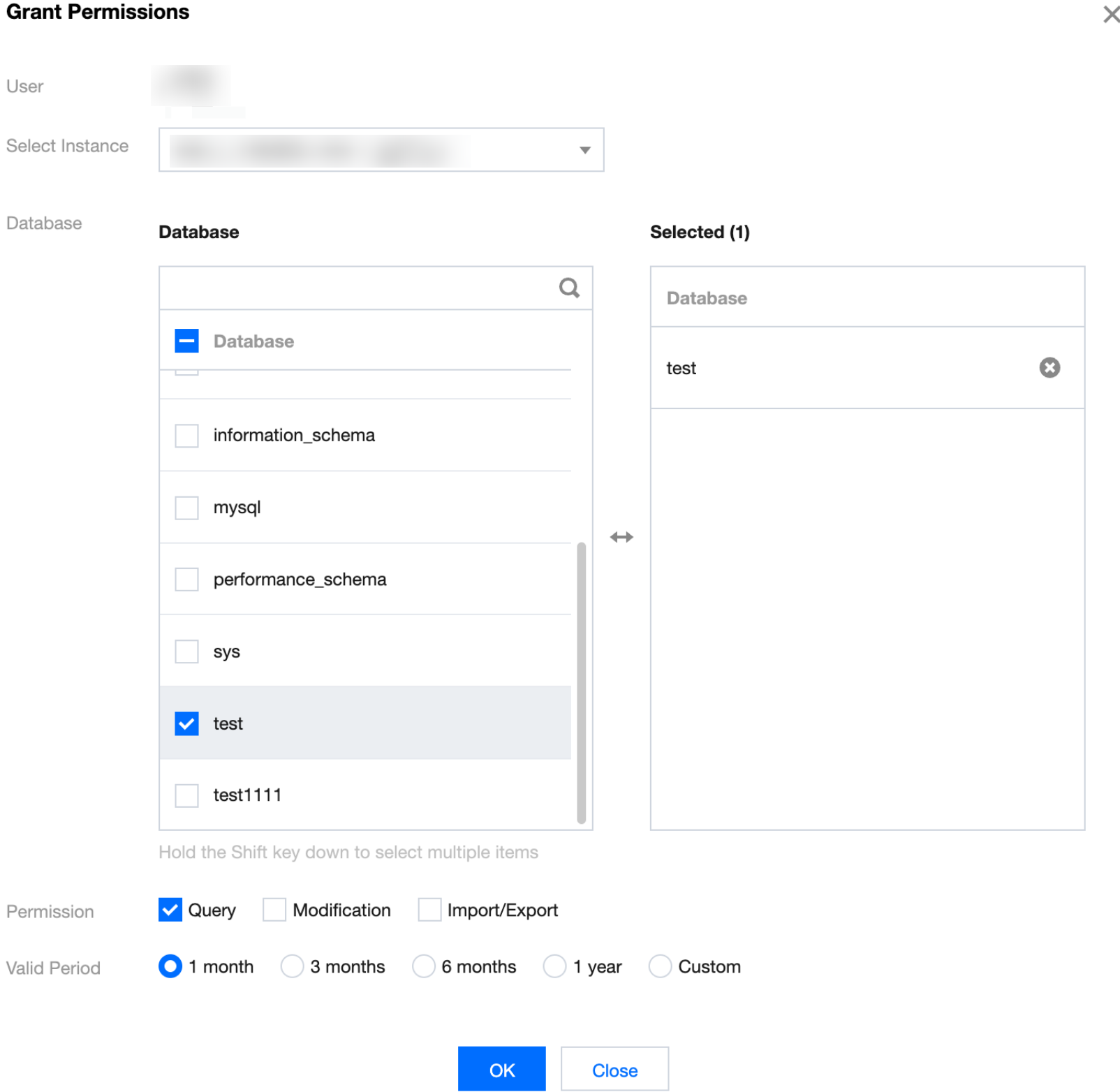
4. In the pop-up dialog box, select the database instance, database, permissions, and permission validity period, and then click OK after you complete the configuration.
Following Steps