Overview
This guide introduces the basic operations for creating databases, tables, views, and functions after logging in to the DMC Personal Edition.
Directions
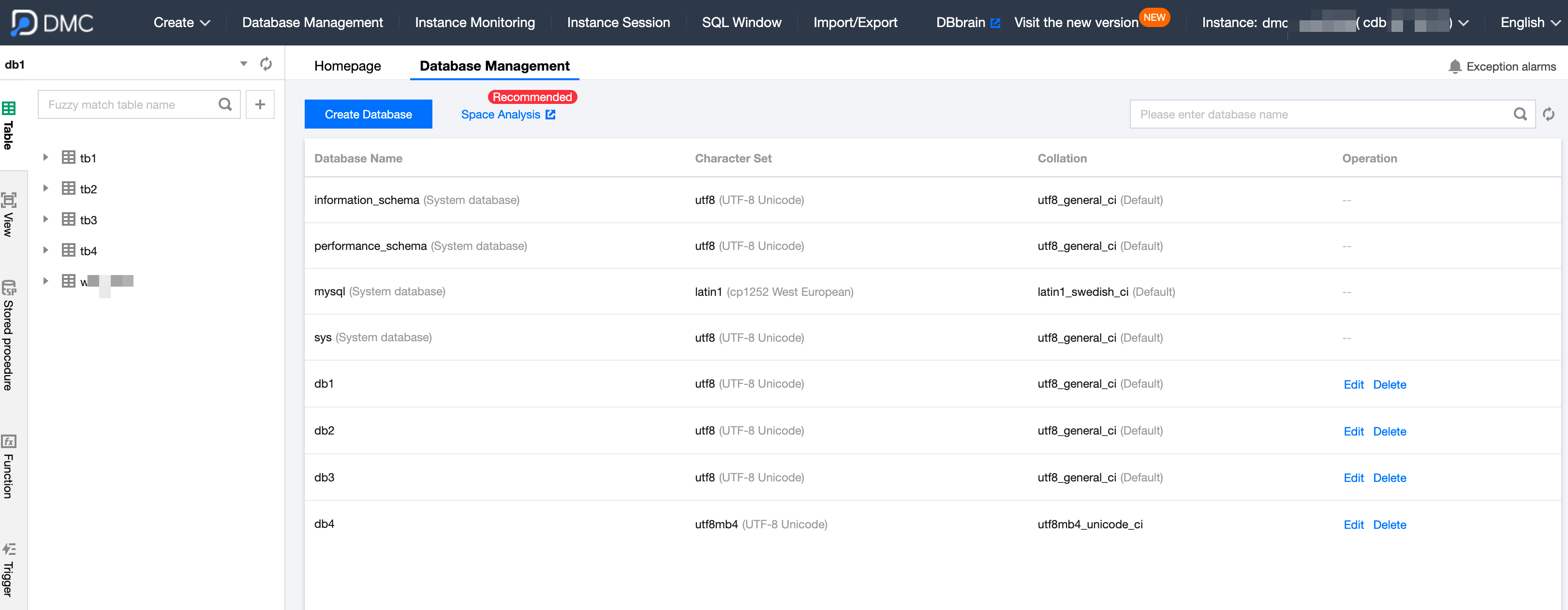
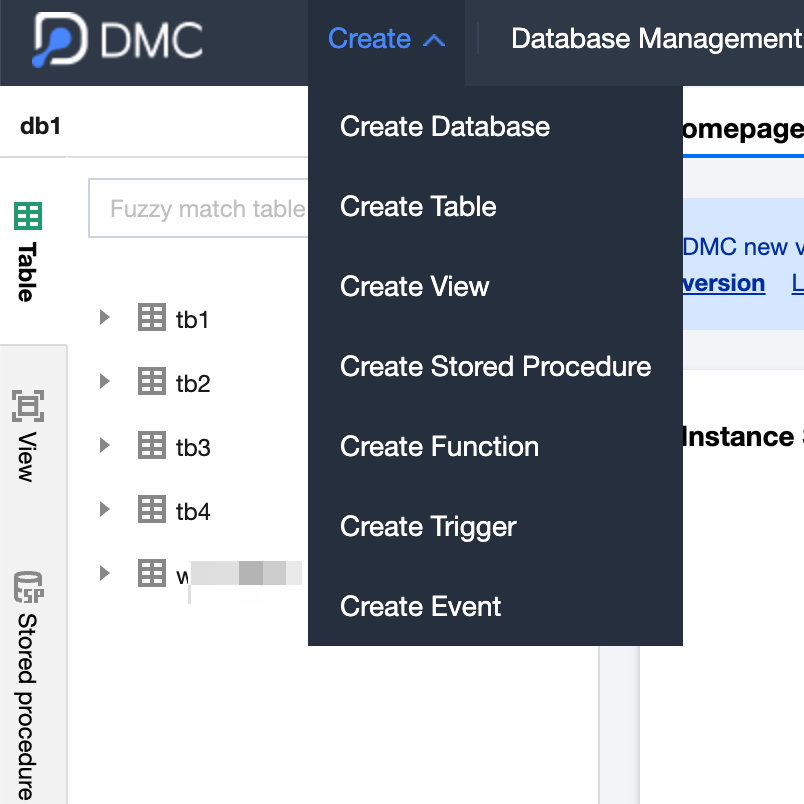
1. Log in to the DMC Console, and on the homepage, the following example uses a MySQL database for demonstration. 2. Create a database, table, view, stored procedure, function, trigger, or event.
Create a database: Click Create and select Create Database.
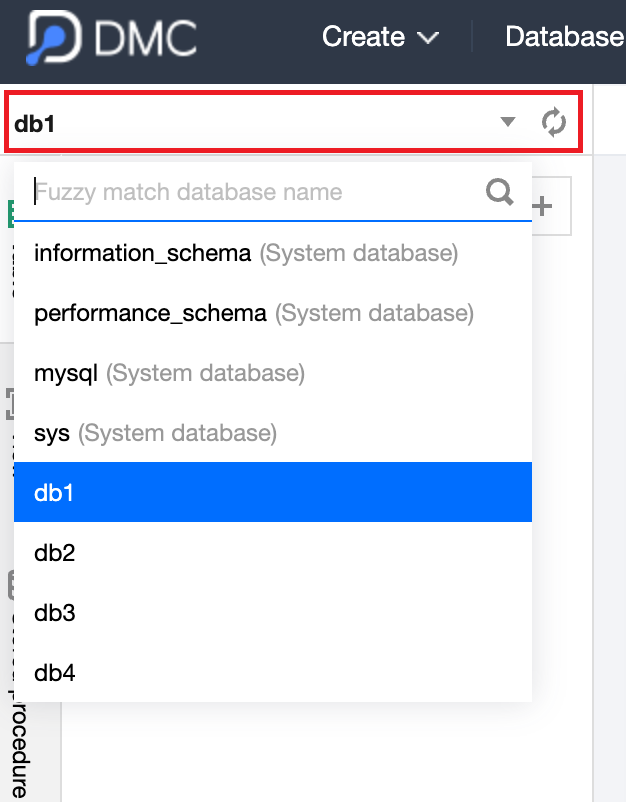
Create a table, view, stored procedure, function, trigger, or event: To create other objects, you should first select the database to which the object belongs. Use the dropdown list shown below to make your selection.
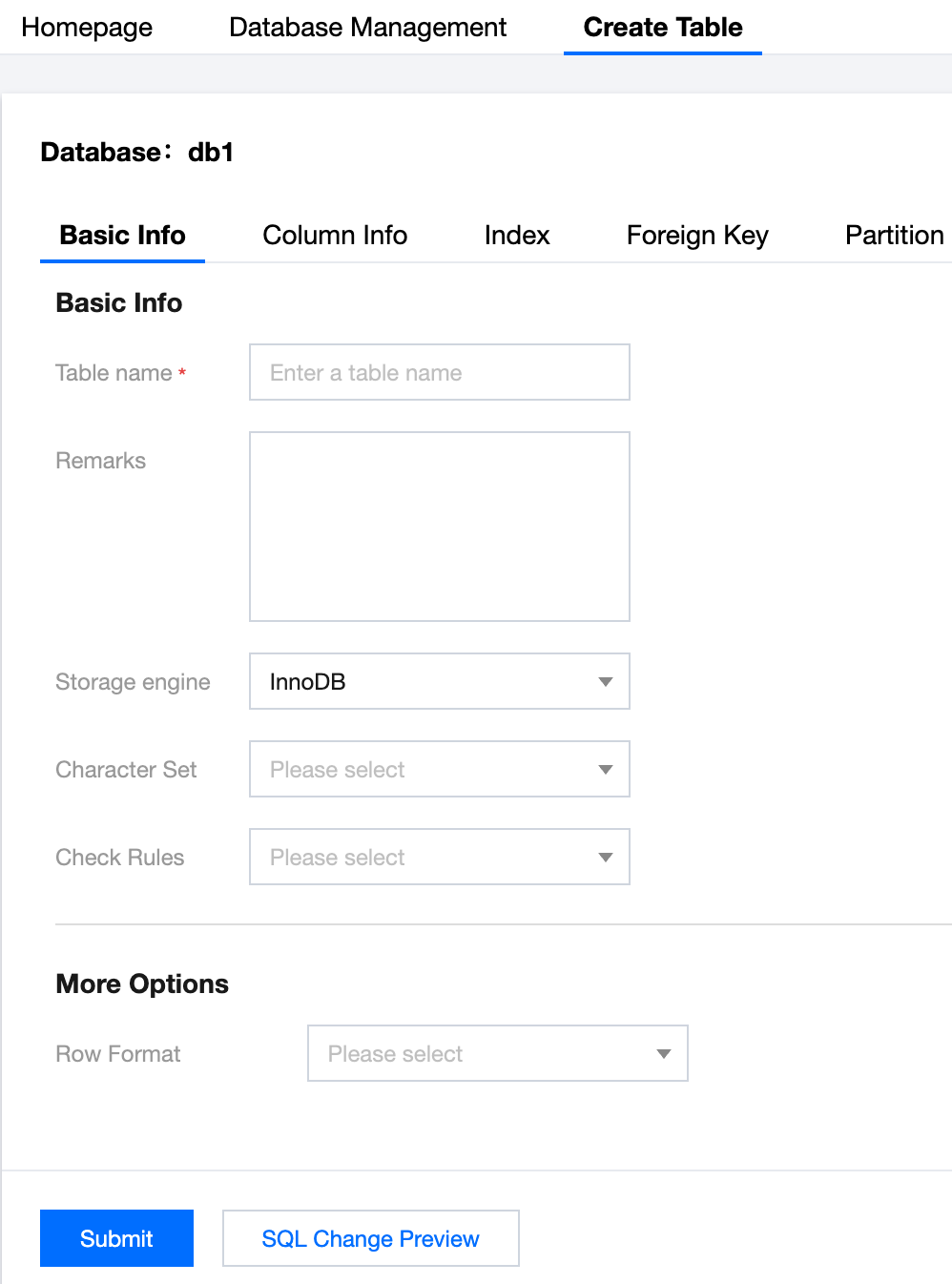
Then proceed to create tables, views, or other objects.
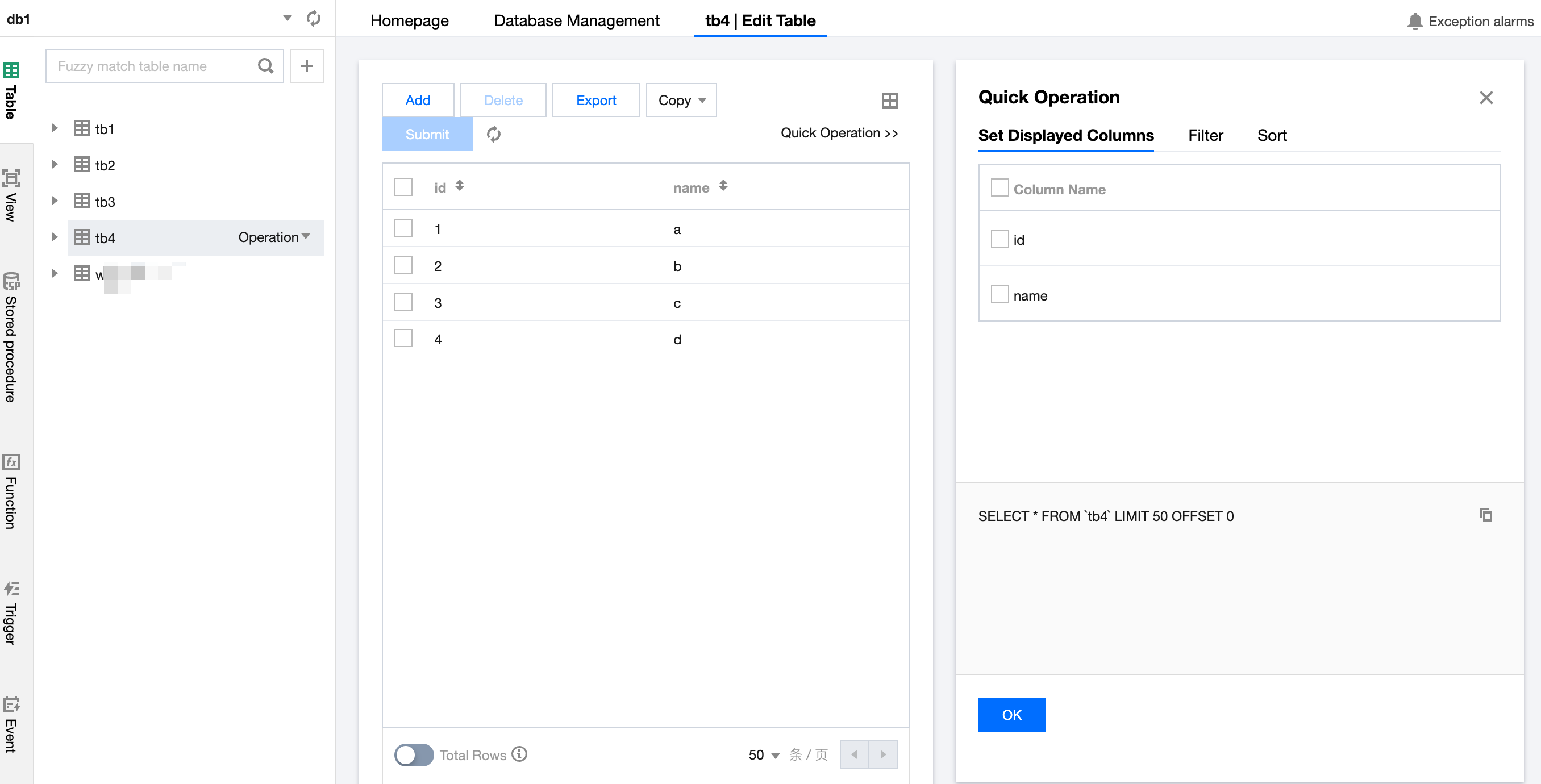
3. To edit table data, click the table name you want to edit in the left sidebar to open the editing feature and modify the corresponding information.
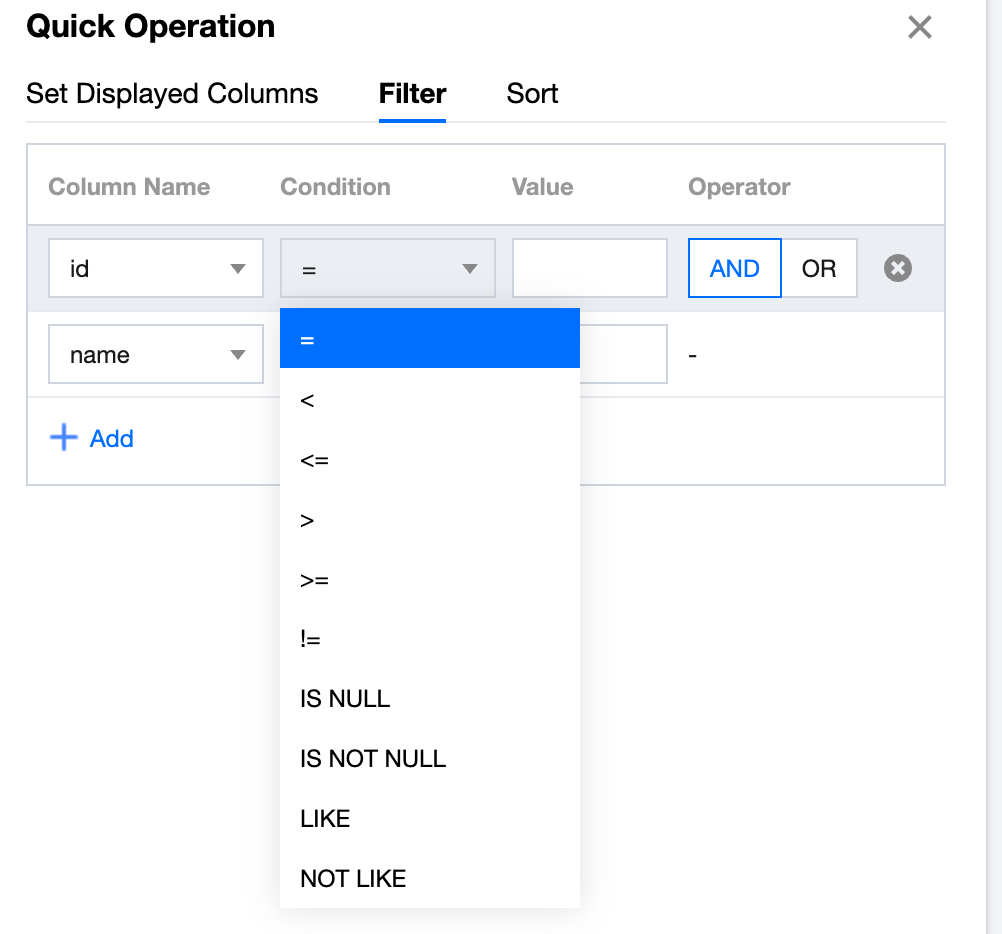
On the right side, quick operations are displayed, allowing you to filter and sort fields.
4. Other table operations.
5. Hover the mouse pointer over the table name to display the Operation button, allowing you to perform the corresponding table operations.