Overview
This scenario introduces how to perform data import or export using DMC.
Data Import
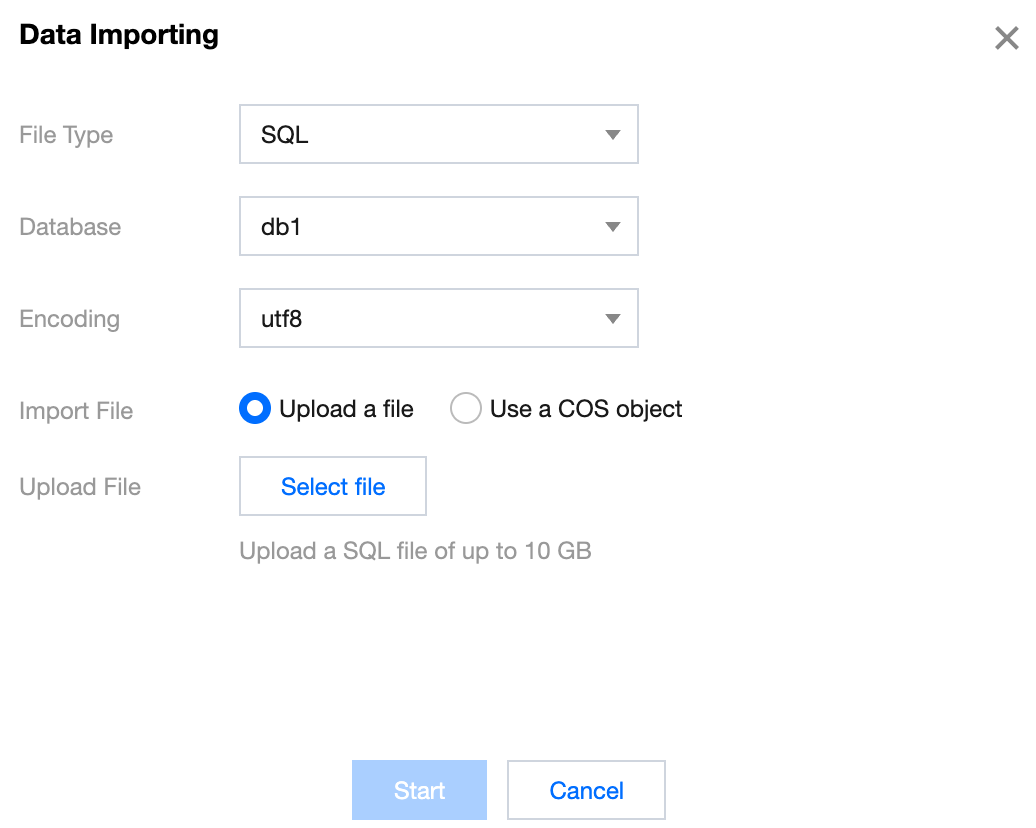
Log in to the DMC Console, switch to the top feature tab, select Import/Export and Data Importing, configure the import parameters, and click Start. File type: Supports SQL and CSV.
Database: Select the name of the database to import data into.
Encoding: Supports utf8, utf8mb4, gbk, gb2312, and latin1.
Data Export
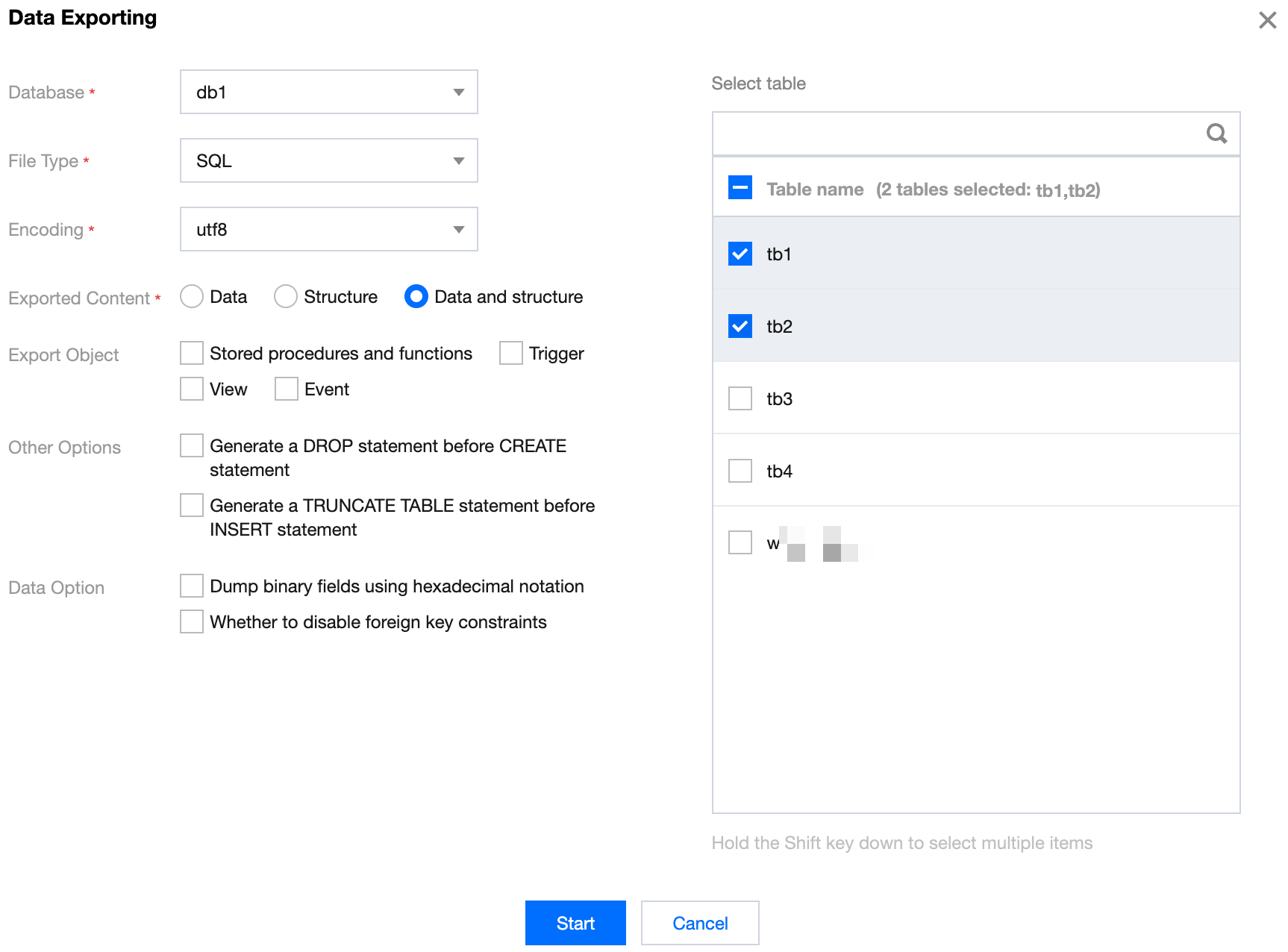
Log in to the DMC Console, switch to the top feature tab, select Import/Export and Data Exporting. Configure the export parameters, check the databases and tables to be exported on the right, and click Start.