Viewing Operation Records and Event Details
Download
Focus Mode
Font Size
DMC has accessed CloudAudit, allowing you to view operation log records of the Tencent Cloud account associated with DMC through the CloudAudit operation records page. This document introduces how to view DMC operation log records and event details in the CloudAudit console.
Directions
1. Log in to the CloudAudit Console.
2. In the left sidebar, choose Operation Records.
3. Filter operation records based on event names, time, and other criteria specific to DMC.
Supports selecting one or more event names.
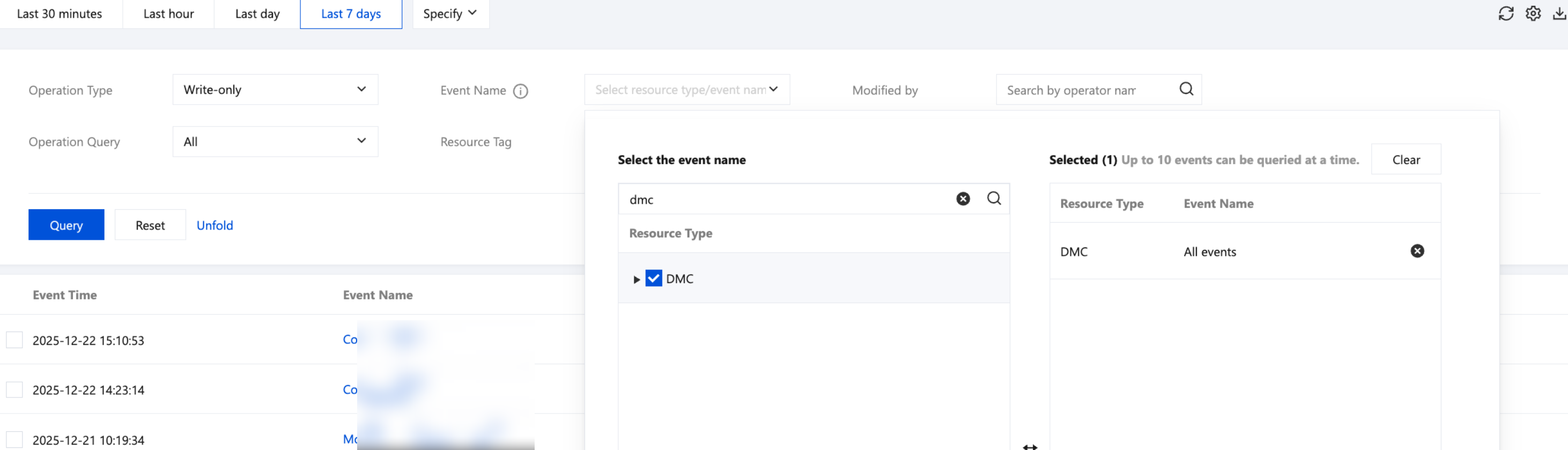
4. View operation records.
The filtered event list displays all operation records that meet the specified criteria.
5. View basic information and details of the event.
Click the event name to see the event details.
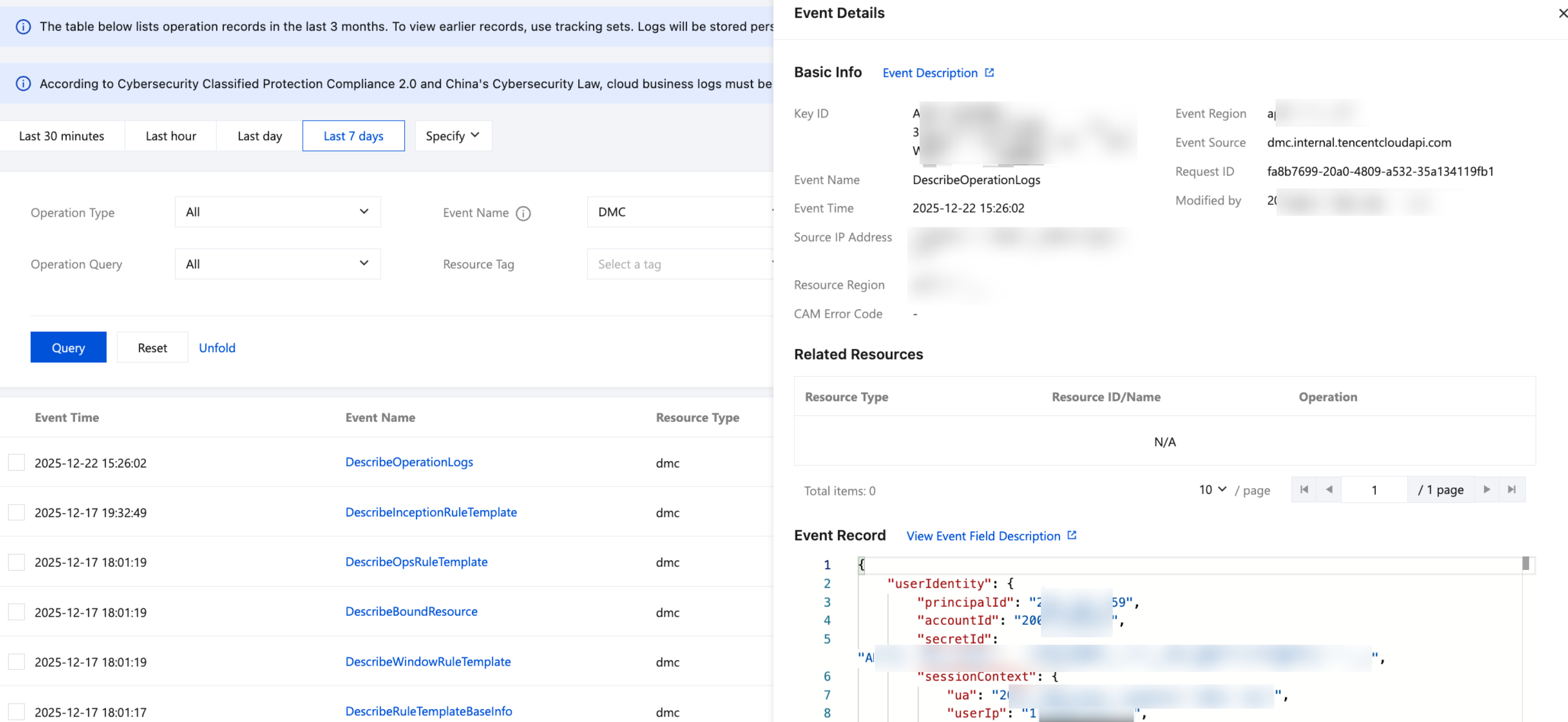
Note:
For descriptions of event list parameters, filter criteria, and operation record event detail fields, see Viewing Event Details in Operation Record.
Help and Support
Was this page helpful?
You can also Contact sales or Submit a Ticket for help.
Help us improve! Rate your documentation experience in 5 mins.
Feedback