tencent cloud

Installation and Initialization
Last updated: 2025-05-09 15:57:00
Installation and Initialization
Last updated: 2025-05-09 15:57:00

Directions

Environment Dependency

Currently, Python 3.4 or higher versions are supported.

Install tikit

In the TI-ONE platform, tikit is built-in in the containers of notebooks and training tasks, and there's no need to reinstall it.
For non-public cloud TI-ONE platform environments, follow these steps for installation:
Dependency installation
#centos:

sudo yum -y install cyrus-sasl cyrus-sasl-devel cyrus-sasl-lib

#ubuntu:

sudo apt-get update
sudo apt-get install -y libsasl2-dev
Method one: Use pip installation (recommended)
pip3 install -U tikit
Method two: Offline installation. Download the installation package at https://pypi.org/project/tikit/, use the whl file for installation, or use source code installation.
pip3 install tikit-1.0.0-py3-none-any.whl

# Or, decompress the source code.
python3 setup.py install

Starting to Use

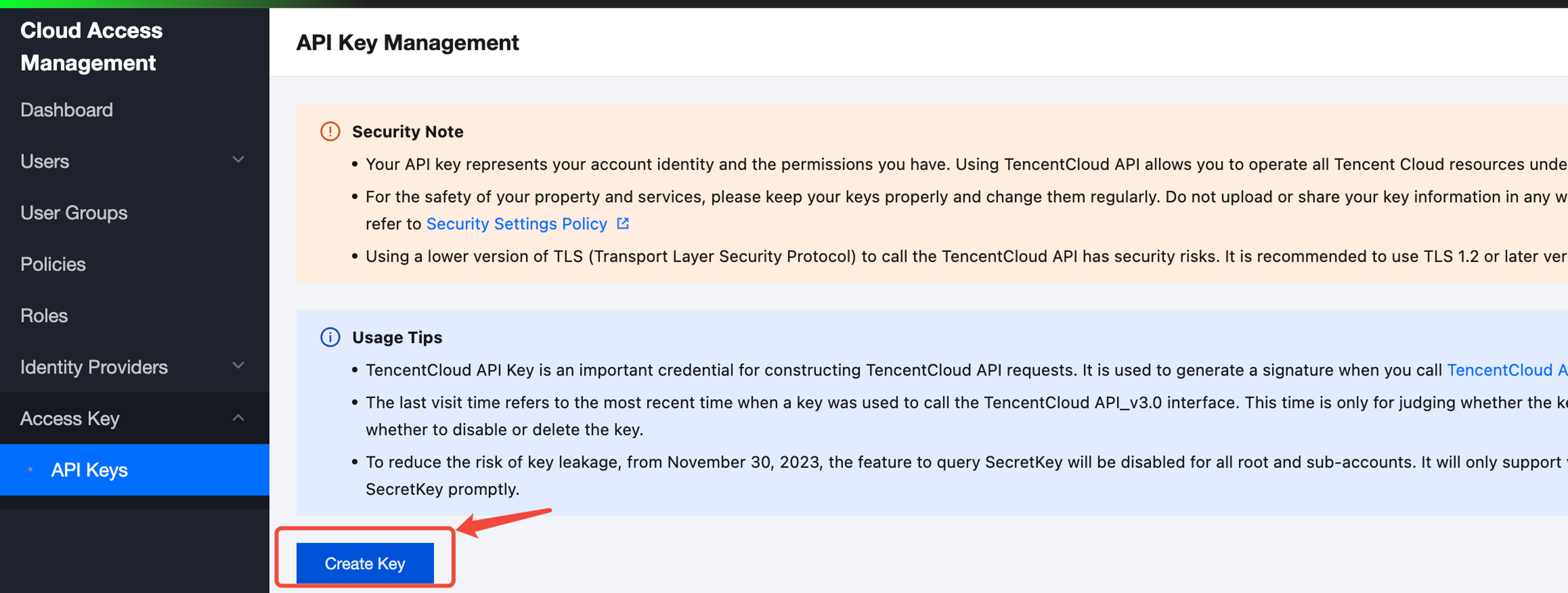
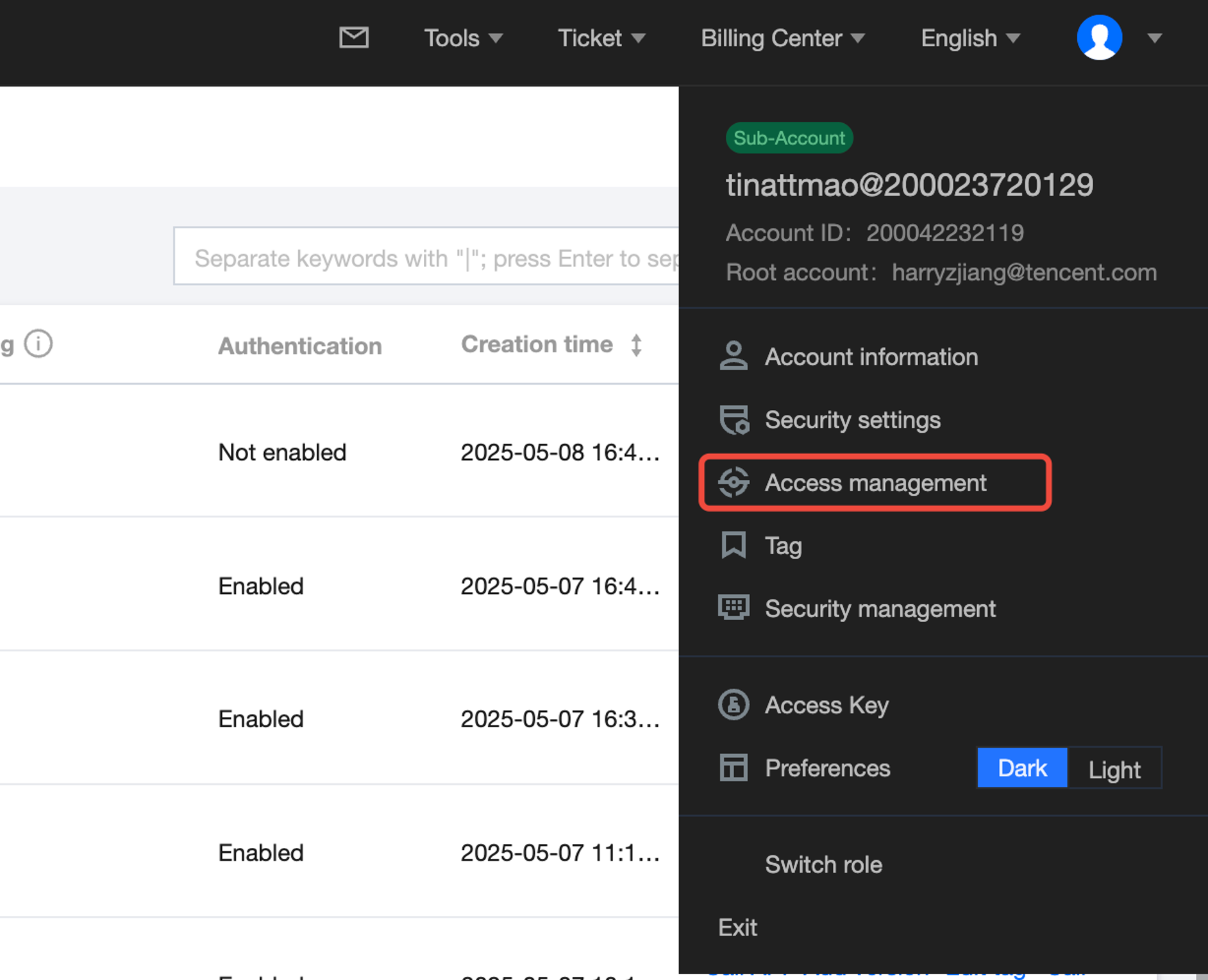
1. Prepare the secret_id and secret_key information.
Log in to Tencent Cloud and retrieve the following on the page:


2. Initialize Invoke function

from tikit.client import Client

# Initialize the client. In the environment (including notebooks and training tasks) on the public cloud titanium platform, the region can be left blank as the region information is already in the environmental variable.
client = Client("your_secret_id", "your_secret_key", "<region>")


Was this page helpful?
You can also Contact Sales or Submit a Ticket for help.
Yes
No

Feedback