The Tencent Effect SDK offers various beauty filters and effects. To use it, you can purchase a Tencent Effect package for a license. For the billing details, see Pricing Overview.
After purchase, you can add and renew a Tencent Effect license in the Tencent Effect console. The license can be bound to a mobile or desktop application, and modifications are not allowed after binding. This document describes how to add and renew a Tencent Effect official license for a desktop application.
After purchasing or renewing a new license, the terminal application will automatically complete the update when it is connected to the Internet. If it is not effective, it may be affected by the local cache. You can solve this problem by restarting the application.
The Tencent Effect SDK provides trial licenses, which you can apply for for free to try out Tencent Effect capabilities. For more information, see Free Trial License.
Note:
By default, only one set of License URL and Key is generated under a single Tencent Cloud account, regardless of License types and quantities. The License URL and Key are unique and unchangeable. (This means under one account, regardless of how many SDK Licenses are added, how many package names are added, or whether Licenses expire/renew/are newly purchased, the License URL and Key remain constant).
Purchasing an official license
According to your specific needs, head to the Tencent Effect SDK purchase page to purchase an SDK package (which supports the annual payment method, and certain packages support the monthly payment method) and gain an official license to use. For information on the pricing and feature differences of each SDK edition, refer to Pricing Overview.
Binding an official license
You can follow the steps below to binding the license to a new application:
1. Go to Desktop Licenses of the Tencent Effect SDK console and click Create official license.
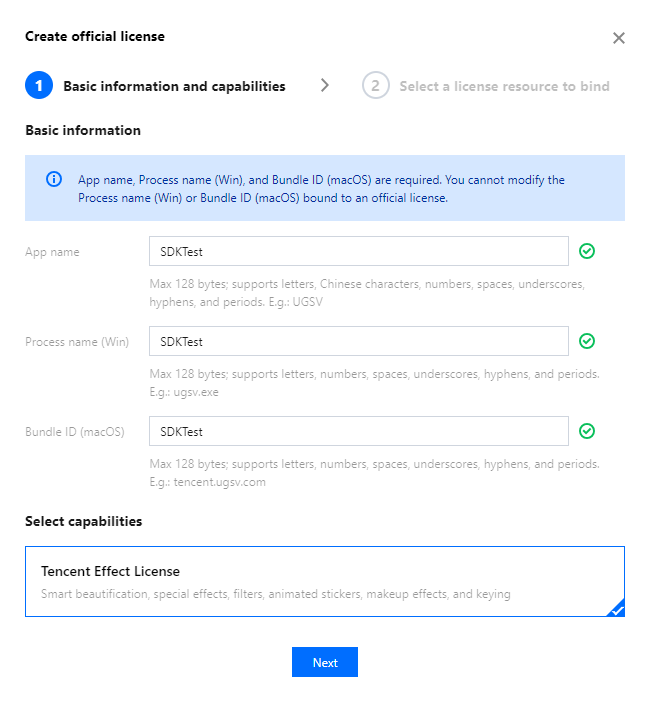
2. Enter the App name, Process name (Windows), and Bundle ID (macOS), select Tencent Effect License, and click Next.
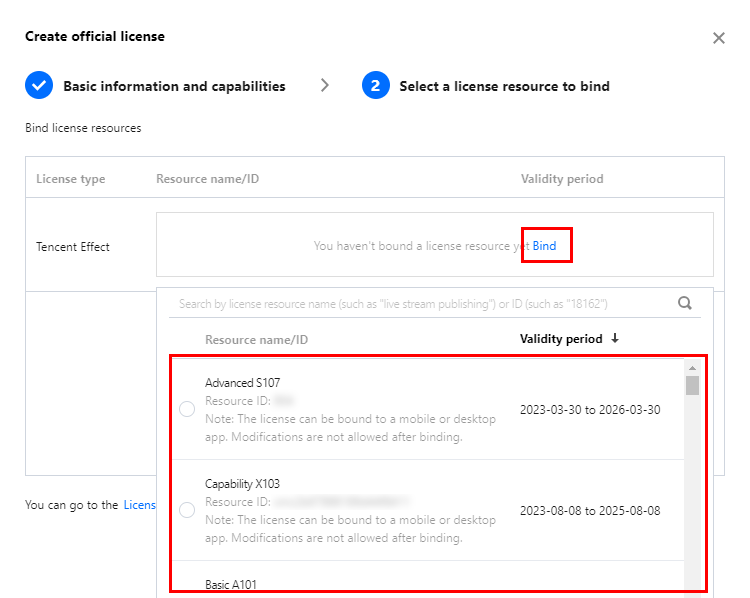
3. Enter the Create official license interface, click Bind. Select the unbound Tencent Effect package, and click Create can then generate official license. If you don't have any packages to bind, go to the Purchase Page to buy a package.
Note:
Before clicking Confirm, double-check the Process name (Windows) and Bundle ID (macOS) and make sure they are identical to what you submit to app stores. The information cannot be modified after submission.
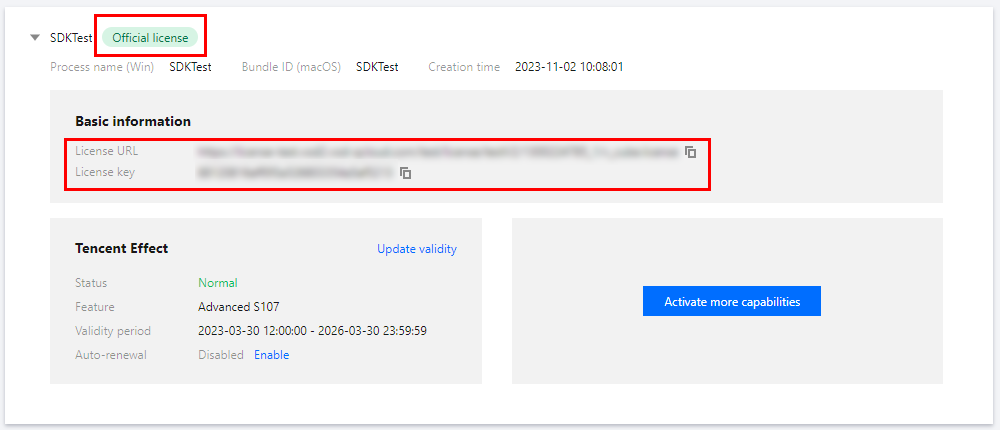
4. Upon successful creation of an official license, the page will display the generated official license information. During the SDK initialization configuration, the License URL and License key must be entered. Please store the following information carefully.
Update official license valid period
You can log in to the Tencent Cloud's Tencent Effect SDK Console > PC License Management page to view the validity of the Tencent Effect official license. You can also subscribe to the audio-video terminal SDK under Message Subscription, and select Message Center/Email/SMS as the message receipt channel to get notified when the license is about to expire. Notifications will be sent out 32, 7, 3, and 1 days before the license expires. If the license is renewed after it expires, it may be affected by the local cache and may not take effect in time. Therefore, it is recommended that you renew it in advance to ensure business continuity.
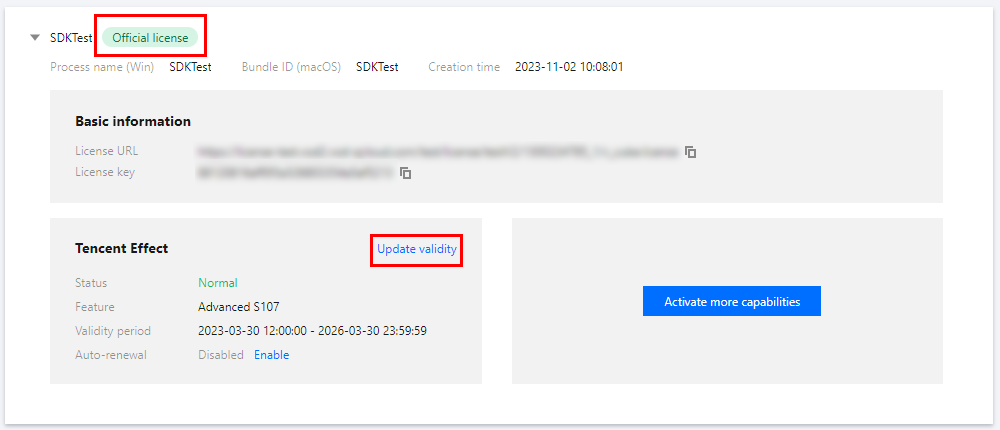
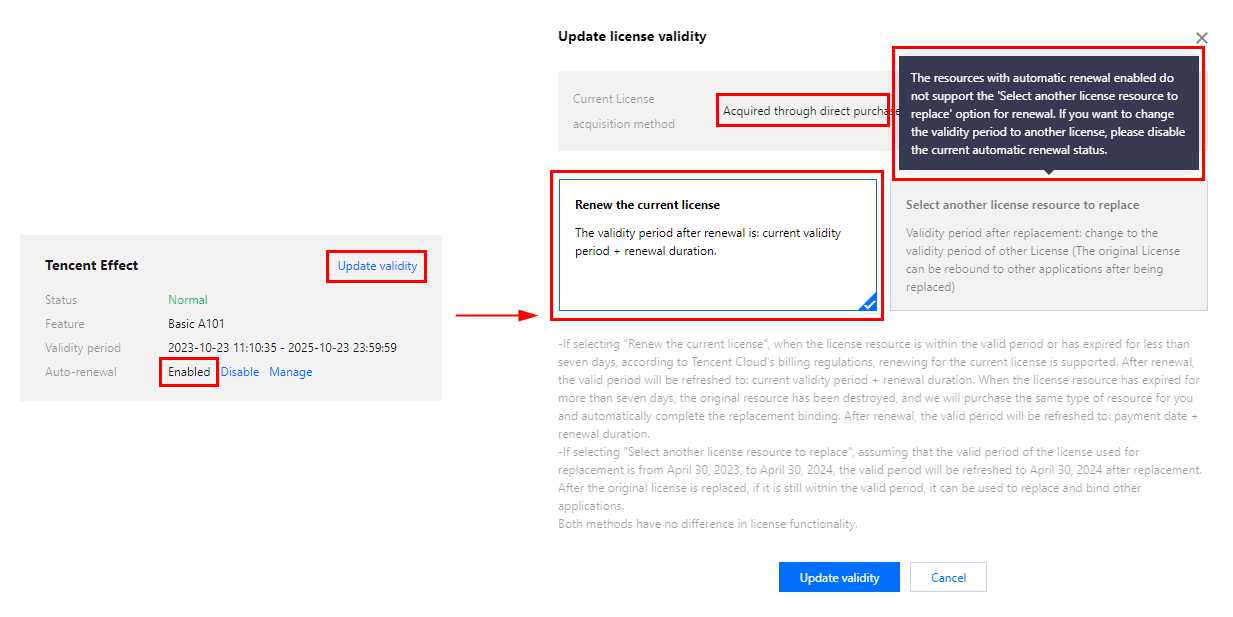
1. Select the license you want to renew and click Update validity in the Tencent Effect capability.
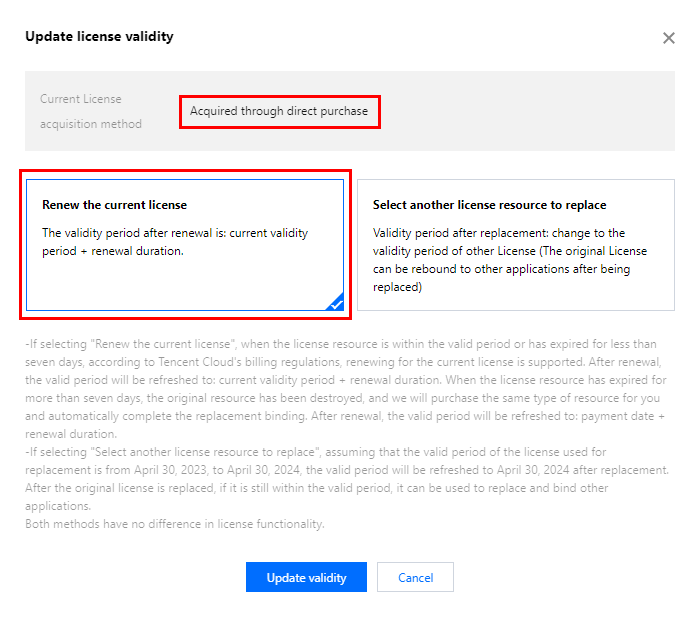
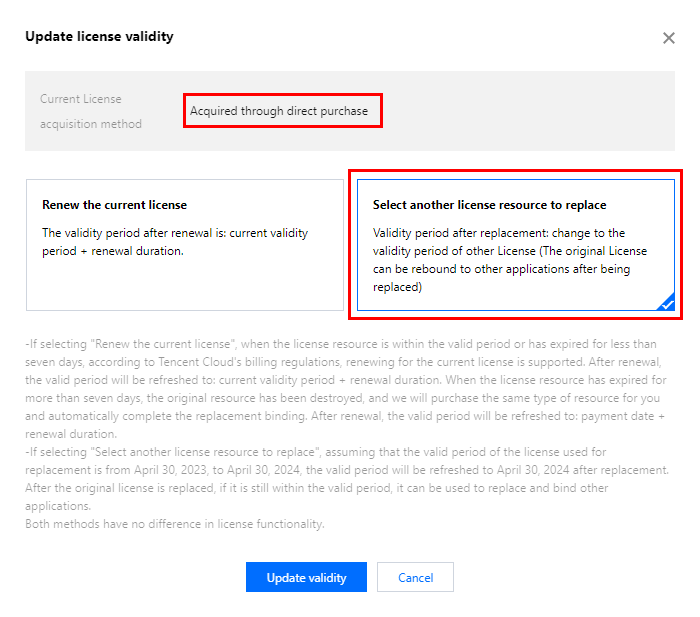
2. The acquisition method of the current license is Acquired through direct purchase. The validity can be extended through two methods: Renew the current license or Select another license resource to replace. The detailed steps are described as follows:
Note:
Resources with auto-renewal enabled do not support the license resource replacement method for renewal. If you want to change the validity period to that of another license, disable the auto-renewal function.
Renew the current license
Select another license resource to replace
1. Click Renew the current license, and click Update validity.
Note:
If you select Renew the current license:
When the license resource is within the valid period or has expired for less than seven days, according to Tencent Cloud's billing regulations, renewing for the current license is supported. After renewal, the valid period wil be refreshed to: current validity period + renewal duration.
When the license resource has expired for more than seven days, the original resource has been destroyed, and we wil purchase the same type of resource for you and automatically complete the replacement binding, After renewal, the valid period will be refreshed to: payment date + renewal duration.
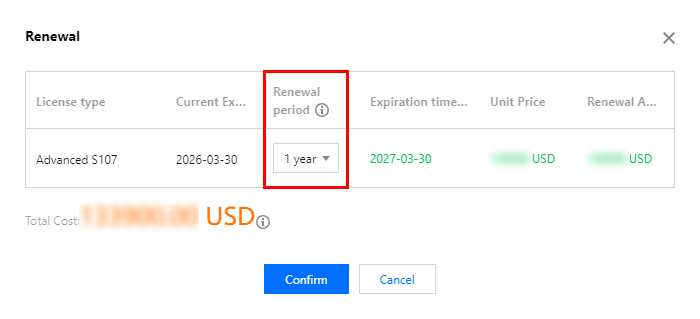
2. In the Renewal interface, select the Renewal period. Tencent Effect license renews annual / monthly. Click Confirm to extend the license valid period.
Note:
The Tencent Effect SDK package support annual payment purchase, and the license auto-renewal will be deducted annually.
Among them, the A series basic packages A1 - 00, A1 - 01, A1 - 02, A1 - 03 and X series capability X1 - 01 support the monthly payment mode, and the license is renewable on a monthly basis.
1. Click Select another license resource to replace, and click Update validity.
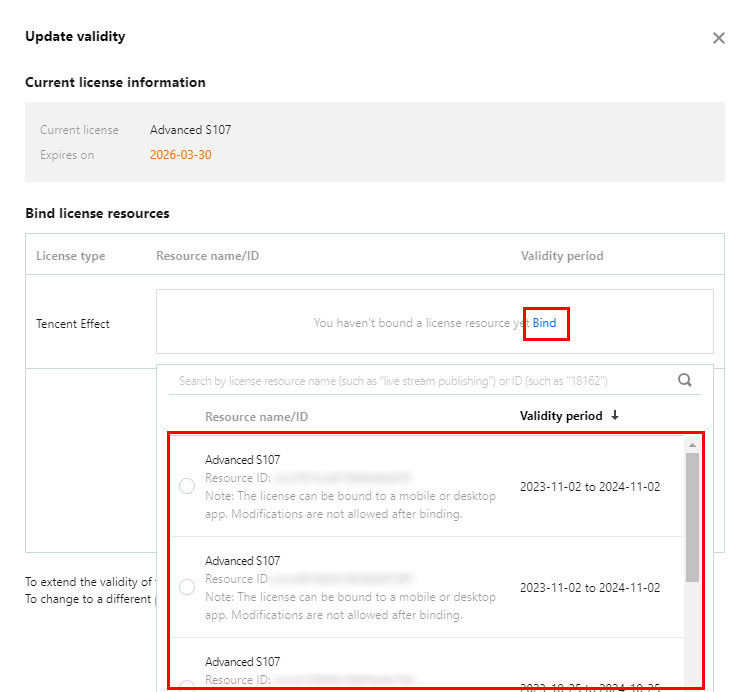
2. In the Update validity interface, click Bind. Select the unbound Tencent Effect package (if there is no available resource pack to bind, you can go to the Tencent Effect SDK purchase page to buy), and click Confirm.
Note:
Currently, the validity period renewal of packages only supports the same type of packages. That is, if the bound license package type is S1 - 04, only an S1 - 04 package can be selected for renewal. To change the type of the bound package, you need to submit a service ticket or contact the business for processing.
3. Check the renewed validity period.
Note:
You cannot modify the information of an official license. If you want to use a package you purchased for a new application, click Create official license to bind it to a new application.
Automatic renewal
You can manage auto-renewal through Console and Billing center in 2 methods. The details are as follows.
Console
Billing center
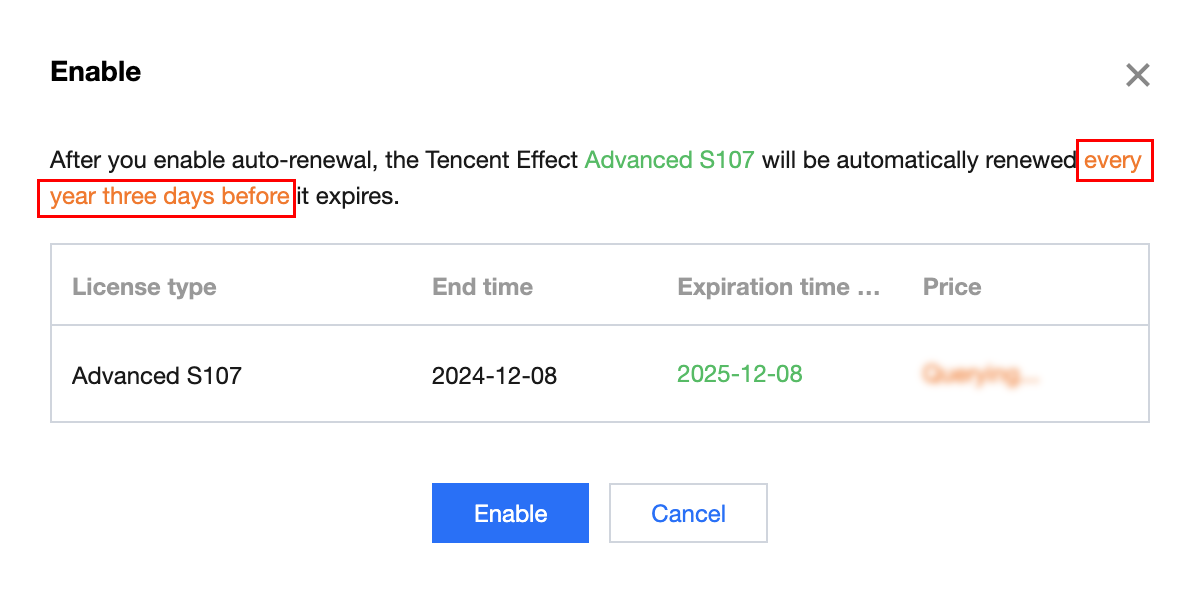
A license acquired through the direct purchase mode supports the enabling of automatic renewal. License resources with automatic renewal enabled will be automatically renewed on an annual/monthly basis 3 days before expiration. Make sure your account has sufficient available balance before enabling automatic renewal. Otherwise, it may lead to a renewal failure and affect your usage.
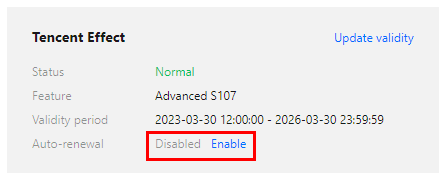
1.1 In the Disabled status of the license Auto-renewal, click to Enable auto-renewal, and it will be automatically deducted and renewed annually / monthly three days before expiration.
Note:
The Tencent Effect SDK package support annual payment purchase, and the license auto-renewal will be deducted annually.
Among them, the A series basic packages A1 - 00, A1 - 01, A1 - 02, A1 - 03 and X series capability X1 - 01 support monthly payment purchase, and the license auto-renewal will be deducted monthly.
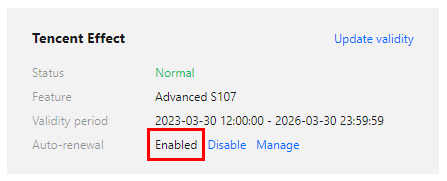
1.2 Auto-renewal status changed to Enabled.
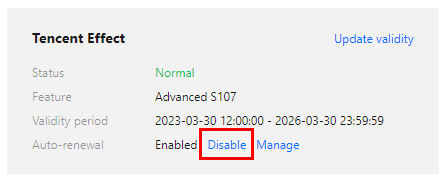
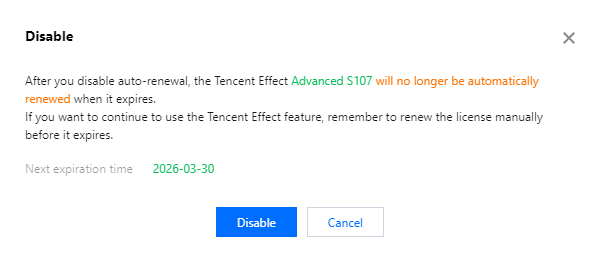
2. Disable Auto-renewal. The Auto-renewal of the license can be turned off in the Enabled status by click Disable. After it expires, it will no longer be automatically renewed.
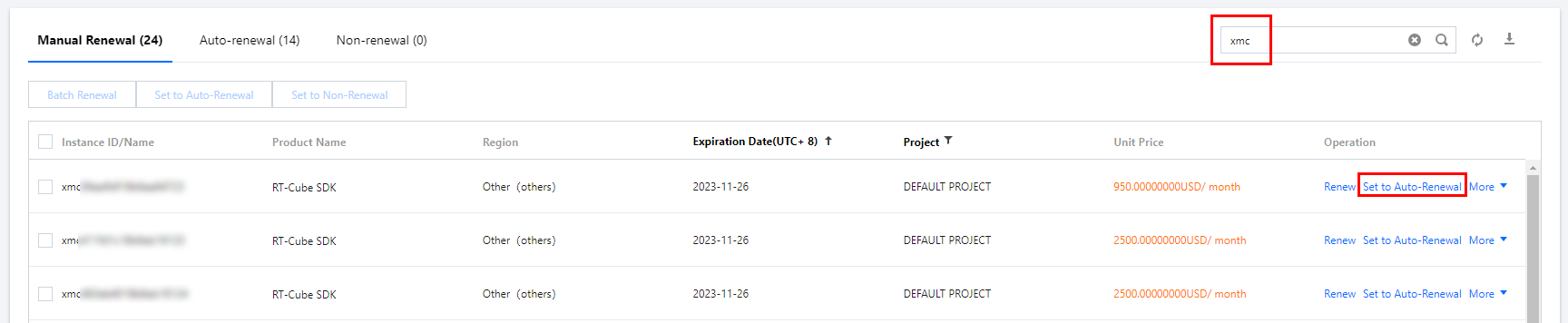
You can navigate to Renewal Management to set resources to automatic renewal.
In the search box on the right, search for a Tencent Effect package, locate the target resource, and click Set to Auto-Renewal.