Add-on Suite Purchase Guide
Download
Focus Mode
Font Size
The EdgeOne Free Plan Add-on Suite is a feature unlock suite introduced for users of the free plan. After subscribing, free plan users can enable advanced features such as Smart Acceleration, QUIC, image/audio/video processing, and offline logs on demand without upgrading to a paid plan, and they also receive corresponding SLA guarantee services. For details, see Introduction to the Free Plan Add-on Suite. This document mainly describes how to subscribe to the Add-on Suite.
Prerequisites
You must already have an EdgeOne Free Plan. If you have not activated it, refer to EdgeOne Free Plan Beta Claim Instructions to claim the free plan.
Purchase Procedure
1. Log in to the EdgeOne console and go to the secondary navigation for the free plan site. You can subscribe to the Add-on Suite at the features for Smart Acceleration, QUIC, audio/video processing, and Image Processing. Using Smart Acceleration as an example:

2. Select the subscription duration, select "I have read and agree to EdgeOne Service Level Agreement", choose whether to enable automatic renewal upon expiration based on your actual needs, and finally click Subscribe Now.
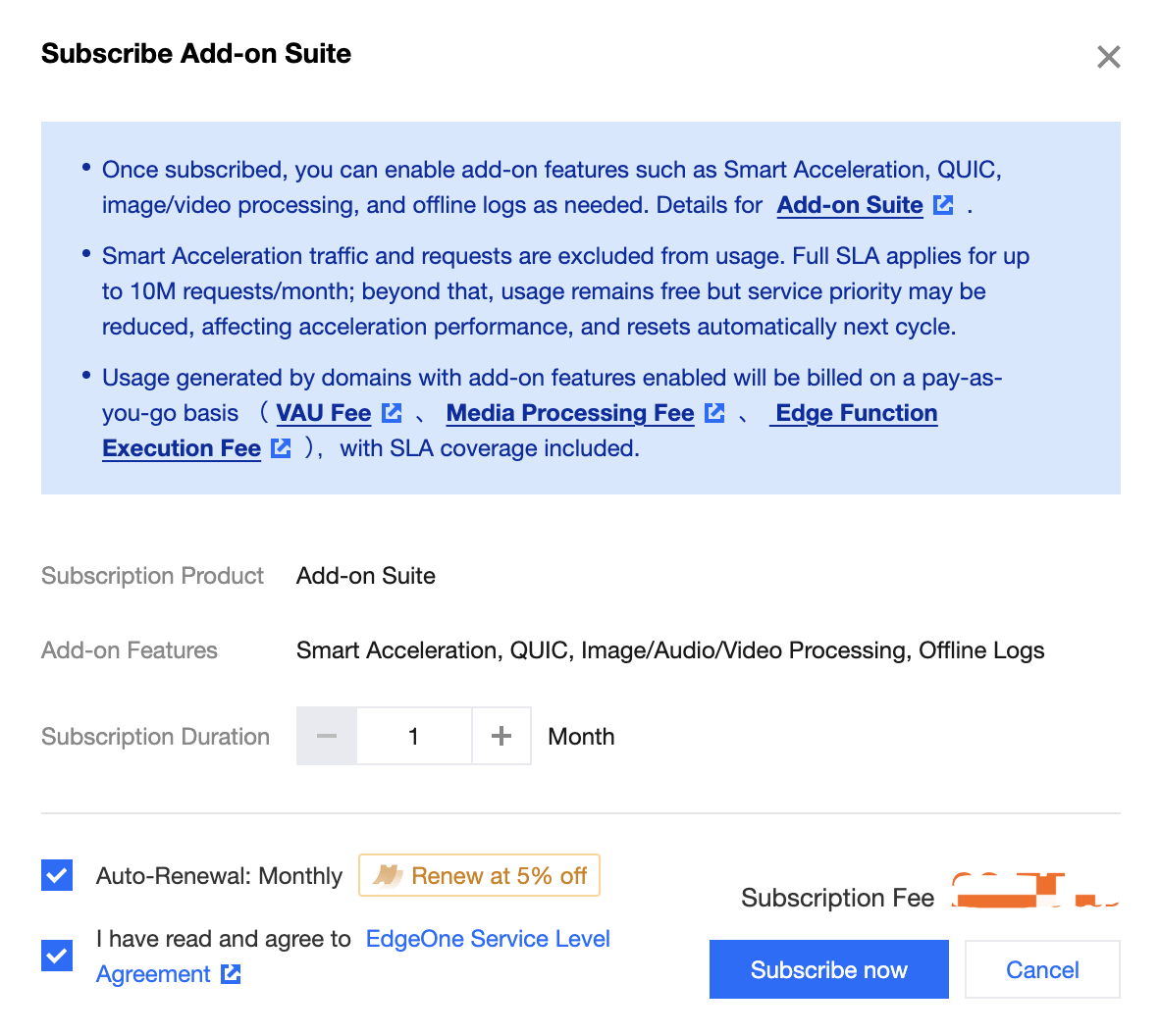
3. Go to the order payment confirmation page. If you have vouchers, you can select to use them. Then, click Submit Order.
4. After you submit the order, select the corresponding payment method to complete the payment.
Help and Support
Was this page helpful?
You can also Contact sales or Submit a Ticket for help.
Help us improve! Rate your documentation experience in 5 mins.
Feedback