Ops Members Cannot Receive SMS Verification Code
下载
聚焦模式
字号
Phenomenon Description
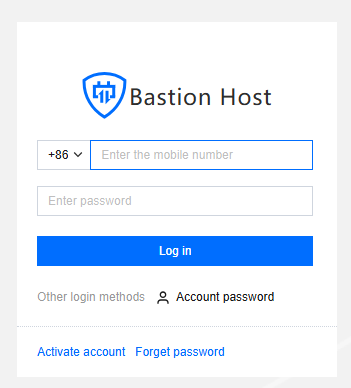
Ops users of the BH fail to receive SMS verification codes when activating accounts or logging in to Ops accounts.
Possible Causes
1. An incorrect phone number is entered during login or account activation.
2. The Ops user is not included in the user list.
3. The Ops user is in the user list, but their phone number is incorrect.
4. The SMS message is intercepted.
Directions
Incorrect Number Entered
Verify whether the phone number entered during login or activation is correct. If it is incorrect, re-enter the correct phone number and attempt to log in again.
Ops User Not in the User List
1. Log in to the BH Console.
2. In the left sidebar, choose User Mgmt > User.
3. On the User page, check whether the Ops user unable to receive the verification code is in the user list. If the user is missing from the list, click Create User.

4. In the Create User popup, configure the relevant information and click OK to save the settings.

Ops User in the User List
1. On the user page, locate the Ops user who is unable to receive the verification code. Check whether the user's mobile phone number is correct. If the phone number is incorrect, click Edit for the user.

2. In the Edit User popup, update the user's correct mobile phone number and click OK to save the updated user information.

SMS Intercepted
Check the spam folder on your phone to see if the SMS is mistakenly flagged as spam. If it is intercepted, remove the number from the blacklist.
Other Issues
If the above troubleshooting steps fail to resolve the issue, submit a ticket for further troubleshooting.
文档反馈