Process for Customizing, Downloading, and Using 2D End Rendered Avatars
Download
Focus Mode
Font Size
Introduction
A 2D client-side rendered avatar refers to a type of avatar whose rendering computation is performed by the CPU of the user's local device (such as a PC, mobile phone, or smart hardware) and is displayed in real-time locally. A single training session for a Digital Human's client-side rendered avatar can generate avatars at multiple resolutions. The 720P resolution is particularly special. In addition to being usable as a client-side rendered avatar, it can also be used via cloud rendering. To distinguish it from the previously used cloud-rendered avatars that relied on GPUs, we refer to this type of 720P avatar as the lightweight cloud-rendered avatar. (It can be understood as having two names: 2D client-side rendered avatar or 2D lightweight cloud-rendered avatar.)
This document provides a comprehensive introduction to the processes for ordering, customizing, and using 2D client-side rendered avatars, starting from the basics.
Ordering Process
The ordering process primarily involves purchasing avatar quotas. The operational steps are as follows:
1. Log in to the Digital Human purchase page.
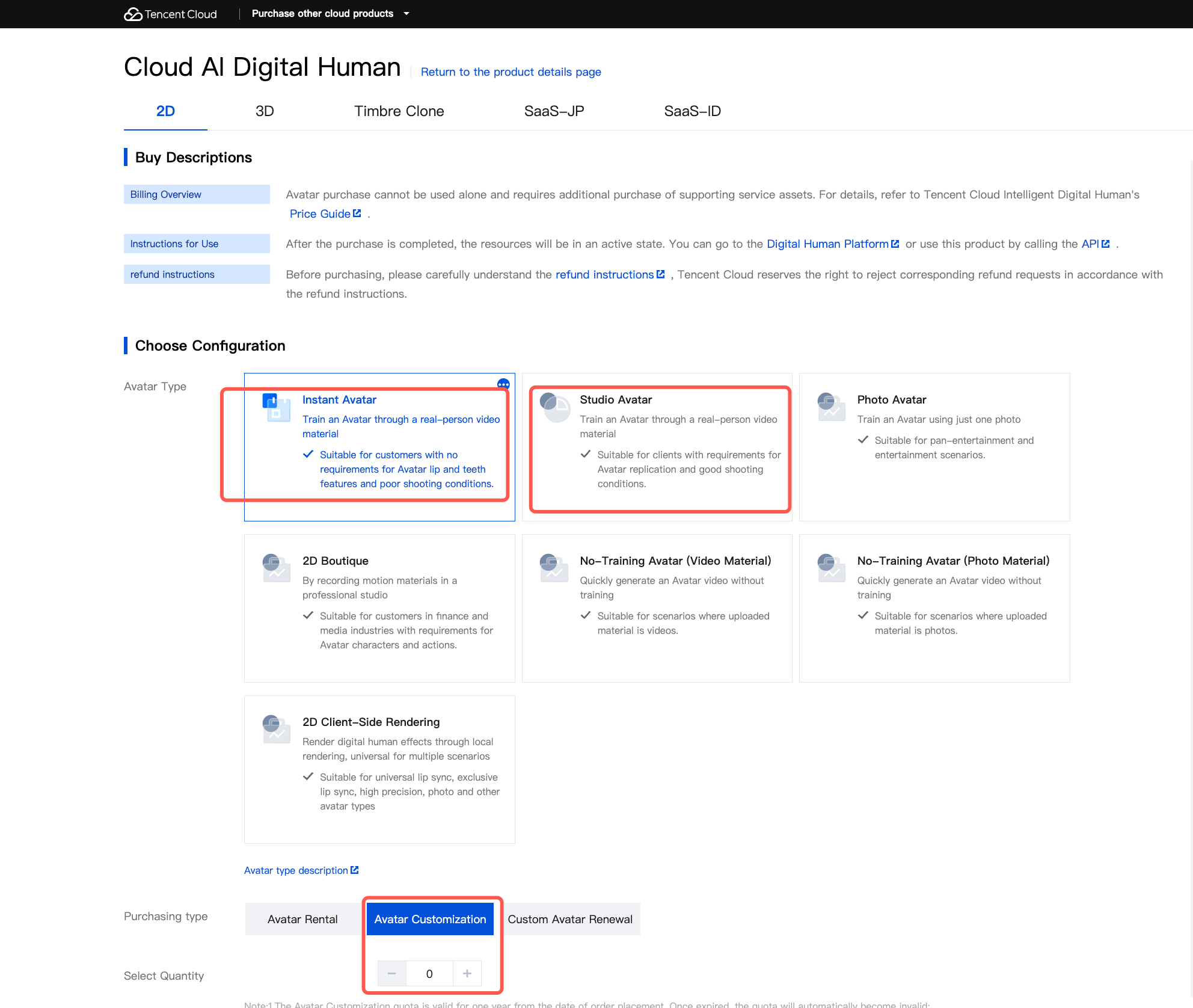
2. Select and purchase avatar quotas. You can purchase "Avatar Customization" quotas for two types: Avatar Instant Lip-Sync and Avatar Studio Lip-Sync, as shown in the figure below.
Notes:
This type of avatar customization quota can be used for both cloud-rendered avatar and client-side rendered avatar customization processes. Because the training processes are mutually exclusive, if you need both cloud-rendered and client-side rendered avatars, you must submit the training tasks twice. The subsequent processes will be detailed later.
Customization Process
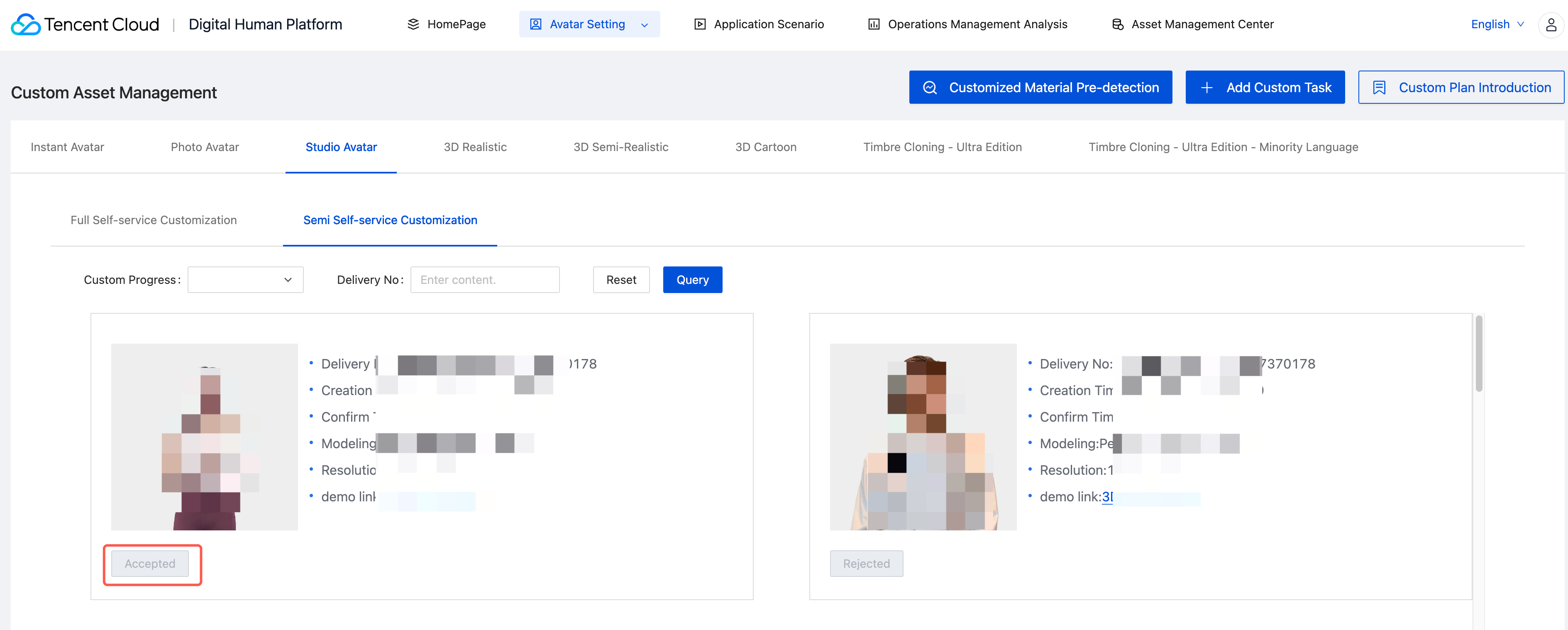
The customization process is primarily semi-self-service. This involves submitting materials offline to the delivery team. After successful training, the avatar Demo will be pushed to the Digital Human platform - Avatar Settings. Locate the corresponding type, then select "Accept" to complete the training. See the figure below:
Notes:
Before clicking "Accept", you must ensure that your account has valid customization quotas; otherwise, acceptance will fail. Valid quotas have two forms:
Form 1: Purchased quotas that have not been used at all can be directly used for client-side rendered avatar training.
Form 2: Purchased quotas that have already been used for cloud-rendered avatar training, but for less than six months (calculated from the successful acceptance of the cloud-rendered avatar training to the current time). If this period exceeds six months, the quota automatically expires.
List of Required Purchases for 2D Lightweight Avatars in Cloud Rendering Scenarios
SKU Name | Required | Quantity |
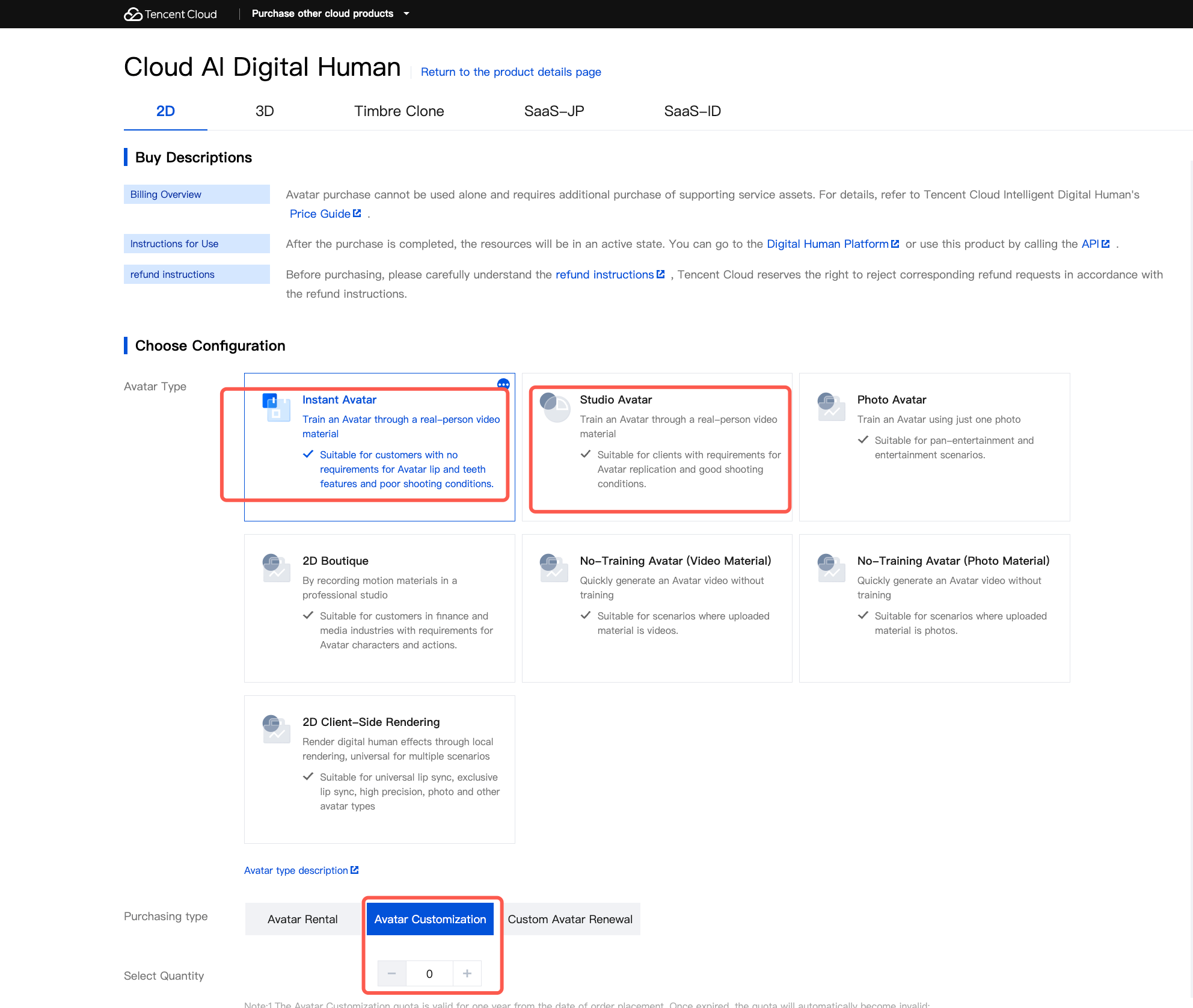
Custom quota (choose one from Avatar Exclusive, Avatar Generic, or Avatar Photo). | Required | 1 |
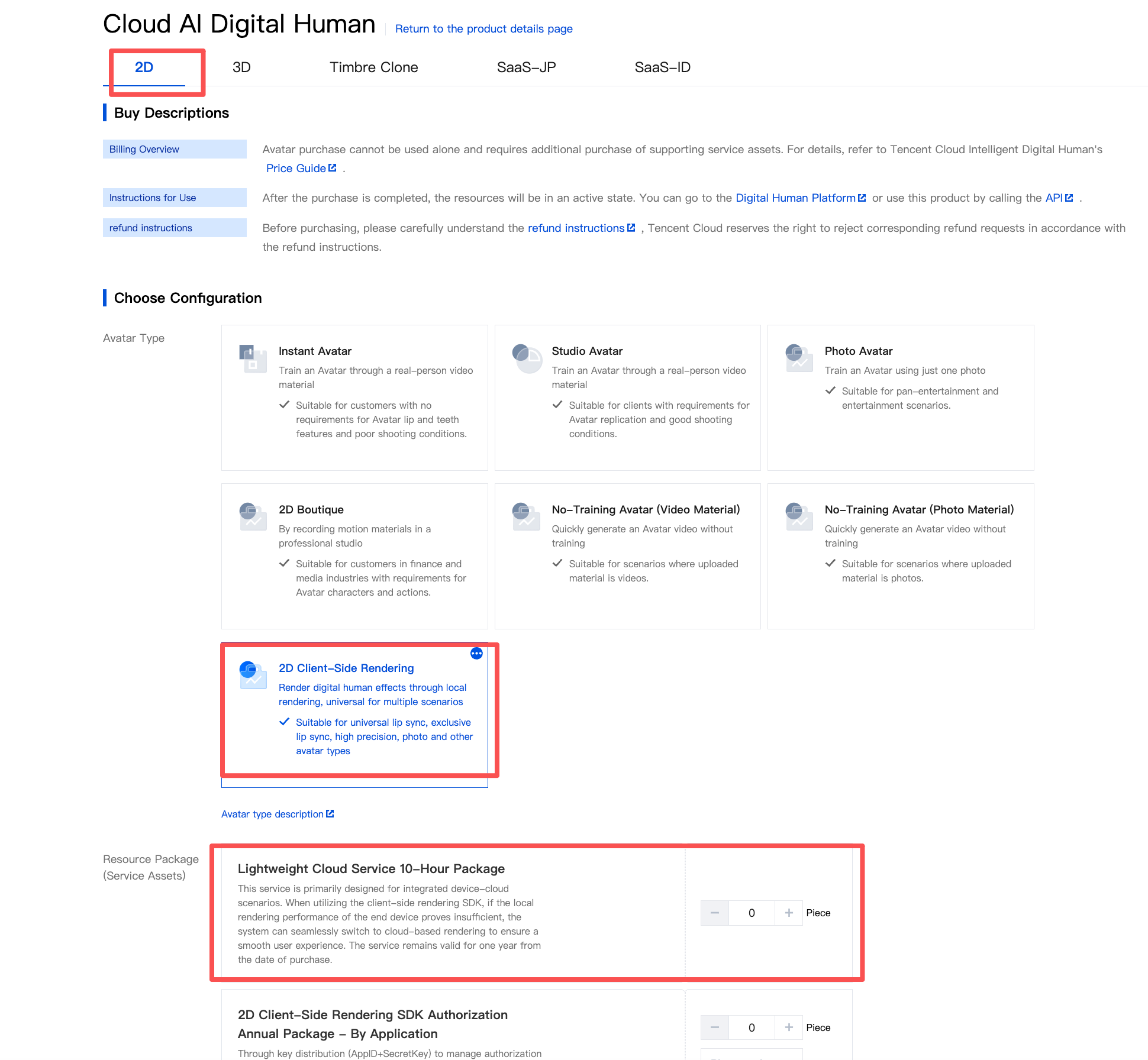
Lightweight cloud service hour package (for end-cloud integrated solution) | Required | 1 |
Customization Quota:
Lightweight Cloud Service Hourly Package:
Help and Support
Was this page helpful?
You can also Contact sales or Submit a Ticket for help.
Help us improve! Rate your documentation experience in 5 mins.
Feedback