Creating a Protection
Download
Focus Mode
Font Size
This document describes how to create and delete a protection. A protection is the basic unit that associates protected resources and carries protection levels and protection policies. After subscribing to a plan, you must first create a protection before you can associate the resources that need protection.
Prerequisites
Configuration Guide
1. Log in to the Anti-DDoS console, select Protections in the left sidebar, and go to the Protections page.
2. Click Create Protection to go to the Create Protection wizard.
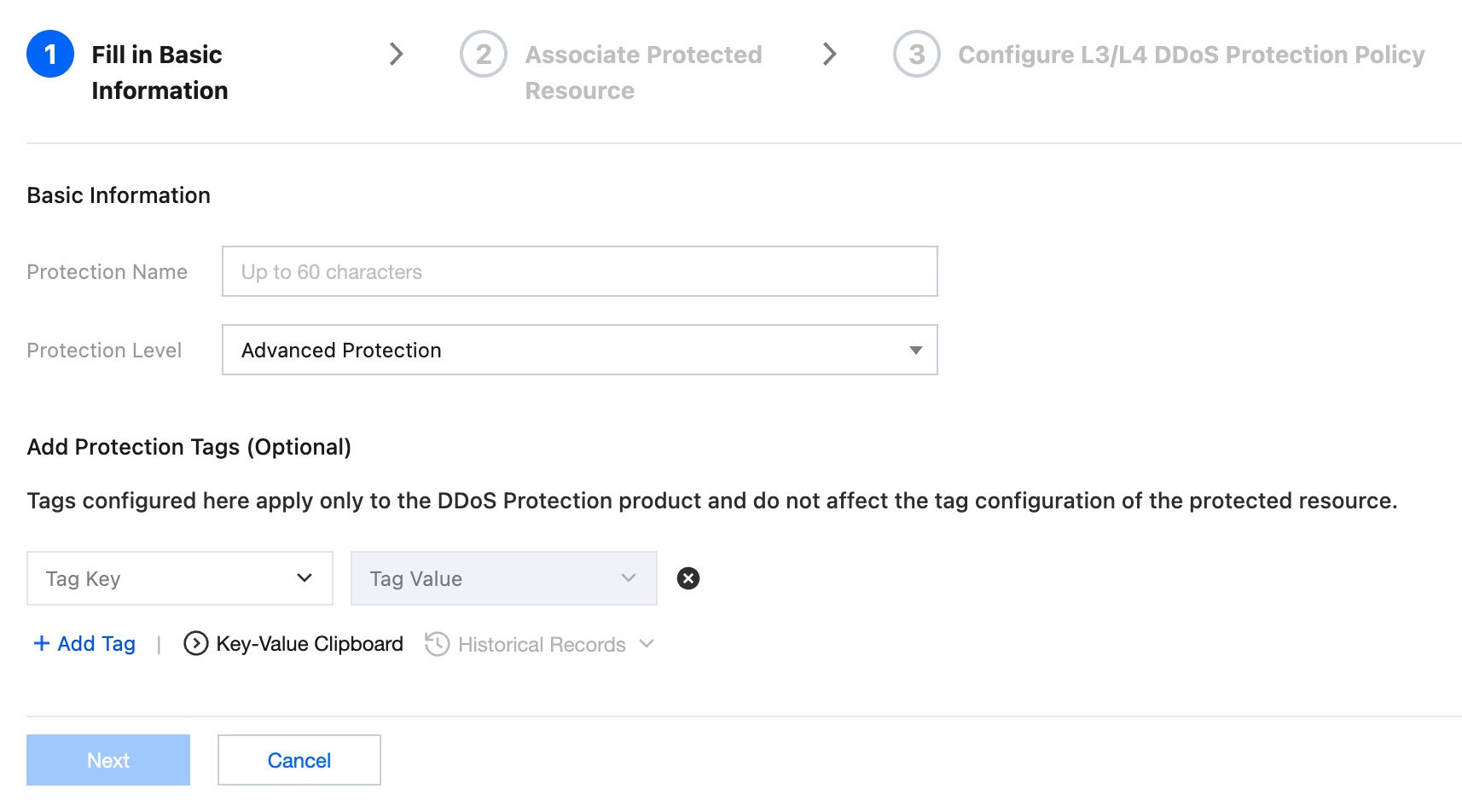
3. In Step 1: Fill in Basic Information, configure the following parameters and click Next.
Configuration Item | Configuration Description |
Protection name | Customize the protection name. You can enter up to 60 characters. |
Protection level | The protection level of the protection defaults to Advanced Protection. Available protection level tiers are determined by the purchased plan. For details, see DDoS Protection Capacity Description. |
Add protection tag (optional) | Add Tags to protections for permission management by category. Tags configured here apply only to DDoS Defender product and do not affect tag configurations of protected resources. |
4. After Step 1 is completed, the protection is created successfully. You can view the newly created protection in the protection list.

Note:
Step 2: Associate Protected Resources and Step 3: Configure L3/4 DDoS Protection Policies in the wizard are optional. You can skip them after creating a protection and complete them later in the console as needed. To continue configuring them in the wizard, refer to the subsequent steps below.
Next Steps (Optional)
Associate Protected Resources: Associate the resources that need protection with a protection instance. For detailed operations, see Associate Protected Resources.
Configure L3/4 DDoS Protection Policies: Configure protection sub-policies such as IP address allowlists and blocklists, port filtering, and protocol blocking. For detailed operations, see L3/4 DDoS Protection Policies.
Help and Support
Was this page helpful?
You can also Contact sales or Submit a Ticket for help.
Help us improve! Rate your documentation experience in 5 mins.
Feedback