Purchase Instructions
Download
Focus Mode
Font Size
This document introduces how to purchase a Tencent Cloud service plan.
1. Purchase Method
Purchase via the Official Website
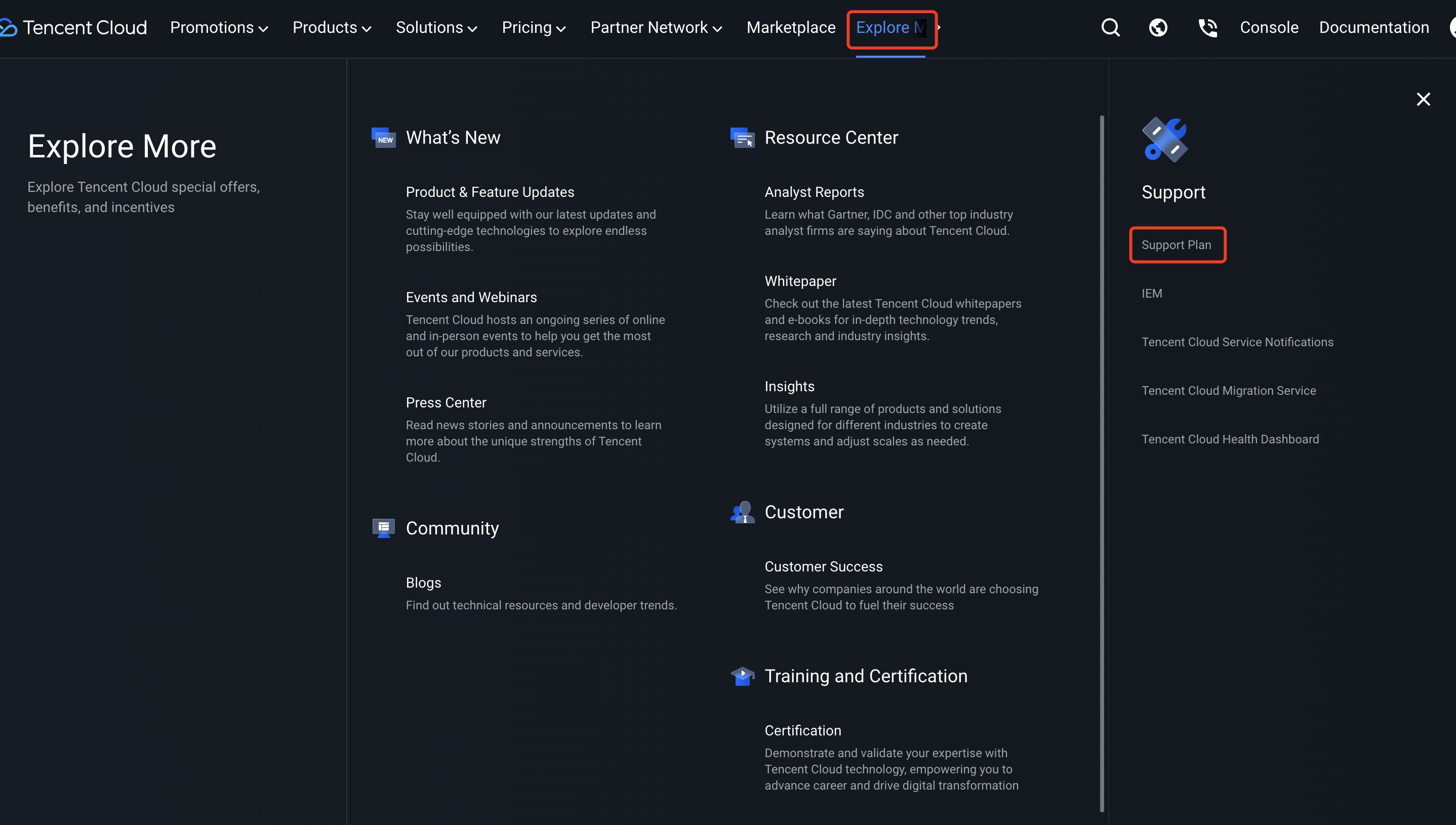
1. On the Tencent Cloud official website page, click Explore More on the top of the page, and select Support Plan under Support, as shown below:
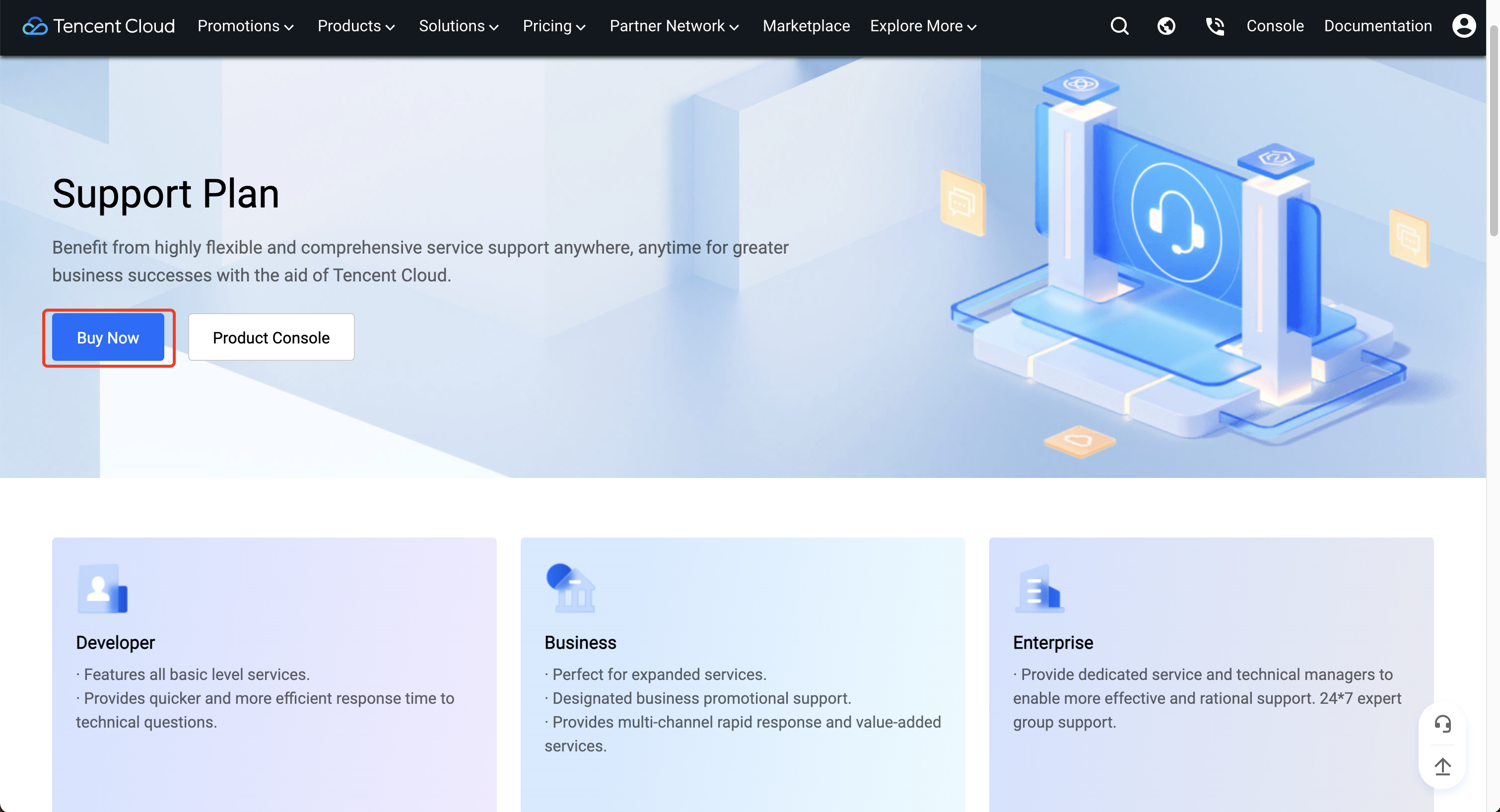
2. After entering the service plan product introduction page, click Buy Now to make a purchase.
Purchase via the Product Introduction Page
2. Purchase Page Introduction
On the purchase page, you can perform the following operations:
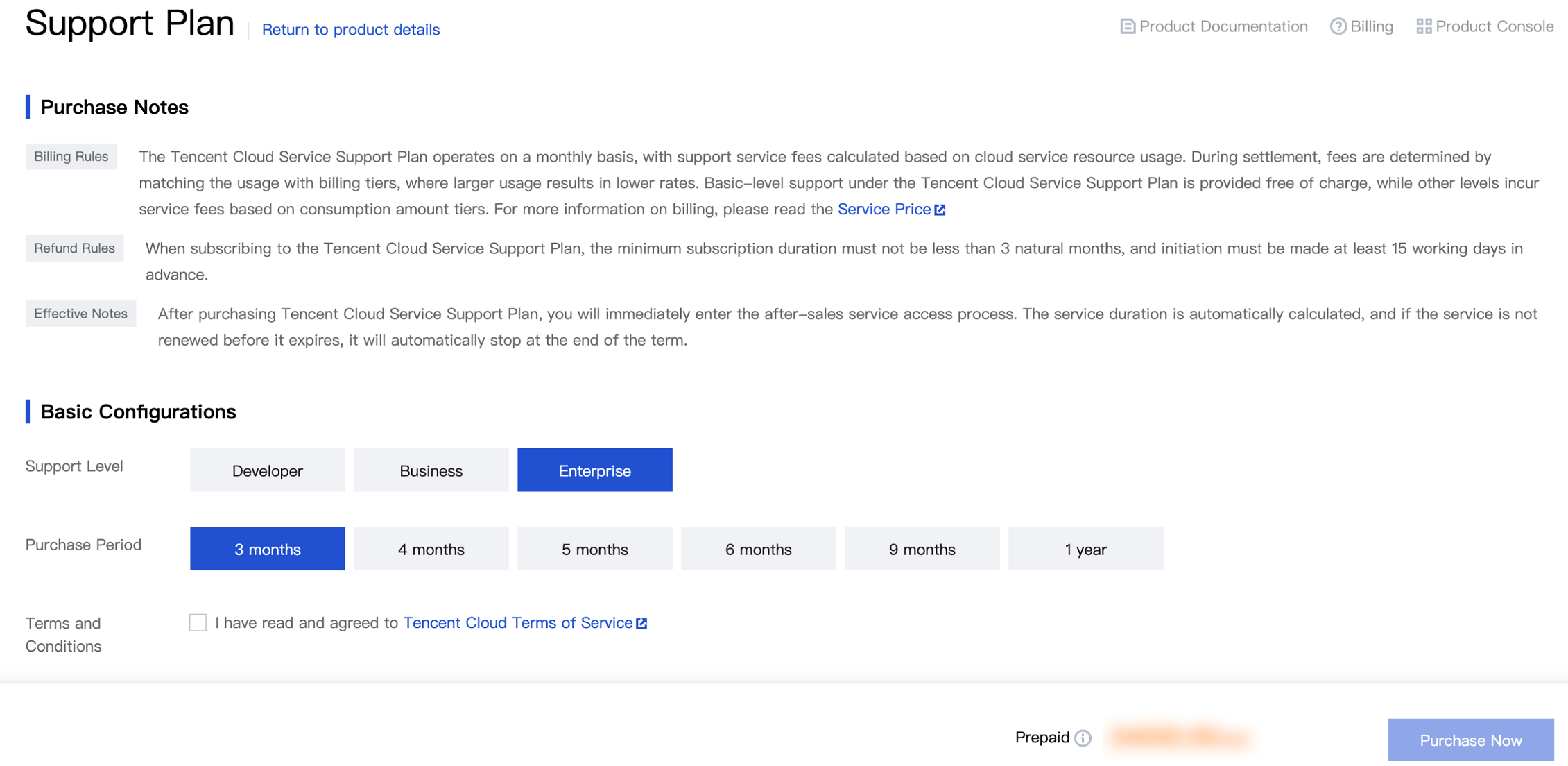
Click Return to Product Details to go back to the service plan introduction page.
Click Product Documentation to learn about the detailed service content, billing rules, and other information of the service plan.
Click Pricing to enter the billing details page.
Click Product Console to view the service plan's service duration and service details.
3. Choosing a Configuration and Making a Purchase
1. In Basic Configuration on the purchase page, select the service level and duration you need.
2. Click Buy Now to enter the purchase confirmation page.
3. You can enjoy the service after the payment is finished.
Help and Support
Was this page helpful?
You can also Contact sales or Submit a Ticket for help.
Help us improve! Rate your documentation experience in 5 mins.
Feedback