Data Backup
Download
Focus Mode
Font Size
Tencent Cloud TCHouse-D supports the feature of transferring current data as a file through Broker Backup to a remote storage system and restoring the data to any cluster from the remote storage system. This feature can be used for one-time or regular snapshot backups and also implementations of data migration between different clusters.
Operation Guide
1. Enter Cluster List and click Cluster ID/Name you want to back up.
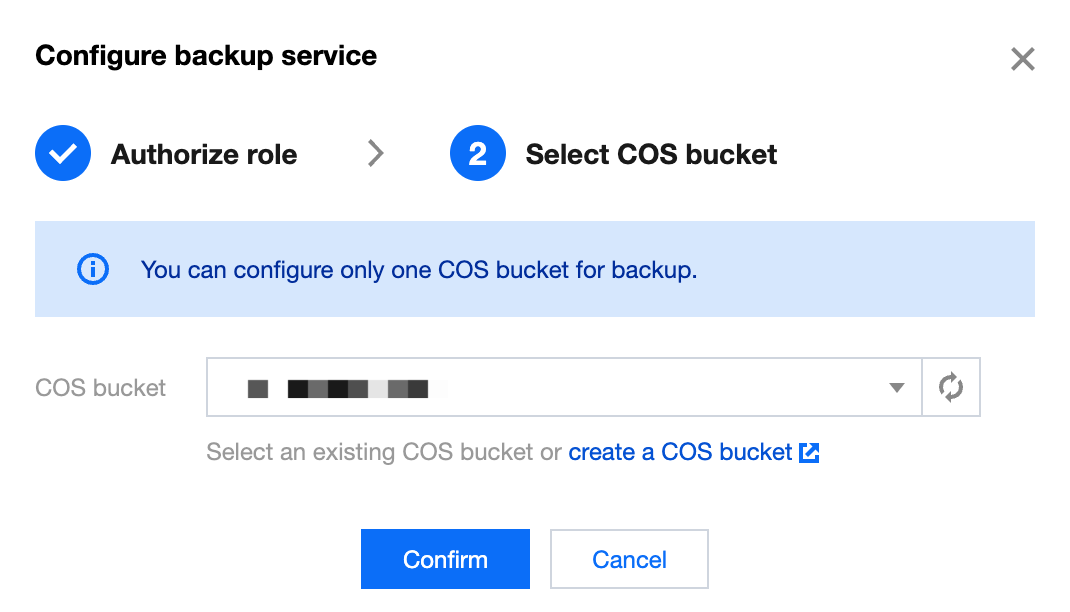
2. On the cluster management page, click Data Management > Backup And Restore on the left to go to the Backup Recovery page. If the Backup service has not been turned on, authorization should be performed first, and a COS bucket for storing data should be selected.
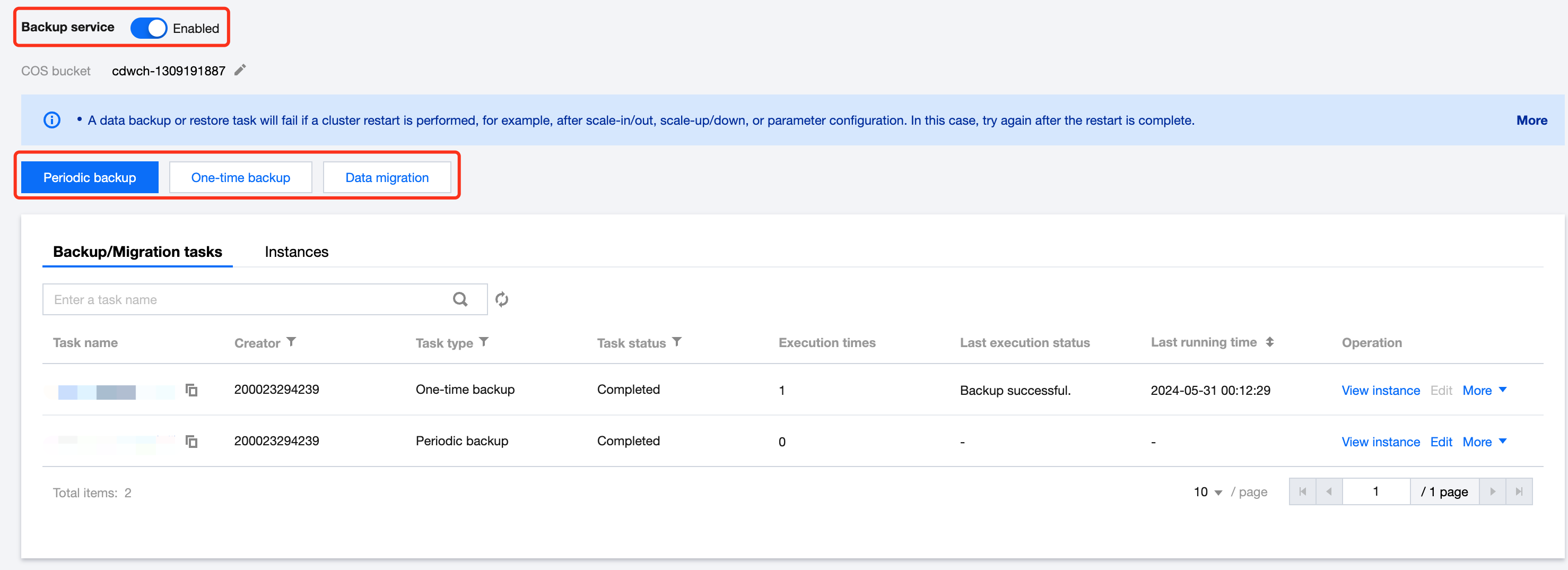
3. After enabling the Backup service, the available operations include: periodic backup, one-time backup, cross-cluster data migration. The Backup feature allows you to choose any database/table to backup, and the data will be stored permanently after a successful backup.
Note:
One-time Backup does not affect the periodic backup policy, but only one BACKUP or RESTORE task can be executed for the same database table at the same time.
The COS bucket path supports changes. After the changes, the new backup snapshot will be written to the new COS bucket, and the backup snapshot stored in the old COS bucket can still be restored.
After backing up the data to the COS, it will be stored as a single copy.
Data Backup Feature Description
You can perform data backup and data migration operations on the Backup Recovery page in Tencent Cloud TCHouse-D. Using the data backup feature, you can perform a one-time backup of the data or plan periodic backup tasks.
Note:
If the Backup or Restore task fails due to cluster restart (such as Scale-out, Scale-in, vertical configuration, parameter configuration operations, etc.), try again after system restart.
One-time Data Backup
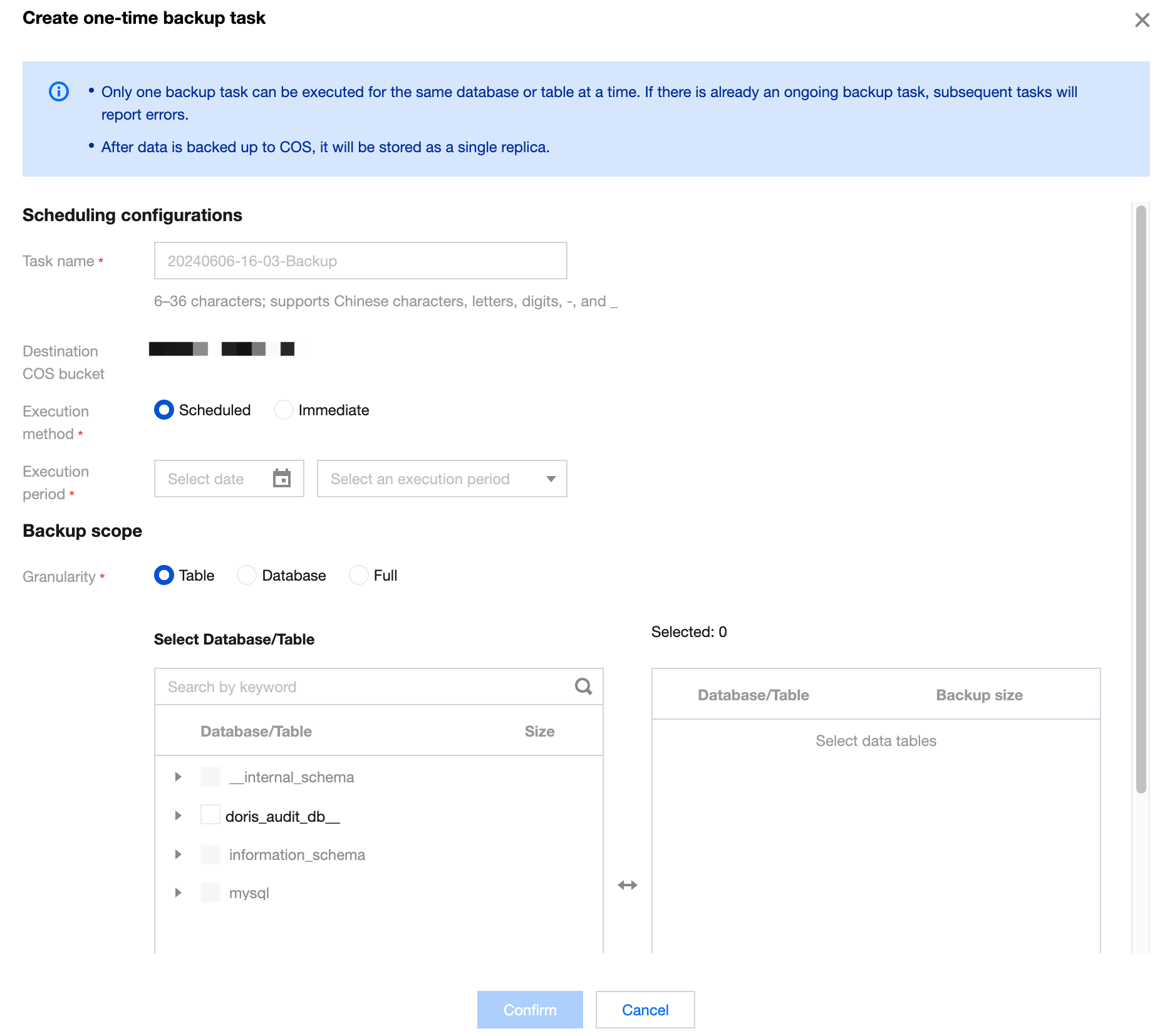
When creating a one-time backup task, you can choose the execution method: scheduled execution, or immediate execution.
The granularity of backup can be chosen: backup by table, backup by database, or full backup.
Periodic Data Backup
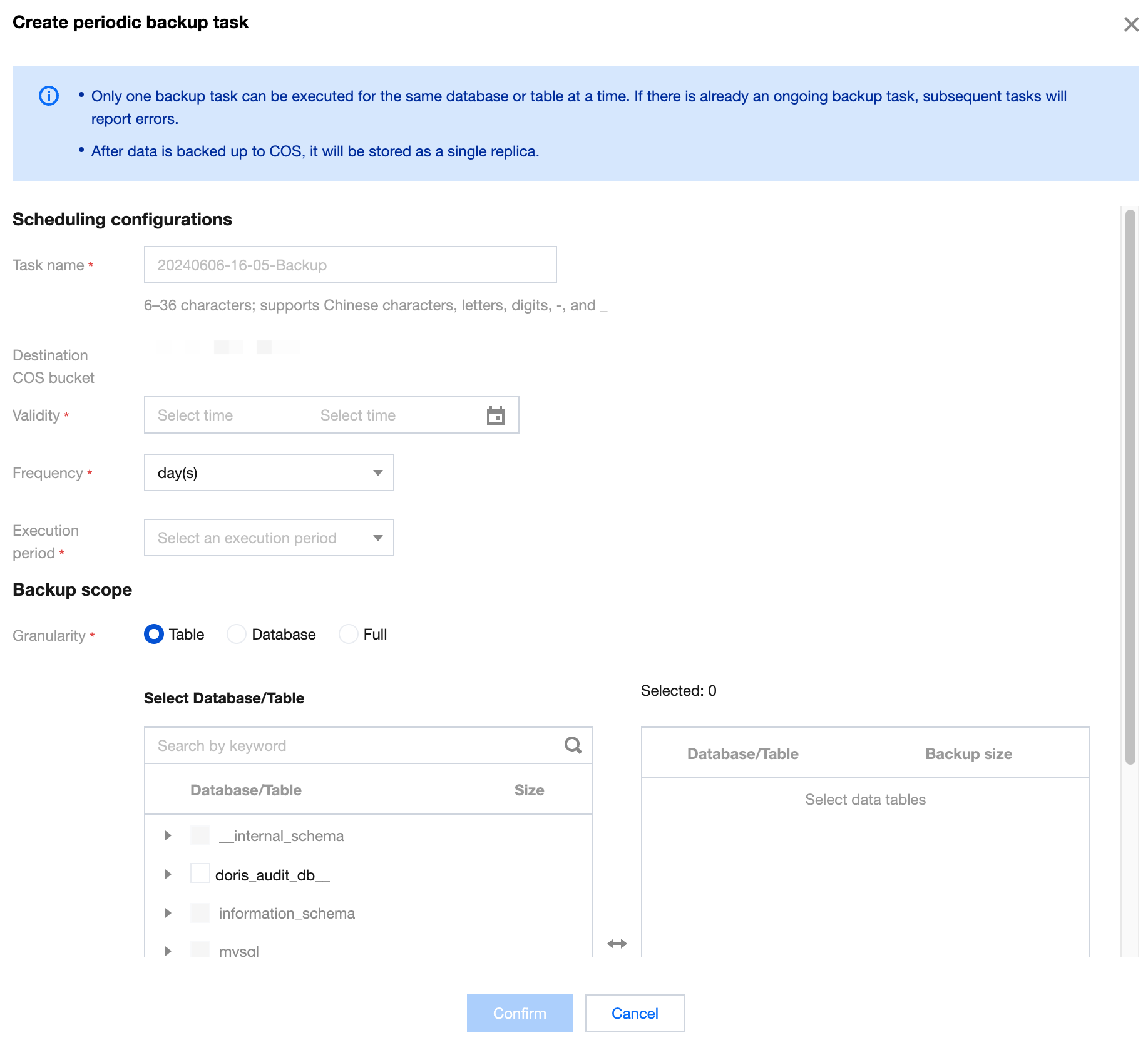
When creating a periodic backup task, you can configure items including: effective cycle, scheduling cycle, and execution time. After the successful creation, the backup task will be executed at the specified time according to the scheduling cycle, within the effective cycle.
One-time Backup does not affect the periodic backup policy, but only one BACKUP or RESTORE task can be executed for the same database table at the same time.
Supports the creation of multiple periodic backup tasks, but if multiple tasks perform backup on the same table at the same time, subsequent tasks will all report errors. In order to ensure data integrity, you can re-backup through the "One-time Backup Data" feature after the previous backup task ends.
Help and Support
Was this page helpful?
You can also Contact sales or Submit a Ticket for help.
Help us improve! Rate your documentation experience in 5 mins.
Feedback