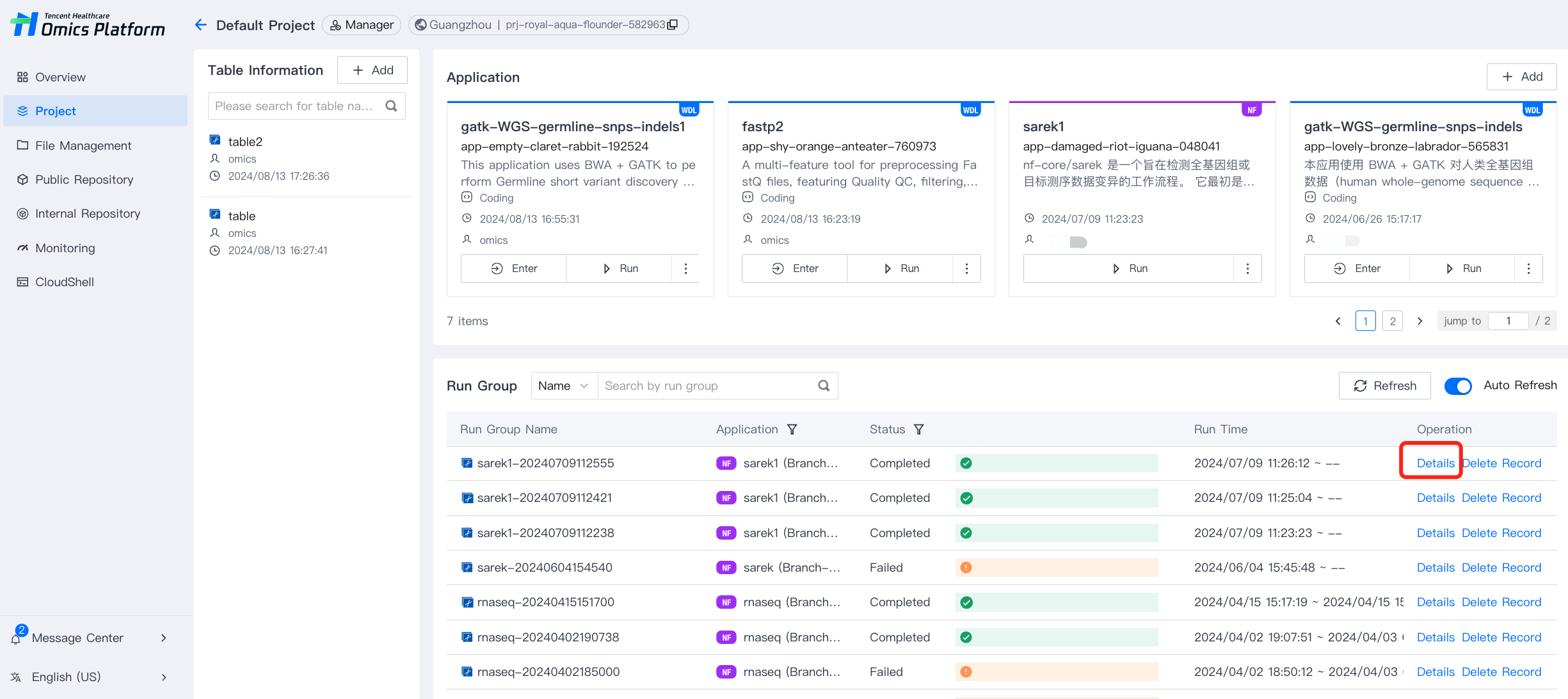
1. Select the Details option for a running group to enter its details page.
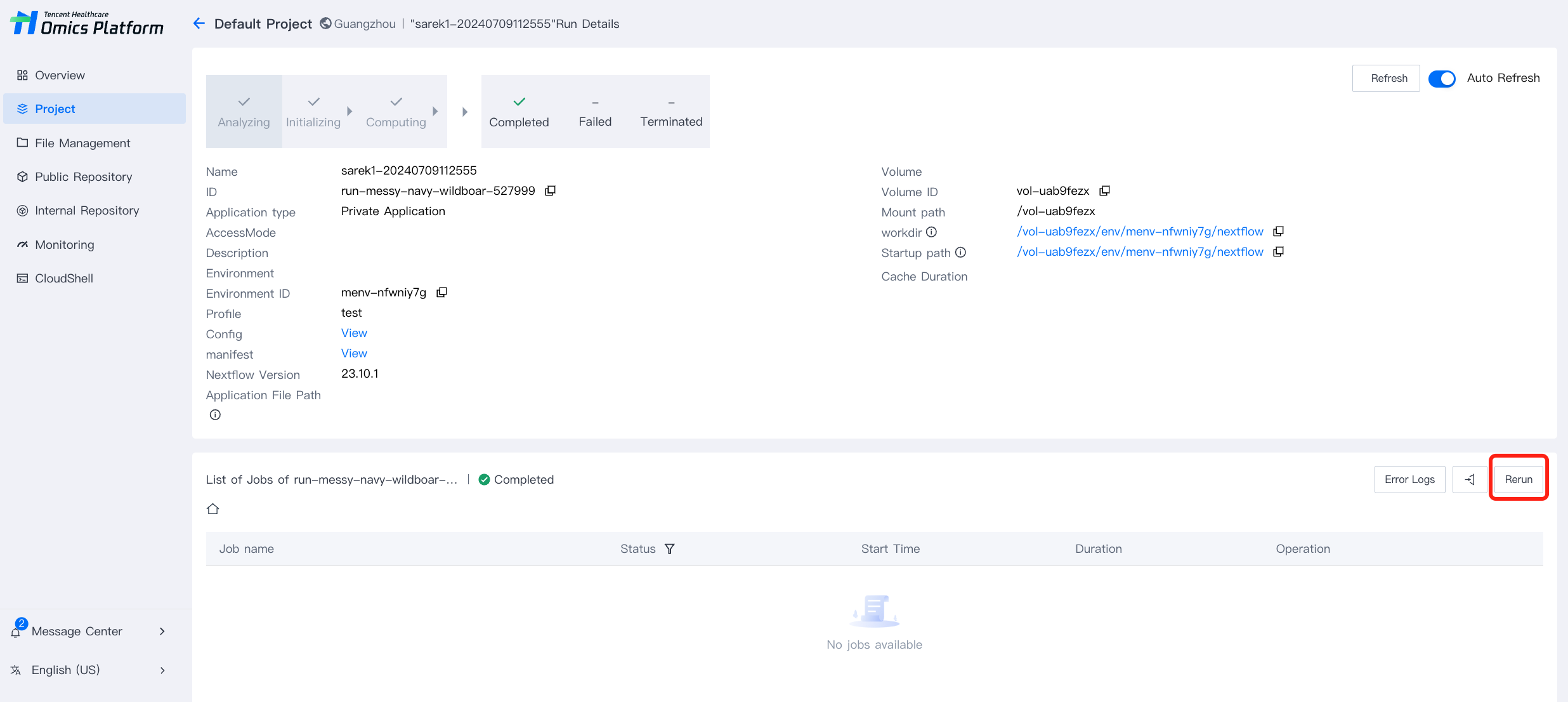
2. In the running list column of the running group details page, you can rerun the run groups.
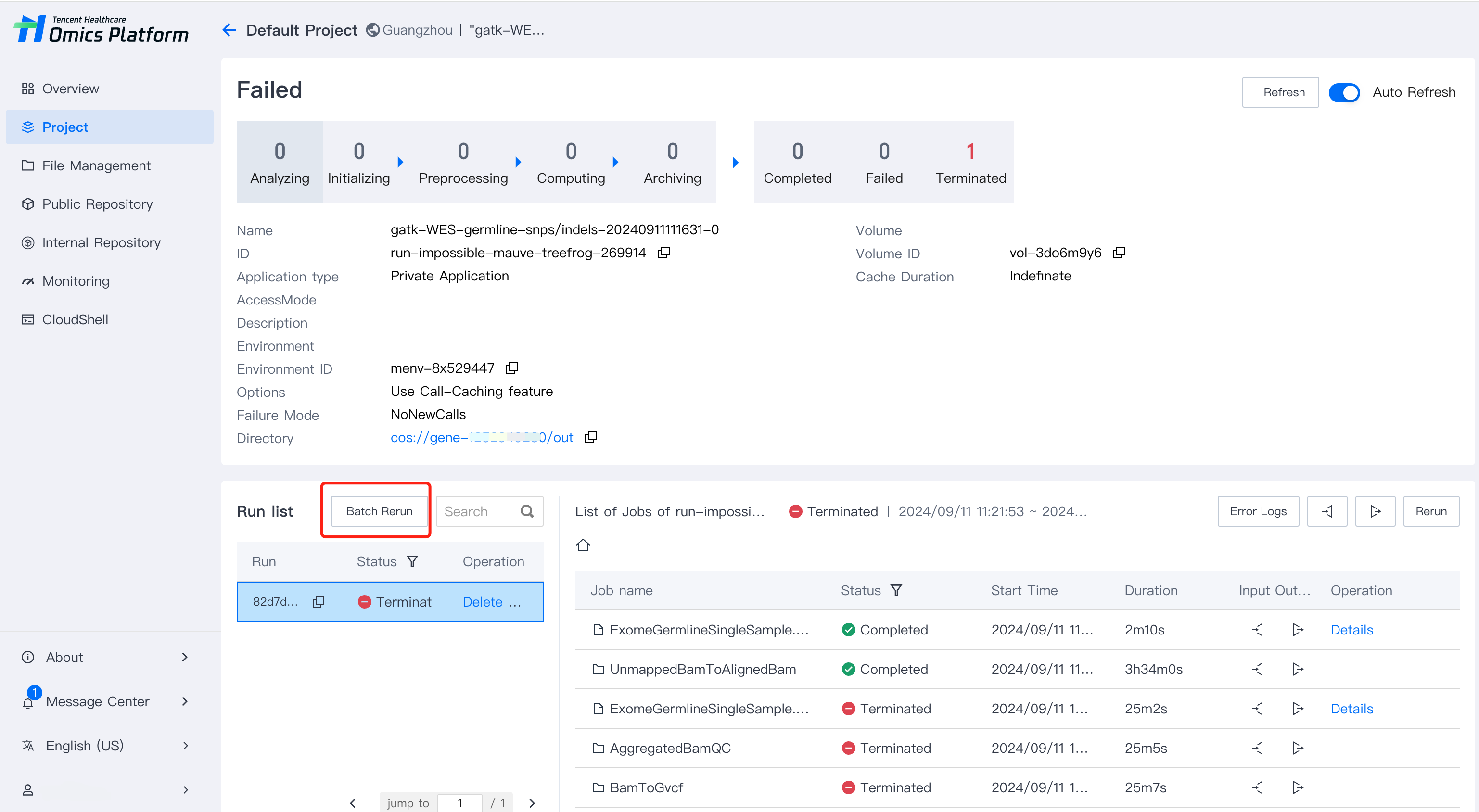
3. After selecting the batch re-run option, you can choose the sub-tasks that need to be re-run. Only completed, failed, or terminated sub-tasks can be re-run.
4. After the rerunning, new batch information will be generated, and the original records will not be overwritten.