Marketplace is a platform for managing the full lifecycle of applications in the cloud. Users can use Marketplace to realize the capabilities of cloud resource management and efficient installation and deployment of software in the cloud.
Cloud Resource Management
For cloud resource management, Marketplace provides you with an application dashboard. You can aggregate and manage cloud resources under your Tencent Cloud account based on business needs, and it provides data in multiple dimensions such as basic resource information, costs, and monitoring to help you quickly obtain a panoramic view of the underlying resources of the application and improve the efficiency of daily ops.
For more information, please visit Application Dashboard Operation Guide.
Software Installation and Deployment
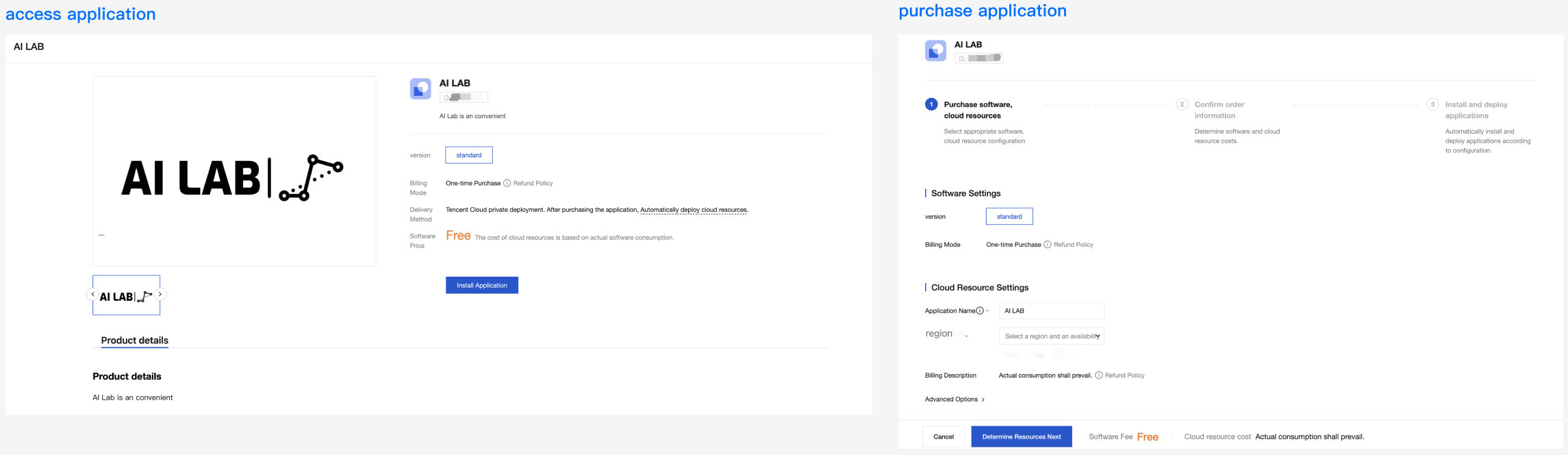
For application installation, you just need to click OK to complete the procurement of software and underlying cloud resources. Meanwhile, the Marketplace platform automatically completes the deployment of cloud resources and the installation of software for you.
Access Application: Enter the application details page of the order to be placed. After confirming the specifications of software and cloud resources, you can immediately see the accurate price information, then place an order and pay, and start installation.
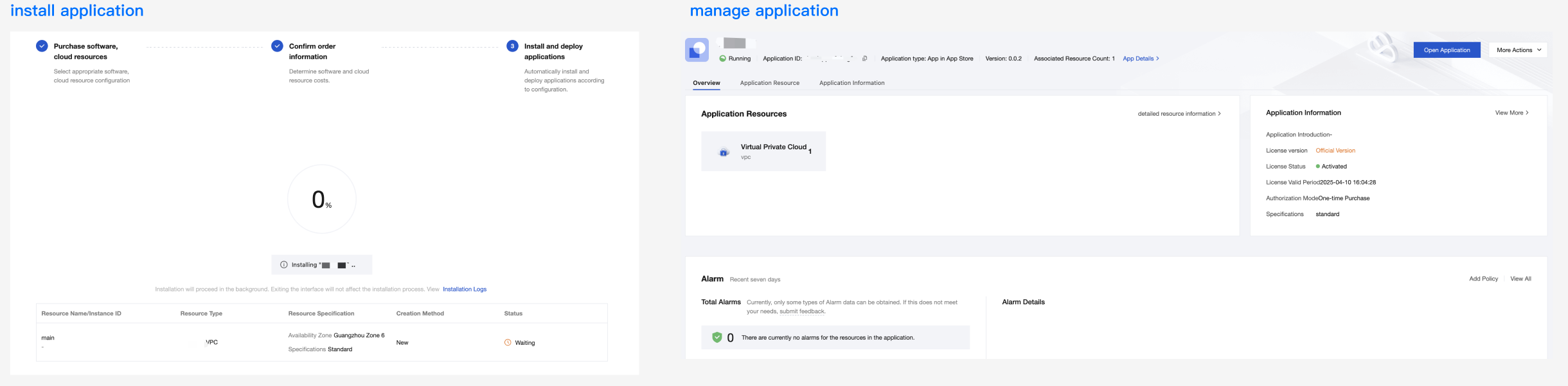
Install Application: The application will be automatically installed. Wait about 5 to 20 minutes for the installation to complete.
Manage Applications: Once the installation is completed, an application dashboard will be automatically generated for the application. The application dashboard is similar to an intelligent cloud resource folder, which organizes and manages all related cloud resources of this application. It allows you to accurately view the resource details and cost consumption of this application anytime, anywhere, and provides capabilities such as resource management and editing application information.
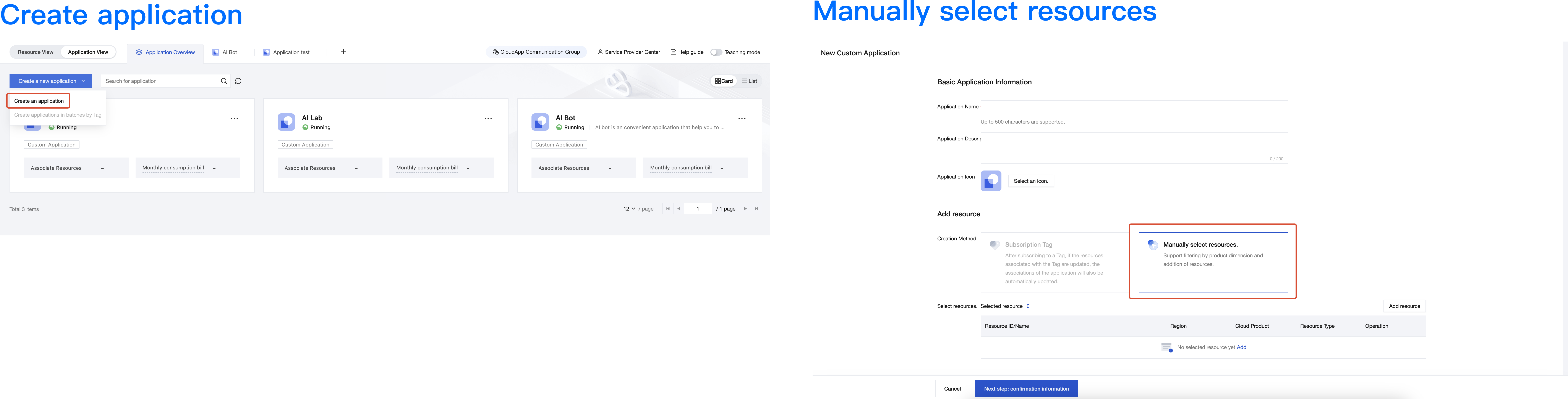
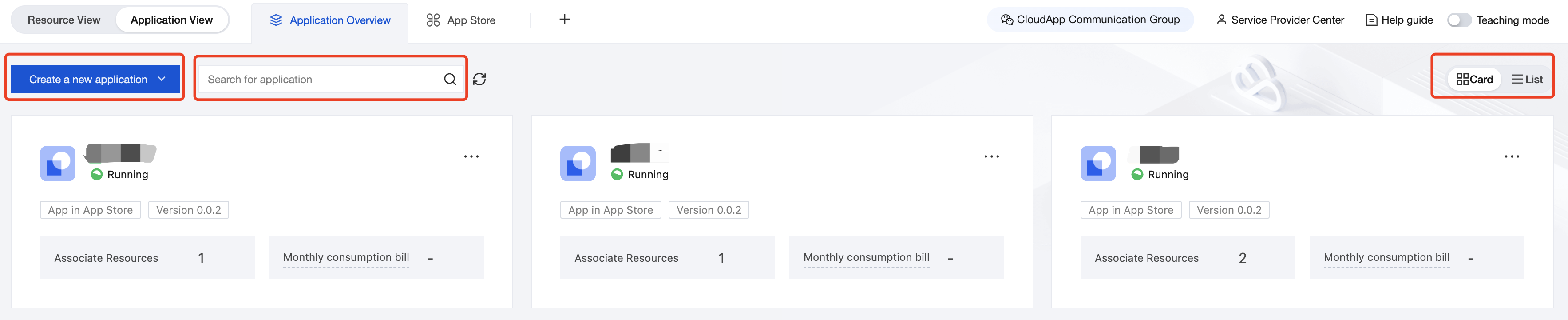
The Application Overview Page shows you all installed or created applications. It supports operations such as viewing application details and creating new applications.
All applications include custom applications and applications installed from the app store.
You can switch the display form of the application on the right, including card form and list form.
You can quickly find the target application through search.
You can click Create Application in the top left corner of the page to create a custom application.
Teaching Mode
Locate and click to open "Teaching Mode" on the far right of the page navigation bar. It will guide you interactively to easily understand common features, making the interface more user-friendly.
Feedback and Suggestions
If you have any questions or suggestions about using Cloud App, you can give feedback through the following channels. Follow-up and solution of your problems will be ensured.
If you find any product documentation issues, such as link, content, or API error, you can click Document Feedback on the right side of the document page or select the wrong content and click to submit a ticket for feedback.
If you encounter product-related issues, you can ask for help by contacting us.