tencent cloud

Add-on Items to Products

Download
Focus Mode
Font Size
Last updated: 2026-02-06 16:21:02
AI-Translated
This article explains what add-ons are, how partners can add scaling-related product configurations in the system, and how customers can place orders on the product page.

Applicable Scenarios

When software requires scaling or feature upgrade services, partners can add add-ons based on the main product. Add-ons address scenarios where the original product cannot meet usage demands during rapid business growth, enabling quick and flexible expansion to ensure business continuity.
Example Note:
Automakers need to deliver an OTA system to customers, which includes smart device software + the number of vehicle-connected devices. When the number of vehicle-connected devices reaches its limit, automakers can provide vehicle-connected device expansion packs available for purchase to meet software scaling requirements.
Audio and video gateway manufacturers provide software services based on session duration, and they will track customers' software usage time in real time. When the actual usage duration exceeds the purchased duration, manufacturers can offer session duration expansion packs. Customers can meet their business needs by purchasing duration add-on packs.
Note:
Scaling-related add-ons only involve software License updates and do not involve installation package updates. After the customer purchases the add-on, a new License will be issued (without affecting the original License).
After add-ons are purchased, customers do not need to reinstall the application and only need to pay for the add-ons.

Add-On Entry

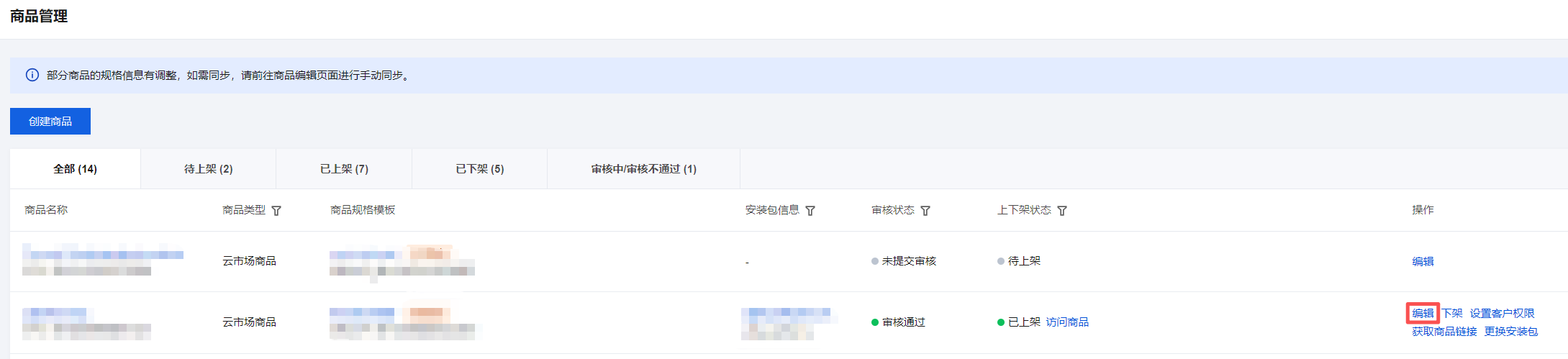
Partners go to the Product Partner Center > Application Management > Product Management menu, find the product that requires add-ons, and click Edit under the operation column.


Adding Add-Ons

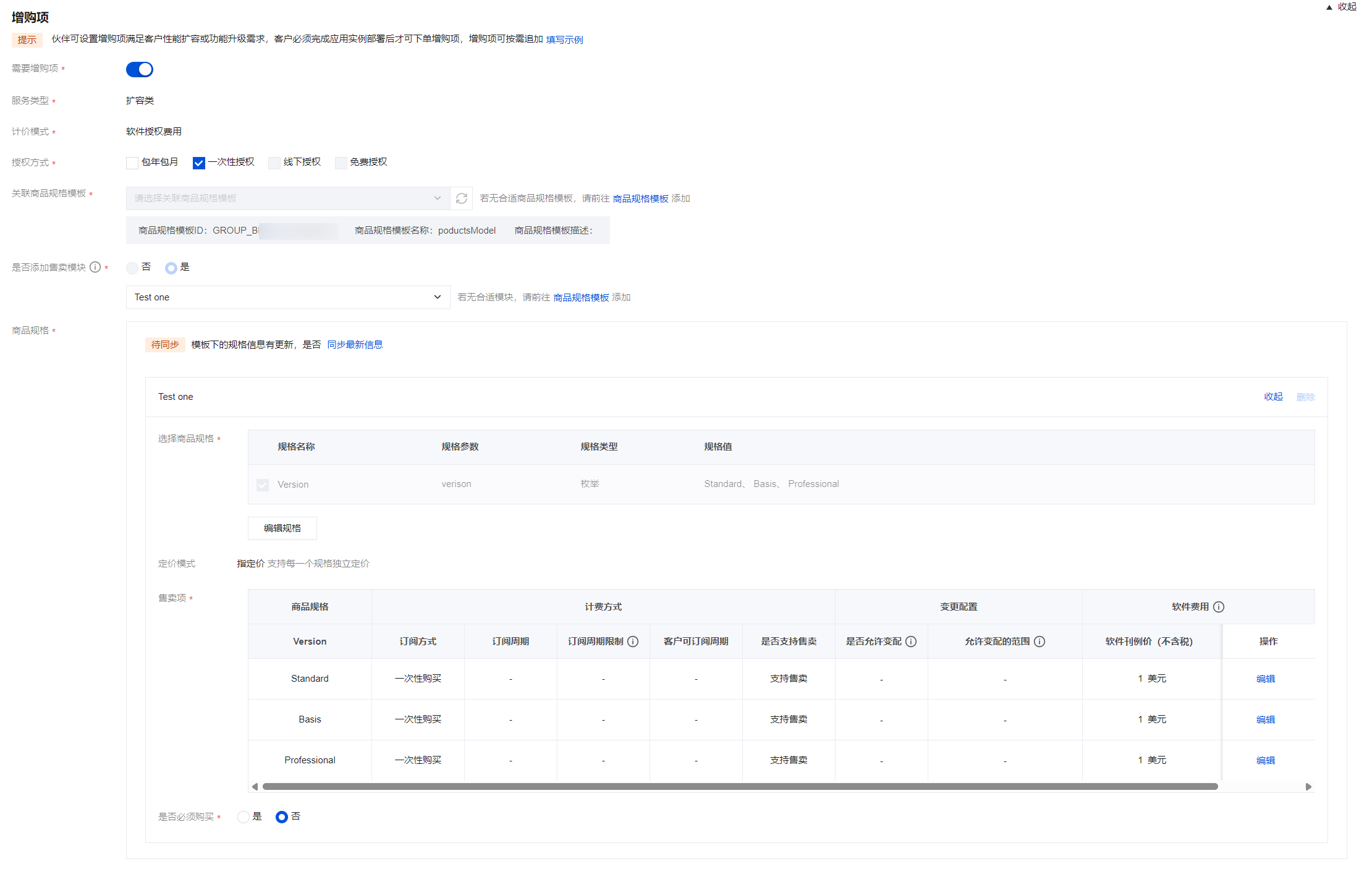
1. On the create product page, enable add-ons in the ② Additional Purchase Settings.

2. In the add-ons module, configure information such as the subscription method, subscription cycle, and specifications for the add-ons. The configuration logic is consistent with that of the basic specifications. For details, refer to Product Listing.

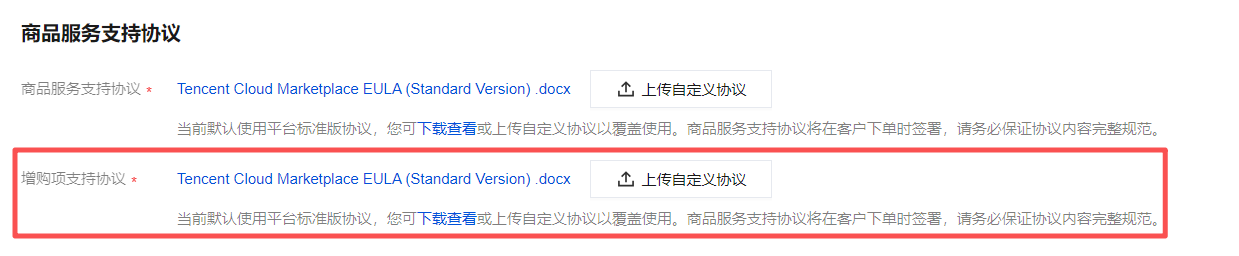
3. Configure the add-on service support agreement.
Mode
Service Support Agreement Upload Page Diagram
"Marketplace products" and "online billing" mode

For products categorized as "Marketplace Products" with "online billing" as the payment method, the Platform Standard Agreement is currently applied by default, and partners are supported in uploading custom agreements.
For other product types and billing models, upload agreements based on actual circumstances or use the platform-provided agreement templates. It is advisable to specify constraints regarding the scope of the software usage license and terms of service.
4. Submit add-ons for review.
After a product is submitted for review, editing product information is not supported. To make edits, you can Withdraw the review, modify the content, and resubmit.
If the Marketplace team is reviewing the product, withdrawal is not supported. Partners are advised to confirm that everything is correct before submission to avoid long waiting times.
After approval, the product information takes effect immediately. You can send the product link to customers for ordering.

Extend Add-on Acceptance Duration

When a product is set to require acceptance, add-ons also require acceptance. To extend the acceptance period for the License, refer to User Application Instance.

Help and Support

Was this page helpful?

Help us improve! Rate your documentation experience in 5 mins.

Feedback