
Application Management
Last updated:2025-08-27 14:51:39
Application Management
Last updated: 2025-08-27 14:51:39
You can create applications in the Application Management space. It supports viewing, calling, and deleting existing applications.
Create Application
Tencent Cloud Agent Development Platform (Tencent Cloud ADP) provides zero-code creation and configuration capabilities for preset application paradigms, enabling efficient online configuration of corporate proprietary applications and reducing the development threshold for large model applications.
1. Enter Tencent Cloud ADP, click on the left menu Application Management.
Note:
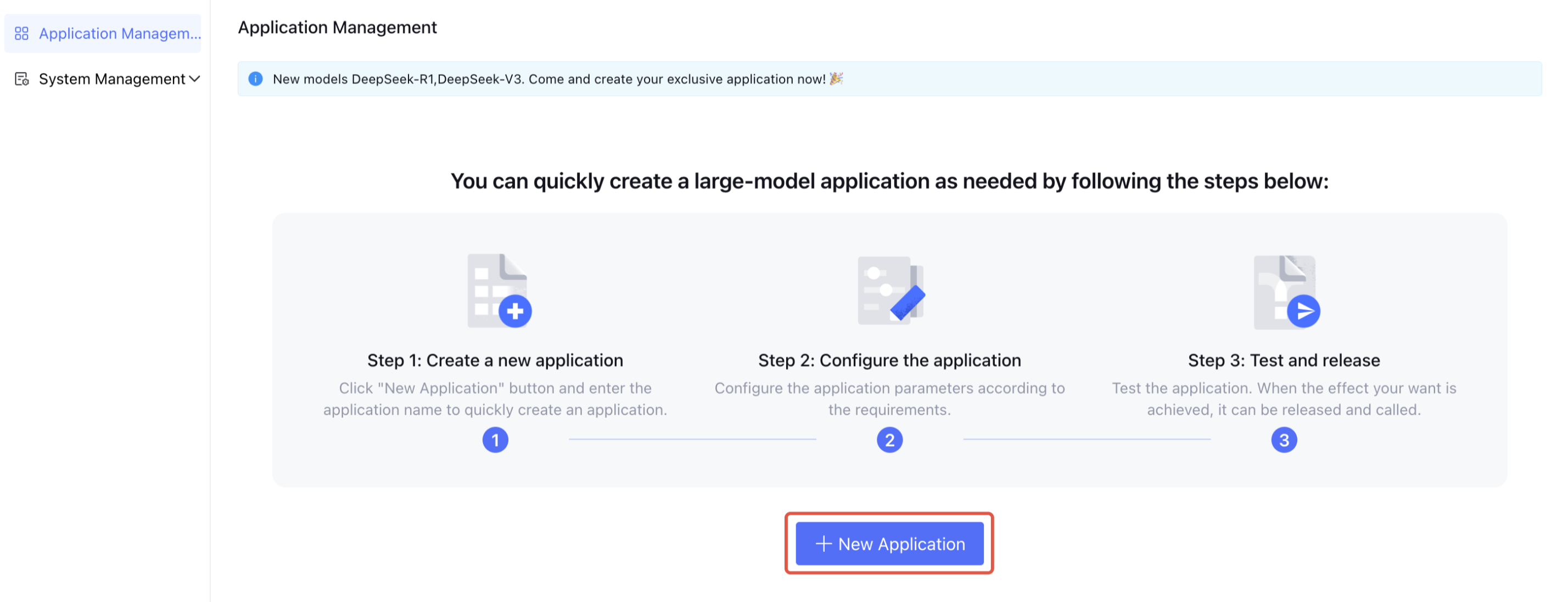
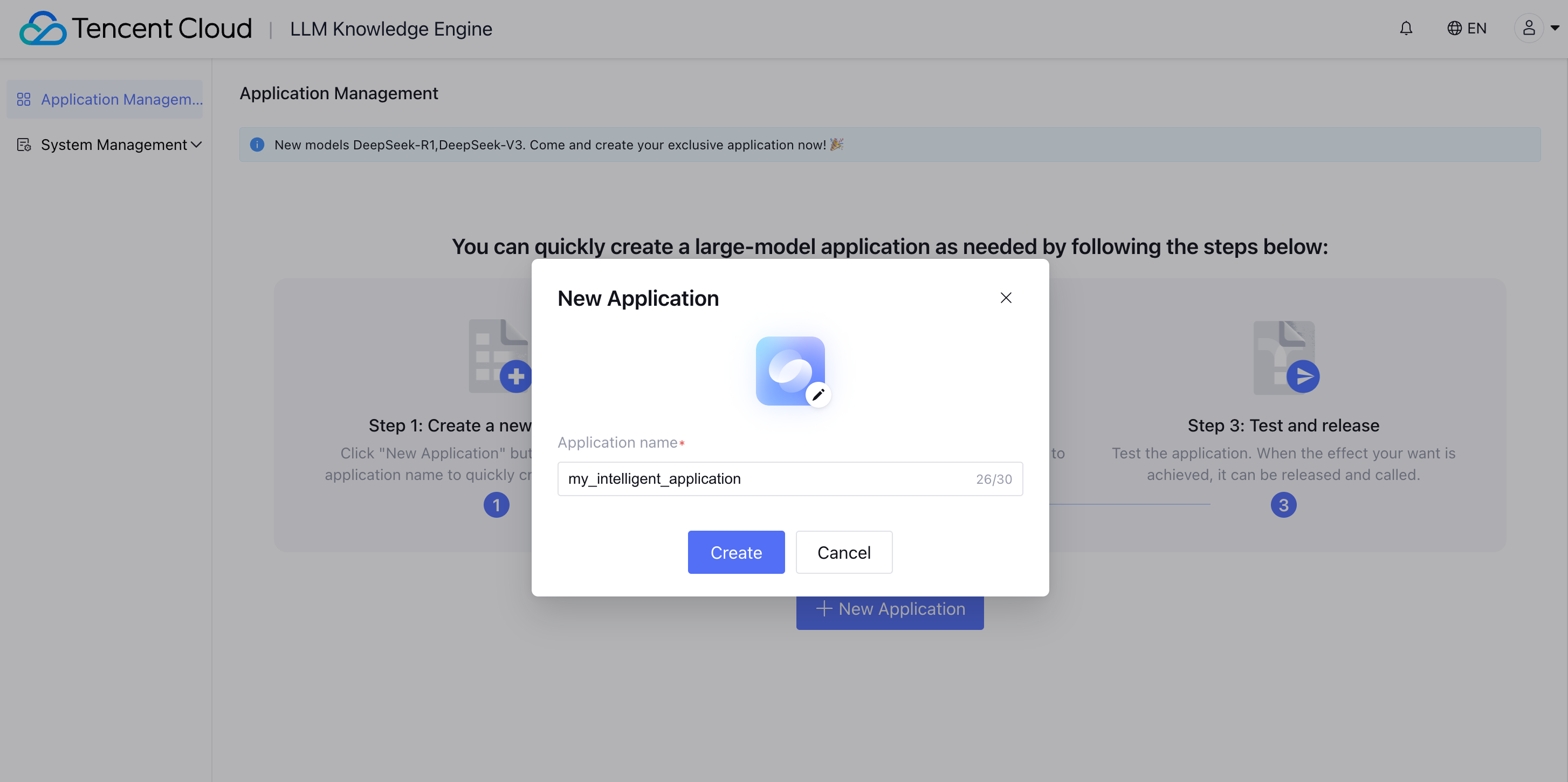
2. Click Create Application. Enter the Create Application interface. Fill in the Application Name, upload the Application Icon, and then click Create.
app icon: Support JPG and PNG formats. The image size should be less than 500 KB.
app name: Supports customizing the application name. The maximum character count is 20. Does not support same name.
3. After successfully creating the application, click View on the right side of the application to enter the application configuration page. You can further edit the application's related configuration items, perform a dialogue test, and then publish.
Application Editing
The application management list supports managing the application, searching for the application and the last modified by.
Application operations support viewing, calling, and deletion.

The field descriptions in the application list are as follows:
Field | Field Description |
Thinking Model | When not online, display the thinking model of the testing environment. After going live, only display the thinking model of the release environment. |
Generative Model | When not online, display the generative model of the testing environment. After going live, only display the generative model of the release environment. |
Status | Release environment service status |
Was this page helpful?
You can also Contact Sales or Submit a Ticket for help.
Yes
No
Feedback