The knowledge base is a key component for implementing RAG (Retrieval-Augmented Generation). It manages the import, processing, organization, and maintenance of knowledge. A knowledge base not only provides LLMs (Large Language Models) with dynamic, real-time context but also helps enterprises improve internal information retrieval efficiency, ensuring accuracy and timeliness of answers and generated results.
The knowledge retrieval process can be summarized as three steps:
1. Knowledge Import and Processing: Import files, Q&A, or database information into the knowledge base. The system then performs segmentation, indexing, and vectorization.
2. Keyword Search and Content Retrieval: When the LLM receives a user query, the knowledge base recalls the most relevant content chunks through keyword or semantic search and provides key context.
3. Context-Enhanced Generation: The LLM combines the recalled context with its own knowledge to generate answers, ensuring accuracy, timeliness, and business relevance.
Knowledge Base Data Types
In the Tencent Cloud Agent Development Platform, stored data in the knowledge base is referred to as knowledge. It is divided into three types:
Files: Structured or unstructured files such as PDF, DOCX, TXT, or web pages. Documents are segmented and indexed, with context slices stored in the knowledge base for retrieval.
Q&A: Knowledge in the form of question–answer pairs. The system automatically generates them from documents or manual input, enabling quick responses to common questions and improving coverage and efficiency.
Database: Structured data sources such as internal systems, tables, or API data. These can provide precise information for Q&A systems and LLMs, or serve as auxiliary retrieval conditions to enhance business-specific support.
Knowledge Base Level Description
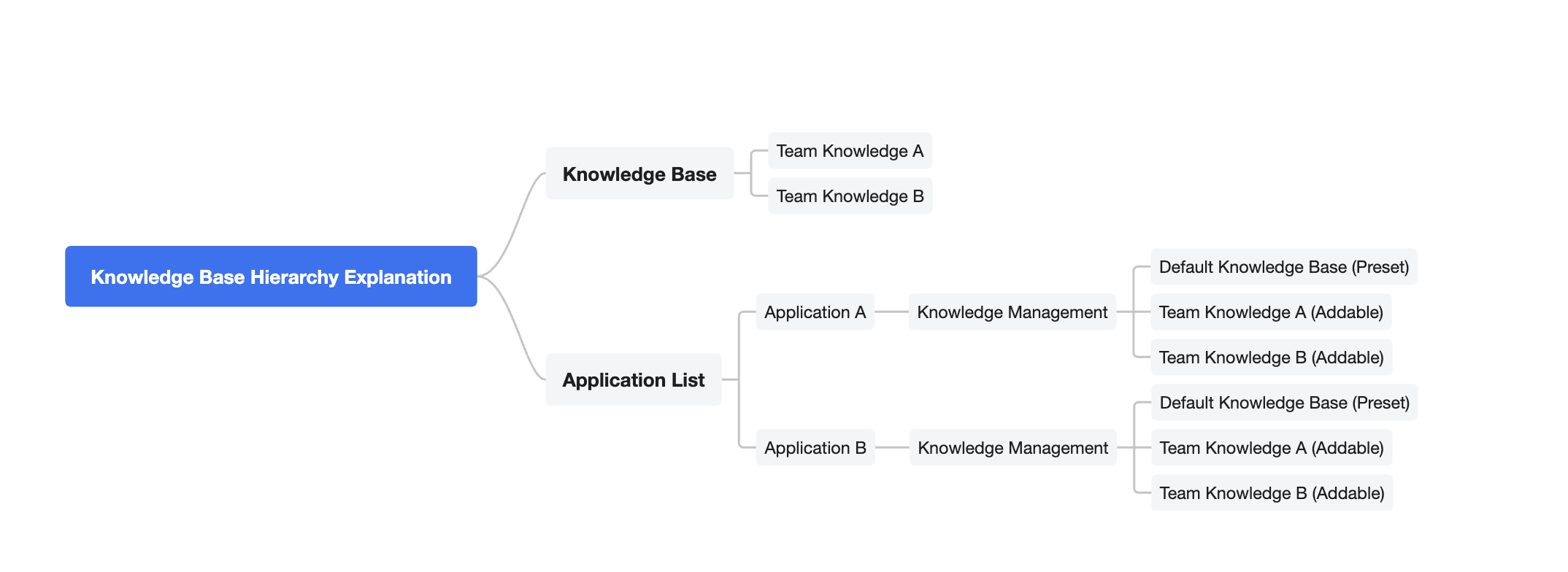
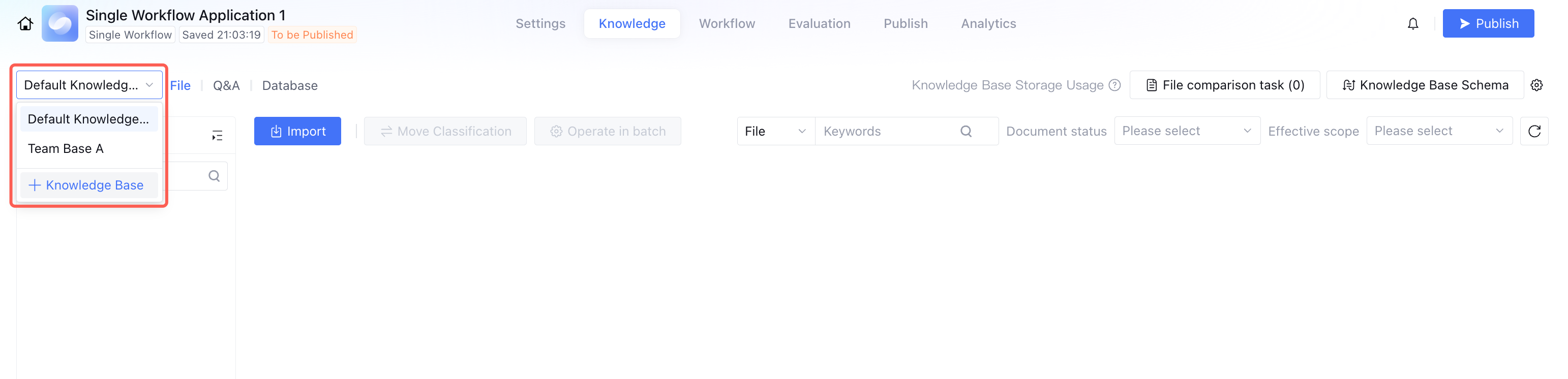
All team members can upload and maintain knowledge in the knowledge base within the platform. In specific applications, each application has a built-in knowledge management feature module with a default knowledge base, only for use within the current application, no support for sharing across applications. If necessary to reuse other knowledge content, you can add a platform-level knowledge base in the application's knowledge management. This ensures application independence while supporting knowledge sharing and reuse across applications.
Creating a Knowledge Base
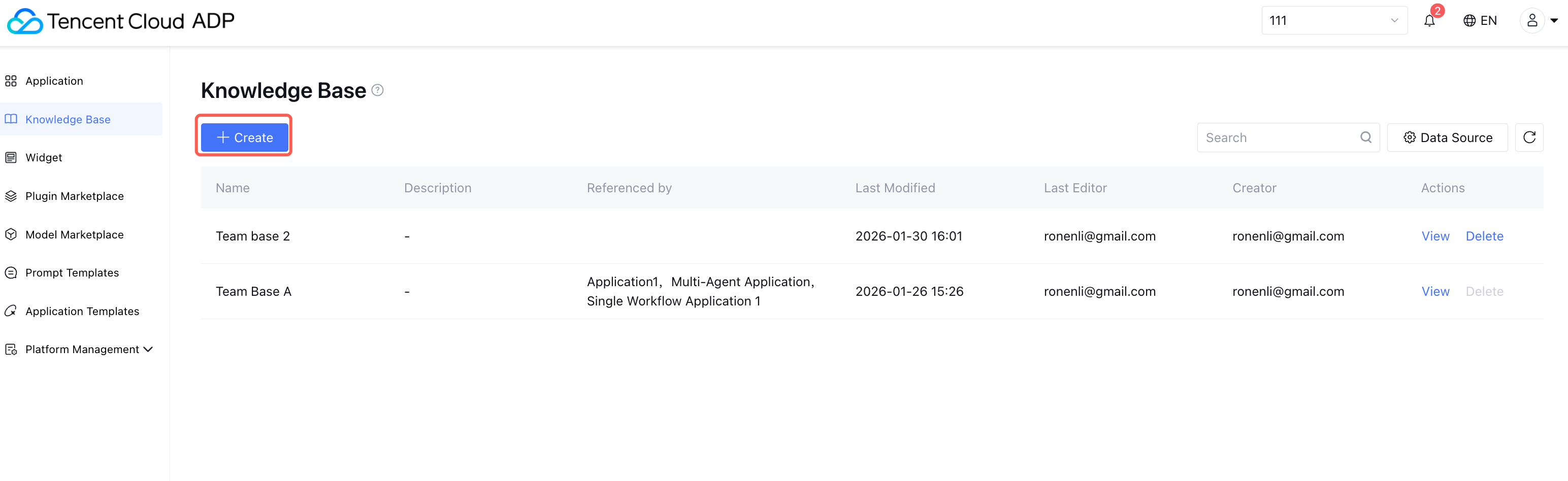
Click Knowledge Base > Create in the left-hand menu, fill in the name and description.
Managing a Knowledge Base
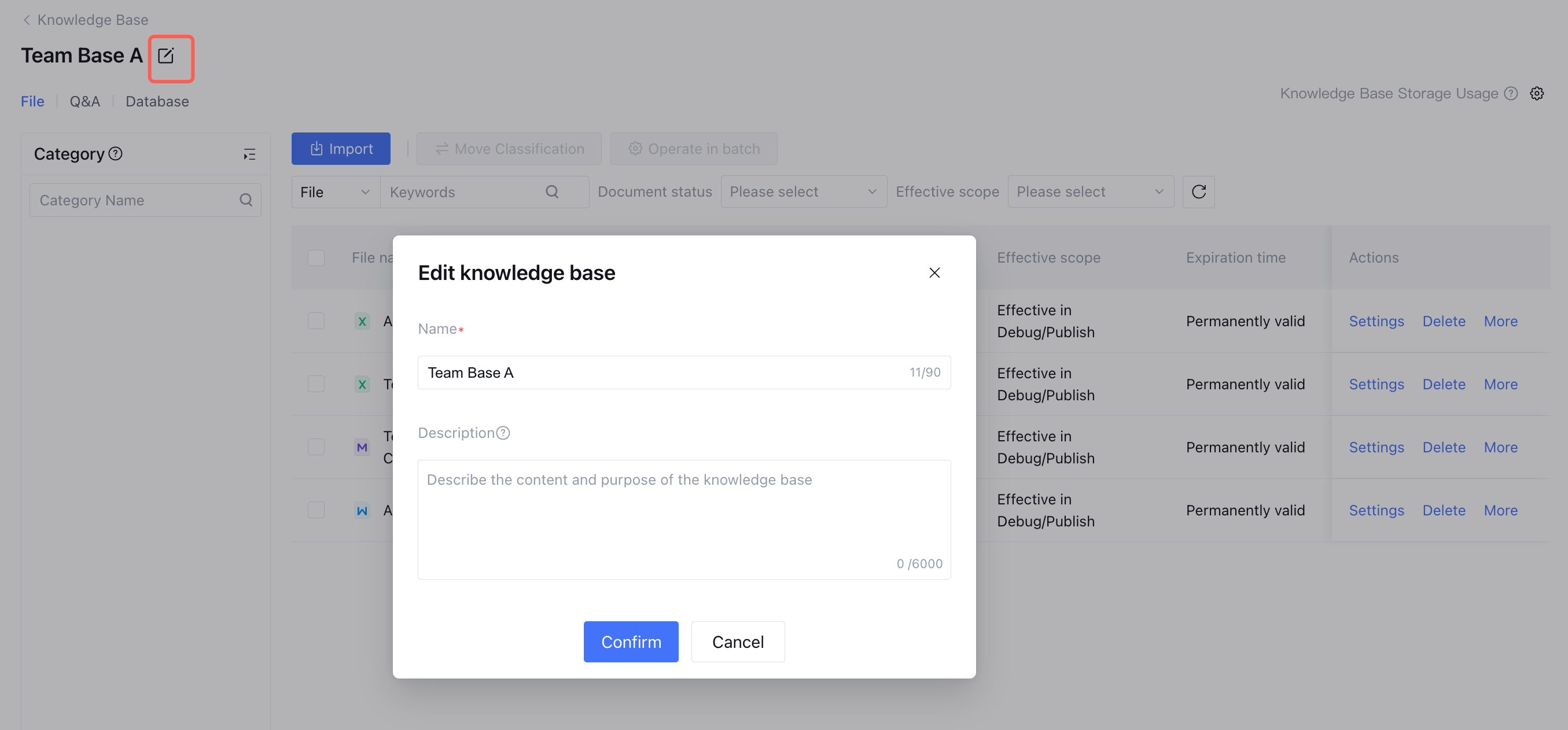
Modify knowledge base name: Click the top-left of the knowledge base page to edit its name.
Note:
1. Document comparison tasks and tag management work only at the knowledge base level and cannot be shared across knowledge bases.
2. Knowledge bases support importing files, Q&A, and databases. Once knowledge is in the “Imported” state, it becomes effective.
Deleting a Knowledge Base
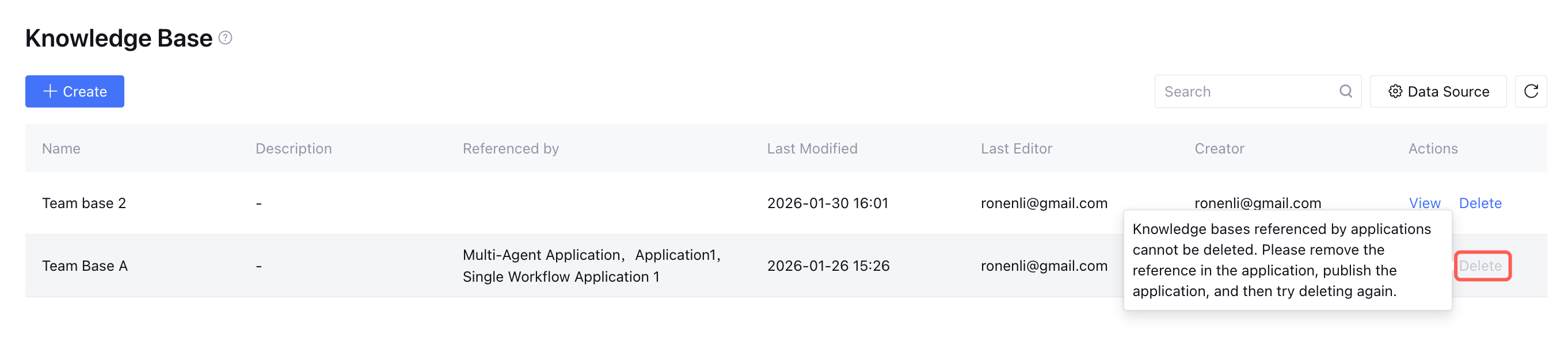
To delete a knowledge base, ensure it is not currently referenced by any application. If it is, remove the reference relationship first before deleting.
Adding a Knowledge Base Within Application
Click the application and go to Application > Knowledge Management > Add Knowledge Base. After adjusting the reference relationship of the knowledge base, you need to re-release the application. To understand how to adjust knowledge management and segmentation settings, please refer to Knowledge Base Settings Overview.