Publish the Application to WeCom App
ダウンロード
フォーカスモード
フォントサイズ
Overall Overview
This documentation introduces how to publish an Intelligent Agent-based app developed on the platform to WeCom.
Operation Guide
Creating a WeCom App
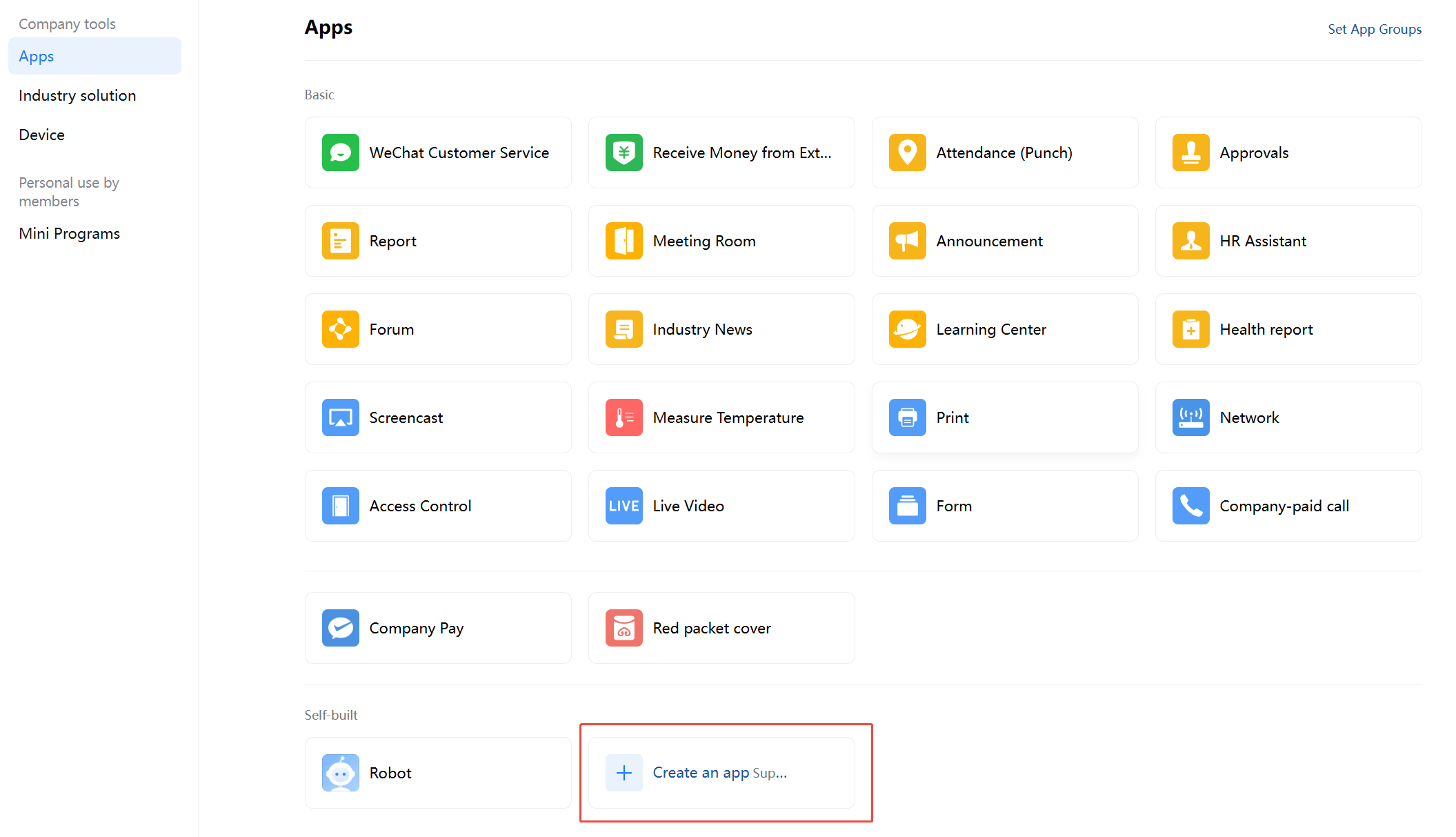
1. Log in to WeCom, enter Application Management > Application, and click to create an application.
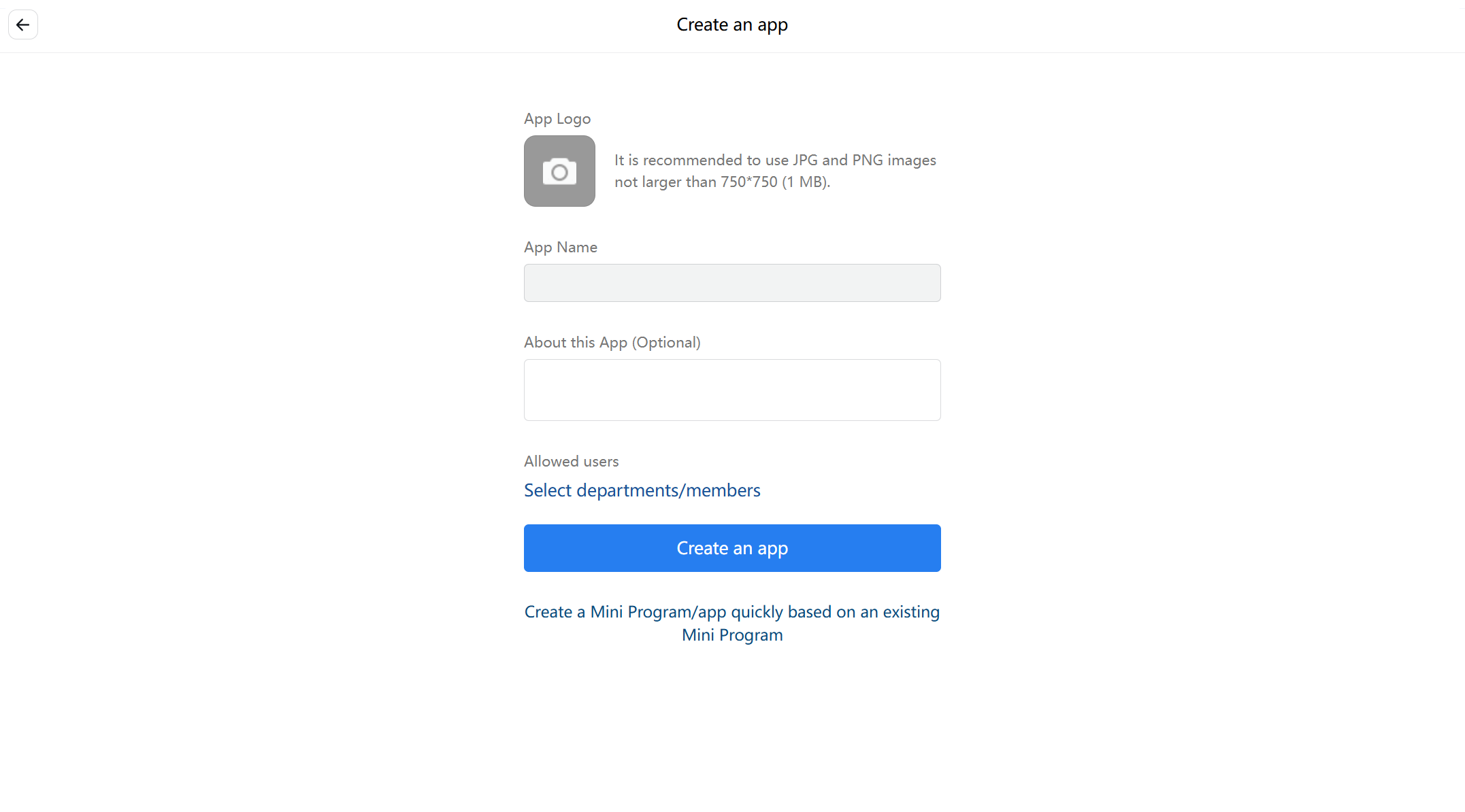
2. Enter the application name and related information.
Setting the WeCom App Home Page
1. Enter Tencent Cloud Agent Development Platform (Tencent Cloud ADP) > Application Release > Service Status > Experience Link.

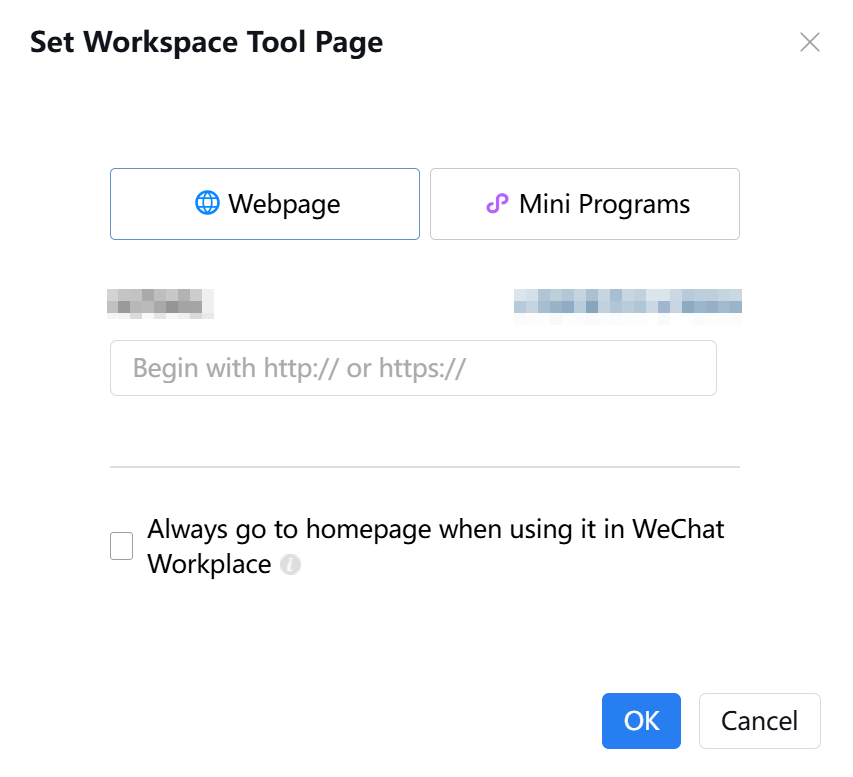
2. Enter WeCom App Details > App Homepage, click on Settings and fill in the URL.

3. Set the WeCom app homepage URL as the Intelligent Agent application experience link.
Entering WeCom Access
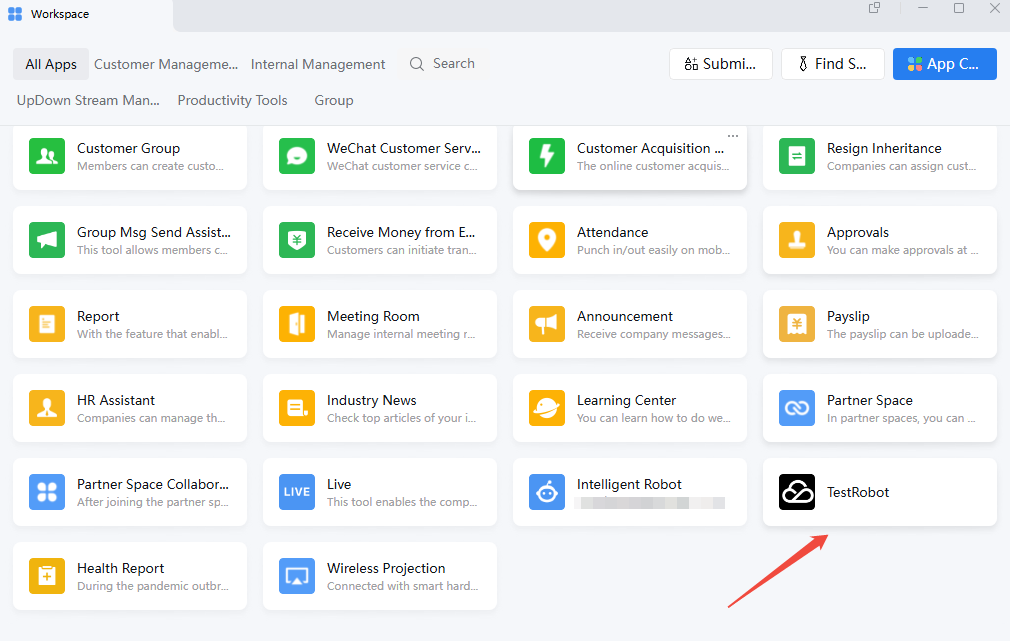
In the WeCom console, click the Tencent Cloud ADP application to start a dialogue.
フィードバック