"Multi-Agent Mode" is one of the application categories supported by the Intelligent Agent development platform. Applications in this mode leverage large models to plan execution paths and flexibly invoke tools, with core features that shift more dialogue initiative to the model, fully leveraging its initiative. This mode is suitable for scenarios requiring flexible response, multiple tool calls, and multi-Agent collaboration.
In "Multi-Agent Mode", it supports creating single-Agent applications, allows adding multiple Agents, and supports switching between different multi-Agent collaboration methods to satisfy various scenario requirements.
Key Concepts
Concept
Definition
Name
Use simple, clear names to describe agent features, such as Travel Planning Assistant, Web Page Analytics Agent, or Copywriting Optimization Agent.
Model.
Large model responsible for thinking, task planning, and tool selection. Supports different model selections.
Transfer description
Briefly explain the Agent's feature and use cases to help other Agents judge when to transfer tasks to it.
Prompt
Use prompt content to define the Agent task flow execution and response method. Unlike "Agent description", "prompt content" helps the model understand and execute the current Agent work logic.
Plugin
Plugins represent a collection of tools, supporting adding tools from the plugin center (including tools in MCP Server) to the current Agent.
Transfer relationship
Which other Agents can an Agent transfer to.
Collaboration method
The transfer methods of an Agent include free handoff, workflow collaboration, and Plan & Execute.
Advanced Settings
Clarifying Questions: Control whether the Agent communicates with the user to collect information.
Thinking Mode: Configure the duration of the Agent's thinking process, support selecting effect precedence or speed precedence. In effect precedence mode, the Agent first performs adequate thinking before calling tools, resulting in more robust performance. In speed precedence mode, the Agent directly executes tasks, good for handling simple tasks.
Max Inference Rounds: The maximum number of times the Agent can loop through "thinking + tool call" during task execution. This value can be adjusted based on task complexity. A larger round means deeper "thinking depth" for the Agent, but it will increase token consumption.
Context Turns: Set the number of context rounds input to the model.
Output Format: Support setting format output according to the specified JSON.
Core Workflow
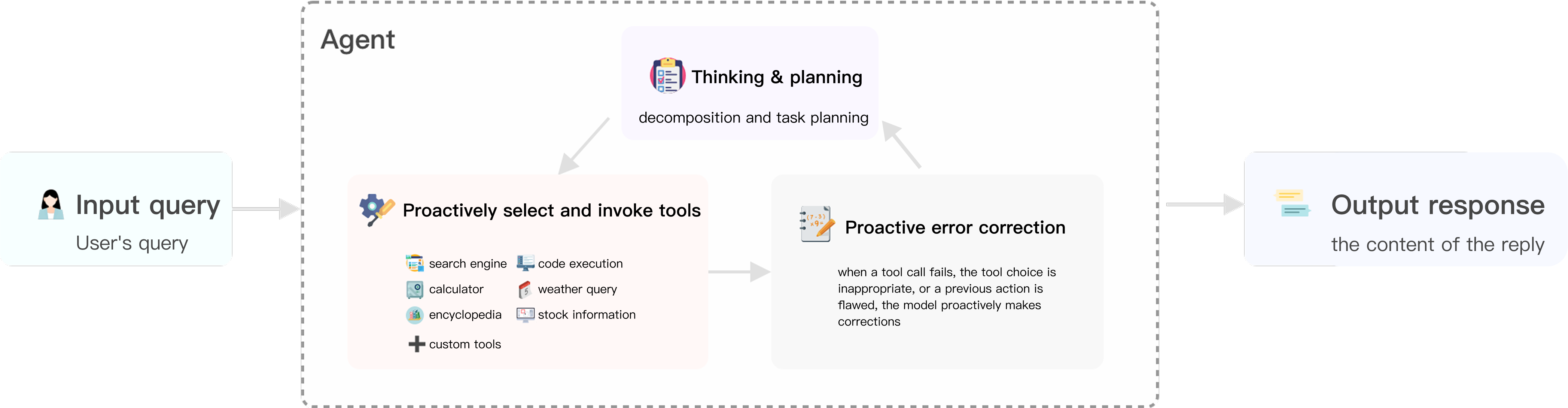
Multi-Agent Mode includes three types of core tasks: thinking and planning, proactive selection and tool calls, and proactive error correction and reflection.
Thinking and planning: Develop a holistic planning approach to attain overall task goals and deconstruct complex tasks into segmented subtasks.
Proactive selection and tool calls: Based on the deconstructed subtasks and tool descriptions, select one or more appropriate tools to troubleshoot.
Proactive error correction and reflection: The model autonomously improves and optimizes past decision-making and corrects actions.
The three types of work may be cyclically executed multiple times and finally output the answer.
Key Process Example
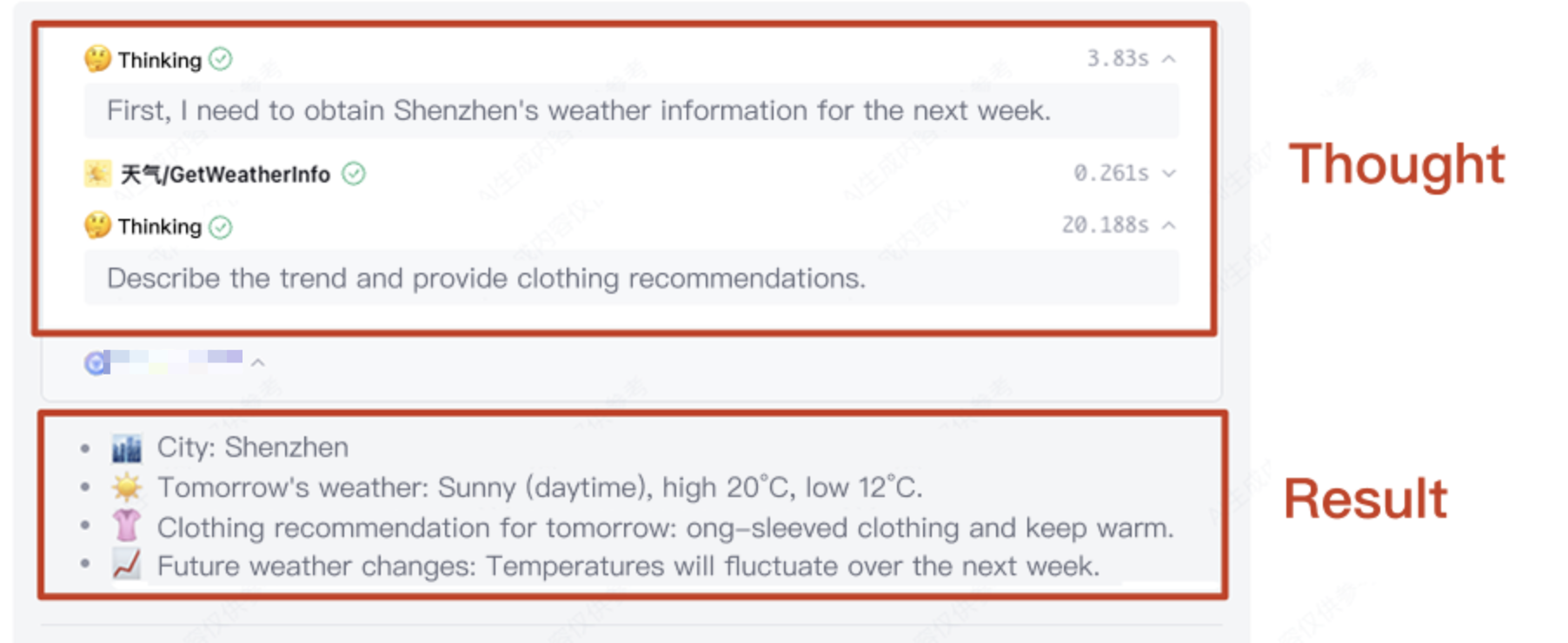
Take a user input question "Shenzhen weather in the future 1 week" as an example, the Agent will respond as the column description.
1. [Thinking] Step one requires querying Shenzhen weather information. And select the GetWeatherInfo tool to query weather info.
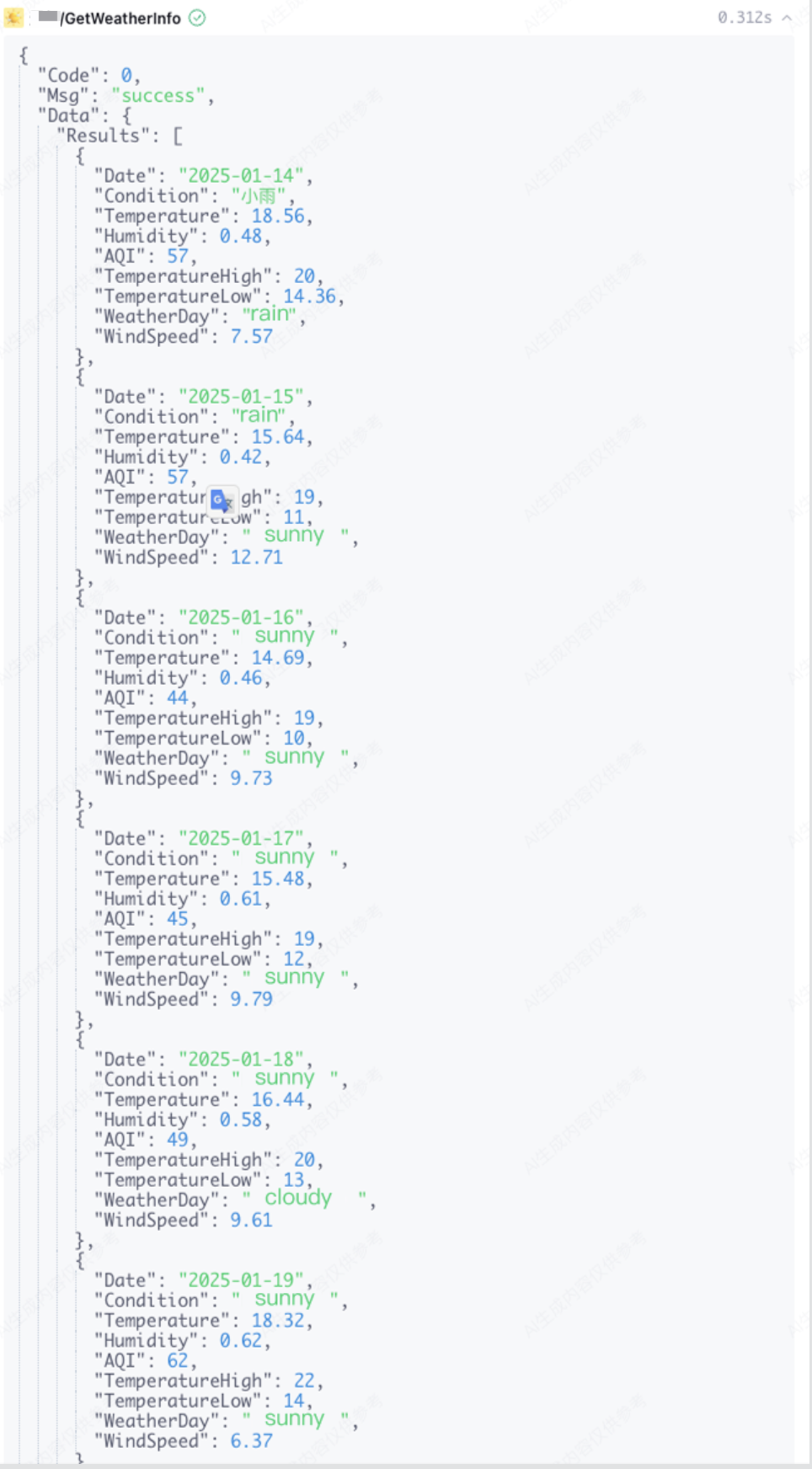
2. [Tool call] Query weather info for the next week via GetWeatherInfo.
3. [Thinking] Weather results have been obtained, thinking about the next action, automatically generate code, and draw the temperature trend chart through CodeInterpreter.
In the reply example for the above issues, the intermediate model plan and tool call process result is "thinking process", and the final output is the answer.
Collaboration Method Selection
The system supports selecting collaboration methods for multiple Agent transfers. For the application creation process of different collaboration methods, see the corresponding documentation.
The model-driven task transfer method features user-friendly operation, but its stability depends on the Agent name and clarity level of the transfer description.
By orchestrating Agent nodes with fixed processes, task execution remains stable and controllable.
Fixed process tasks requiring stable execution
When creating a Multi-Agent application, the default Agent collaboration method is Free Handoff. At this point, the transfer process is autonomously driven by the model. When switching to Workflow Orchestration, the transfer sequence is fixed, and task execution is controllable.
FAQs
Switch to Multi-Agent Mode From Standard Mode. Will the Edited Application Configuration Content Retain?
App settings are independent across different modes, they are not inherited when switching modes, including model selection and prompt content. However, the knowledge base scope and workflow scope remain synchronized between modes.
When switching back to standard mode from Multi-Agent Mode again, you can modify the already edited prompts and configurations on the basis of the original standard mode.
What Is the Difference between Multi-Agent Mode and the Other Two Types
Multi-Agent Mode differs from standard mode. The execution of an application does not proceed by a fixed standard process, but depends on a large model to plan tasks. According to the user input, the model performs task deconstruction and proactive tool calls. The large model must understand the name and description of tools in the plugin and choose appropriate plugins.
Multi-Agent Mode differs from single workflow mode. It does not execute a single specific workflow. If there is a deterministic task scene, we recommend choose single workflow mode. The current version of Multi-Agent Mode does not currently support workflow. Stay tuned for subsequent upgrades.
Why Does Multi-Agent Mode Not Support Workflow in Freely Transfer Collaboration Method
Multi-Agent Mode supports workflow, which requires consideration of compatibility with multi-round interaction and Agent thinking method. Currently, Multi-Agent Mode only supports workflow usage when selecting workflow orchestration as the collaboration method. Meanwhile, we are exploring some interesting characteristics that can support workflow in freely transfer collaboration under Multi-Agent Mode and achieve flexible redirection and undertaking of workflow. If you are interested in this part, welcome to contact operations for consultation.
Does Multi-Agent Mode Only Support Multi-Agent Configuration
Multi-Agent Mode not only supports multi-Agent collaboration scenarios but is also suitable for single-Agent scenarios. In single-Agent scenarios, no additional configuration is required, and the system-created Agent can be used directly. When multi-Agent collaboration is needed, multiple Agents can be added and transfer relationships configured, thereby facilitating the construction of a multi-Agent system.