tencent cloud

Tencent Cloud Agent Development Platform

Release Notes and Announcements
Release Notes
Product Announcement
Product Introduction
Product Overview
Advantages
Use Cases
Model Introduction
Purchase Guide
Package Subscription
Previous Version
Getting Started
Agent Application and Its Three Modes
Creating a "Content Summary Assistant" in Standard Mode
Creating a “Webpage Scraping Assistant” in Single Workflow Mode
Creating a “Stand-up Comedy Content Creation Assistant” in Multi-Agent Mode
Operation Guide
Application Development
Workflow
Multi-Agent
Knowledge Base
Widget
Plugin Marketplace
Model List 
Prompt Templates
Application Templates
Platform Management
Business, Workspace and Permissions
API Documentation
History
API Category
Making API Requests
Atomic Capability APIs
Operation Optimization APIs
Document Library APIs
Q&A Database APIs
Knowledge Tag APIs
Application Management APIs
Enterprise Management APIs
Billing APIs
Release Management APIs
Dialogue Endpoint APIs
Data Statistics APIs
Data Types
Error Codes
Application API Documentation
Dialogue API Overview
Dialog API Documentation (WebSocket)
Dialog API Documentation (HTTP SSE)
Image Chat or File Chat (Real-time Document Parsing + Chat)
Offline Document Upload
Tencent Cloud Agent Development Platform Operation COS Guide
ADP Document Parsing Protocol
FAQs
Product FAQs
Technical FAQs
Related Agreements
Tencent Cloud Agent Development Platform Service Level Agreement
Tencent Cloud Agent Development Platform Service Specific Terms
Tencent Cloud Agent Development Platform Privacy Policy
Tencent Cloud Agent Development Platform Data Processing and Security Agreement
Open-Source License Statement
Lighthouse OpenClaw Connector Plugin Service Agreement
Contact Us
Glossary

Application Templates

PDF
Focus Mode
Font Size
Last updated: 2025-09-15 17:15:51
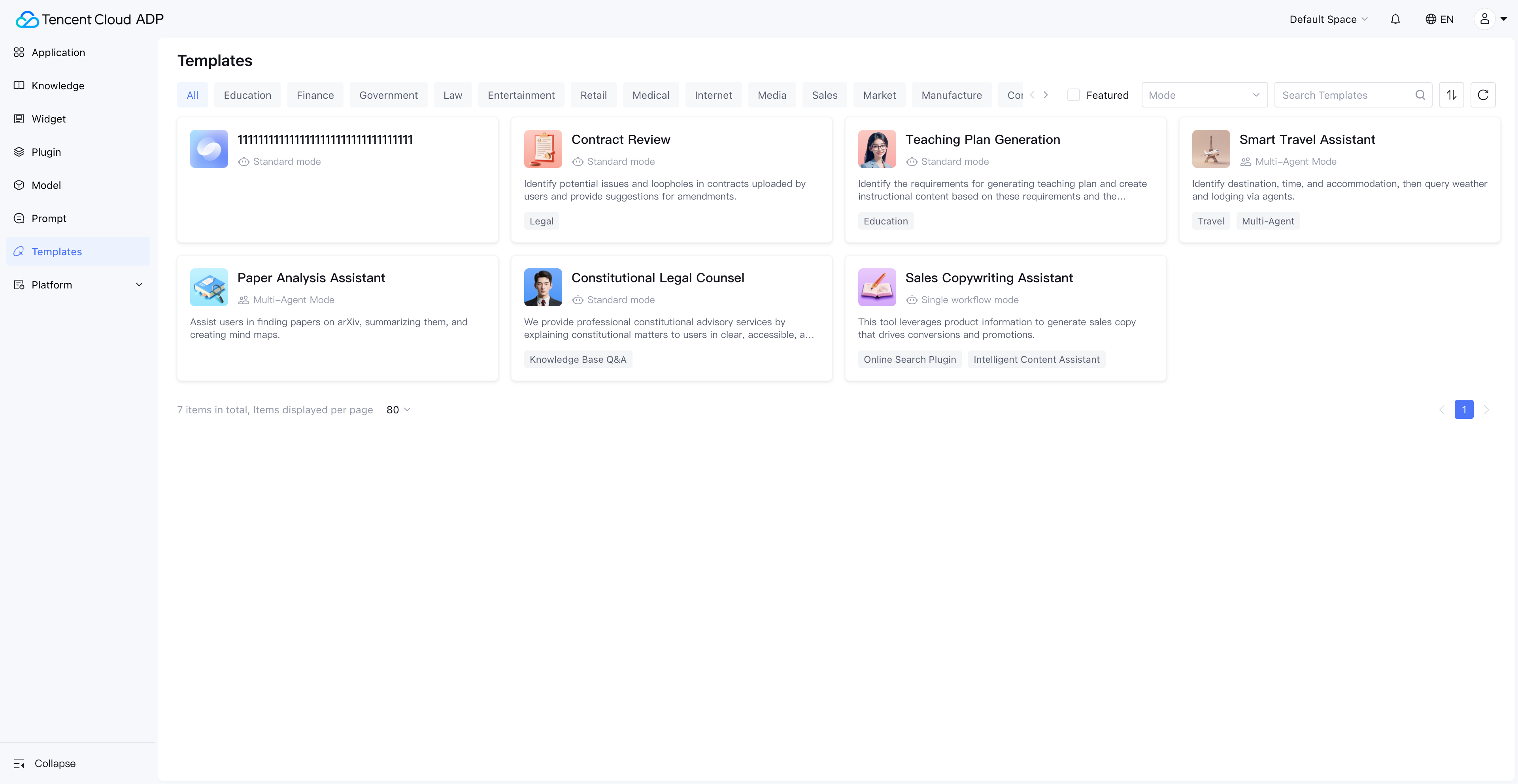
Application Template is a predefined best practice application built by the Intelligent Agent development platform to help users get started quickly and experience application creation. Its main purpose includes:
As a quick experience entry, it helps users experience new features.
As a learning guide, it helps users learn how to create an application or advanced feature usage.
As a foundation for application creation, it supports users to customize applications based on application templates to meet your own needs.


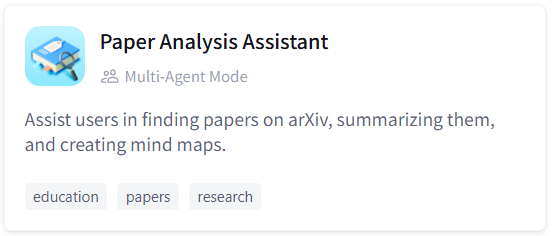
The application card shows the avatar, name, application mode, application description, and enhanced info of the application. Among them, the enhanced info helps users gain a preliminary understanding of the key points of the application template, making it easy to intuitively understand and filter applications.
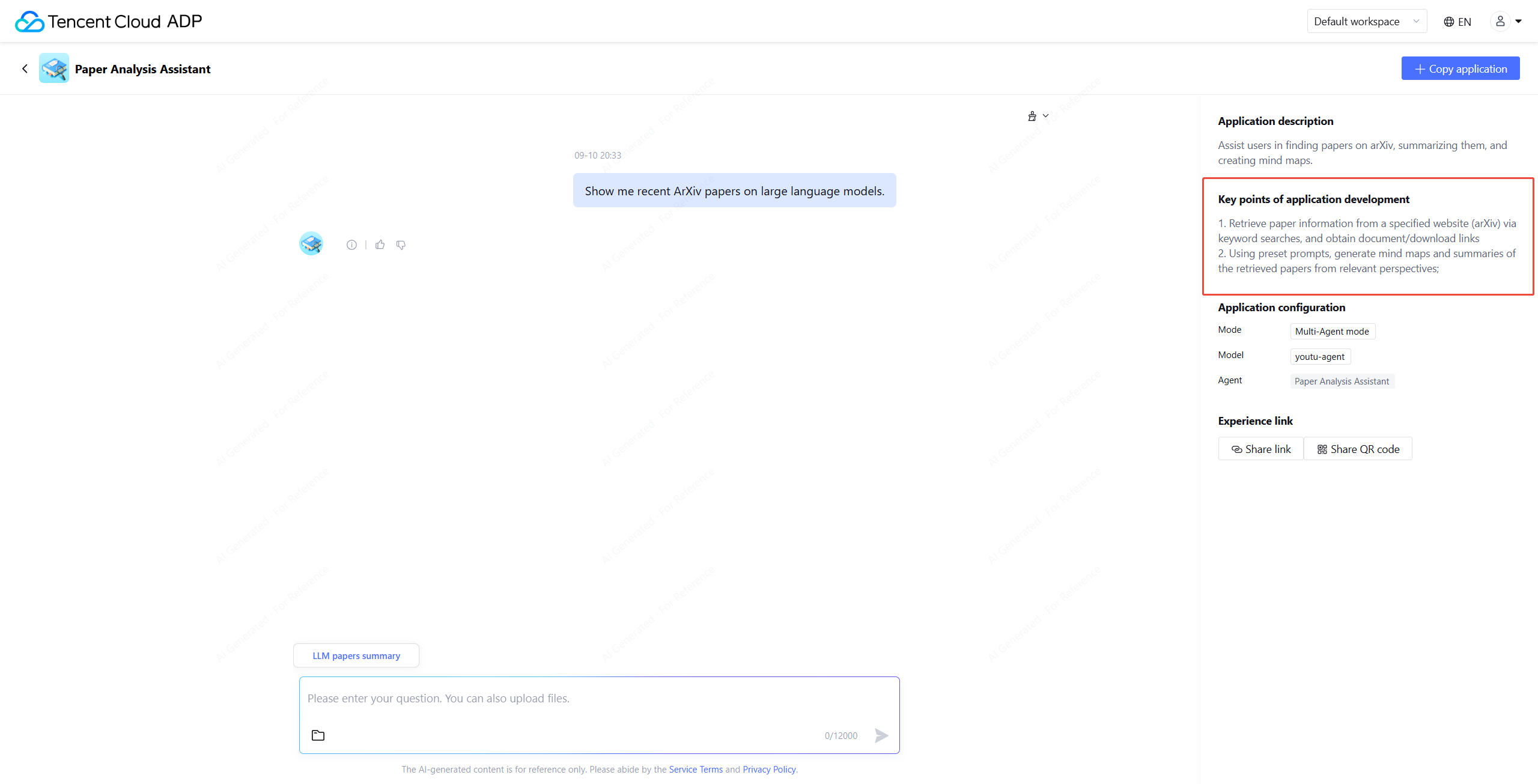
Click the application card to enter the application template interface. You can click recommended questions or enter a question to experience the application effect.


The right side of the interface shows the application description, key points of application development, application configuration, and Experience Link, supporting users to learn about and share the application template. Users can deeply understand the construction method and core features of the application template based on the key points of application development.


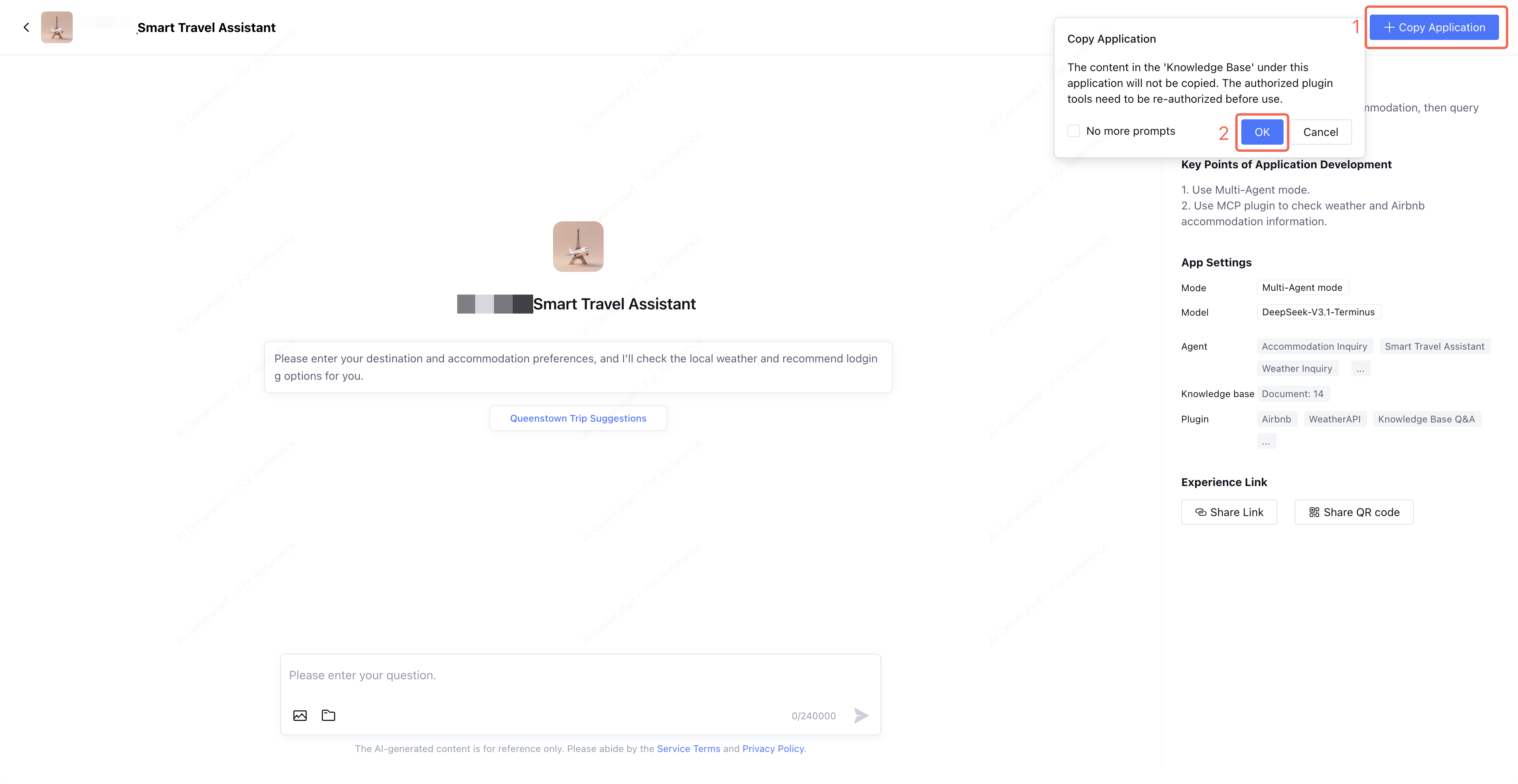
Click Copy Application in the upper right corner of the interface to copy the application template to application management, thereby quickly creating the same application.
Note:
The content in the "knowledge base" under the application will not be copied. Authorized plug-in tools must be reauthorized before usage.

Help and Support

Was this page helpful?

Help us improve! Rate your documentation experience in 5 mins.

Feedback