The platform supports hierarchical permissions for scenarios such as enterprise groups or multi-project operations. This allows for collaboration within teams, data isolation across teams, and autonomous permission management. This document introduces the concepts of Enterprise, Workspace, and Permissions, as well as operation guidelines.
What Is An Enterprise
In the Agent Development Platform, an Enterprise is a virtual organization. Each Tencent Cloud primary account corresponds to one enterprise. The enterprise is automatically created by the system when you first use the product. Enterprises cannot be modified or reset by users.
What Is a Workspace
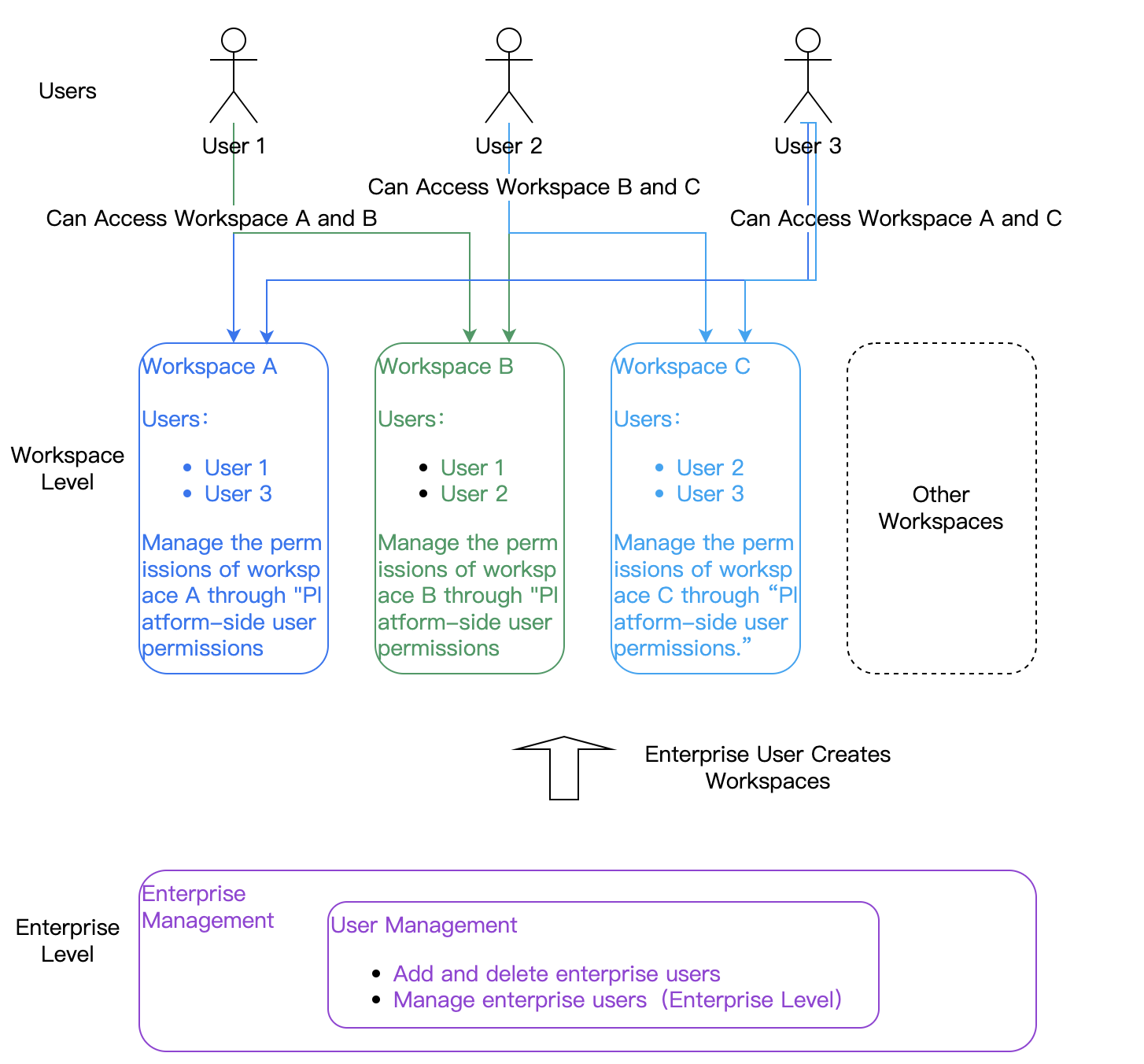
A Workspace represents an independent working area where members can share data resources internally, while data remains isolated across different workspaces. In the Agent Development Platform, shareable data within a workspace includes applications, knowledge bases ,custom plugins, and custom prompt templates. Each workspace belongs to an enterprise. A single enterprise can create up to 20 workspaces.
There are two types of workspaces: default workspaces and custom workspaces.
Default workspace: Created automatically under the enterprise when the primary account first uses the product. The default workspace cannot be deleted.
Custom workspace: Can be created by accounts with the “Super administrator" or "Workspace creator" roles (defined at the first permission layer). See permission system for details.
Permissions and Users
Permission Description
In the Agent Development Platform (platform side), permissions determine whether a user can perform specific operations or access certain resources. There are two types of permissions: platform side feature permissions and platform side data permissions.
Platform functional permissions (Functional permissions): Control whether a user can perform operations such as add, delete, modify, or publish.
Platform Data permissions (Data permissions): Control whether a user can access specific data resources, such as workspaces, applications, or knowledge bases.
User Description
A User is any individual who uses the Agent Development Platform. In the public cloud, each Tencent Cloud account represents one user. An enterprise can include multiple users: one primary account and multiple sub-accounts.
Enterprise user: An user created under the enterprise via the Enterprise Management .
Space member: When an enterprise user is added to Workspace A, they become a “member of Workspace A.” A workspace can have multiple members. An user can be added to multiple workspaces. An user who is a member of a workspace can access its resources.
Permission System
The product uses a two-layer permission system::
Layer 1: Enterprise-Level permissions ((manage enterprise users and workspace creation)
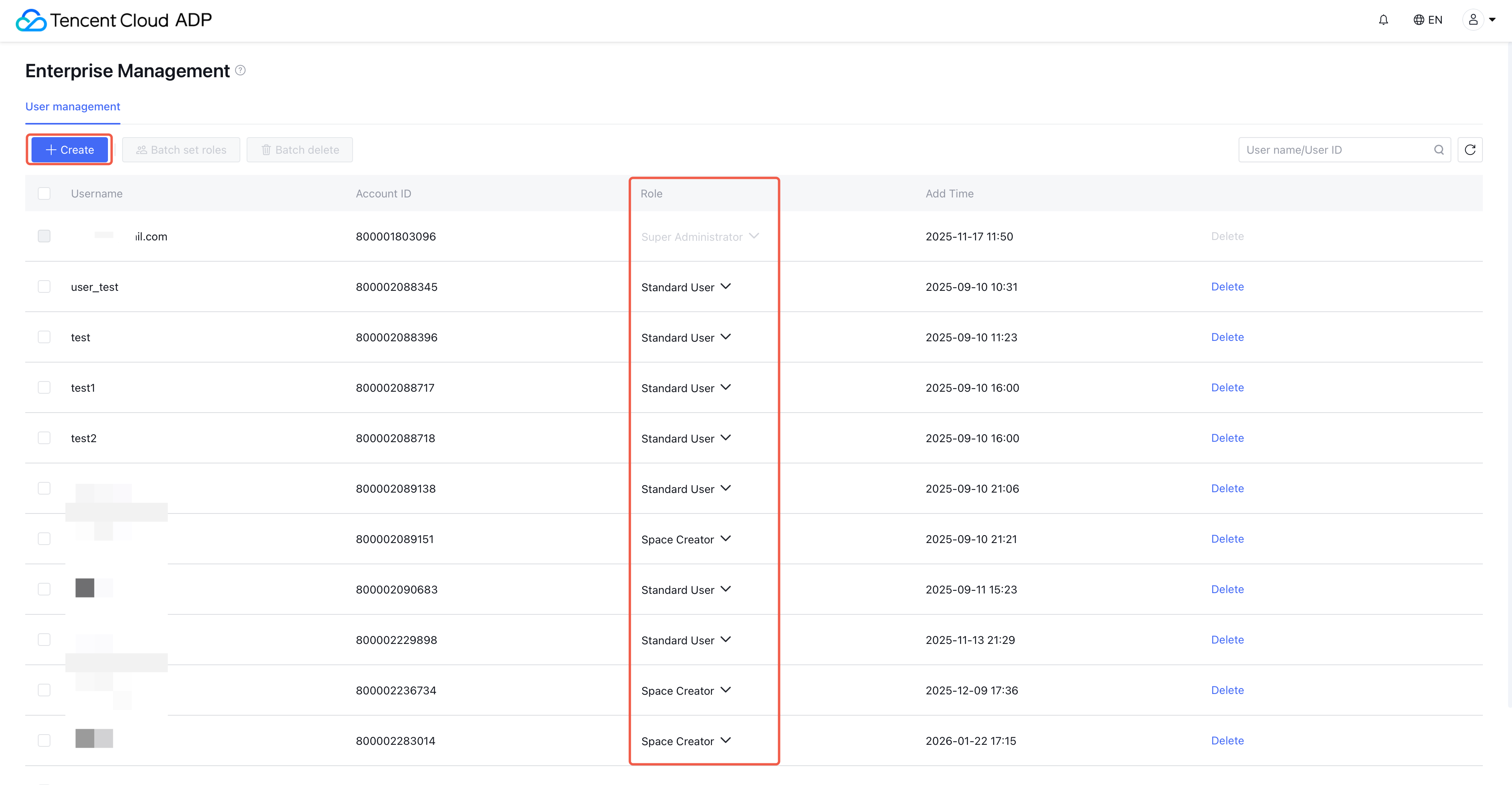
Three preset roles (cannot be added or deleted): Super Administrator, Workspace Creator, General User.
The Super Administrator of this layer can view all workspaces and has all permissions under the enterprise.
Layer 2: Workspace-Level Permissions (manage each workspace, its functional and data permissions)
One preset role (cannot be deleted): Administrator. When a workspace is created by a Workspace Creator, that user automatically becomes the Administrator of the new workspace. Administrator permissions cannot be modified, and they hold full permissions within the workspace.
Custom role: Users can create, edit, and delete custom roles.
Guide: Creating Workspaces and Adding Members
Suppose you’re using the Agent Development Platform for the first time and need to manage two teams. You want data shared within each team, but isolated between them.
Step One: Manage Enterprise Users and Roles
1. When the Tencent Cloud primary account logs in for the first time, the system automatically creates an enterprise and a “Default Workspace,” assigning the account the Super Administrator role.
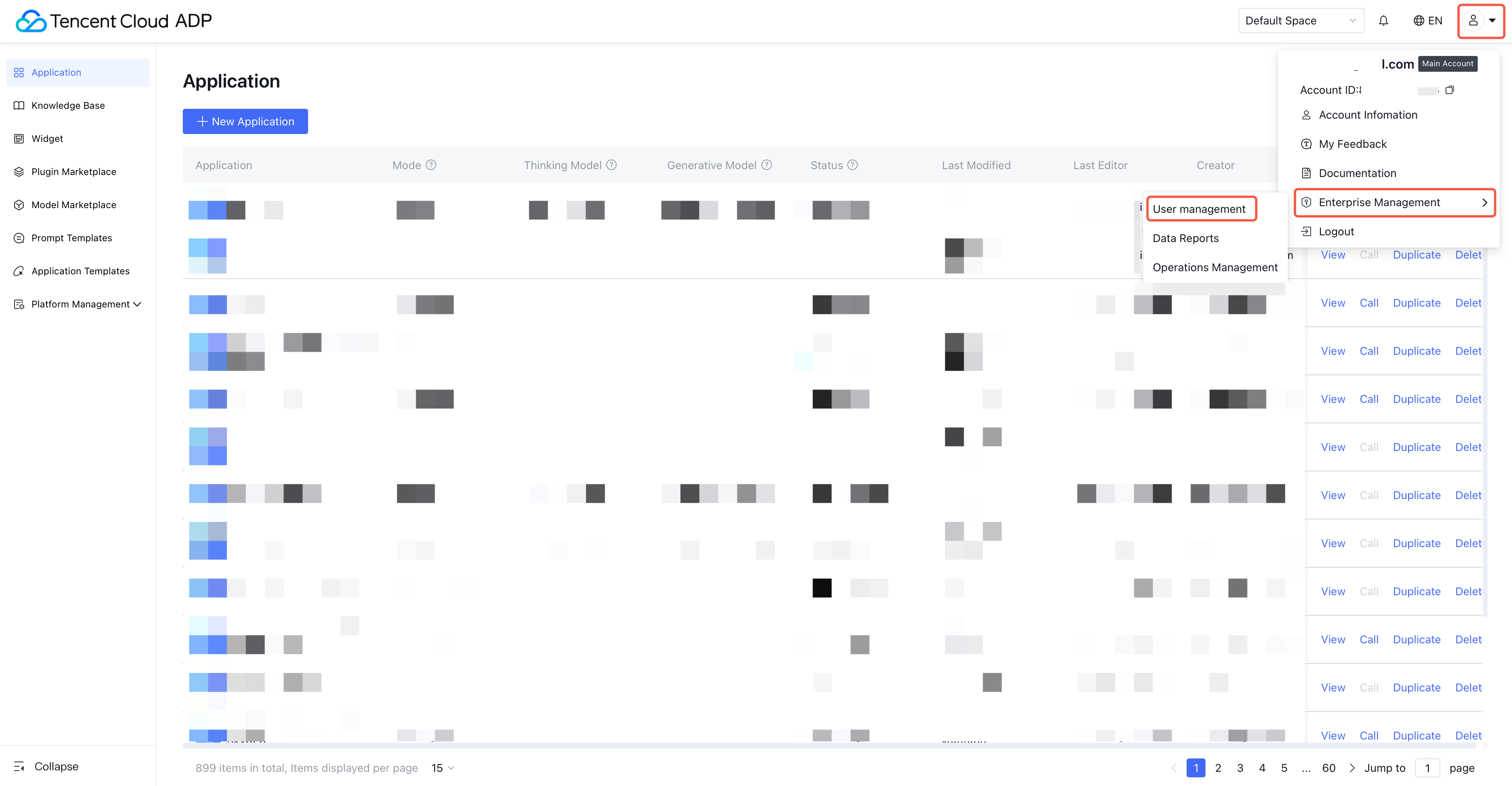
2. the primary account can add enterprise users and assign them roles in "Enterprise Management - User Management".
Note:
Enterprise roles determine whether a user can manage enterprise users and create workspaces. For details, see Enterprise Management .
Step 2: Create a Workspace and Add Space Members
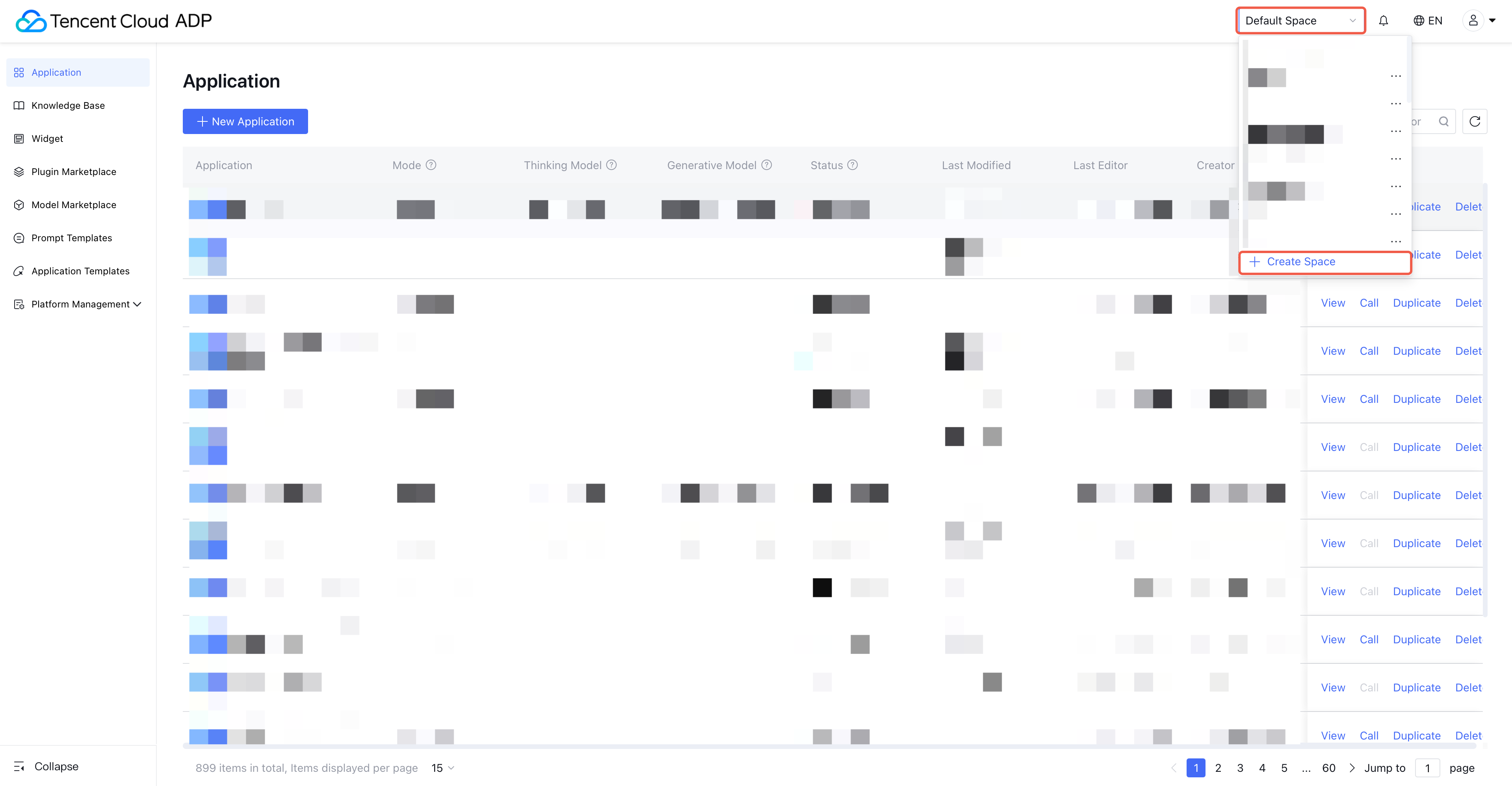
1. Accounts with the Super Administrator or Workspace Creator role can create new space from the workspace list.
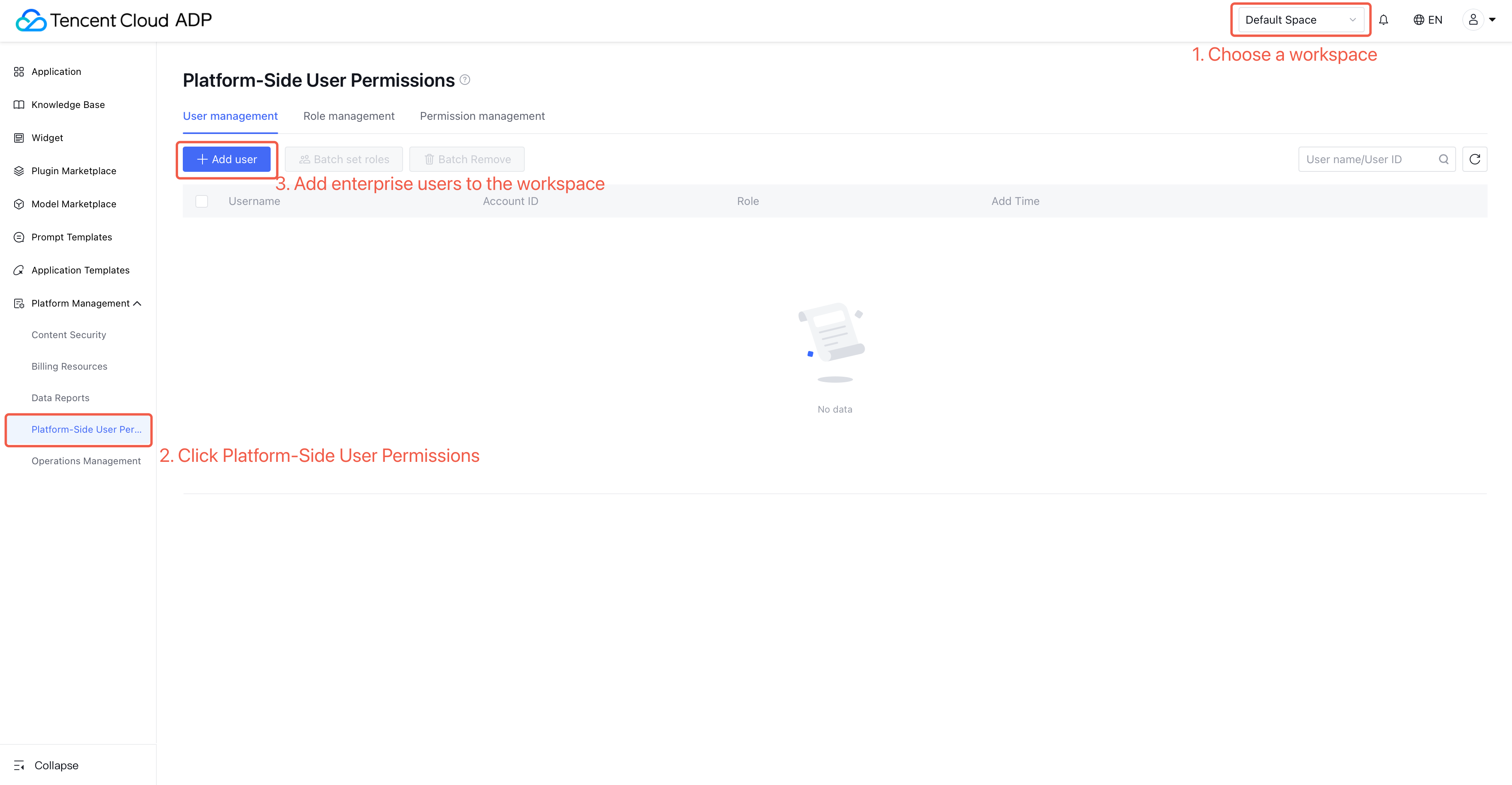
2. Add users in "Platform End User Permission - User Management" of Space A and Space B respectively. Once added, they can access that workspace.
Note:
1. Workspace allows collaboration within teams and isolation across teams.