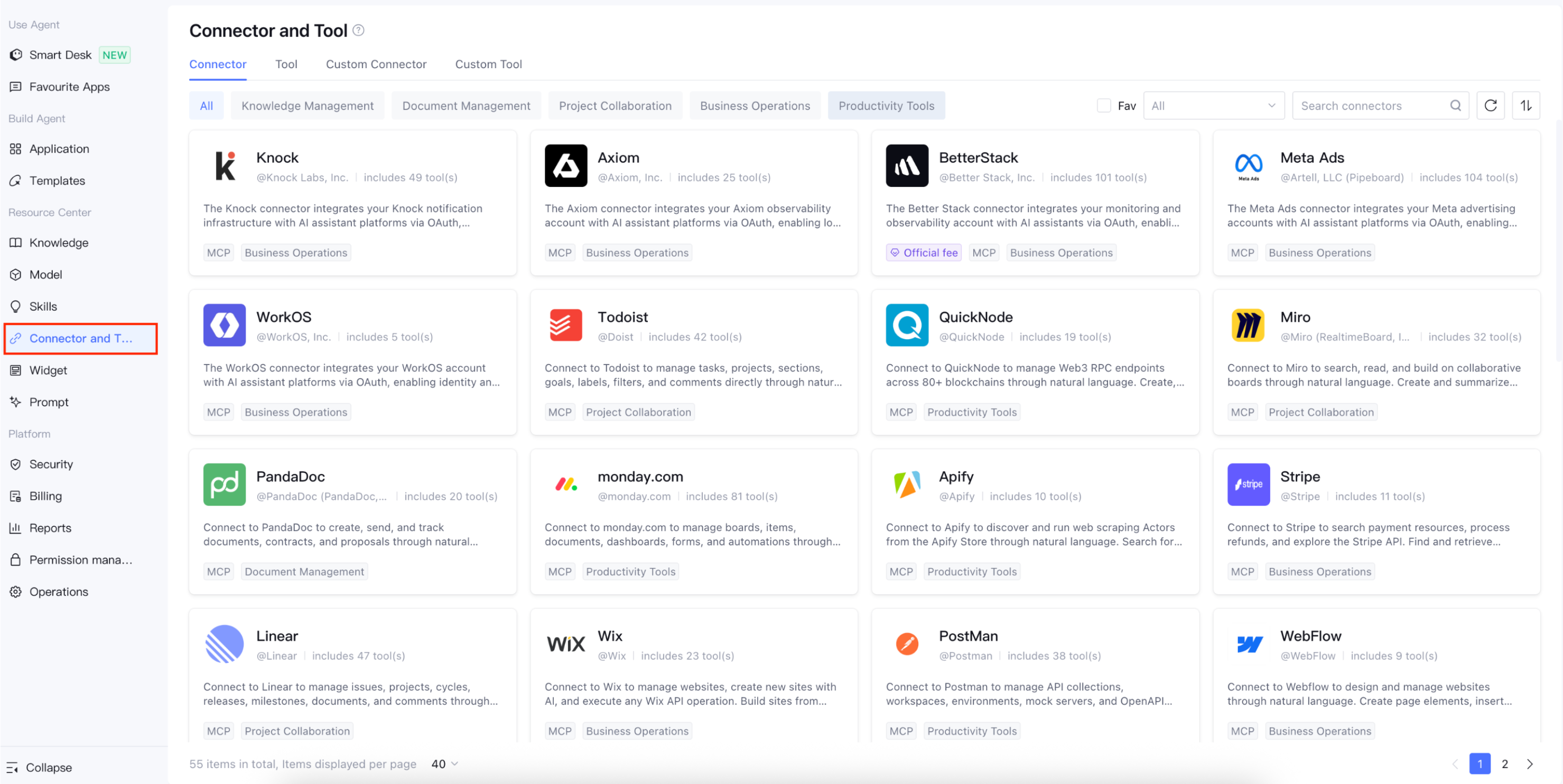
The Tencent Cloud Agent Development Platform provides the "Connectors and Tools" capability to help developers quickly integrate external systems, business data, and general processing capabilities for their agents. Using connectors and tools, agents can not only perform natural language understanding and generation but also further query data, invoke systems, execute tasks, process documents, and generate content, building intelligent applications that more closely align with real-world business scenarios.
In the "Connectors and Tools" Plaza, the platform provides a variety of pre-built common capabilities, such as knowledge management, document management, project collaboration, business operations, and productivity tools. Developers can directly select and add suitable connectors or tools to their agents. Alternatively, they can create custom connectors or tools based on their enterprise's own systems and business processes to extend the capabilities of their agents.
You can add connectors and tools within the Smart Desk, Claw Mode Application, Multi-Agent Mode Application, and Workflow to extend the service boundaries of your agent.
Core Concepts
Connectors
Connectors are used to integrate data and operational capabilities from third-party SaaS, enterprise systems, or Tencent ecosystem products. Through connectors, an agent can access business data in external systems and perform operations such as querying, creating, updating, and notifying based on user instructions, after obtaining authorization or completing necessary configurations. For example, you can use the TAPD connector to query project requirements, defects, and task information; use the Tencent LearnShare connector to query knowledge base content; or use the GitHub connector to query Issue, PR, or code repository information. Connectors are more suitable for the following scenarios:
Access to data in external systems or internal enterprise systems is required.
Integration with account, permission, authorization, or key configurations is required.
The agent needs to perform operations such as querying, writing, and notifying within the business system.
You can integrate your existing enterprise systems into agent applications using standardized methods.
Tools
Tools are used to provide agents with independent, general-purpose processing capabilities. They typically do not emphasize long-term connections to specific business systems. Instead, they offer atomic capabilities for particular types of tasks. For example, a document extraction tool can help an agent extract structured information from files. An image understanding tool can help an agent identify image content. A content security tool can help an agent perform security checks on input or output content. Tools are more suitable for the following scenarios:
A specific independent task or a general processing capability needs to be completed.
You can reuse standard capabilities across the Smart Desk, Workflow, and Multi-Agent environments.
You can decompose complex tasks into atomic capabilities that can be invoked by agents.
Custom Connectors
When the platform's pre-built connectors cannot meet your enterprise's integration needs, you can create a custom connector to integrate your enterprise's own systems, internal services, or third-party SaaS applications into the platform. Go to Creating a Connector to learn more. Supported integration methods:
MCP: MCP (Model Context Protocol) is an open protocol designed for Large Language Model (LLM) applications. It aims to achieve seamless integration between LLMs and external data sources and tools. Through a unified API specification, it simplifies the integration of previously disparate API tools into a "plug-and-play" model, addressing issues such as multi-protocol adaptation and high development costs found in traditional API tool integration.
Custom Tools
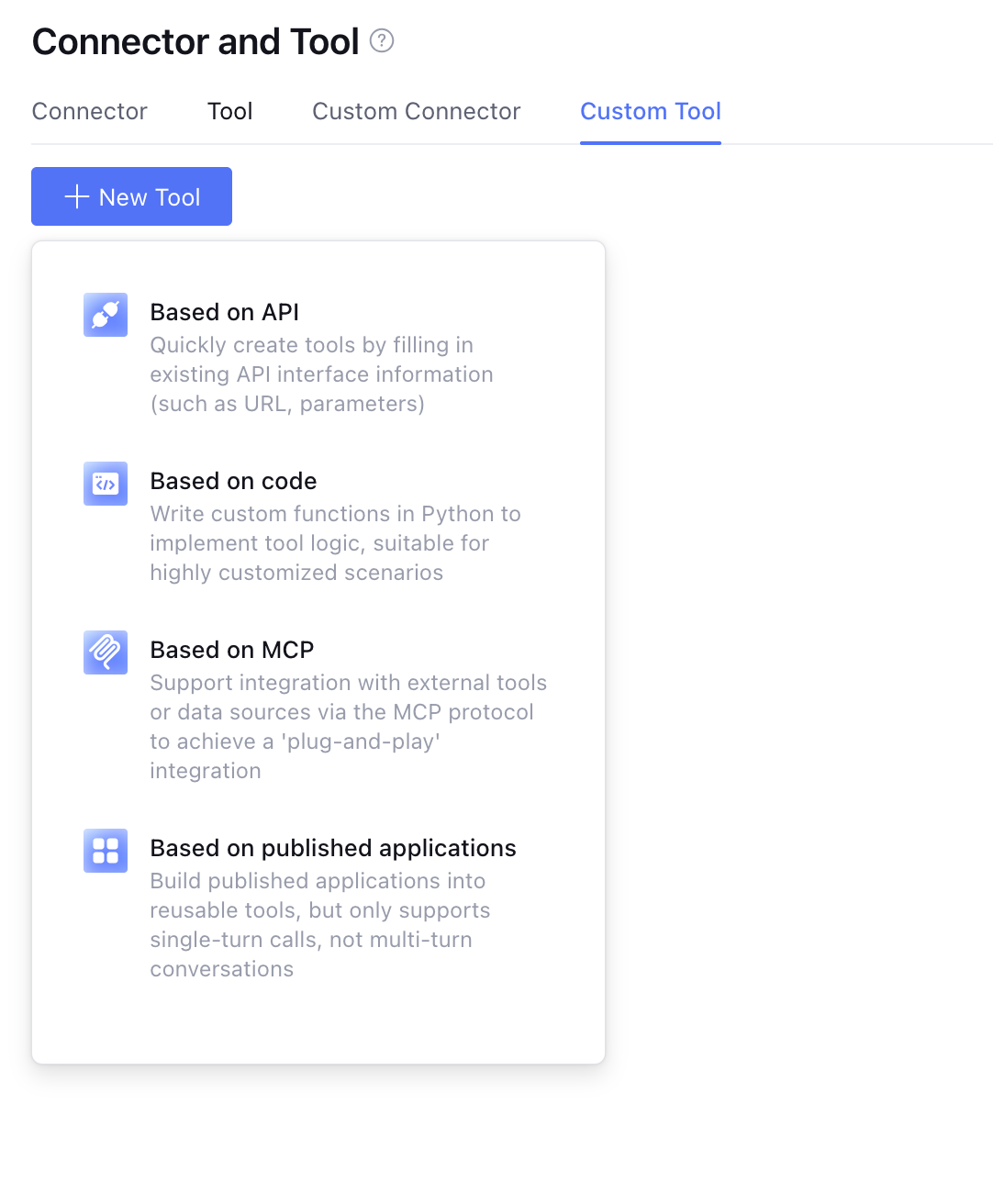
Custom tools are used to encapsulate enterprise custom APIs, function capabilities, or published applications into tools that can be invoked by agents. Developers can define the tool's name, description, input parameters, output parameters, and invocation methods based on business needs, enabling agents to automatically select and invoke the tool in appropriate contexts.The supported integration methods are as follows:
API: Based on the OpenAPI 3.0 protocol, API-type tools provide a standardized application programming interface. By defining clear input and output structures, API services enable different systems and tools to interact via HTTP requests. Using a standard API specification, specific features can be invoked and implemented.
MCP: MCP (Model Context Protocol) is an open protocol designed for Large Language Model (LLM) applications. It aims to achieve seamless integration between LLMs and external data sources and tools. Through a unified API specification, it simplifies the integration of previously disparate API tools into a "plug-and-play" model, addressing issues such as multi-protocol adaptation and high development costs found in traditional API tool integration.
Code: Function writing capabilities are provided based on the Python environment, allowing users to write custom functions to provide API services.
Application: It is built into a reusable tool based on a published application. However, it only supports single-round calls and does not support multi-turn dialogues.
Attention:
The Tencent Cloud Agent Development Platform continuously incorporates high-quality third-party connectors/tools. However, it cannot fully assume responsibility or provide guarantees for the quality of these third-party services, including their security and stability. When you use third-party connectors and tools, please note that these features are provided by partners. It is recommended that you evaluate and select them based on your own needs before use, pay attention to data protection, and assume the corresponding risks yourself.
Note:
Currently, some tools are in a time-limited free trial state. During the trial period, there are concurrency limits when tools are invoked. If you need additional scaling, please click the small window on the right side of the webpage and contact us to apply for a scale-out.