In the past, operators often needed to constantly request the latest detailed data from data managers, who had to run SQL queries repeatedly. This scenario involved repetitive requests and large data volumes. With self-service data retrieval, users can customize the length and segmentation of the detailed data, freeing data managers from repetitive tasks.
Use case: Large volumes of detailed data need to be retrieved.
Permission limits: Enterprise administrators or project administrators.
Component support: Tables and detailed tables.
Edition feature limits: This feature is only available to Professional Edition users.
Operation Instructions
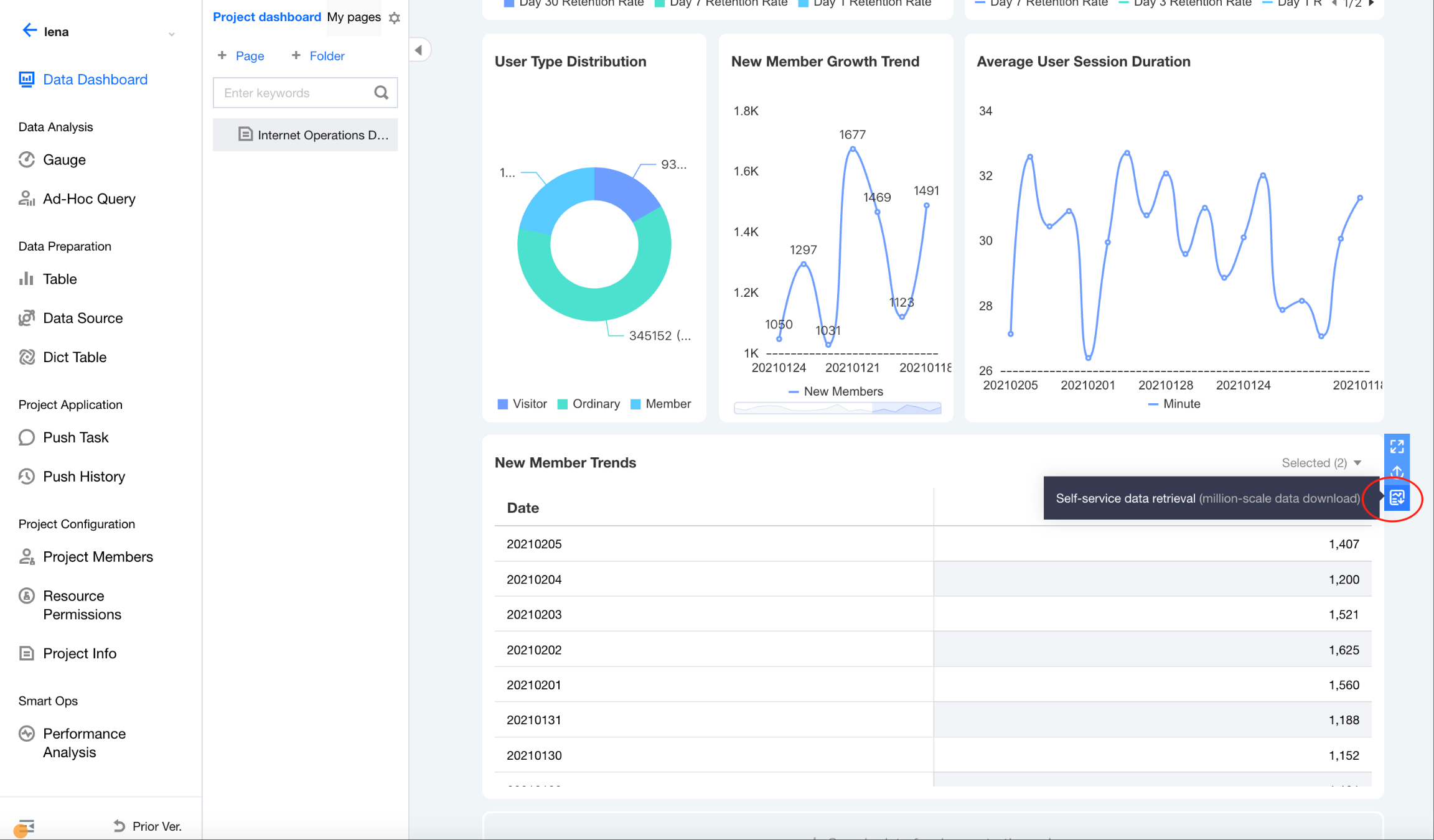
1. Go to the console > Project > Dashboard, click Self-service data retrieval.
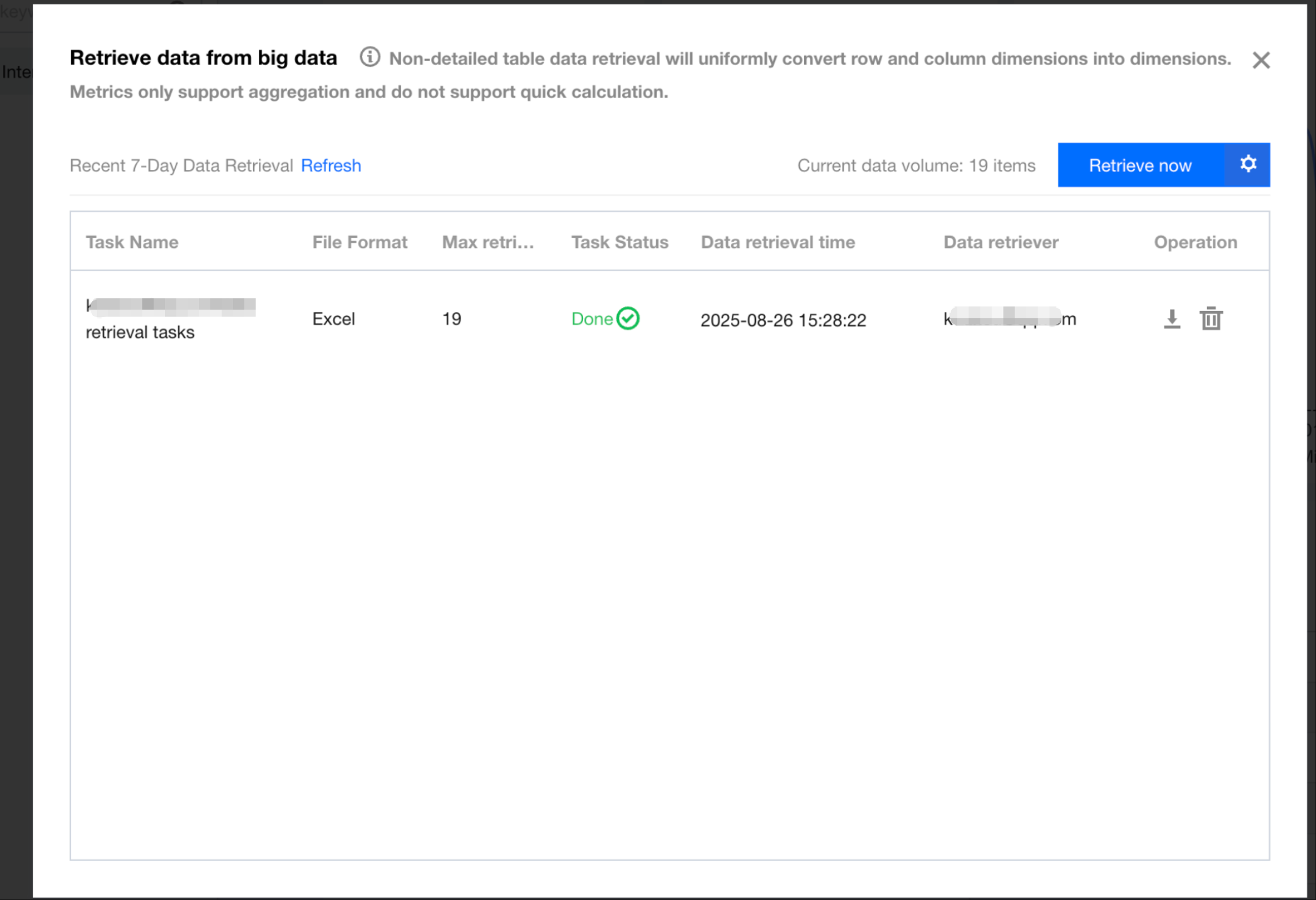
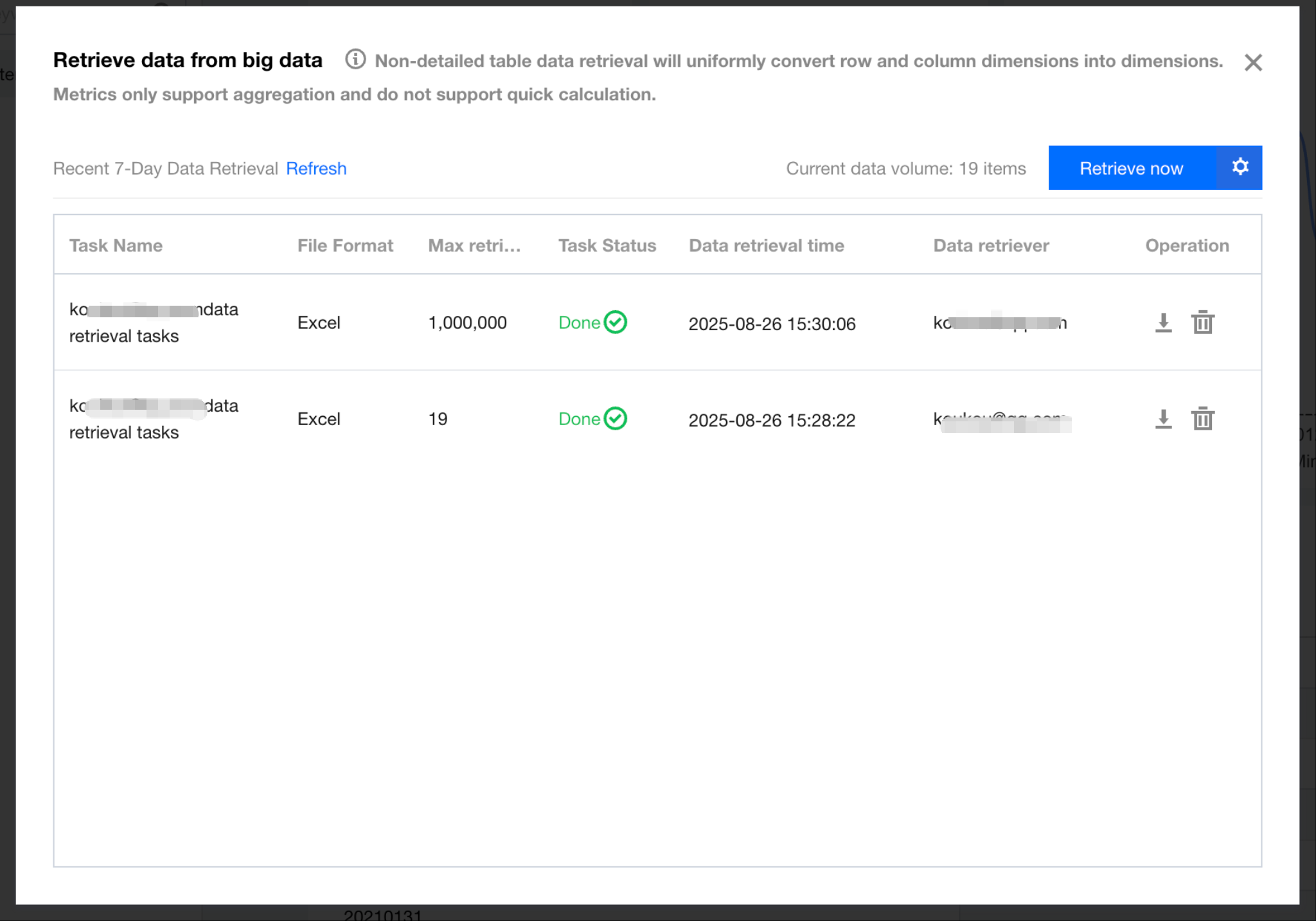
2. In the pop-up layer, you can query all data retrieval tasks from the past 7 days.
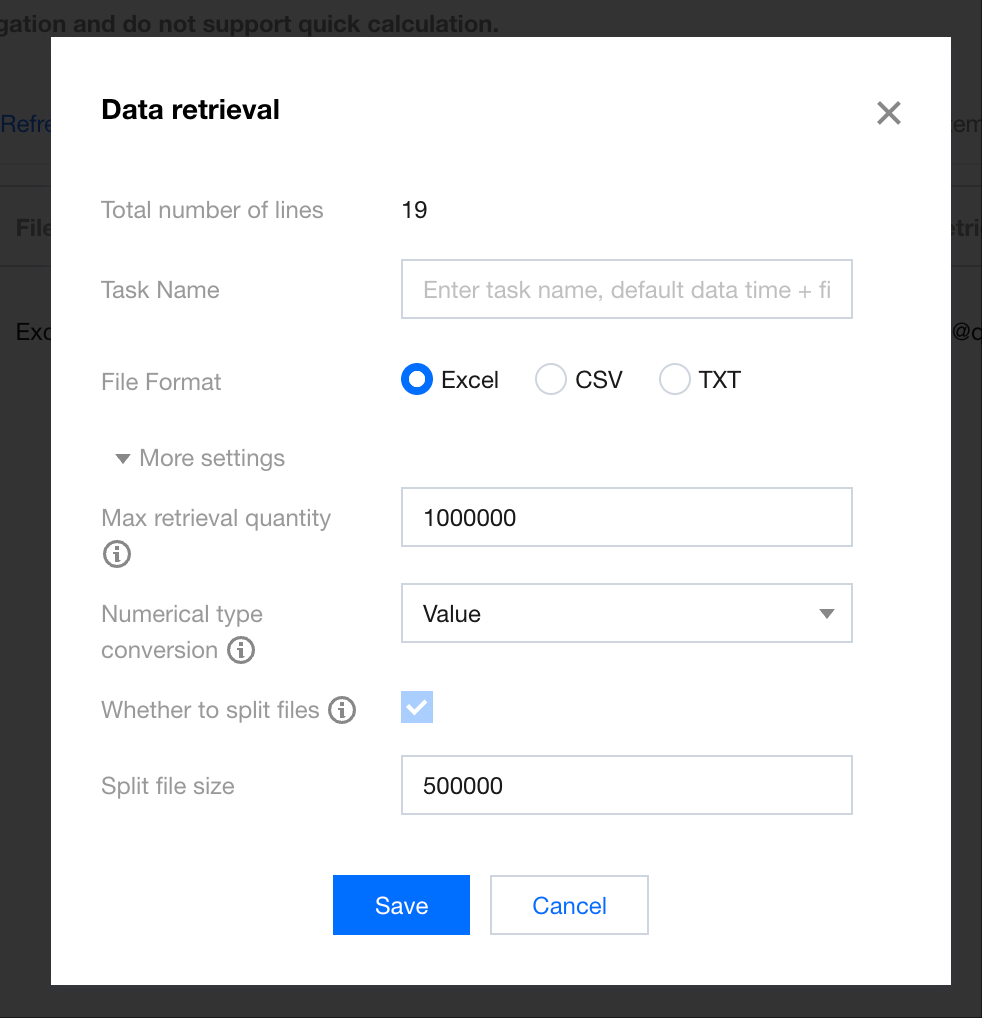
3. Click Retrieve Data Now to define a data retrieval task, and click Save to generate the task.
Total number of rows: The total number of data rows in the table.
Task name: Customize the task name as needed for easy differentiation. The downloaded file will also be named according to the task name.
File format: Choose one from Excel, CSV, or Text.
Maximum Rows to Retrieve: The default is 1 million rows, with a maximum limit of 5 million rows.
Data type conversion: Support conversion between numeric and text types.
Whether to split files: File splitting is supported for data retrieval. If the Excel file size exceeds 500,000 rows, the file needs to be split. Each file can support up to 500,000 rows.
Split file size: Set the number of rows for each split file.
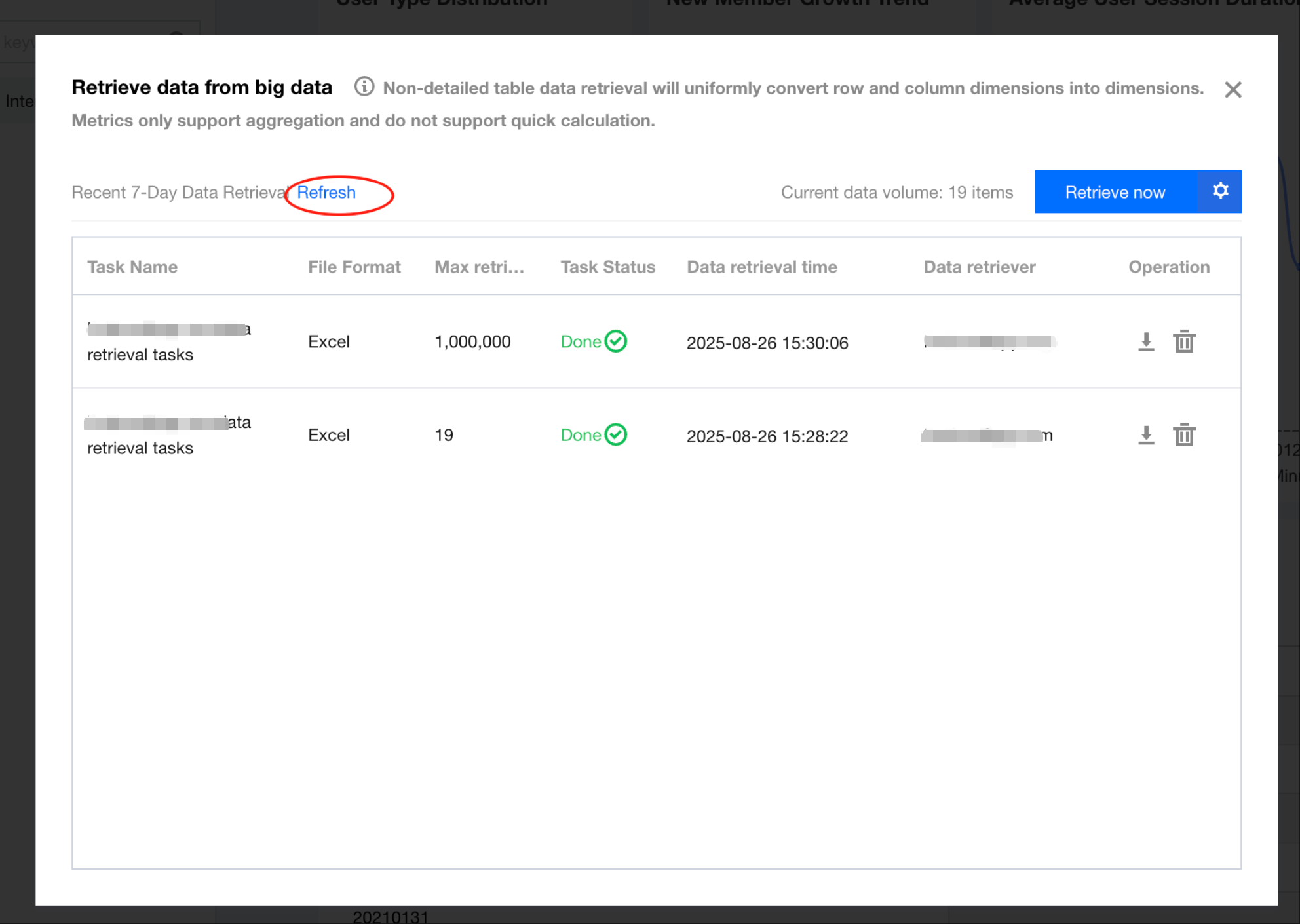
4. During data retrieval task execution, you can click Refresh to view the latest task status (the system will also automatically update the status when the task is completed).
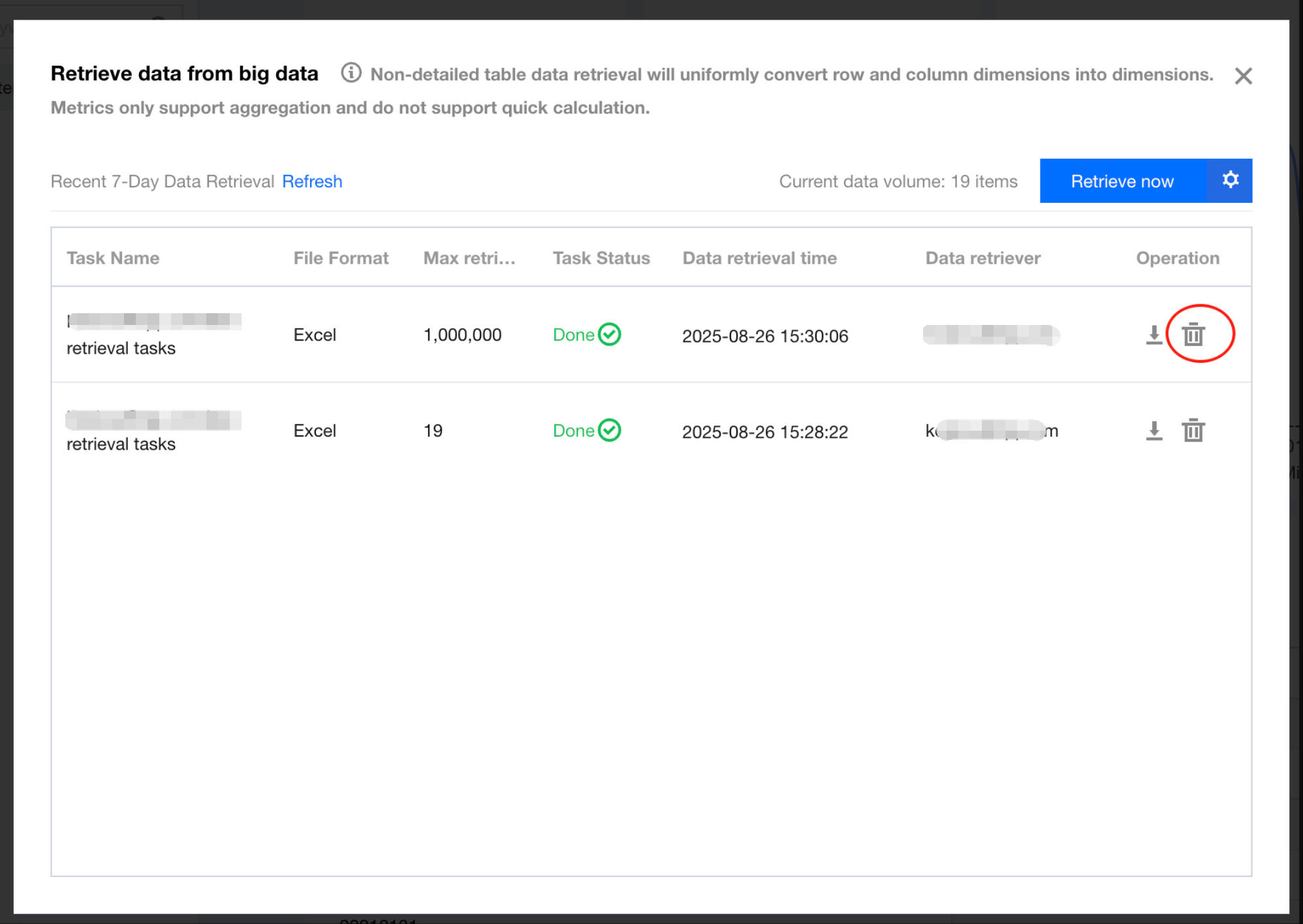
5. You can cancel a task in progress. Click the "Delete" icon, and the task will no longer execute.
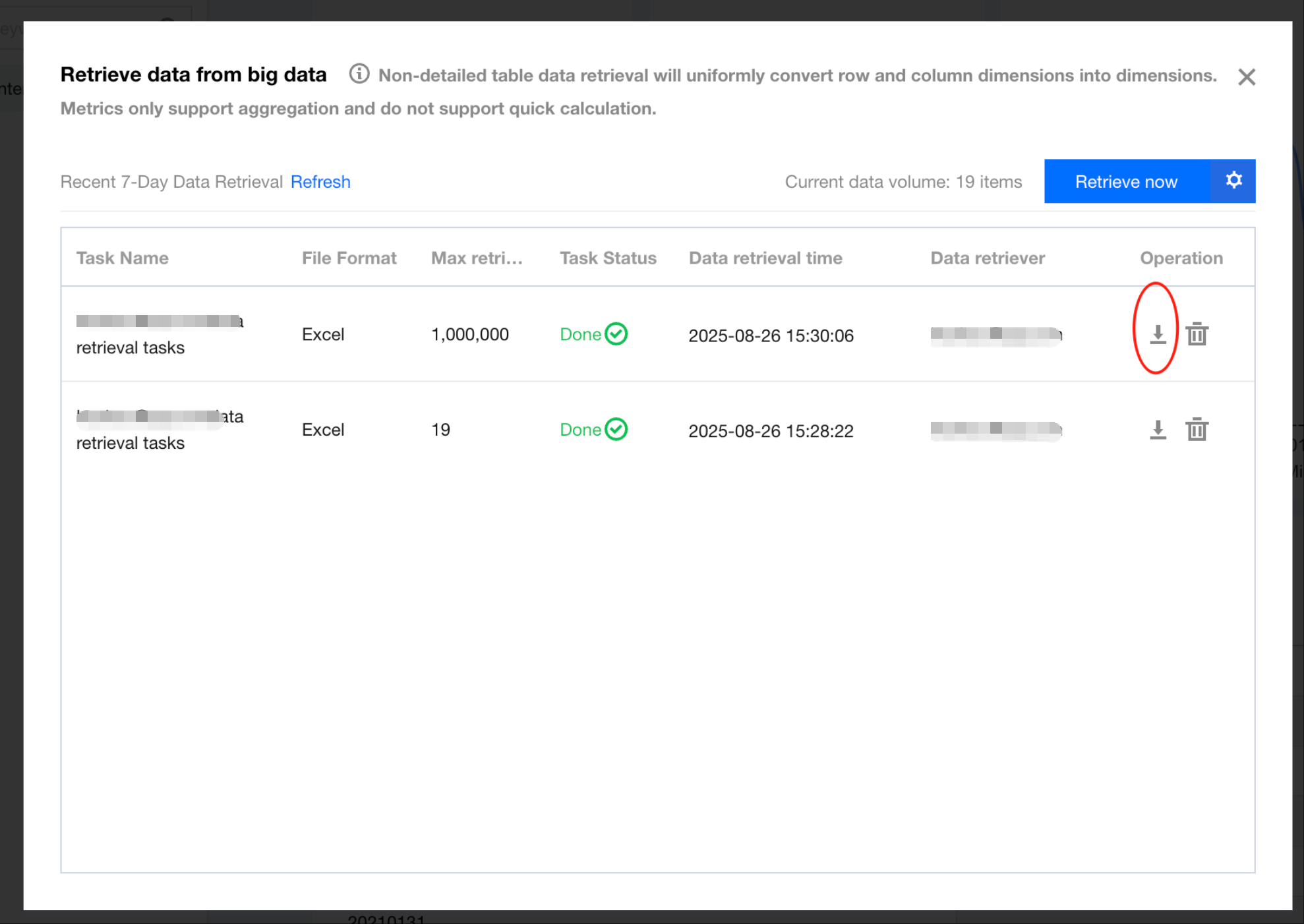
6. When the data retrieval task is completed, you can click the download icon to initiate the data package download.
Note:
Each Excel file supports up to 500,000 rows of data. If the data volume exceeds 500,000 rows, multiple Excel files will be generated (each with a maximum of 500,000 rows) and compressed into a ZIP archive.
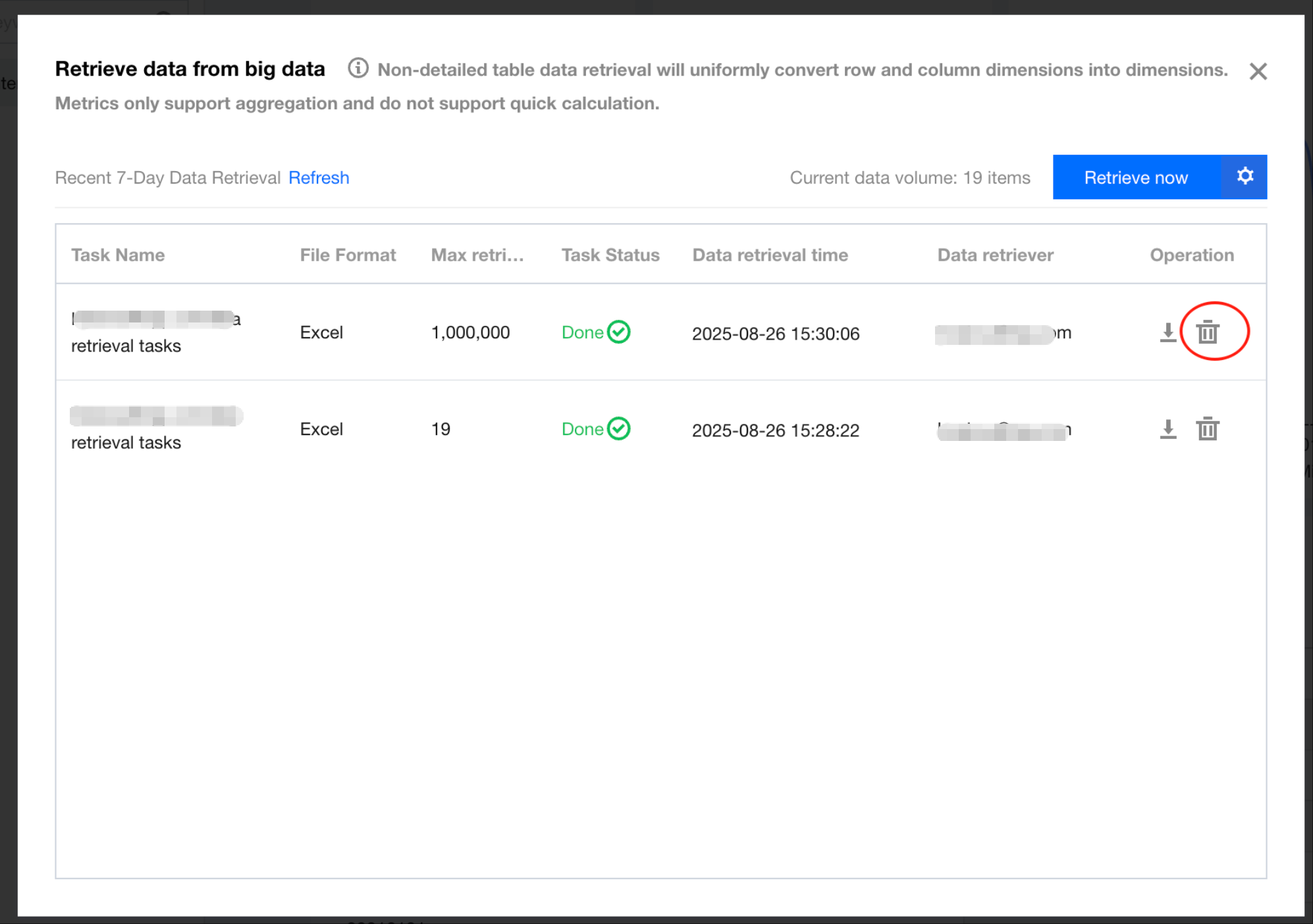
7. When the data retrieval task is completed, users can delete the task. Deleting task will remove the data files and free up the storage space.