tencent cloud

문서Cloud Resource Center

Getting Started

다운로드
포커스 모드
폰트 크기
마지막 업데이트 시간: 2025-11-20 10:33:10
This article introduces how to quickly get started with the Cloud Resource Center feature.

Prerequisites

Step 1: Register a Tencent Cloud account.

Before using Cloud Resource Center, you need to register a Tencent Cloud account. (If you are already registered, skip this step.)

Step 2: Complete Real-Name Authentication

After completing account registration, log in with this account to the Tencent Cloud console and start identity verification. For detailed steps, see Individual Identity Verification Guide/Enterprise Identity Verification Guide. (If you have completed this, skip this step.)

Permissions-related.

Root Account

No need to grant permission to access Cloud Resource Center.

Sub-Account

Authorize all views via roles. Contact the root account administrator to select "QcloudCloudrcFullAccess" (read-write permission, allows creating, deleting, and updating views) or "QcloudCloudrcReadOnlyAccess" (read-only permission).
You can also authorize specific views by configuring CAM policies:

Visiting the Resource Center

Method one: In the Tencent Cloud console, click sequentially all cloud products > development and operations > cloud resource management > resource center to access.
Method 2: Log in to Cloud Resource Center.


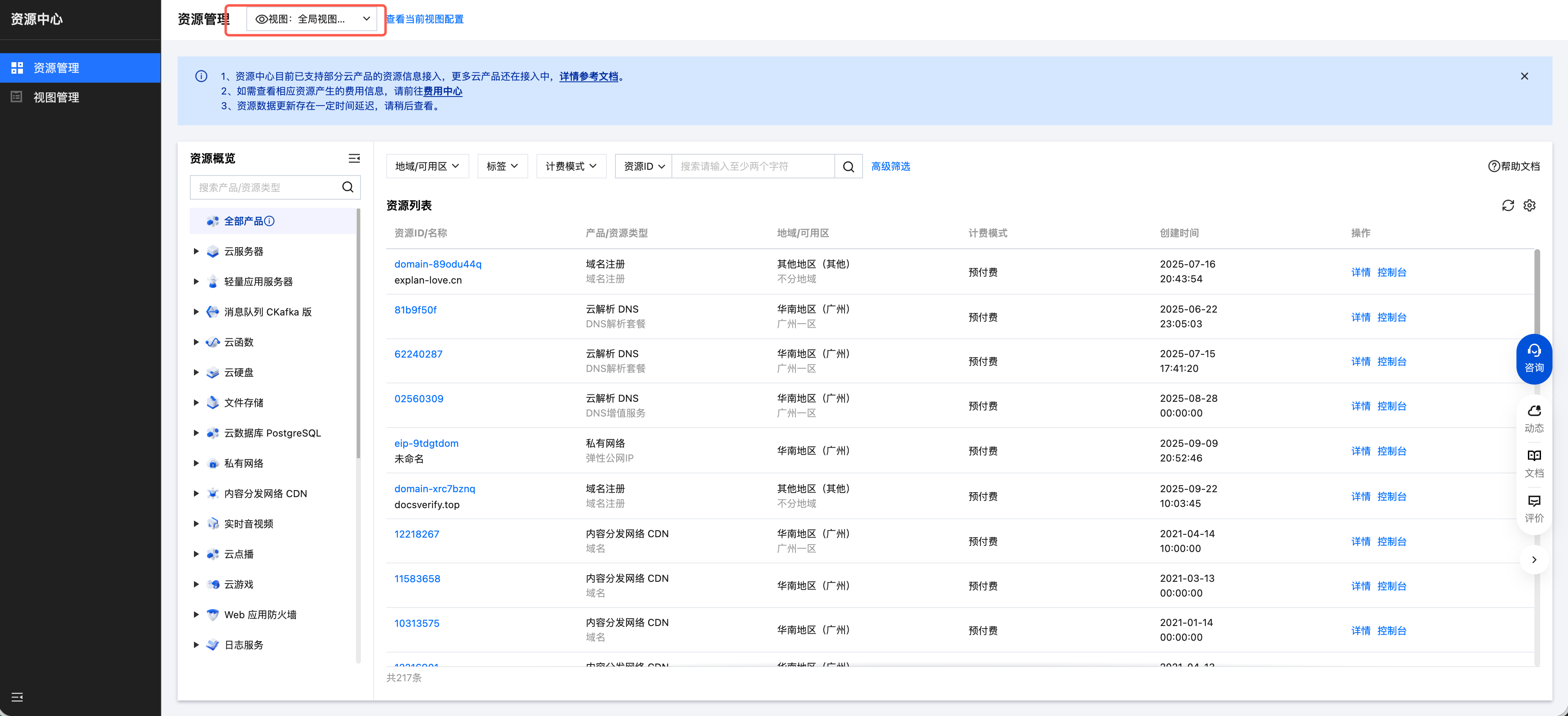
Resource Management and Search

Select view data source: Enter the Resource Management page and select a view as the search data source. Views are created by the admin. Meanwhile, Cloud Resource Center also provides a "Global View (Preset)" as the initial default view for all users. The Global View shows all resources under the current root account.

도움말 및 지원

문제 해결에 도움이 되었나요?

피드백