After purchasing an MQTT cluster in Tencent Cloud, customers can perform stress testing to verify the cluster's metrics before use. TDMQ for MQTT supports one-click stress testing by configuring the stress test time and conditions simply. After testing, customers can view performance metrics and support exporting stress test reports.
Billing Rules
This feature is currently under allowlist control. If you need to use it, please contact after-sales support to apply. The feature is currently free and will be officially billed in advance through notices, SMS, Message Center, email, and other methods.
2. Click One-Click Stress Test in the left sidebar, select the corresponding MQTT cluster at the top of the page, then click Create New Stress Testing Task, and fill in the following fields as required:
Task name: 3-64 characters, can only contain Chinese characters, numbers, letters, "-" and "_".
Usage agreement for stress testing: Choose an appropriate stress testing agreement based on business needs. Currently supports four types of protocols: mqtt, mqtts, ws, wss.
Test user role: The selected role should have permissions to produce messages and consume messages. If there is no suitable role, please refer to username and password authentication to create one.
Test duration: To ensure normal use of the cluster, currently only supports 1-10 minutes.
Stress test types: Supports three types of tests: pure connection test, message reporting test, and message subscription test.
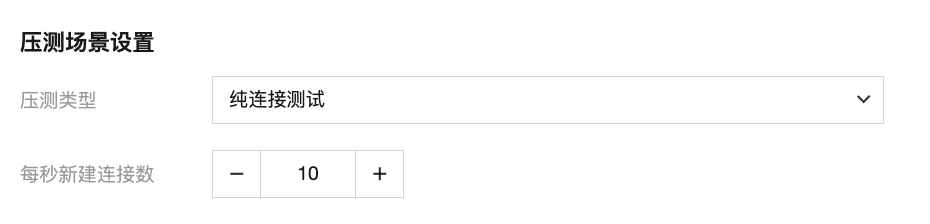
Pure Connection Test
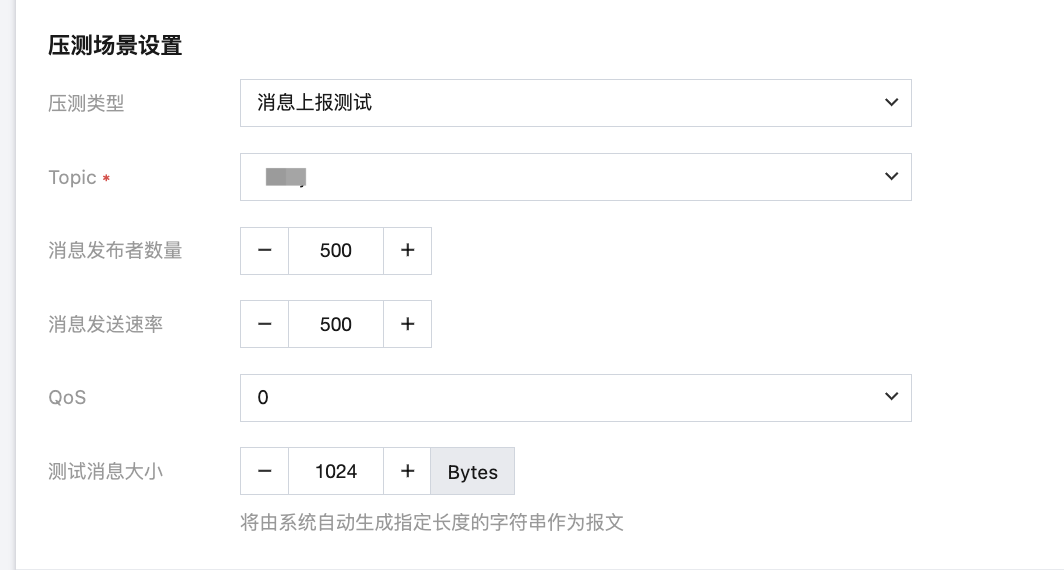
Message Reporting Test
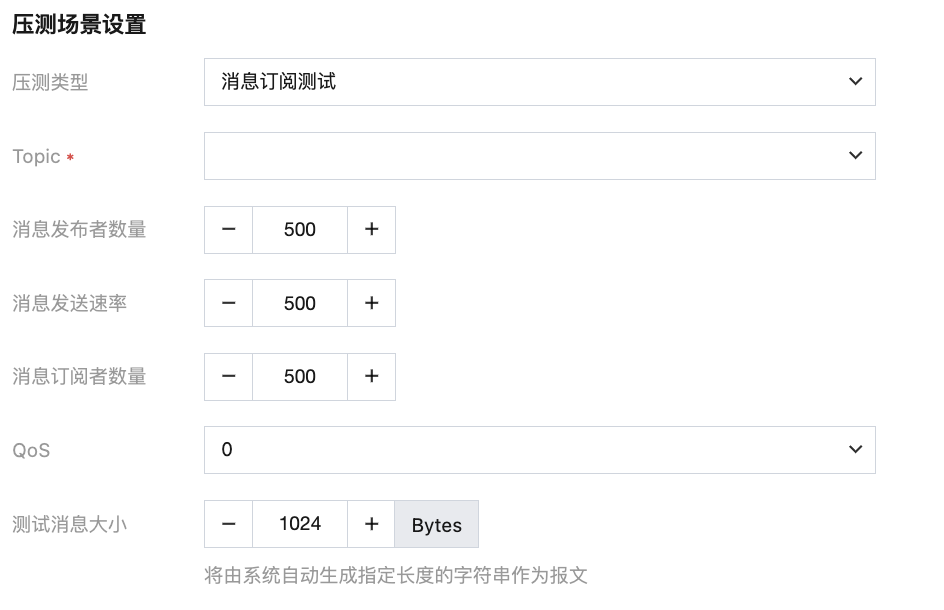
Message Subscription Test
New connections per second: Value range is 1-10000.
Topic: Select the Topic for message reporting test.
Number of message publishers: Value range is 1-10000.
Message sending rate: Value range is 1-10000.
QoS: QoS0 represents at most once; QoS1 represents at least once; QoS2 represents only once.
Test message size: The message is automatically generated by the system, with a value range of 1-65536 Bytes (64 KB).
Topic: Select the Topic for message subscription test.
Number of message publishers: Value range is 1-10000.
Message sending rate: Value range is 1-10000.
Number of message subscribers: Value range is 1-10000.
QoS: QoS0 represents at most once; QoS1 represents at least once; QoS2 represents only once.
Test message size: The message is automatically generated by the system, with a value range of 1-65536 Bytes (64 KB).
Note:
Stress test traffic will impact cluster traffic; before starting performance testing, ensure the current cluster has no real traffic for production environments to avoid affecting real business.
Observing the Stress Test Process
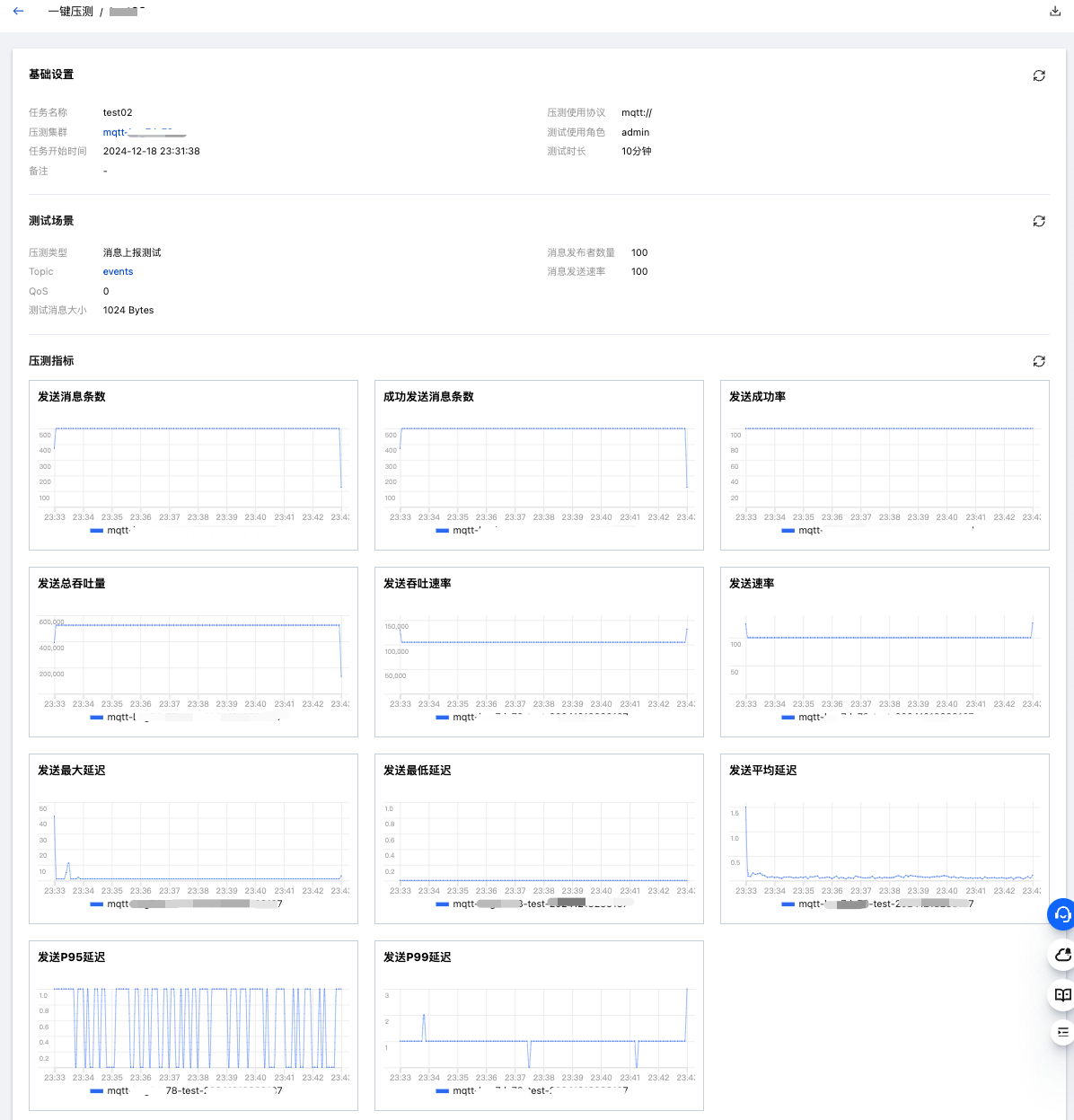
After the stress test task is created, the page will automatically redirect to the stress test task details page. On the page, you can view the current running status of the stress test task. The "Performance Testing Metrics" section will display in real time the running conditions of the stress test task.
View Performance Testing Report
After the stress test task is completed, you can view the performance testing report and metrics on the stress test task details page. Click the Download Report button in the upper right corner to download an offline version of the stress test report for subsequent viewing.