CNAME acceleration is a proprietary feature developed by DNSPod. It solves the issue where the resolving time is increased due to the fact that the recursive server needs to send multiple requests to the authoritative server when multiple CNAME records are configured.
Suppose a.com, b.com, and c.com are all domains resolved by DNSPod:
Domain Name
Record Type
Value
www.a.com
CNAME
www.b.com
www.b.com
CNAME
www.c.com
www.c.com
A
1.2.3.4
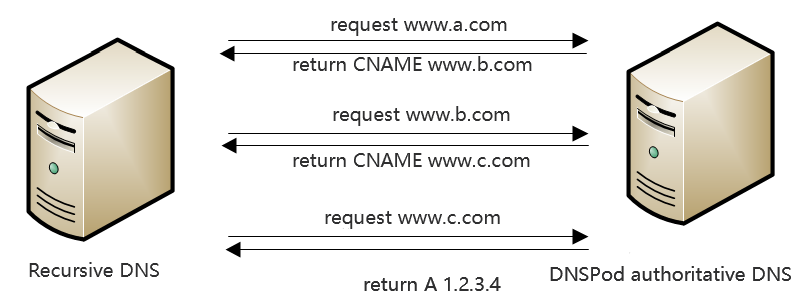
In general, the recursive server needs to send three requests to the authoritative server to get the IP address of www.a.com as shown below:
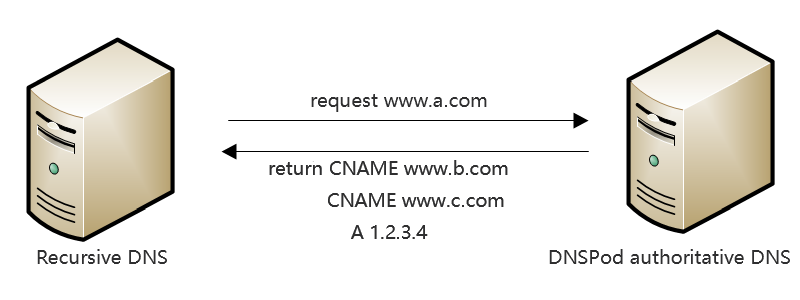
After CNAME acceleration is enabled, the authoritative server will return the CNAME record and the final A record together to the recursive server, so the recursive server only needs to send one request instead of three requests to the authoritative server as shown below:
This greatly reduces the time spent on network communication in requests and responses and makes resolution faster, particularly when multiple CNAME records are configured.
2. In Authoritative Resolution page, Select the domain for which you need to enable CNAME acceleration to enter the Record Management page.
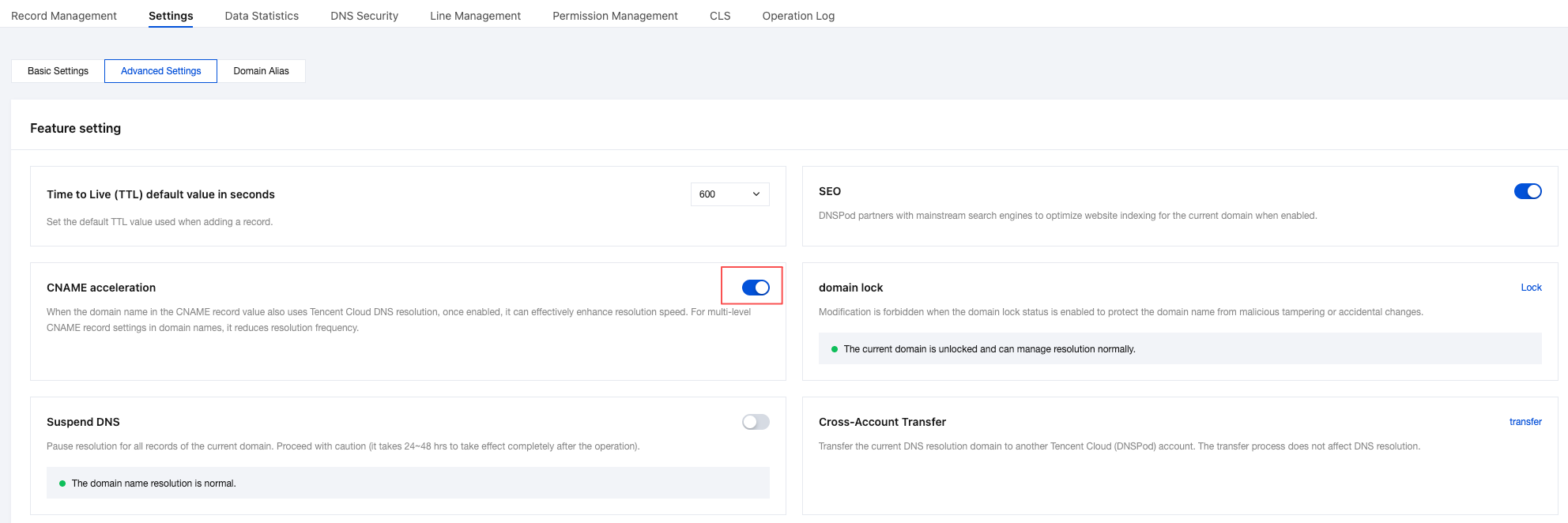
3. Click the Settings tab, select Feature Settings > CNAME acceleration, and click Enable as shown below:
Acceleration Effect
Note:
This test is performed after the cache is cleared, and the change will take effect after the TTL expires.
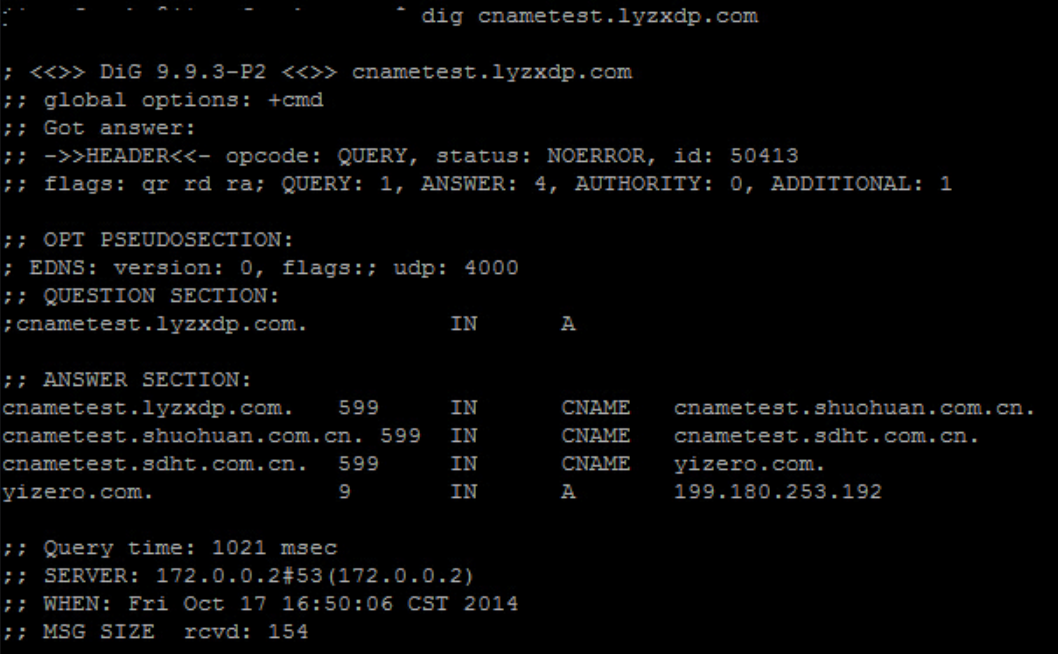
Before CNAME acceleration is enabled, the query time is 1021 msec:
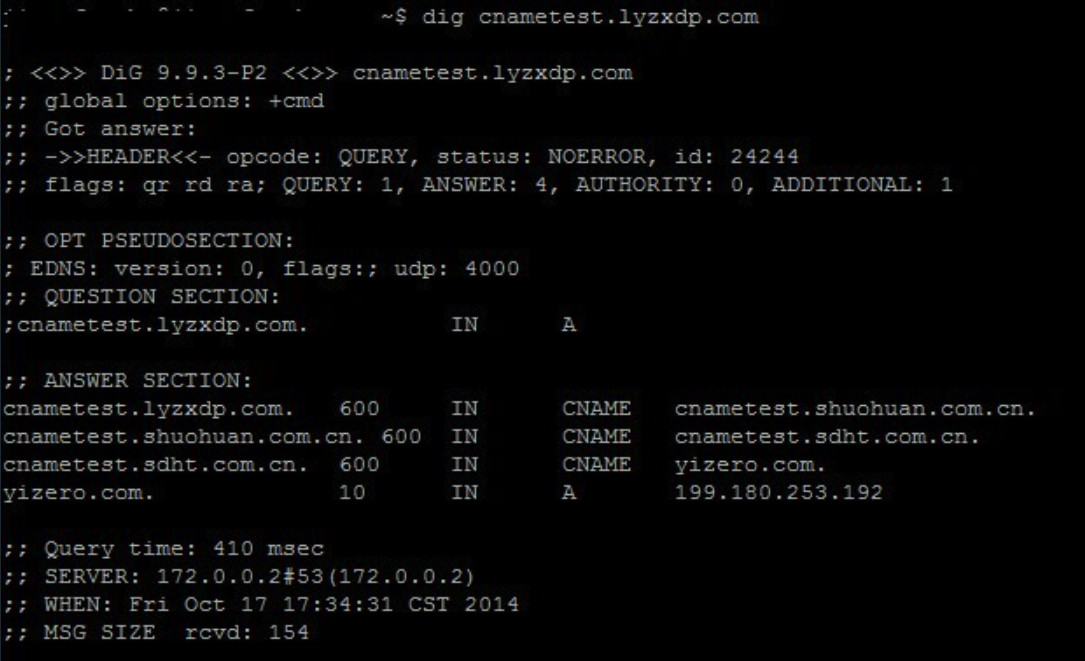
After CNAME acceleration is enabled, the query time is 410 msec:
The resolving time is reduced by 59.84%.
Note
A domain for which to enable CNAME acceleration must use the DNS service of Tencent Cloud DNS or DNSPod; otherwise, the feature cannot be enabled, or the acceleration will fail, and even errors may occur.
For a domain for which CNAME facceleration is already enabled, when the system detects that it does not use DNSPod's DNS service (for example, the domain has expired or switched to another DNS provider), it will automatically disable CNAME acceleration, and when the system detects that the domain uses DNSPod again, it will automatically enable CNAME acceleration again.
CNAME acceleration does not need to be enabled for different subdomains under the same domain, as the system will automatically accelerate the resolution for them.
You should disable CNAME acceleration before transferring your domain. If it has been transferred but the system hasn't detected its current status, you can disable CNAME acceleration by yourself or by contacting technical support.