WorkBuddy
Download
Focus Mode
Font Size
WorkBuddy is a full-scenario desktop AI agent launched by Tencent Cloud. It integrates with the QQ / WeCom ecosystems, supports local computer operations and multi-model switching, and provides commercial services through a Token quota package model, catering to both individual and team usage. This document uses
deepseek-v4-pro as an example to explain how to configure and use the Tencent Cloud TokenHub large model within WorkBuddy.Installing WorkBuddy
If you are using a Mac system, see the Mac System Installation Guide to install it.
If you are using a Windows system, see the Windows System Installation Guide to install it.
Obtaining an API Key
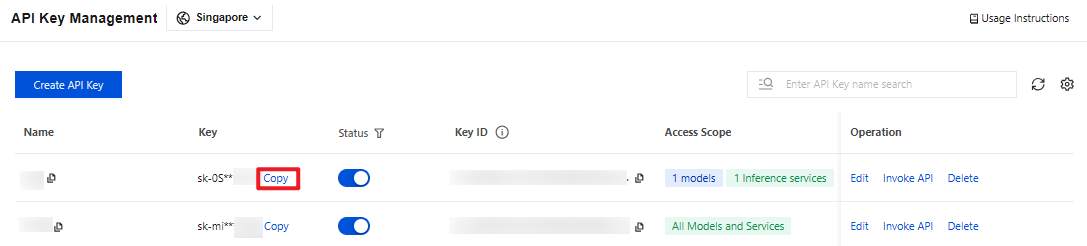
1. Go to the API Key Management page and click Create API Key. For operational details, see Create API Key.
Note:
Confirm the Key's Access Scope. If it is "Range", ensure that
deepseek-v4-pro is selected.2. After creation, be sure to copy and securely store the API Key. This information will be used in the subsequent process of configuring the tool.
Configuring WorkBuddy
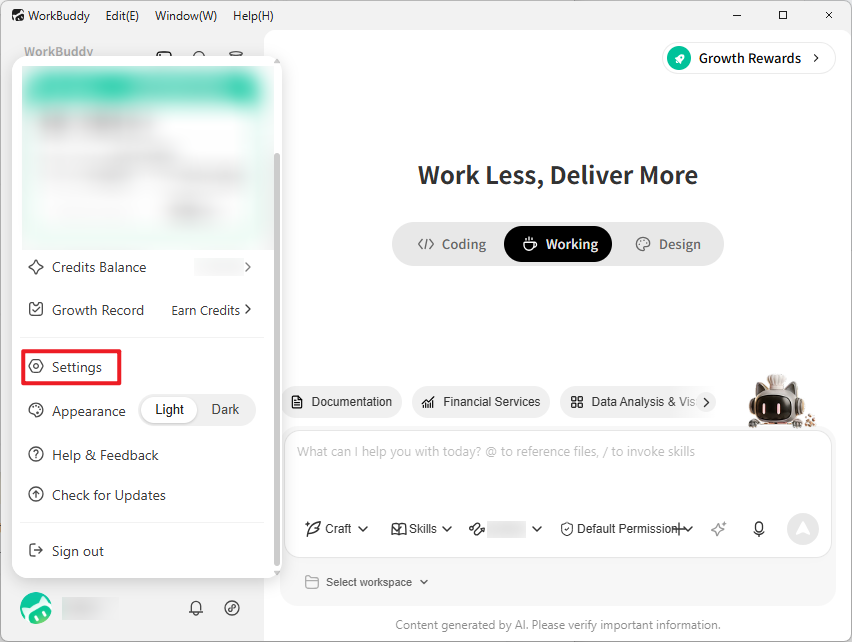
1. Start WorkBuddy, click the account icon in the lower-left corner, and select Settings.
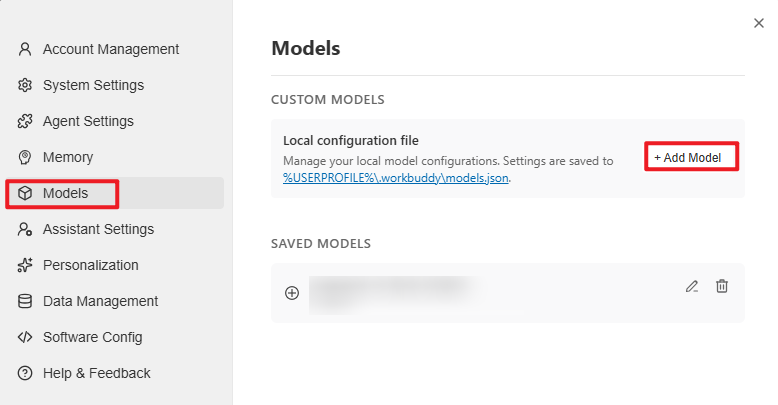
2. In the left navigation, select Models. Then, in the Custom Models section, click Add Model.
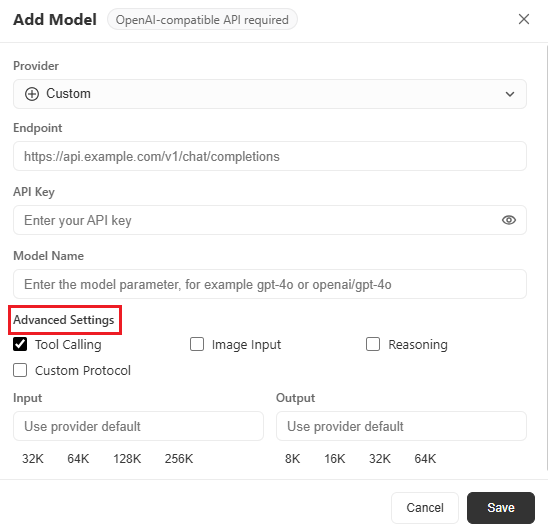
3. Configure the following information and click Save:
3.1 In the provider section, select Custom. The following figure illustrates this:
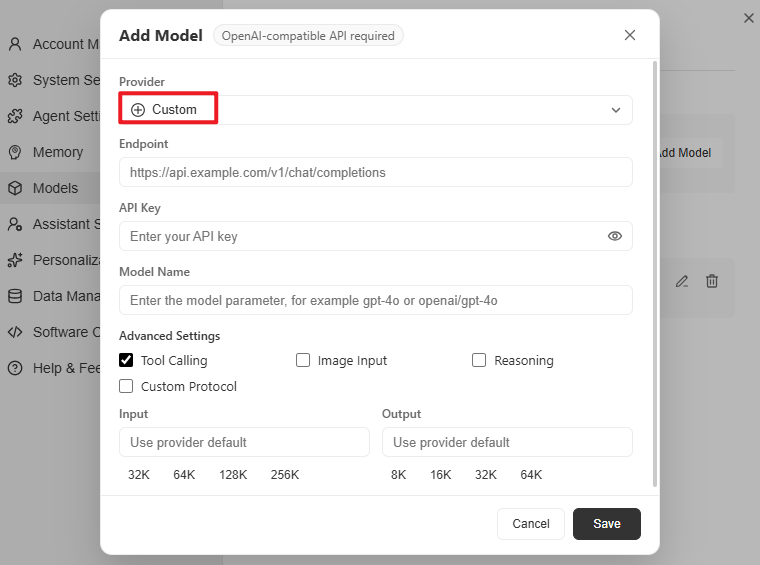
3.2 Fill in the following field information:
Endpoint: https://tokenhub-intl.tencentcloudmaas.com/v1/chat/completions
API Key: Enter your API Key.
Model Name: Enter
deepseek-v4-pro. To configure other models, replace deepseek-v4-pro with the actual model ID you want to use. Custom model names are not supported.Advanced Settings: This is optional. Use it as needed. It is recommended to select: Tool Calling, Image Input, and Reasoning.
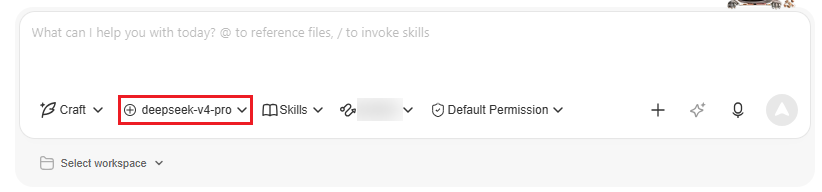
4. After configuration is complete, select the added model from the WorkBuddy model selection box to start a conversation.
Help and Support
Was this page helpful?
You can also Contact sales or Submit a Ticket for help.
Help us improve! Rate your documentation experience in 5 mins.
Feedback