Traffic Mirroring
Download
Focus Mode
Font Size
Scenarios
Traffic mirroring allows you to asynchronously copy a portion of production requests from your model API to a mirrored model service without impacting online users. In the background, it collects performance metadata from the mirrored model—such as TTFT, TPOT, number of tokens, and estimated cost—and performs a side-by-side comparison with the primary model. This feature is applicable in the following scenarios:
Evaluate the performance of the new candidate model to provide data support for model switching.
Verify whether the latency and throughput of the new model meet production requirements.
Use real production traffic to conduct performance comparisons, avoiding the scenario where a model "performs well in the sandbox but fails upon deployment."
Prerequisites
The AI Gateway instance has been created.
The model API has been created.
At least two model services have been configured (one as the primary model service and one as the mirrored model service).
The supplier API Key used by the mirrored model service has been configured and is valid.
The LLM access log delivery capability for CLS log shipping has been enabled. For details, see CLS Log Delivery.
Operation Steps
Step 1: Go to the Target API Traffic Mirroring Configuration Page
1. Log in to the Microservices Platform console. In the left sidebar, select AI Gateway to go to the instance list.
2. On the instance list page, click the ID of the gateway instance you want to configure to go to its basic information page.
3. In the left sidebar, click Model Management, and then click the Model API tab.
4. Click the name of the target model API (the API you have created) to go to its details page, and then click Traffic Mirroring > Configure Traffic Mirroring.
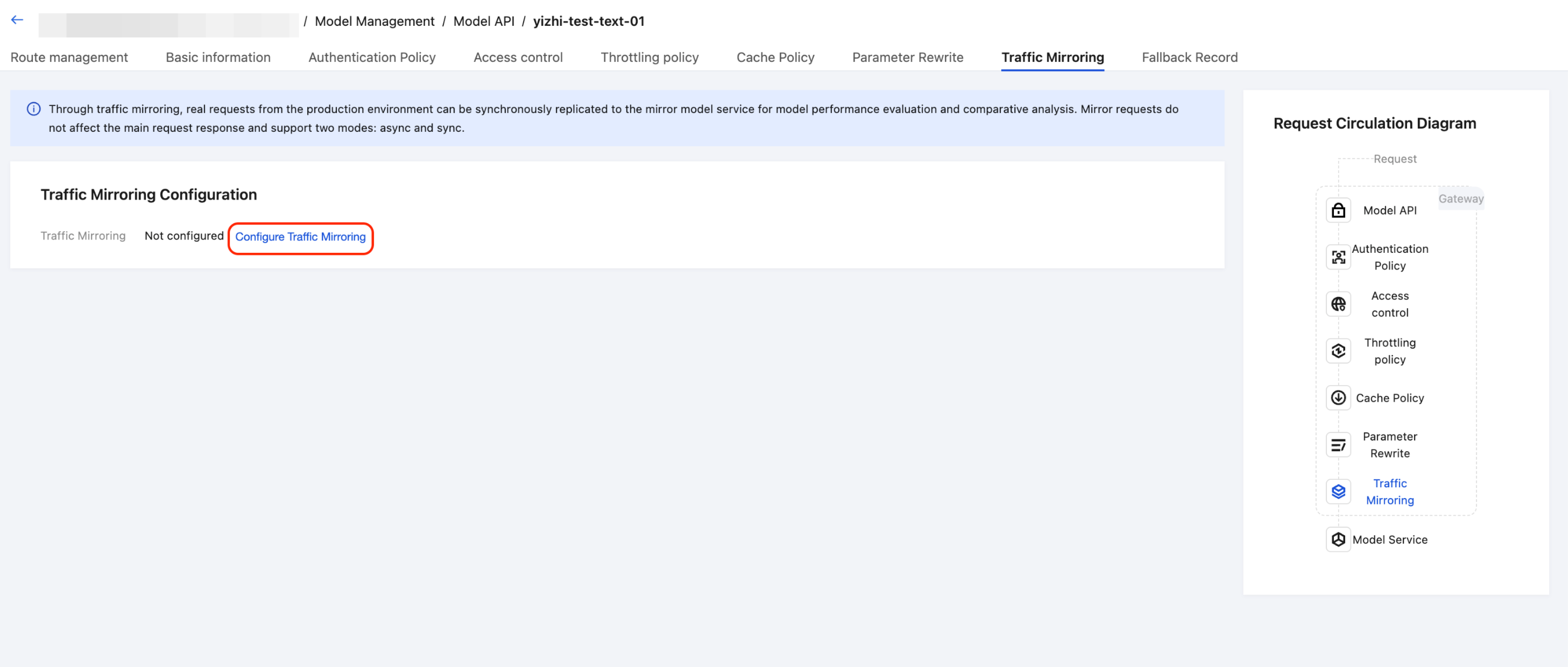
Step 2: Configure Traffic Mirroring
1. Enable the traffic mirroring switch to expand the configuration area.
2. In the mirror target drop-down list, select the model service to be used as the mirror target.
3. Set the mirroring ratio. The default value is 10%. When the ratio is below 100%, the system randomly samples requests based on the ratio to decide whether to mirror the current request.
Recommended value:
Scenario | Recommended Ratio |
Long-term evaluation in production environments | 10-30% |
Ad hoc debugging and verification | 100% |
Initial test upon enabling | 5-10% |
Note:
The mirror target service cannot be the same as the primary path model service.
The mirror target service is independent of the primary path and does not participate in its Fallback or intelligent routing.
4. In the data observation area, select the performance metrics to be collected (all selected by default):
Time to First Token (TTFT): The time from when a request is made until the first Token is received.
Time Per Output Token (TPOT): The average time to generate each output Token during the decoding phase.
Token quantity (Prompt + Completion): The number of input and output Tokens.
Estimated cost: The estimated fee calculated based on the Token quantity and model unit price.
Note:
The Data Observation feature depends on the LLM access log delivery capability of CLS log shipping. Ensure that this capability is enabled.
Step 3: Save the Configuration
Click OK to save the configuration. The configuration takes effect immediately after being saved.
Attention:
1. Mirroring incurs additional costs: Each mirror request results in actual calls to the mirror model service and corresponding Token charges. Evaluate the costs in advance.
2. It is recommended to start with a small-scale test: When enabling mirroring for the first time, set the mirroring ratio to 5-10%. Increase the ratio only after confirming that mirroring is functioning properly.
3. The mirror model service requires sufficient capacity: If the mirroring ratio is high (>50%), ensure that the mirror model service has adequate concurrent load-bearing capability.
4. Mirrored data does not include quality assessment: Traffic mirroring only collects performance metadata (TTFT/TPOT/Token/cost). Response quality assessment requires combining manual review or external evaluation tools.
Help and Support
Was this page helpful?
You can also Contact sales or Submit a Ticket for help.
Help us improve! Rate your documentation experience in 5 mins.
Feedback