System Log Cleanup
다운로드
포커스 모드
폰트 크기
Used to clear historical log data from the console and free up storage space. After the cleanup, log data within the specified time range will be removed from the console page.
1. Log in to the Tencent iOA Zero Trust Security Management System console, choose System General Settings > System Log Cleanup. in the left sidebar.
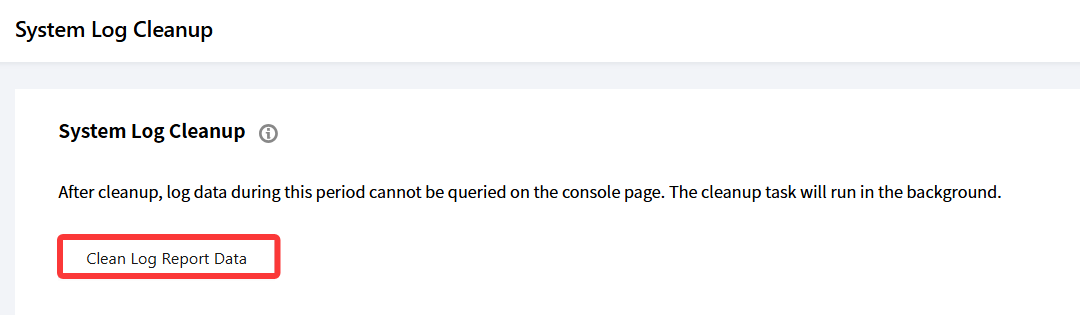
2. On the System Log Cleanup page, click Clean Log Report Data.
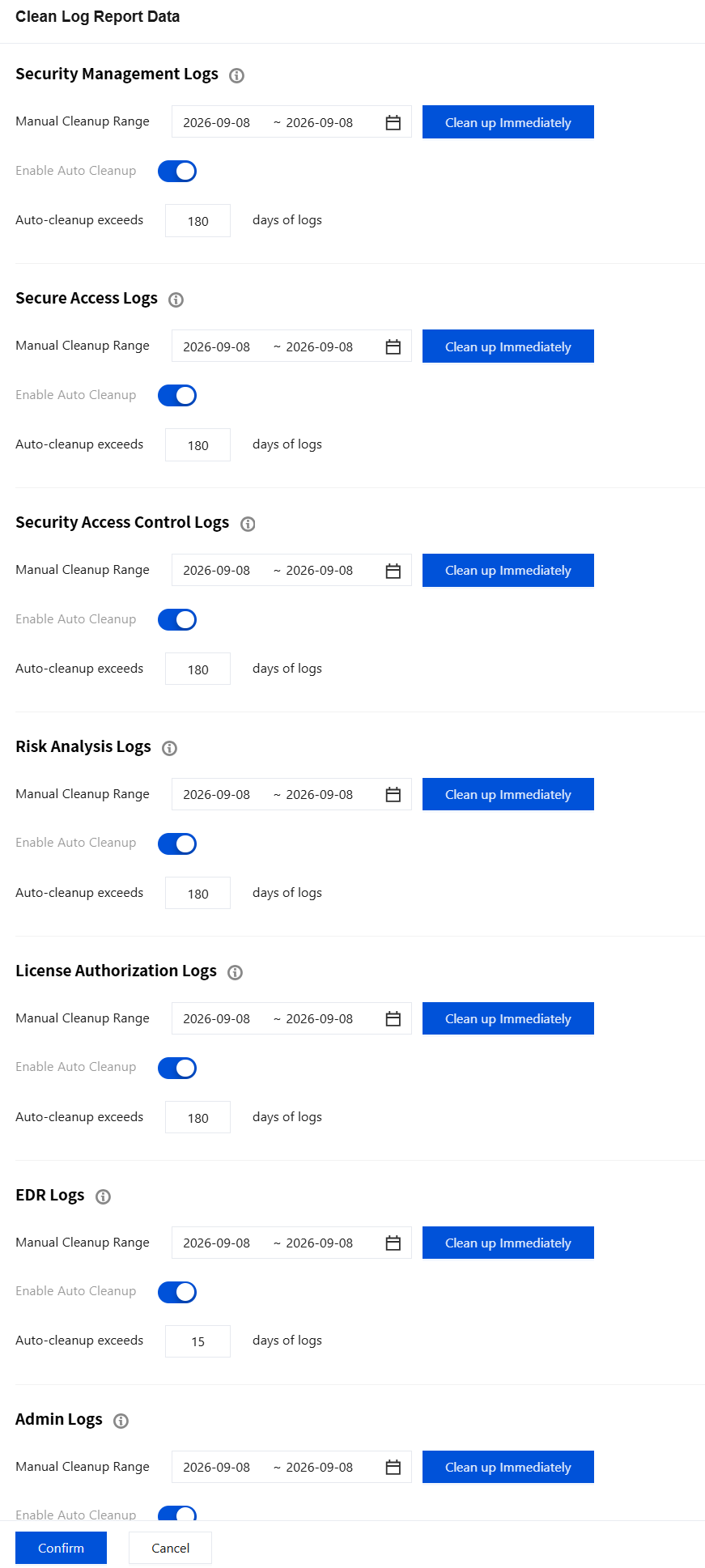
3. In the Clean Log Report Data dialog box, select the log types and time range to clean, and click Clean up lmmediately.
4. The system performs the cleanup task in the background. After the cleanup is complete, logs within the specified time range cannot be queried in the console.
Note:
The EDR log cleanup period is linked to the purchased log storage period, and it cannot exceed the purchased period. The default cleanup period is 15 days, with a minimum of 7 days.
Once logs are cleaned, they cannot be restored. Proceed with caution.
The cleanup task runs in the background and does not affect normal console usage. You can continue to perform other operations during the cleanup.
피드백