Overview
Download
Focus Mode
Font Size
Tencent OneID (OneID for short) provides multiple user statuses to facilitate the management of employees at different stages, such as pre-onboarding, active, and offboarding.
Users in OneID can have the following statuses: Inactive, Enabled, and Disabled. Admins can also perform the Delete operation.
1. New Employee Onboarding
When a new employee joins, admins can manually create a user in the admin console. For detailed creation steps, see Adding Members. For batch operations, see Batch Importing and Updating Members.
Note:
The status of a newly created user is Inactive. After the user logs in to the system, the status is automatically changed to Enabled.
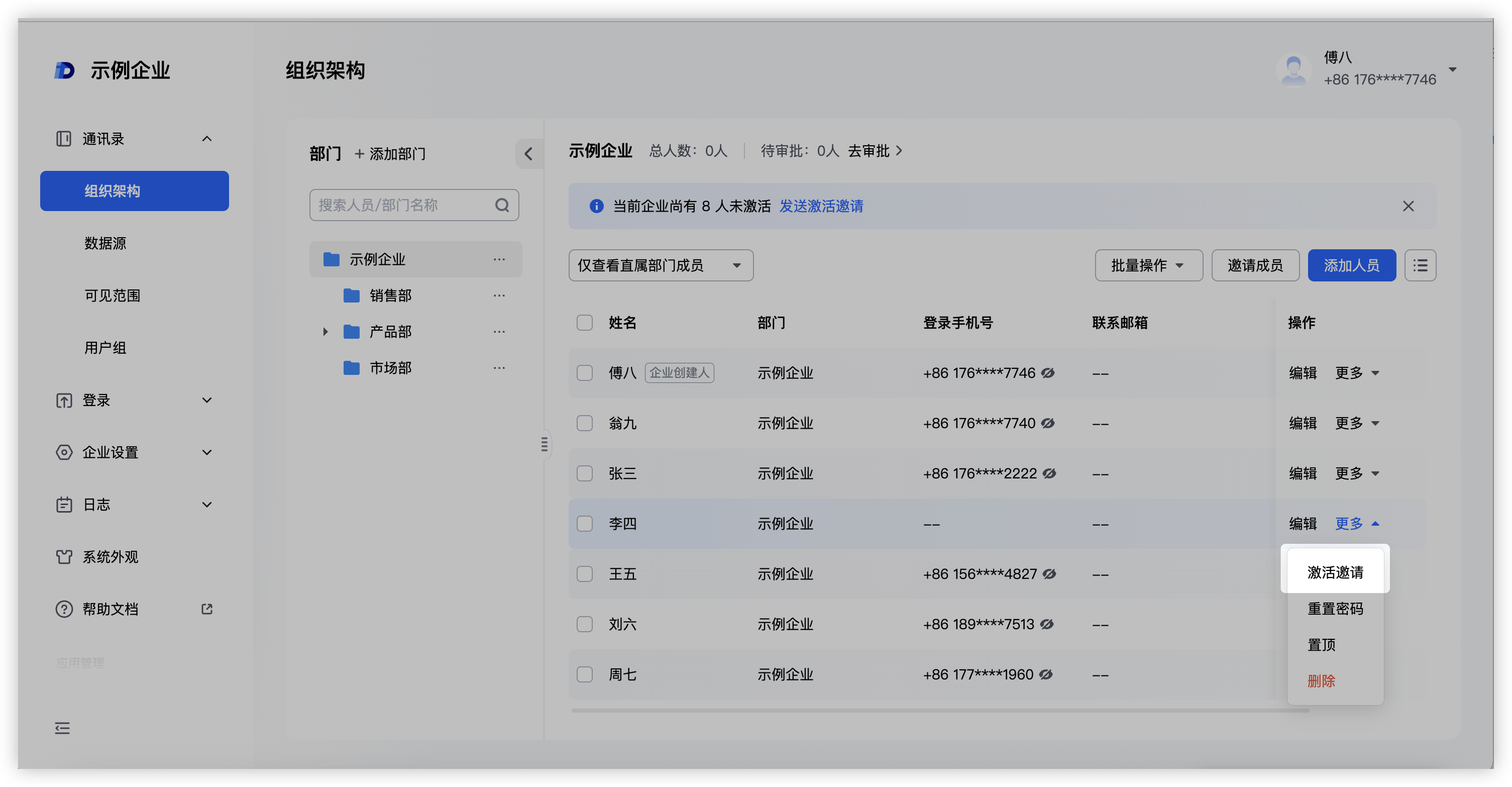
If a member has not logged in for activation for a long time, admins can send an activation invitation to the created but inactive user from the user list. The member can also receive a notification.
2. Disabling an Employee
For business scenarios such as employee permission suspension or employee leave, admins can disable users with the Enabled status. After the account is disabled, the user cannot log in to the system, while other information remains unchanged.
For users in the Disabled status, you can click Enable, and their status will be restored to the previous status.
3. Employee Offboarding
After an employee leaves, admins can choose to delete the employee's account.
After an employee is deleted, the employee can no longer log in to the system, and the associated configurations, such as permission settings, are also deleted. The employee will no longer appear in the management list.
Help and Support
Was this page helpful?
You can also Contact sales or Submit a Ticket for help.
Help us improve! Rate your documentation experience in 5 mins.
Feedback