Configuring Post-Event Alarms
Download
Focus Mode
Font Size
Event alarms related to the SQL Insights (Database Audit) feature have been integrated with TCOP and Event Bus. If you configure risk-level alarms in a rule template and choose to send alarms, audit logs that match that rule template will trigger alarm notifications to bound users. In TCOP, users can also view alarm history, manage alarm policies (alarm switch), and configure alarm blocking. Configuring event alarms for SQL Insights (Database Audit) helps users obtain risk alarms promptly and quickly locate problematic audit logs.
This document describes how to configure event alarms for instances with the audit service enabled from Tencent Cloud Observability Platform (TCOP) and Event Bridge.
Prerequisites
Configuring Event Alarms via TCOP
Creating an Alarm Policy
1. Log in to the TCOP console, and choose Alarm Management > Alarm Configuration in the left sidebar.
2. On the Alarm Management page, click Create Policy.
3. On the policy creation page, complete the settings for basic information, alarm rules, and alarm notifications.
Policy Type: choose CDB > MySQL > MASTER.
Alarm Object: You can locate the object instance to be associated by selecting the region where the object resides or searching for the instance ID of the object.
Trigger Condition: Find the event alarm, click Add Event, and add alarm events for AuditLowRisk, AuditMediumRisk, or AuditHighRisk based on the actual risk level for which you need to alarm.
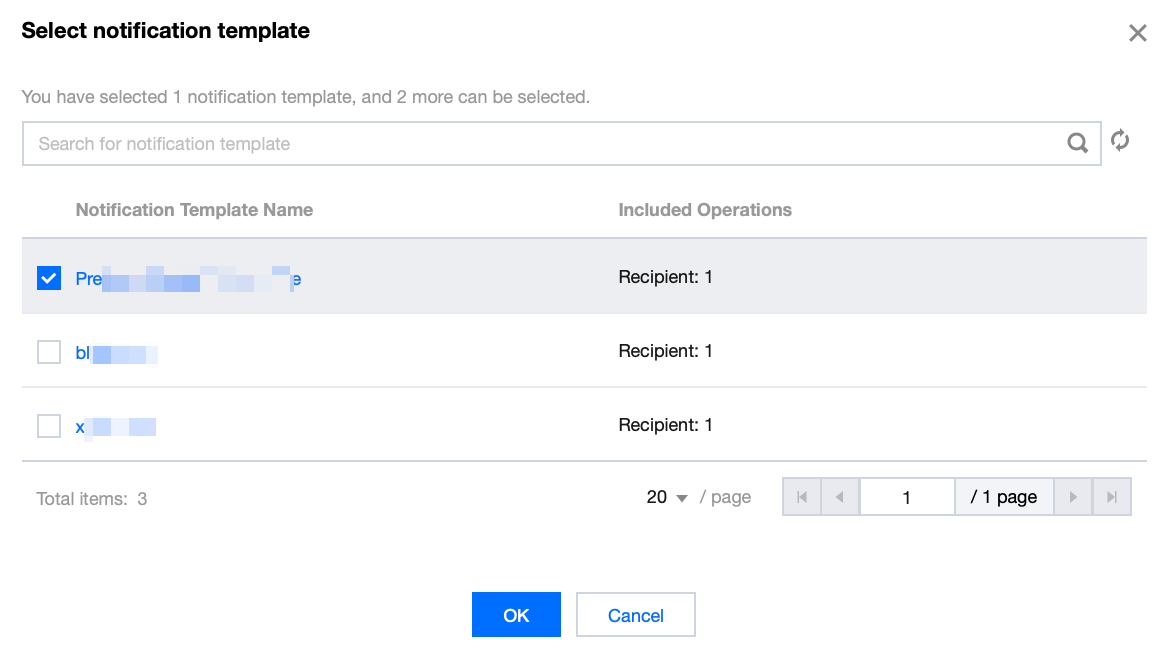
Configure Alarm Notification: You can select either system preset notification templates or custom notification templates. Each alarm policy can be bound to up to three notification templates. For custom templates, see Create Notification Template.
Select a system preset template.
Create a template.
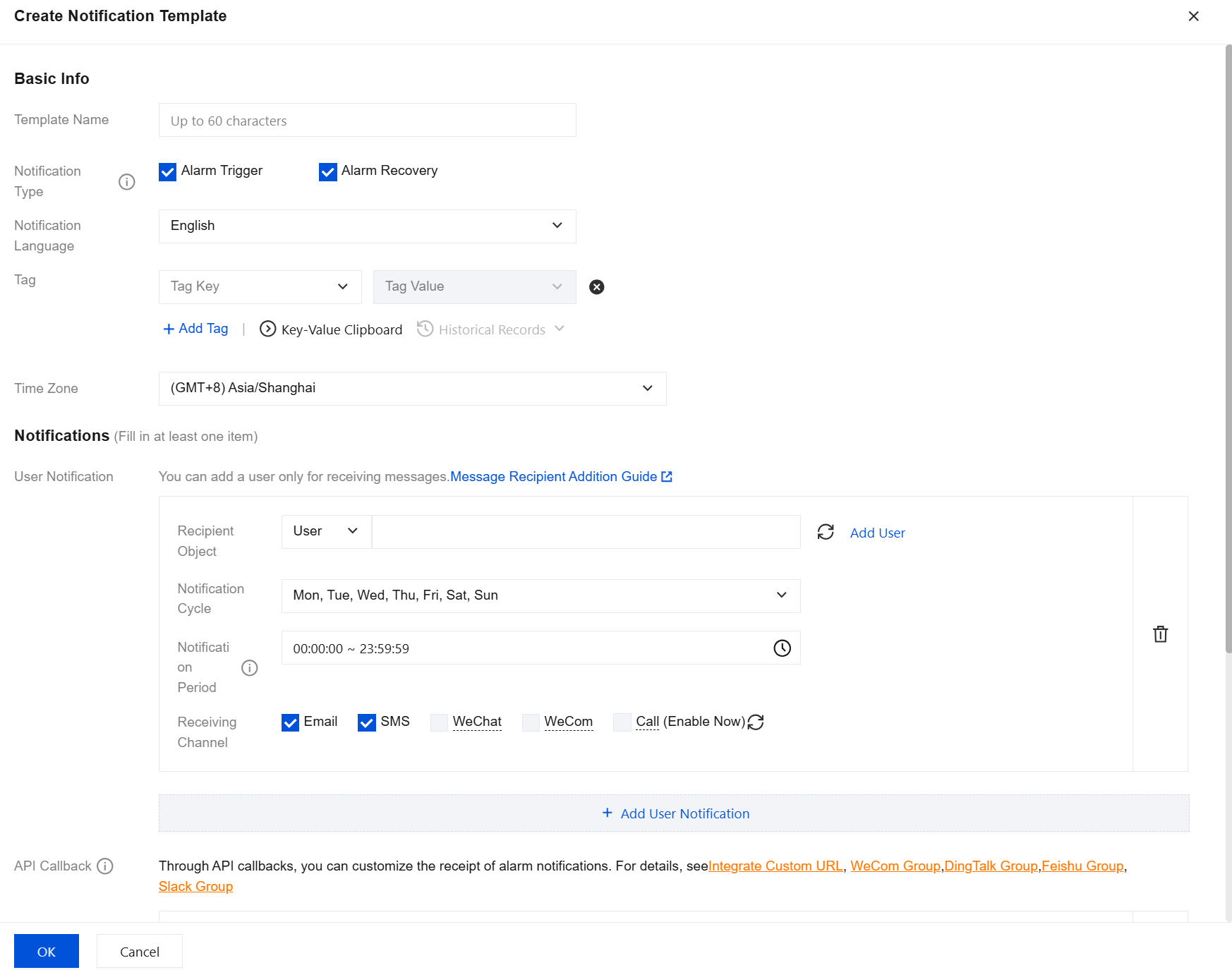
4. After confirmation, click OK.
Associating an Alarm Object
After creating an alarm policy, you can also associate other alarm objects with it (instances consistent with this alarm policy). When rules in the rule template are triggered, and the risk level matches the added level, and the alarm policy of the rule template is set to send alarm for the instance, the generated audit logs will send alarm notifications.
1. On the Alarm Policy List Page, click the Policy Name to go to the Alarm Policy Management Page.
2. On the Alarm Object section of the alarm policy management page, click Add Object.
3. In the pop-up dialog box, select the alarm object to be associated with, and click Confirm to associate the alarm object.
View Alarm History, Manage Alarm Policies (Alarm Switch), and Mute Alarms
You can use TCOP to view related event alarm history, manage alarm policies, and create alarm muting. For related operations, refer to the following guidance:
Configure Event Alarms via Event Bus
Step 1: Enable Event Bus
Tencent Cloud EventBridge implements permission management through Cloud Access Management (CAM). CAM is a permission and access management service provided by Tencent Cloud, primarily designed to help customers securely manage access permissions to resources under their Tencent Cloud accounts. Users can create, manage, and delete users (groups) through CAM, and control other users' permissions to use Tencent Cloud resources via identity management and policy management. Before the service is used, you need to activate EventBridge on the product page. For activation methods for the primary account and granting sub-accounts permission to use this service, see Activating EventBridge.
Step 2: Configuring Event Alarms for TencentDB for MySQL SQL Insight (Database Audit)
After enabling the EventBridge service, you need to select an event source connection method. Currently, monitoring events generated by TencentDB for MySQL SQL Insight (Database Audit) are supported as event sources for connecting to EventBridge.
Note:
For alarm, audit, and other Ops events generated by TencentDB for MySQL, they are all delivered to the Tencent Cloud service event bus. This delivery is the default and cannot be changed or edited.
After Tencent Cloud EventBridge service is enabled, a default cloud service event set will be automatically created for you in the Guangzhou region. Alarm events (monitoring events and audit events) generated by TencentDB for MySQL will be automatically delivered to it.
1. Log in to the EventBridge console.
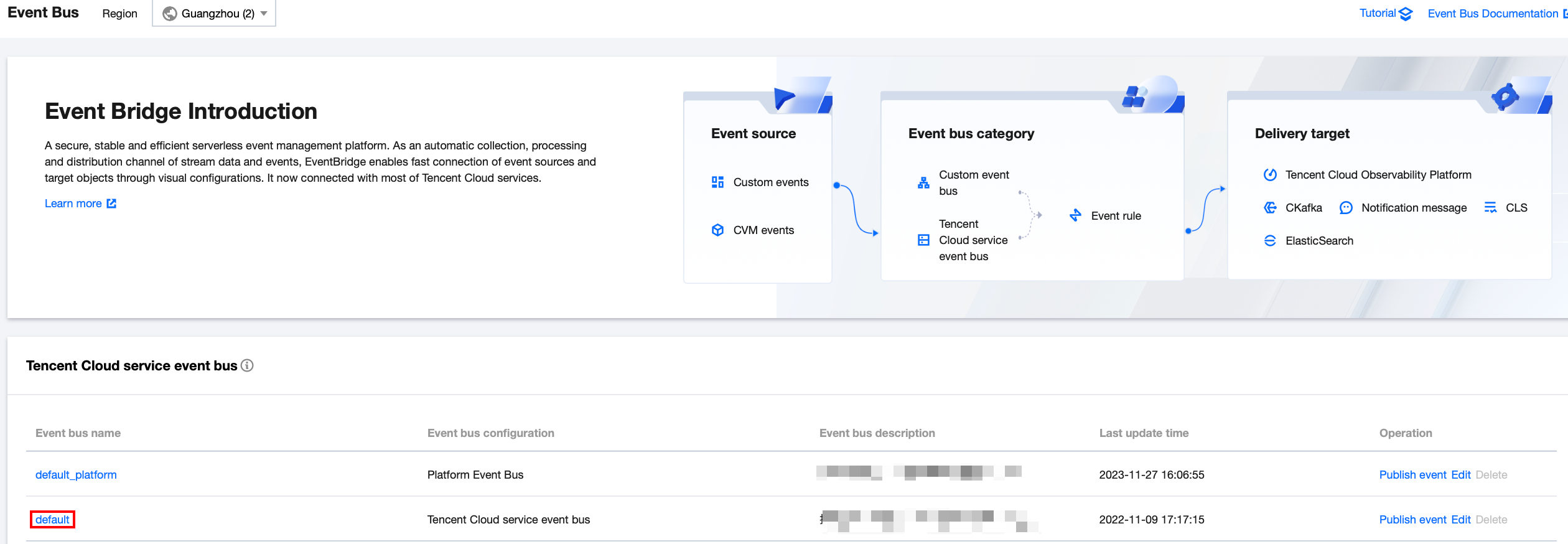
2. Select Guangzhou as the region above.
3. Click the default event bus under Cloud Service Event Bus.
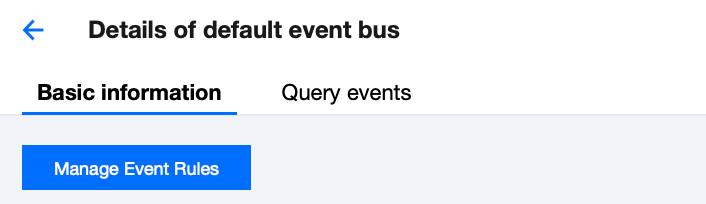
4. On the default event bus details page, click Manage Event Rules.
5. On the redirect page, click Create.
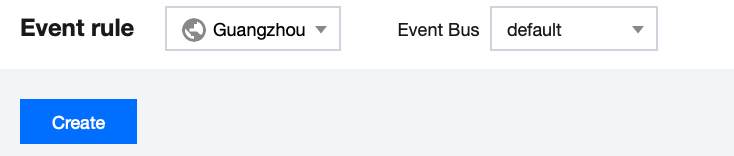
6. On the Create Event Rule page, complete the following configurations and click Next.
Parameter | Description |
Rule name | Fill in the rule name, which can only contain letters, numbers, underscores, and hyphens. It must start with a letter and end with a letter or number, with a length of 2-60 characters. |
Rule description | Fill in the rule description, which can only contain numbers, Chinese/English letters, and common punctuation marks, with a maximum of 200 characters. |
Tag | Customize whether to enable Tags. After enabling, you can add Tags to this event rule. |
Data conversion | Event data transformation helps you easily perform simple processing on event content. For example, you can extract, parse, and remap fields from events before delivering them to event targets. |
Event sample | An example event structure is provided as a reference for configuring event matching rules. You can find the target template under event examples for reference. |
Event Mode | Supports form mode and custom events. It is recommended to use form mode here for greater efficiency. |
Tencent Cloud service | Select TencentDB for MySQL. |
Event Type | Select the required event types for SQL Insight (Database Audit) related alarms (Database Audit Low Risk, Database Audit Medium Risk, Database Audit High Risk). |
Test match rule | Select the event type template from the event examples, then click Test matching rules. If the test passes, you can proceed to the next step. |
Note:
If you need to receive event alarms from specified instances, configure it as follows:
{"source":"cdb.cloud.tencent","subject":"ins-xxxxxx"}
This indicates that only events from TencentDB for MySQL with instance id ins-xxx can be pushed through rule matching; other events will be discarded and cannot reach users.
You can also use array mode to match multiple resources:
{"source":"cdb.cloud.tencent","subject":["ins-xxxxxx","ins-xxxxxx"]}
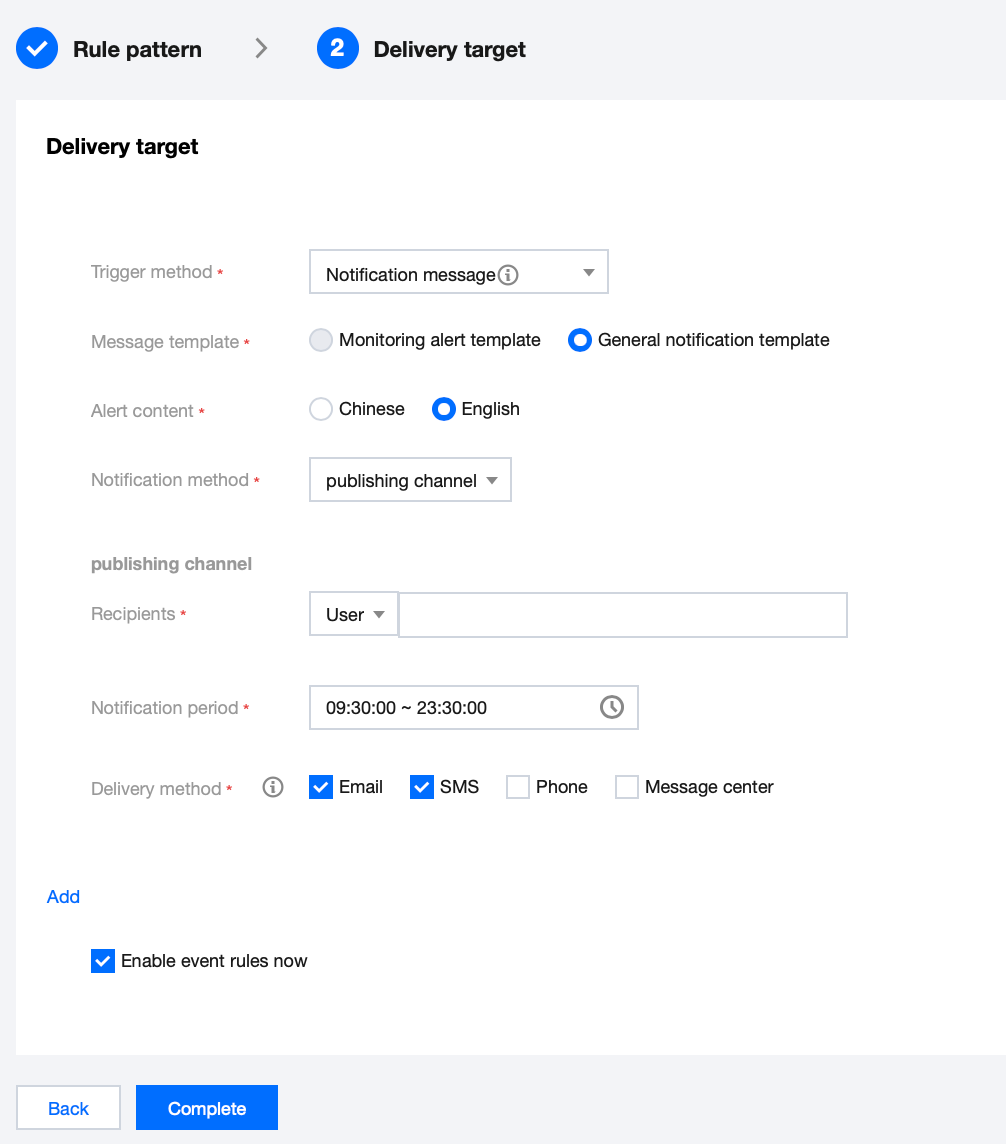
7. On the Event Target tab, complete the following configuration, select Enable event rules now, and click Complete.
Parameter | Description |
Triggering method | Select Message Push. |
Message template | Supports selecting a monitoring alarm template or a general notification template. |
Alarm content | Supports selecting Chinese or English. |
Notification method | Supports selecting API callback, channel push, or both. Here, channel push is selected as an example for subsequent configuration steps. |
Recipients | Select recipient users or user groups. |
Notification period | Custom Notification Time Period |
Receive method | Select receiving channels. SMS is limited to 500 characters, and phone is limited to 350 characters. Events that are too long (possibly due to long instance names or other reasons) will not be pushed. It is recommended to configure multiple channels simultaneously. |
Note:
If you need to configure multiple event targets, click Add to set them up.
8. After creation, you can query and manage this event rule in the event rule list.
Help and Support
Was this page helpful?
You can also Contact sales or Submit a Ticket for help.
Help us improve! Rate your documentation experience in 5 mins.
Feedback