Cybersecurity Classified Protection Practice for Database Audit of TencentDB for MySQL
Download
Focus Mode
Font Size
To assist enterprises in achieving cybersecurity classified protection compliance, this document describes the relationship between the database audit capabilities of TencentDB for MySQL and the related clauses of cybersecurity classified protection, to help enterprises provide targeted supporting materials.
Prerequisites
Level 3 Cybersecurity Classified Protection
(a) The database audit feature should be enabled, auditing each user and covering important user behaviors and significant security events.
This clause primarily examines the following three points:
Whether the database audit feature is enabled
1.1 Log in to the MySQL console, and choose Database Audit in the left sidebar. If Enabled is displayed under the Audit Storage Status field, it indicates that the database audit feature is enabled for instances in the specified region under the current account.

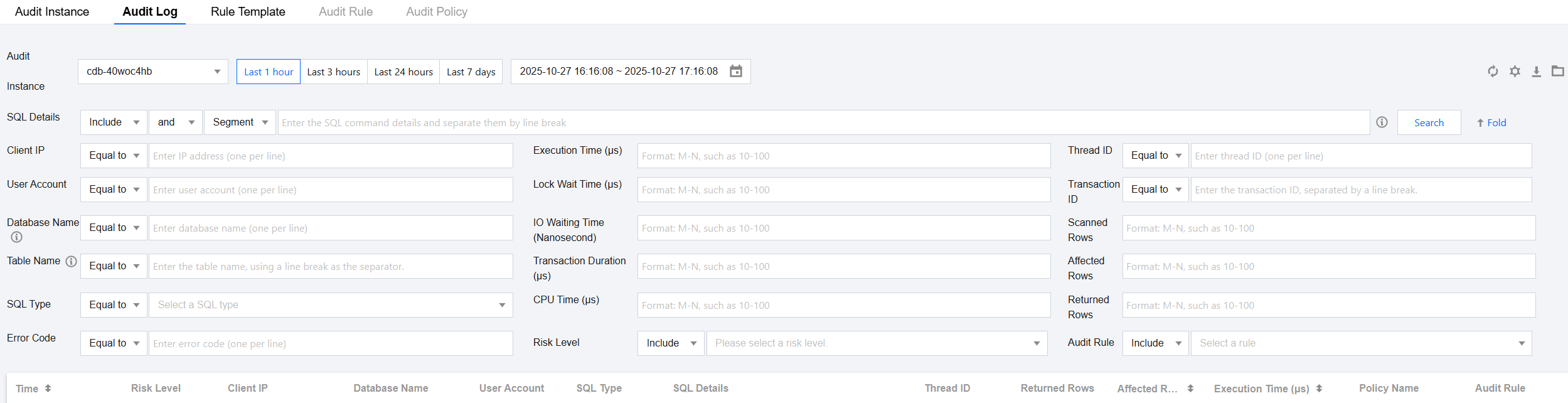
1.2 Click View Audit Logs to redirect to the Audit Log page of the corresponding instance, where you can see audit log records (audit log records should have been generated), proving the database audit feature is running normally.
Whether the audit scope covers all users
On the Audit Log page, the corresponding user account for an operation can be queried under the User Account field, supporting auditing every username.

Whether important user behaviors and significant security events are audited
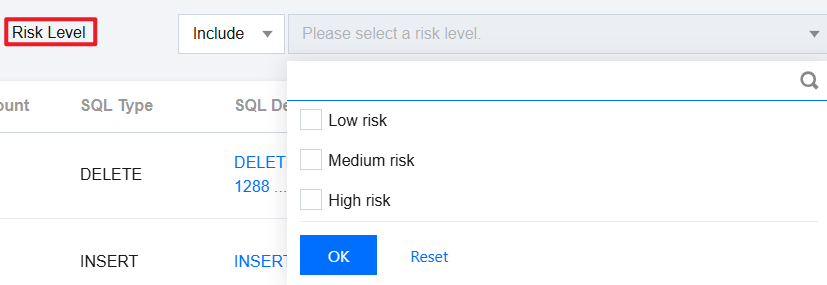
By configuring post-event alarms, users can receive risk alarms based on the set audit rules and risk levels, helping them quickly locate issues and view relevant audit logs on the Audit Log page.
(b) Audit records should include the date and time of the event, user account, SQL type, SQL command details, and other information related to the audit.
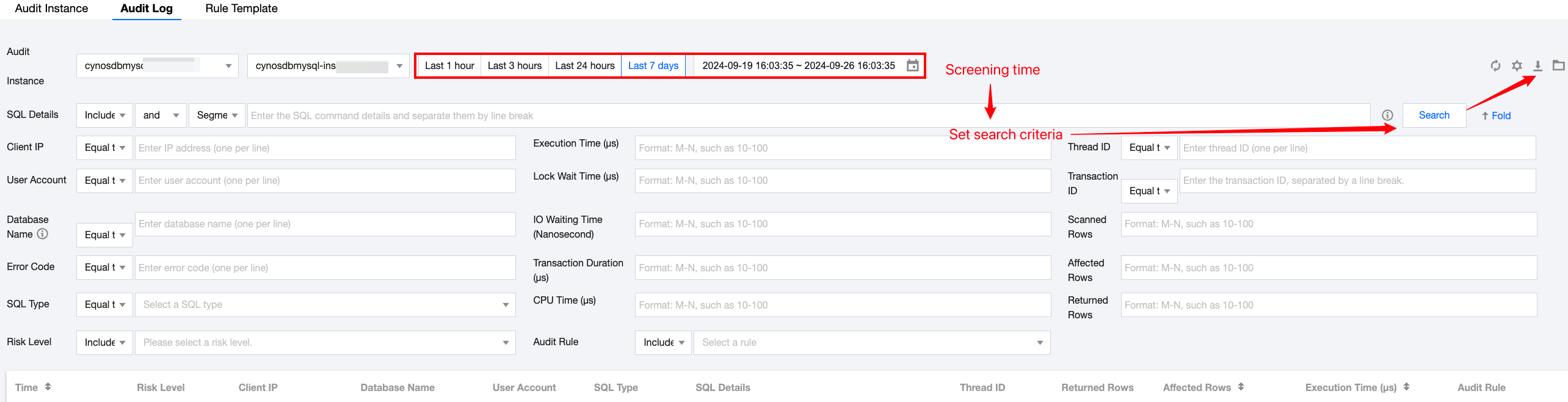
On the Audit Log page, you can filter by time and search criteria to locate target audit logs. Click the download icon to download related audit logs to the local system and query the information.
(c) Audit records shall be protected to prevent unexpected deletion, modification, or overwriting.
After the database audit feature is enabled, the button for deleting audit logs is not displayed, preventing users from accidentally deleting or modifying the audit logs. Audit records will only be cleared when the database audit feature is disabled.
(d) Others: According to the Cybersecurity Law, network logs should be retained for 6 months or more.
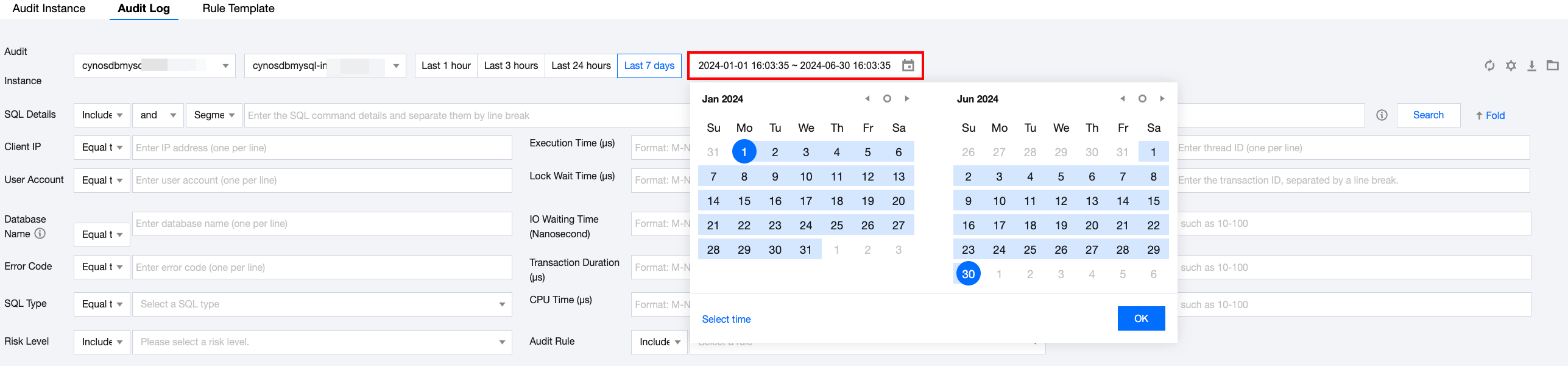
On the Audit Log page, select a time range of six months in the time box to view the logs for the selected 6 months.
Help and Support
Was this page helpful?
You can also Contact sales or Submit a Ticket for help.
Help us improve! Rate your documentation experience in 5 mins.
Feedback