TencentDB for SQL Server Optimization of Slow SQL
Download
Focus Mode
Font Size
TencentDB for SQL Server instances have extended event tracking for slow SQL enabled by default (that is, slow query log collection is enabled by default), recording SQL statements with execution time exceeding 1 second. You can download slow SQL files for the corresponding time period in the console for slow SQL analysis. This article introduces how to query slow SQL for instances via the console and optimization techniques for slow SQL.
Query and Download Slow SQL Files
1. Log in to the SQL Server console.
2. Select the region above, find the instance that needs to be queried or to download slow query logs, and click Instance ID or click Manage in the Operation column to go to the instance management page.
3. On the instance management page, choose Operation Log > Slow Query Log to view the slow query log list.

4. As needed, select the corresponding time range and click Download in the Operation column to download the slow SQL file.
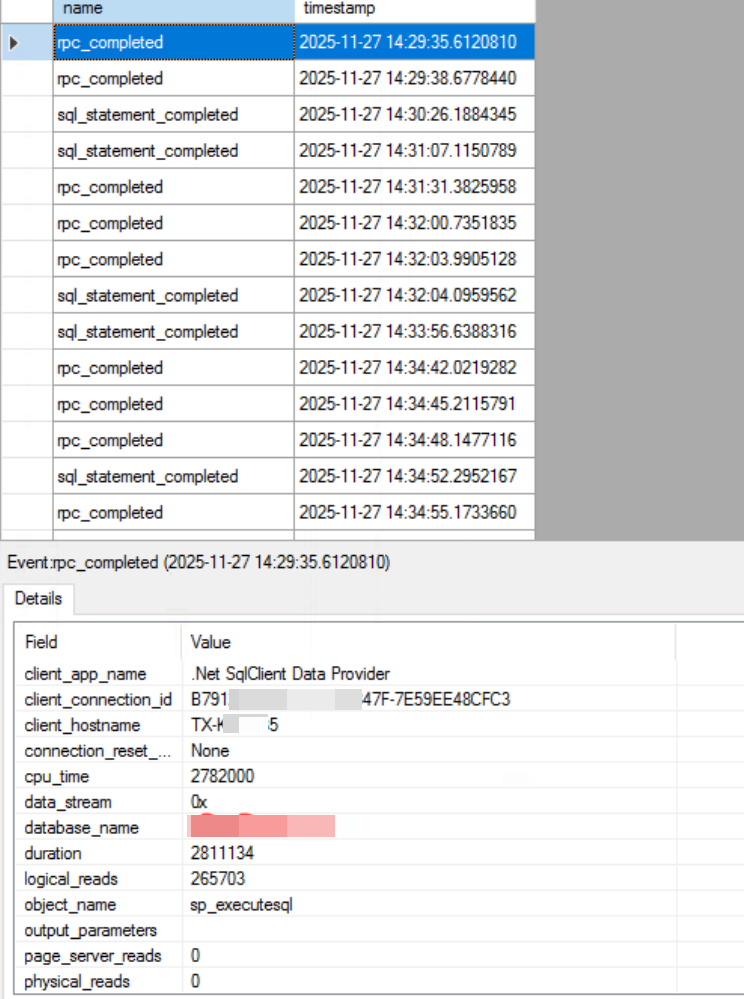
5. Open the downloaded slow SQL file on a server with SSMS tools, locate the corresponding slow SQL, and analyze it as shown in the figure below.
Optimization Techniques for Slow Queries
A small number of slow SQL queries may be related to writing style and business logic, which require evaluation by the business side. However, most slow SQL queries are primarily caused by missing or improper indexes. For such cases, you can quickly locate missing indexes using the following methods.
1. Connect to the TencentDB for SQL Server instance using SSMS.
2. Select the corresponding database, open the query window, place the slow SQL in the query window, and then select the estimated execution plan.
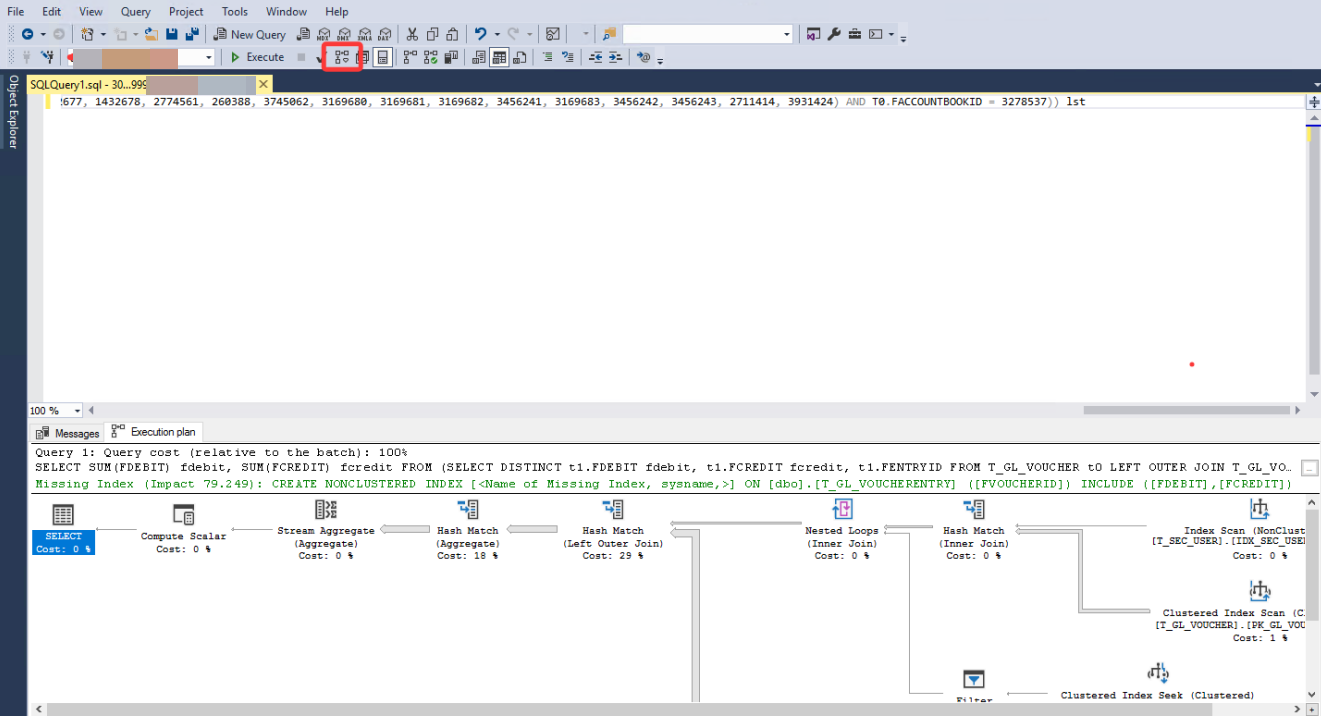
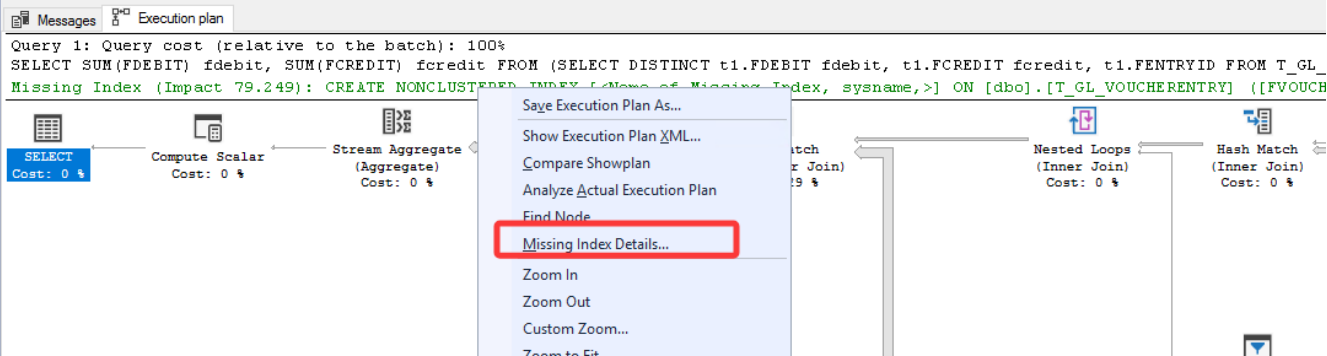
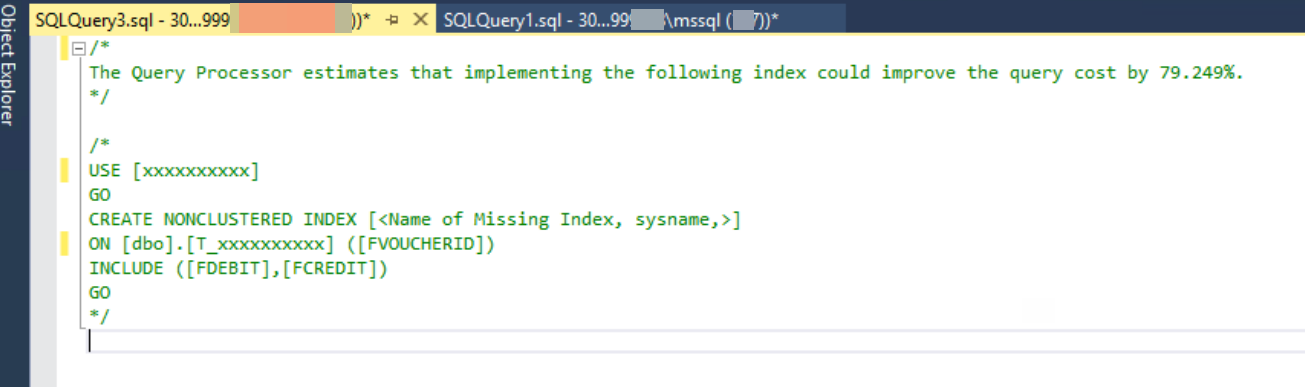
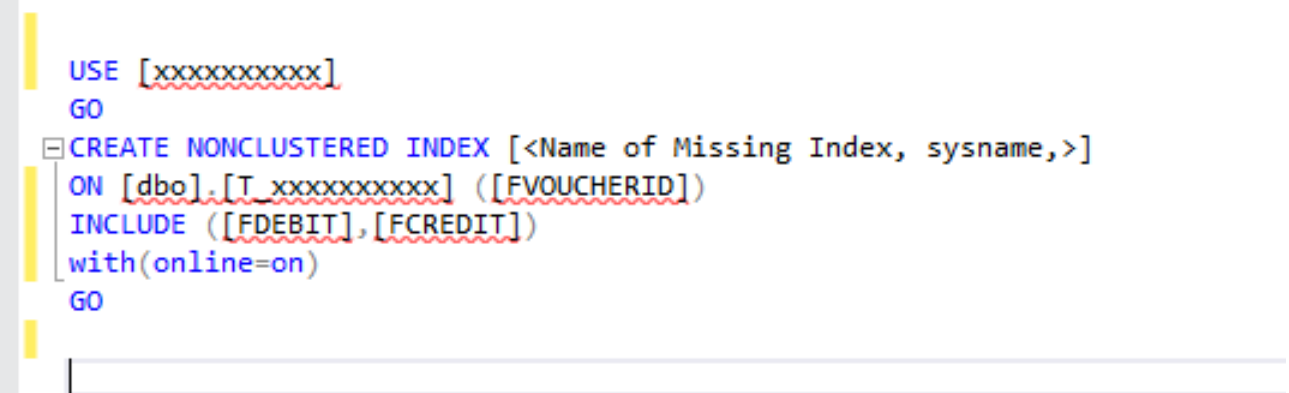
3. Here you can see that the impact of the missing index for the corresponding SQL is as high as 79%. Then right-click the row for the missing index, select to open index details, and the corresponding create index script will be generated.
Note:
If you need to create missing indexes, it is recommended to do so during off-peak business hours. Create them online with the online=on parameter. For example:
Help and Support
Was this page helpful?
You can also Contact sales or Submit a Ticket for help.
Help us improve! Rate your documentation experience in 5 mins.
Feedback