This article introduces how to configure and view multiple AZs through the Tencent Cloud Distributed Cache console.
Overview
Tencent Cloud Distributed Cache supports deploying replicas across multiple AZs within the same region. Compared to single-AZ instances (where the master node and replica nodes reside in the same AZ), multi-AZ instances deliver higher availability and disaster recovery capabilities.
For instances where read-only replica (read/write separation) is not enabled, both read and write requests are routed through the Proxy in the same AZ to the master node, ensuring data consistency while guaranteeing at most one cross-AZ (Availability Zone) access.
Read/Write separation enabled (that is, replicas can only be read from): Write requests are routed by proxy to the master node, but read requests are routed to the replica node in the same AZ as the proxy, so that read requests can get responded by the nearest node.
We recommend that you deploy one master node and one replica node in the master AZ, and another replica node in the replica AZ. If the master node fails, the replica node in the master AZ can be promoted quickly to avoid cross-AZ master-replica switch. Such a deployment solution can maximize service availability and reduce the delay caused by master node failures.
3. The replica quantity determines the maximum number of AZs, which is the replica quantity plus 1. Select a value based on your actual business needs.
Note:
Distributed Cache supports deploying a maximum of 6 AZs within the same region.
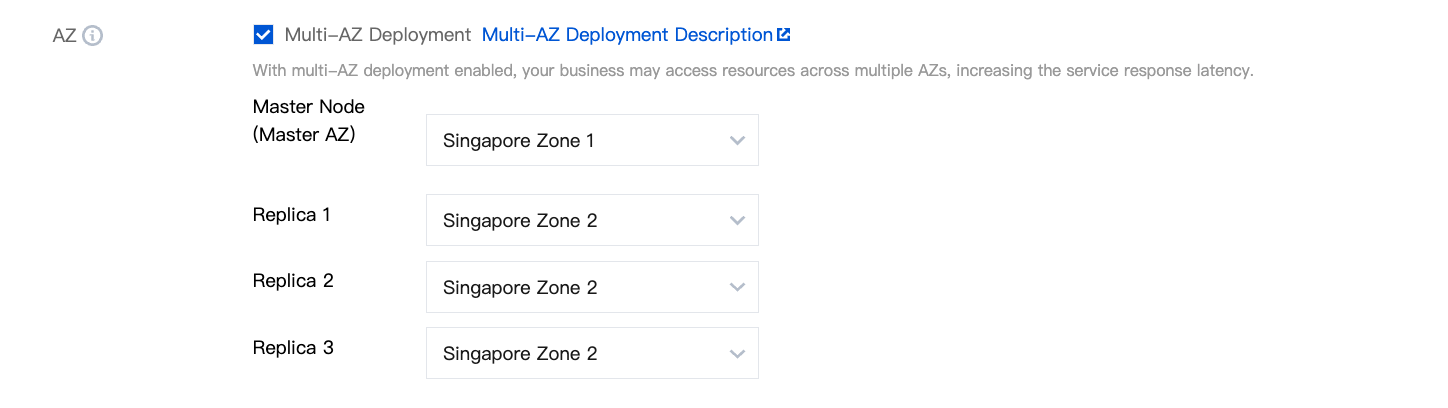
4. When configuring AZ, select Multi-AZ Deployment and set the AZs of the master and replica nodes.
5. Set information such as network, port, parameter template, instance name, and password.
6. Confirm the price. After making the payment, return to the instance list. After the status of the instance changes to Running, it can be used normally.
icon is a multi-AZ instance, and you can view multi-AZ information.
In the Instance List, click the Instance ID to go to the management page. On the Instance Details page, the instance with the
icon at the AZ location is a multi-AZ instance, and you can view multi-AZ information.
In the Instance List, click the Instance ID to go to the management page. On the Node Management page, you can view detailed information of each node in different AZs.