A sub-account has no RUM permissions by default and can access RUM resources only after being granted relevant permissions by the root account.
Prerequisites
Log in to the Tencent Cloud console with the root account or a sub-account with the QcloudCamFullAccess permission and create a sub-account as instructed in Creating Sub-user.
Custom Policy
1. Use the root account or a sub-account with the QcloudCamFullAccess permission to log in to the CAM console and go to the Policies page.
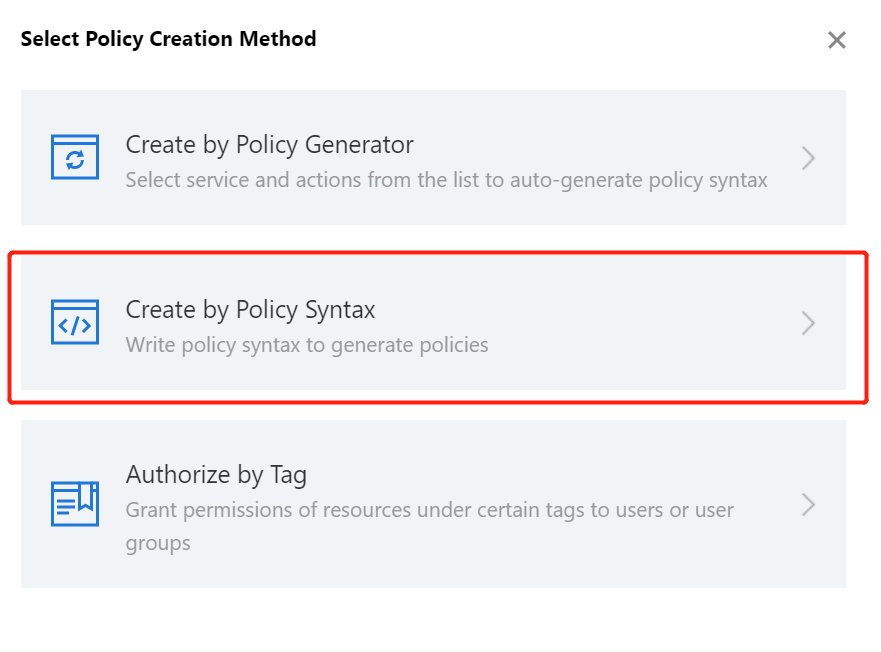
2. Click Create Custom Policy > Create by Policy Syntax and select Blank Template. Edit the policy as instructed in Policy Syntax Description.
Policy Authorization
Note:
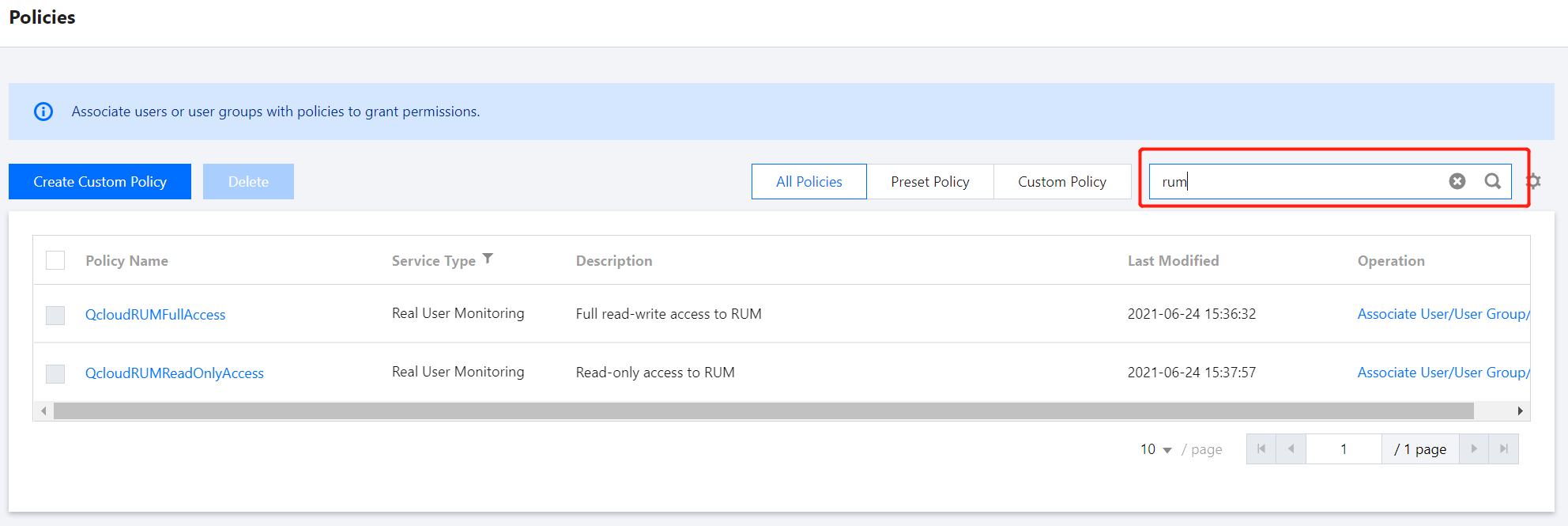
RUM creates default permission policies QcloudRUMFullAccess (full access to RUM) and QcloudRUMReadOnlyAccess (read-only access to RUM) for you. You can search for a default policy for quick authorization. You can also use a custom policy for authorization. Then, the sub-account can access the relevant resources.
1. Use the root account or a sub-account with the QcloudCamFullAccess permission to log in to the CAM console and go to the Policies page.
2. Go to the policy management page and enter a policy name in the policy search box.
3. Select QcloudRUMReadOnlyAccess or QcloudRUMFullAccess and click Associate Users/Groups in the Operation column.
4. In the pop-up window, select the target user and click OK.