tencent cloud

About Account

Signing Up
Logging in to Tencent Cloud
Identity Verification
Individual Identity Verification Guide
Enterprise Identity Verification Guide
Identity Verification Change Guide
Operation Guide
Manage Account Information
Security Settings
FAQs
Account Information
Identity Verification
Security Settings
Project Management
Troubleshooting
SMS Verification Issues
Email Verification Issues
DocumentationAbout AccountIdentity VerificationEnterprise Identity Verification Guide

Enterprise Identity Verification Guide

PDF
Focus Mode
Font Size
Last updated: 2025-12-05 16:24:23

Overview

This document describes how to verify enterprise identity for your Tencent Cloud account. After successful verification, the account and Tencent Cloud resources under it will belong to your enterprise. You will be able to purchase and manage resources for enterprises, but will not be able to purchase or use resources designated for individual businesses.
Note:
One set of enterprise identity information (enterprise name/business number) can be used to verify the identity of up to 10 Tencent Cloud accounts.

Prerequisites

You need to have a Tencent Cloud account. If you don't have an account, you can sign up for one as instructed in Signing up for Tencent Cloud Account.

Directions

Step 1. Select enterprise identity verification

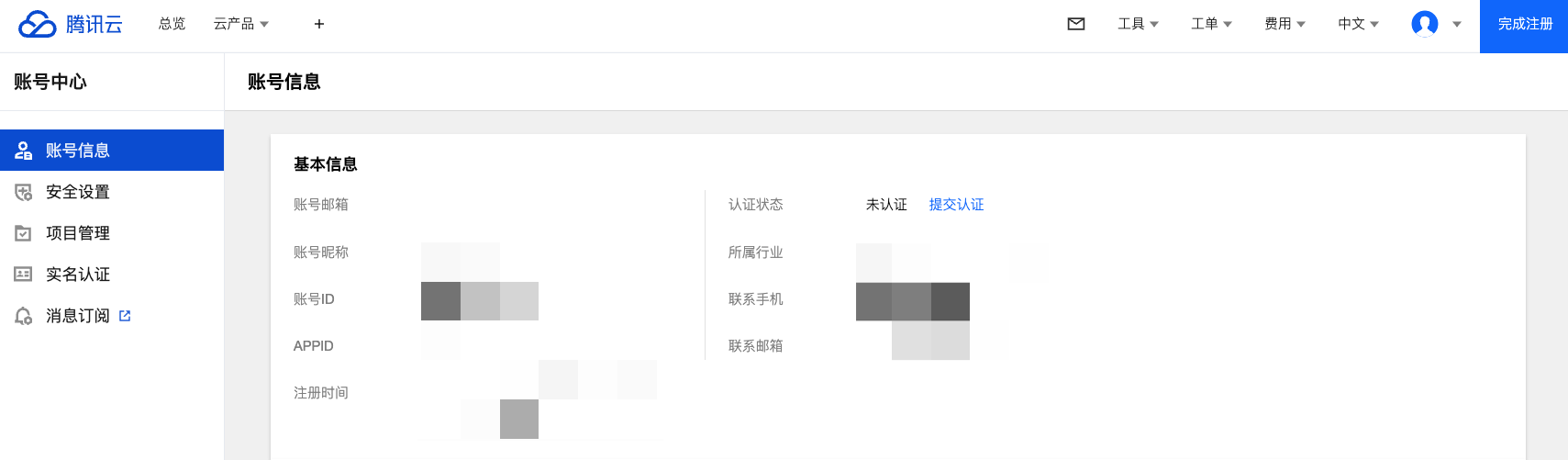
1. Log in to the Tencent Cloud Console and go to Account Information, navigate to Basic Information > Verification Status, and click Submit for Verification.

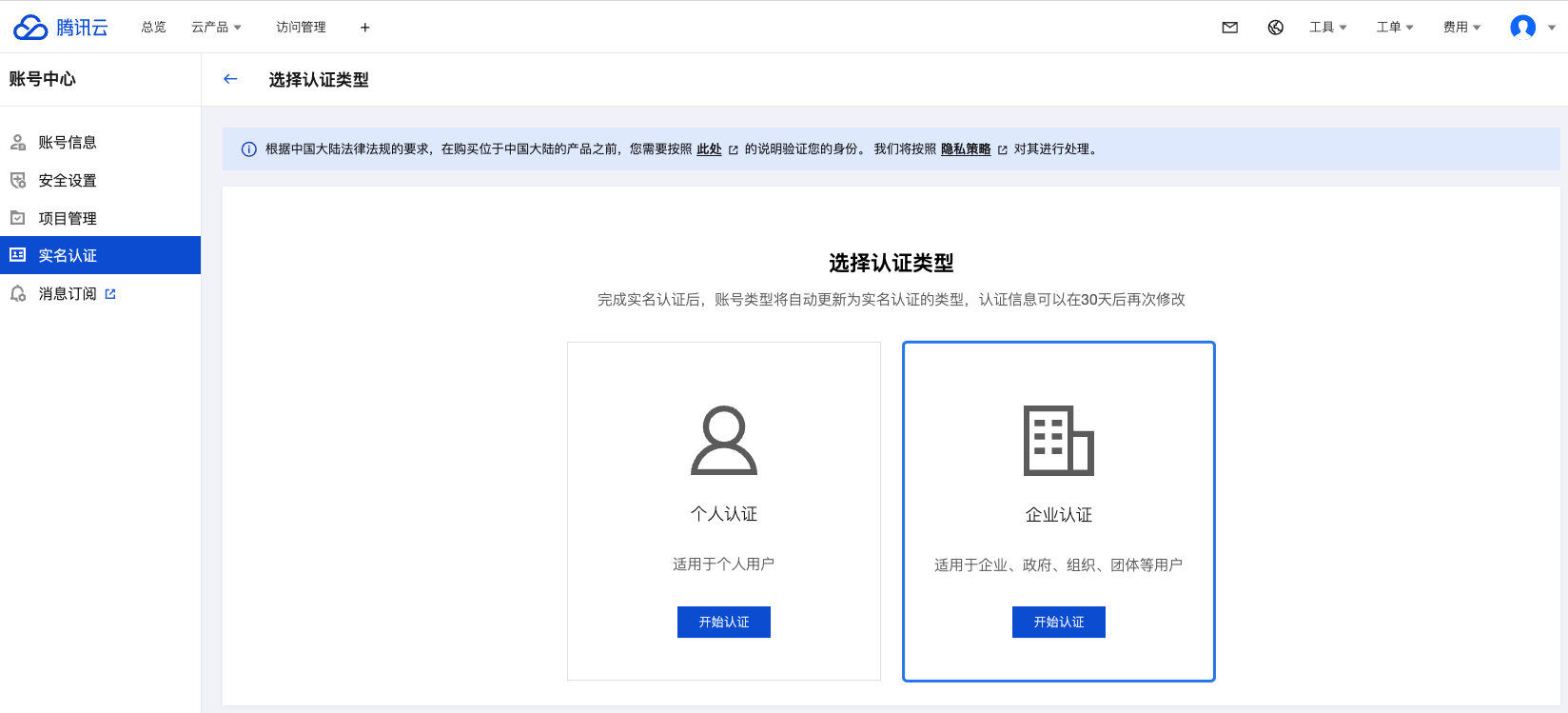
2. Select Enterprise Verification.


Step 2. Enter basic enterprise information


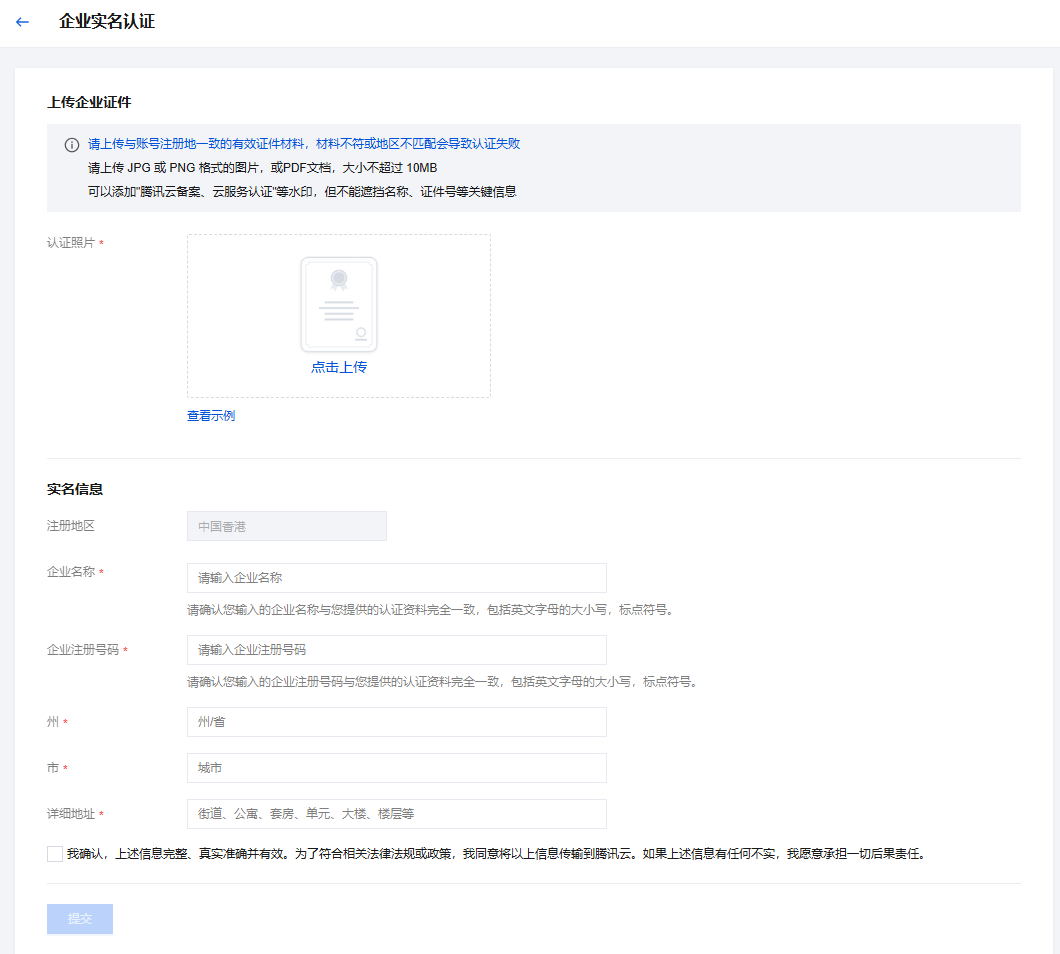
Enter the following enterprise information in the console:
1. Enterprise name.
2. Registered address.
3. Business Registration Number;
4. Photo for enterprise verification.
After entering the information above, click Submit to initiate identity verification.
The Tencent Cloud team will review the application within 2-4 business days and notify you of the result through the console Message Center, email, and SMS.

Help and Support

Was this page helpful?

Help us improve! Rate your documentation experience in 5 mins.

Feedback