tencent cloud

Tax ID Management
Last updated: 2025-12-22 17:17:43
Tax ID Management
Last updated: 2025-12-22 17:17:43
This document is only valid for customers in the Philippines.

Introduction to Philippines Policy

Note:
According to the tax policy in the Philippines, starting from 00:00:00 on January 1, 2026, Tencent Cloud will exempt enterprise customers from the Philippines Value-Added Tax (VAT), while non-enterprise customers and customers with empty tax information will be charged 12% Philippines Value-Added Tax (VAT). For details, see the announcement.
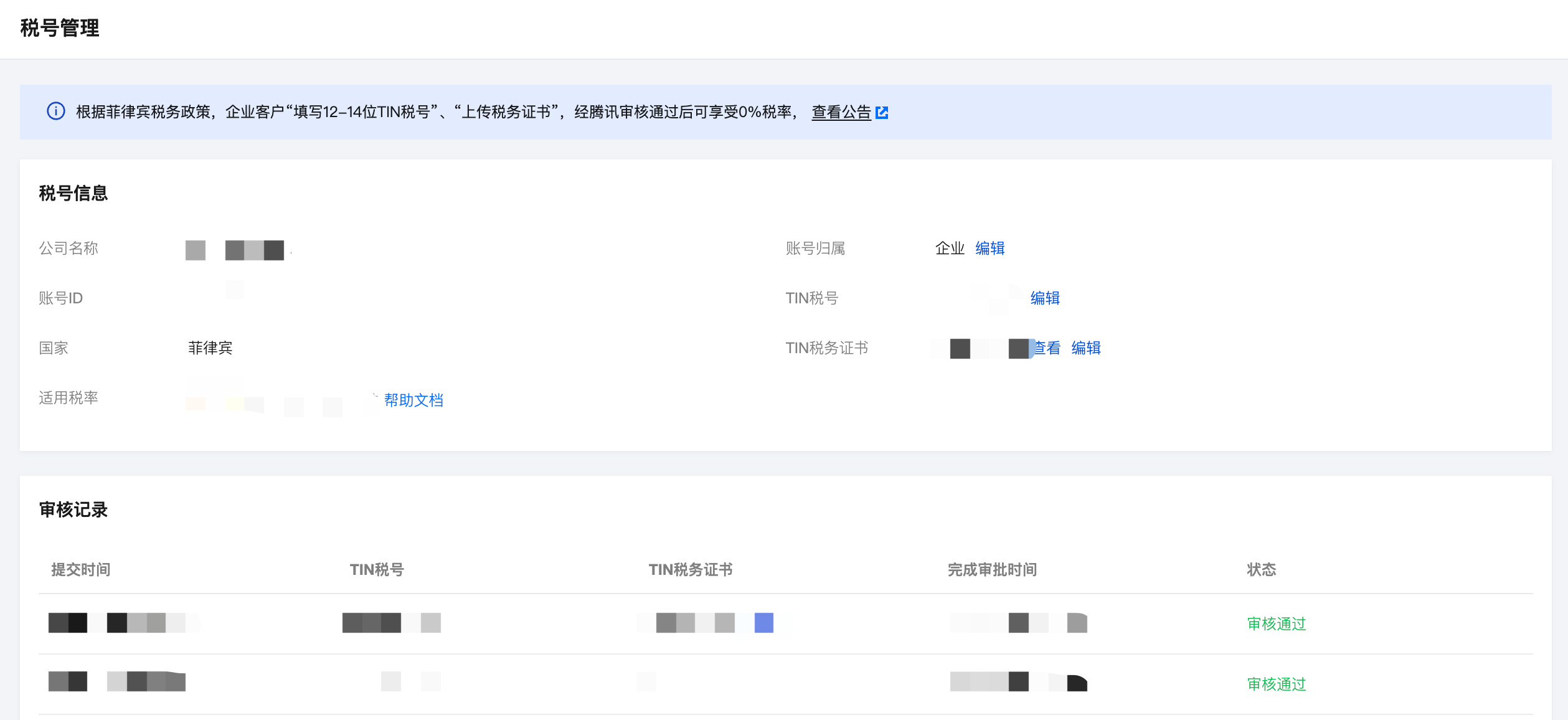
Enterprise customers are required to fill in the "12-14 digit TIN tax number" and upload a "tax certificate". After Tencent Cloud review passed, they will be recognized as enterprise customers. Please log in to Tax ID Management to maintain tax information as soon as possible to avoid additional taxation.
Customer Type
Certification Materials
VAT Tax Rate
Enterprise
"12-14 digit TIN tax number"
"Tax Certificate of Registration" in PDF, PNG, or JPG format
0%
Individual
Fill in the TIN tax number
12%
empty
None
12%

Tax ID Maintenance

Note:
Value-Added Tax (VAT) is non-refundable once charged.
Before submitting for review, please ensure the TIN and tax certificate are correct.
Please place order after review passed to avoid extra fee due to VAT caused by under review or review rejection.
1. Log in to Billing Center > Bills > Tax ID Management and enter the Tax ID Management page.

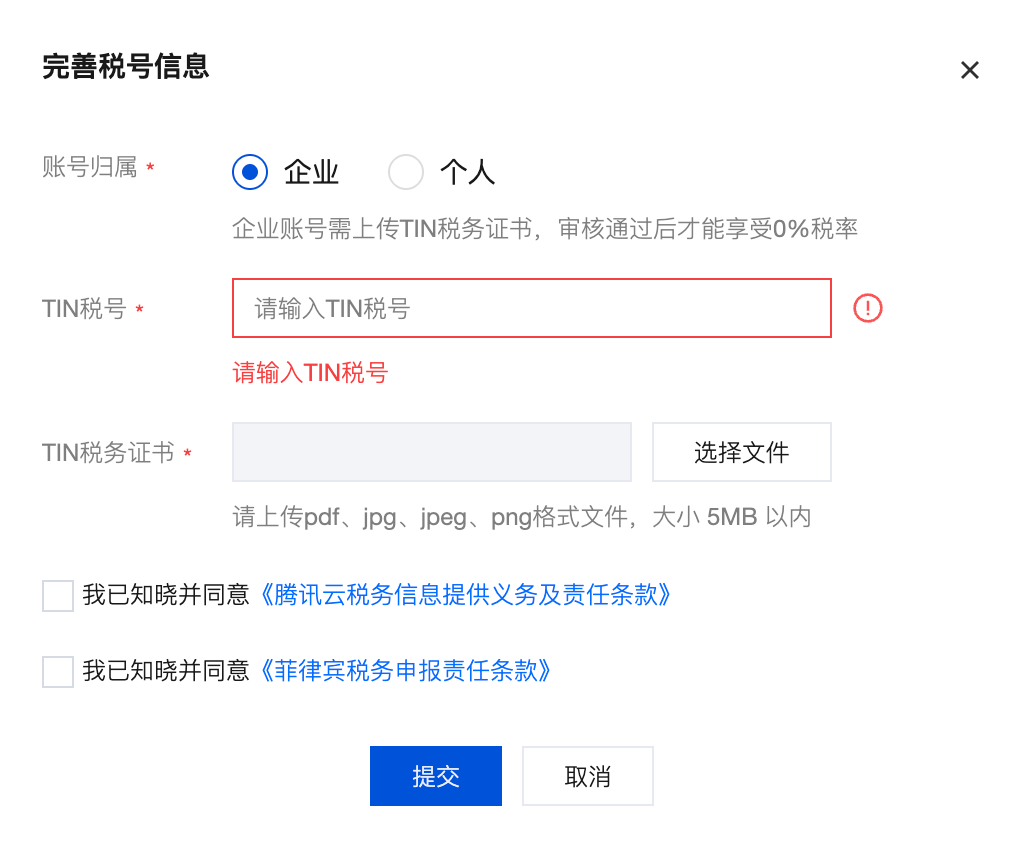
2. Click Edit, select Account Ownership, fill in the TIN, and upload the Tax Certificate of Registration.

Enterprise account requires a 12-14 digit TIN and upload of Tax Certificate of Registration.
Personal accounts have no length limit for TIN and no need to upload Tax Certificate of Registration.
If the tax ID is left empty, a 12% VAT in the Philippines will be charged.
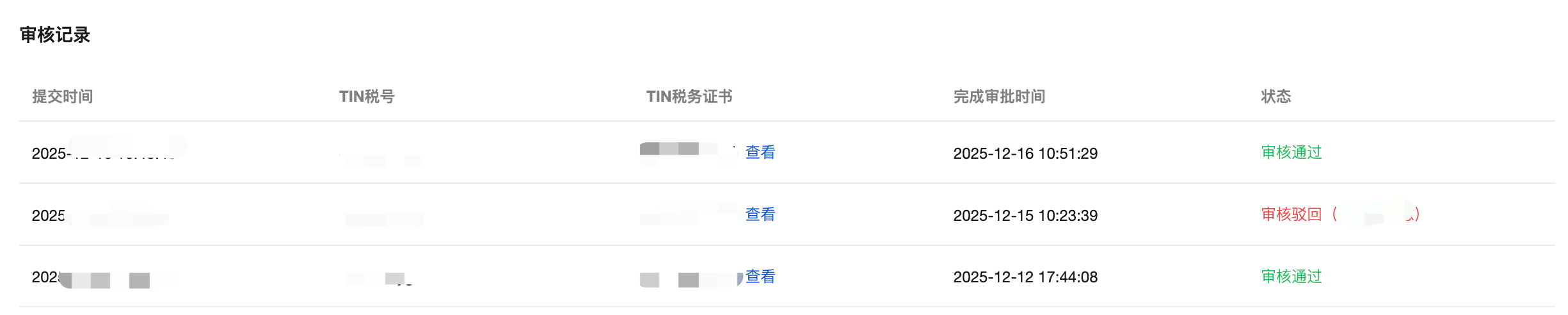
3. Check the agreement and submit for review. Tencent-side will complete the review within 1-3 workdays. The review result will be sent to you via email, Message Center, and SMS, and will also be displayed in the review record.

Under review: VAT is charged at the original tax rate during review. The content cannot be edited while under review. It can be re-edited after passing review or rejection.
Passed review: A 0% tax rate applies upon approval.
Review rejection: VAT is charged at the original tax rate after rejection. You can modify again based on the reason for rejection and submit for review.
Was this page helpful?
You can also Contact Sales or Submit a Ticket for help.
Yes
No

Feedback