Template deployment: Quick deployment of Express project
1. Log in to the SCF console and click Functions on the left sidebar.
2. Select the region and namespace where to create a function at the top of the page and click Create to enter the function creation process.
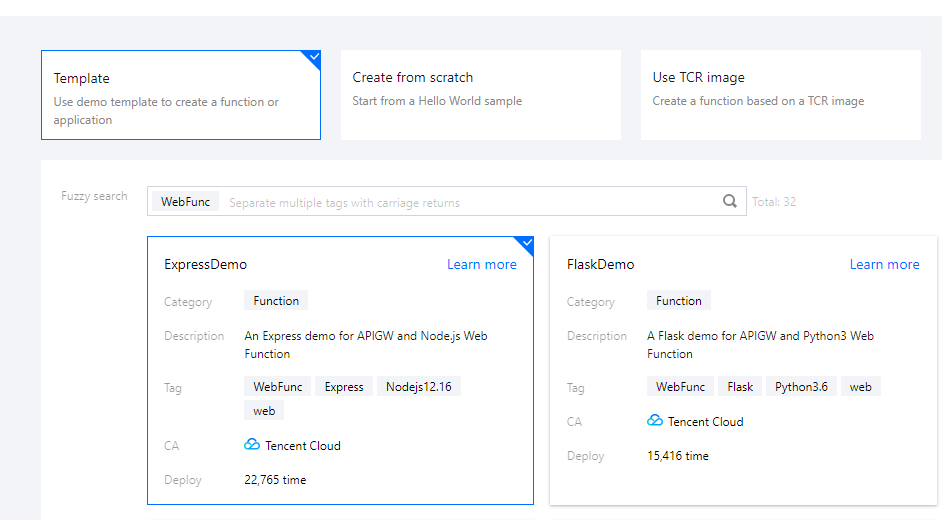
3. Select Template, enter WebFunc in the search box to filter all HTTP-triggered function templates, select ExpressDemo, and click Next as shown below:
4. On the Create page, you can view and modify the specific configuration information of the template project.
5. Click Complete. After creating the HTTP-triggered function, you can view its basic information on the Function management page.
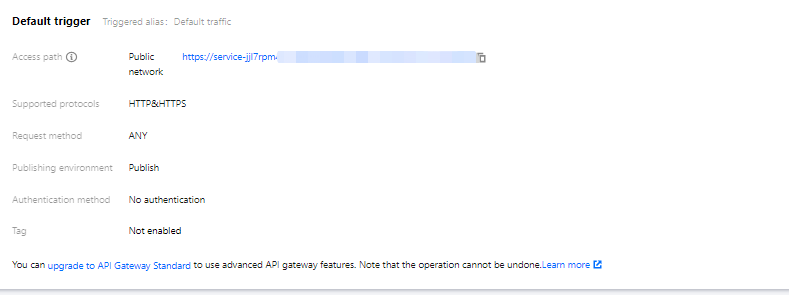
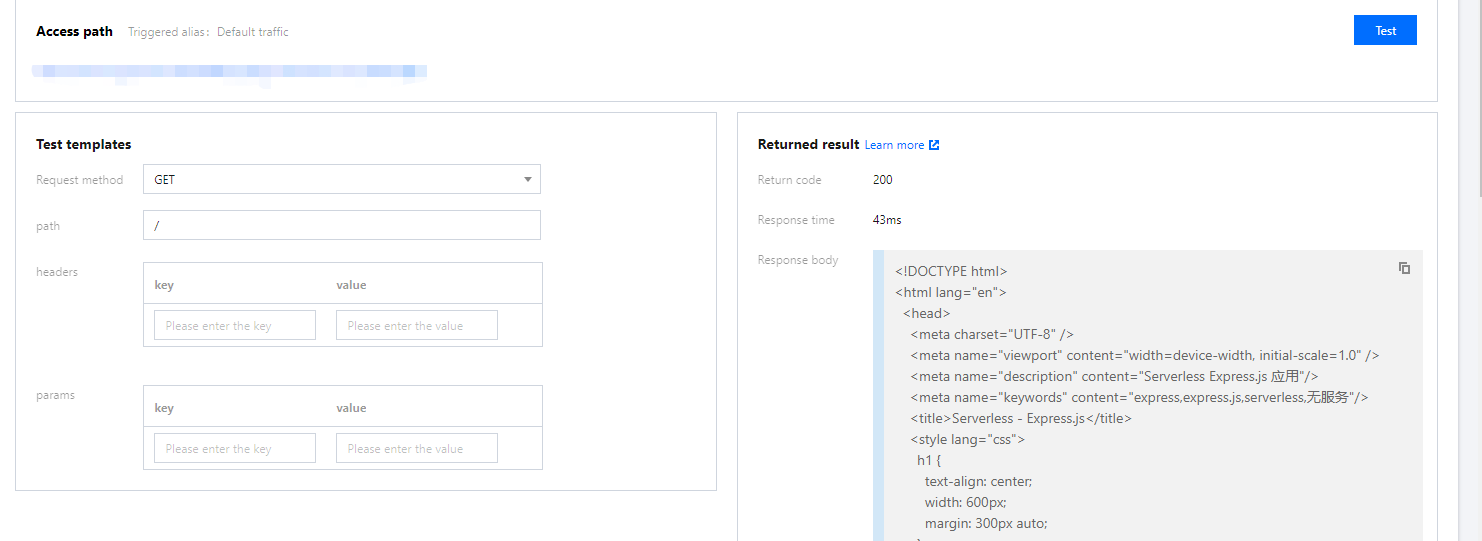
6. Click Trigger management on the left to view the access path and access your deployed Express project as shown below:
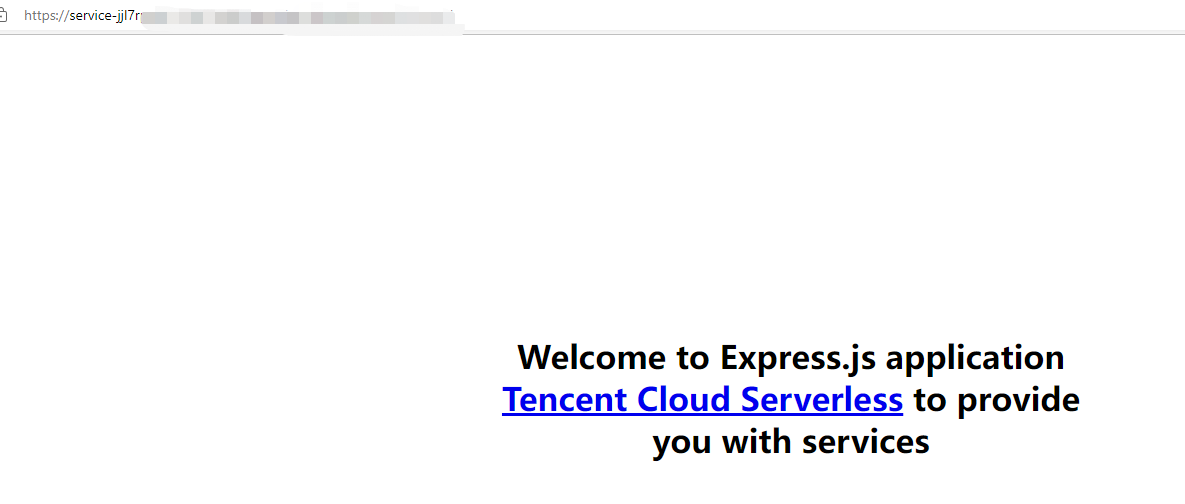
7. Click the access path URL to access the Express project as shown below:
Custom deployment: Quick migration of local project to cloud
Prerequisites
The Node.js runtime environment has been installed locally.
Local development
1. Run the following command to install the Express framework and express-generator scaffold and initialize the sample Express project.
npminstall express --save
npminstall express-generator --save
express WebApp
2. Run the following command to enter the project directory and install the required dependencies:
cd WebApp
npminstall
3. After the installation is completed, run the following command to directly start the service locally.
npm start
4. Visit http://localhost:3000 in a browser, and you can access the sample Express project locally.
Deployment in cloud
You need to make simple modifications to the initialized project, so that the project can be quickly deployed through an HTTP-triggered function. The project transformation here is usually divided into the following two steps:
Change the listening address and port to 0.0.0.0:9000.
Add the scf_bootstrap bootstrap file.
The detailed directions are as follows:
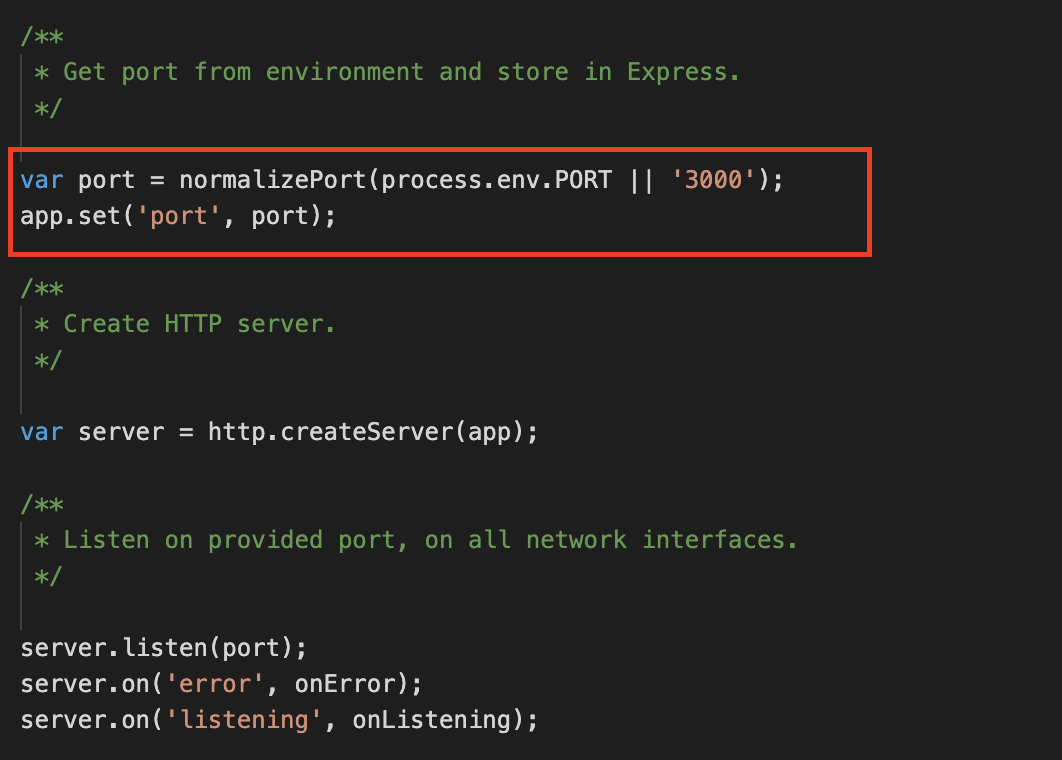
1. In the sample Express project, you can specify the listening address and port through the environment variable in the ./bin/www file. If you don't specify it, port 3000 will be listened on by default as shown below:
2. Create the scf_bootstrap bootstrap file in the project root directory and add the following content to it (which is used to configure environment variables and start services):
#!/bin/bash
exportPORT=9000
npm run start
3. After the creation is completed, you need to run the following command to modify the executable permission of the file. By default, the permission 777 or 755 is required for it to start normally. Below is the sample code:
chmod777 scf_bootstrap
4. After the local configuration is completed, run the following command to start the file (with execution in the scf_bootstrap directory as an example) and make sure that your service can be normally started locally.
./scf_bootstrap
5. Log in to the SCF console and click Functions on the left sidebar.
6. Select the region where to create a function at the top of the page and click Create to enter the function creation process.
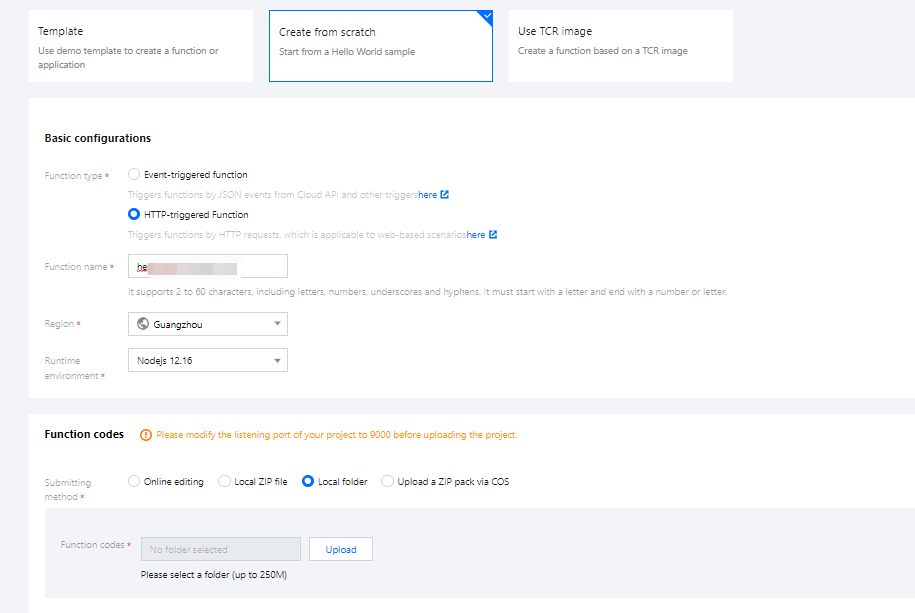
7. Select Create from scratch and configure the options as prompted as shown below:
Function type: Select HTTP-triggered function.
Function Name: Enter the name of your function.
Region: Enter your function deployment region, which is Guangzhou by default.
Runtime environment: Select Nodejs 12.16.
Submitting method: Select Local folder and upload your local project.
Function codes: Select the specific local folder where the function code is.
8. Click Complete.
Development management
After the deployment is completed, you can quickly access and test your web service in the SCF console and try out various features of SCF, such as layer binding and log management. In this way, you can enjoy the advantages of low cost and flexible scaling brought by the serverless architecture as shown below: