You can ship data from log topics to TDMQ for CKafka (CKafka) and then use it for your real-time stream computing scenarios. If you have not purchased a CKafka instance, you can consider using the built-in Kafka protocol consumption feature of Cloud Log Service (CLS).
If access control lists (ACLs) are enabled for your CKafka, pay attention to the restrictions for the CKafka version: For CKafka 1.X versions, it must be version 1.1.1 or later. For CKafka 2.X versions, it must be version 2.4.2 or later. Enabling ACLs for other versions will cause shipping failure. You can resolve the shipping failure by disabling ACLs.
Currently, only real-time log shipping is supported, while the shipping of historical logs is not supported.
Shipping to elastic CKafka topics is not supported.
Ensure that the current account has the permission to enable shipping to CKafka. For details, see CLS Access Policy Template.
Operation Steps
1. Prepare and configure a CKafka topic. In the same region as the log topic, create a CKafka instance. For details, see Creating an Instance. Create a topic. For details, see Creating a Topic.
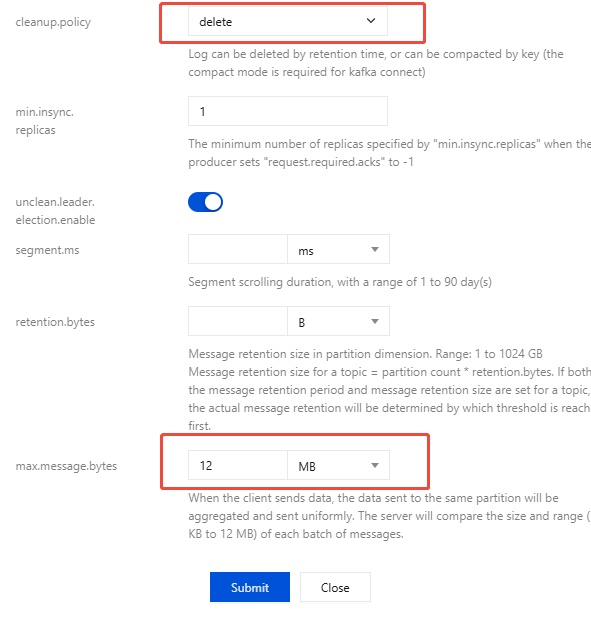
You need to make the following modifications to the configuration of this topic. Other parameters can be configured as needed.
CleanUp.policy: Set it to delete. Otherwise, shipping will fail.
max.message.bytes: Set it to 12 MB.
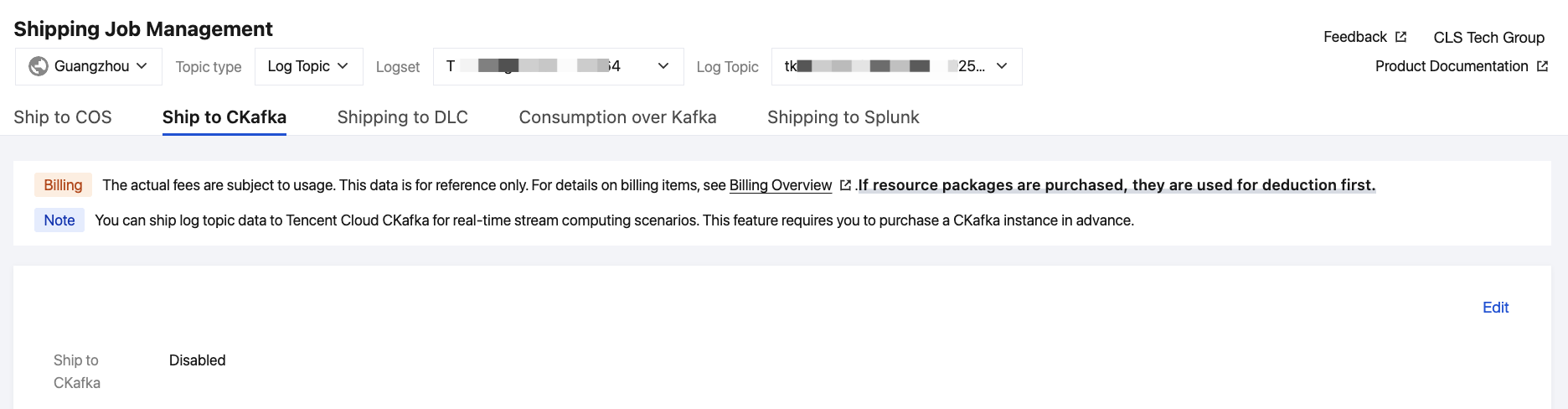
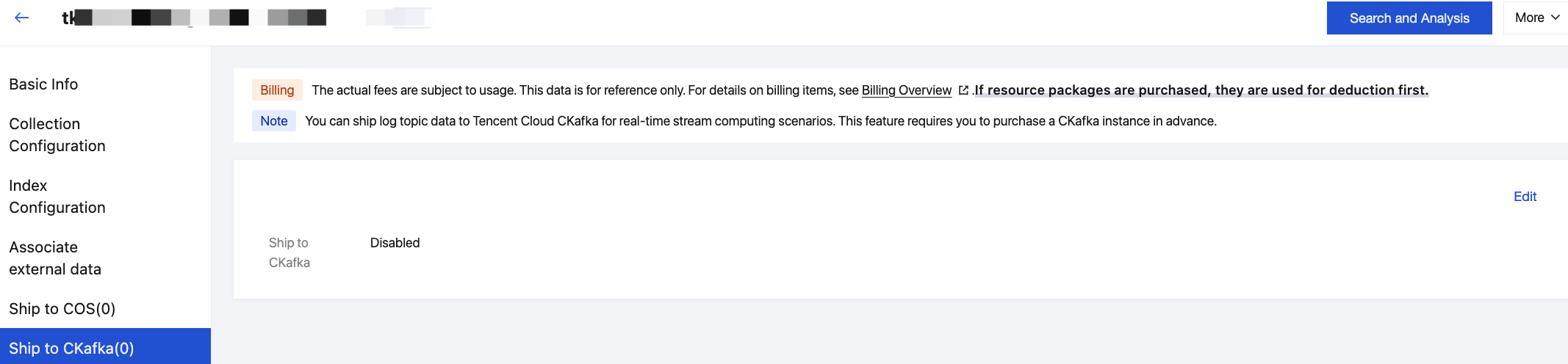
2. Log in to the CLS console and go to the shipping task management page. The following two shipping methods are supported.
In the left sidebar, click Shipping Job Management, select a region, logset, and log topic, and click the Ship to CKafka tab.
In the left sidebar, click Log Topic and select the log topic to be shipped to CKafka to go to the log topic management page. Click the Ship to CKafka tab.
3. Click Edit on the right, enable Ship to CKafka, select the corresponding CKafka instance and topic, and start shipping. You can choose to ship logs in original content or in JSON.
Ship in raw content. The configuration items for original content shipping are described as follows:
Configuration Item
Description
Rule
Required
Target CKafka Topic Ownership
Current Root Account
Other Root Accounts
Ship CLS logs to the CKafka topic of the current root account.
Ship CLS logs to the CKafka of other root accounts. For example, if account A wants to ship logs in CLS to the CKafka topic of account B, account B needs to configure an access role on Cloud Access Management (CAM). After the configuration is completed, account A enters the role ARN and external ID in the CLS console before the logs can be shipped across accounts. The steps to configure the role are as follows:
1. Create a role. Account B logs in to CAM and goes to the Role Management page.
1.1 Create an access policy, such as cross_shipper. The policy syntax is as follows:
Note:
The authorization in the example follows the principle of least privilege, with the resource configured to be shipped only to the CKafka instance ckafka-12abcde3 in the Guangzhou region. Configure the authorization according to your actual needs.
]//The resource is configured to be shipped only to the CKafka instance ckafka-12abcde3 in the Guangzhou region. Configure the authorization according to your actual needs.
}
],
"version":"2.0"
}
1.2 Create a role, set the role carrier to Tencent Cloud Account, set the cloud account type to Other Root Accounts, enter the ID of account A, such as 100012345678, select Enable Validation, and configure an external ID, such as Hello123.
1.3 Configure a role policy, configure an access policy for the role, and select the access policy cross_shipper (example) configured in the first step.
1.4 Save the role, such as uinA_writeCLS_to_CKafka.
2. Configure a carrier for the role. Locate uinA_writeCLS_to_CKafka (example) in the CAM role list, click the role, choose Role Carrier > Manage Carrier > Add Product Service > CLS below, and then click Update.
You can see that the current role has two carriers: account A and cls.cloud.tencent.com (CLS).
3. Account A logs in to CLS and enters a role ARN and external ID.
The two pieces of information need to be provided by account B:
Account B locates the role uinA_writeCLS_to_CKafka (example) in the CAM role list and clicks it to view its RoleArn, such as qcs::cam::uin/100001112345:roleName/uinA_writeCLS_to_CKafka.
The external ID, such as Hello123, can be seen in the role carrier.
Note:
When entering a role ARN and external ID, ensure that no additional spaces are included, as this may cause permission verification to fail.
Cross-account shipping will incur read traffic fees for a log topic under account A.
Current root account/Other root accounts.
No
CKafka instance
The CKafka topic in the same region as the current log topic serves as the shipping target.
In cross-account shipping scenarios, users need to manually enter the CKafka instance ID and topic name.
Select from the list.
Required
Format of Data to Ship
The option Original content indicates shipping the user's raw logs.
Select from the list.
Required
Data compression format
No compression: Snappy and LZ4.
Select from the list.
Required
Shipping log preview
Preview the log data to be shipped.
-
-
Ship in JSON format. A description of configuration items for shipping in JSON format is as follows:
Configuration Item
Description
Rule
Required
CKafka instance
The CKafka topic in the same region as the current log topic serves as the shipping target.
Select from the list.
Required
Format of Data to Ship
The option JSON indicates shipping logs in JSON format.
Select from the list.
Required
Escaped/Unescaped in JSON format
Escaped: Convert the value of first-level JSON nodes to a string. You can select this option if the value of your first-level nodes is struct and needs to be converted to a string before downstream storage or computation. Example:
Original log: {"a":"aa", "b":{"b1":"b1b1", "c1":"c1c1"}}
Ship to CKafka: {"a":"aa","b":"{\\"b1\\":\\"b1b1\\", \\"c1\\":\\"c1c1\\"}"}
Do not escape: Make no modifications to your JSON structure and hierarchy. The log format remains consistent with the collection side. Example:
Original log: {"a":"aa", "b":{"b1":"b1b1", "c1":"c1c1"}}
Ship to CKafka: {"a":"aa", "b":{"b1":"b1b1", "c1":"c1c1"}}
Note:
When a first-level JSON node contains numerical values, they will be automatically converted to int or float after shipping.
Original log: {"a":123, "b":"123", "c":"-123", "d":"123.45", "e":{"e1":123,"f1":"123"}}
Ship to CKafka: {"a":123,"b":123,"c":-123,"d":123.45,"e":{"e1":123,"f1":"123"}}
Select from the list.
Required
__TAG__metadata
Flatten or do not flatten __TAG__metadata according to your actual business scenarios.
Not flattened: {"__TAG__":{"fieldA":200, "fieldB":"text"}}
Data compression format
Snappy and LZ4 are supported.
Select from the list.
Required
Shipping log preview
Preview the log data to be shipped.
-
-
4. Click OK to start shipping to CKafka.
Note:
To clean, process, and filter logs before shipping them to CKafka, see Data Processing.
FAQs
What Should I Do If I Am Prompted That I Do Not Have Read/Write Permissions for the CKafka Topic?
If you ship data to CKafka directly using an API, you may encounter read/write permission issues for the CKafka topic. If you use this feature in the console, the system automatically guides you through the required authorization. However, if you call an API directly for shipping, you need to grant the authorization manually. See Shipping Task Role Authorization for detailed troubleshooting and solutions.